Table of Contents
Gemini can help create an illustrated worksheet, but the questions and layout need a teacher's review before students use it. Start by checking the learning content as editable text, then generate the visual version. An attractive image is not evidence that the questions, spelling, or answers are correct.
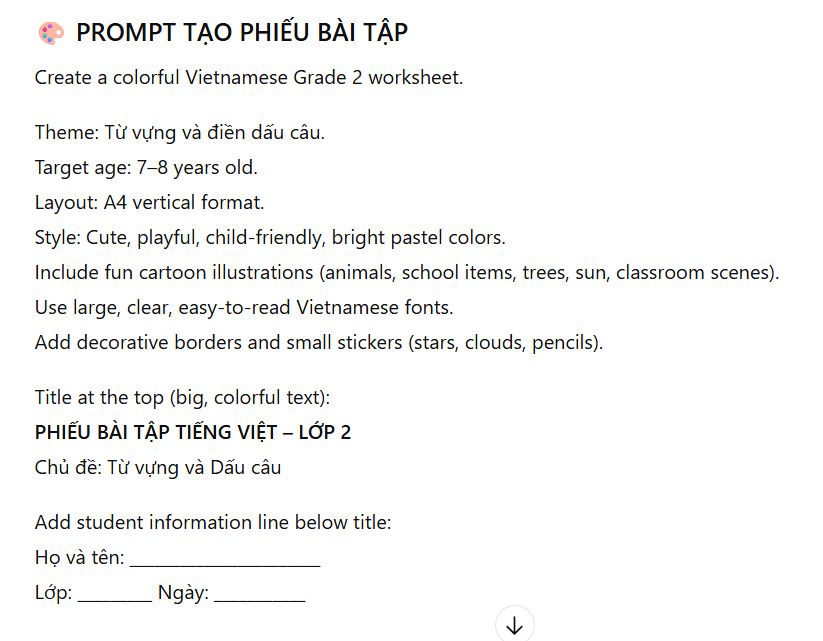
You can write the prompt directly in Gemini. ChatGPT or another assistant can help refine it, but using two chatbots is optional.
1. Define the worksheet before requesting an image
Specify the subject, grade, language, skill, question count, and response format. Add the page size and the space students need to write. For younger learners, keep instructions short and avoid illustrations that reveal the answer unintentionally.
A useful planning prompt is:
Draft a Grade 2 language worksheet with 10 questions: five picture-based vocabulary questions and five punctuation questions. Use the language and vocabulary taught in the attached lesson. Give short instructions, leave writing space, and provide a separate answer key. Output editable text first. Do not invent curriculum requirements.
Replace Grade 2, the language, and the skill with your own class requirements. For a Vietnamese worksheet, state that explicitly and check every accent mark.

If you ask ChatGPT to prepare the Gemini prompt, request plain prompt text. You do not need code for an image worksheet.
2. Check the questions and prepare the visual prompt
Read every question and solve it yourself. Confirm that each has the intended answer and that the vocabulary fits your students. Keep the answer key on a separate page or file.
Then use a visual prompt such as:
Create one portrait A4 worksheet image using the approved questions below exactly as written. Use large, readable text, clear numbering from 1 to 10, simple child-friendly illustrations, a white background, and generous writing space. Do not show answers or an answer key on the student page. Keep decoration outside the question areas.
Paste the approved questions after that instruction. Ask for a smaller number of questions per page if the first layout becomes cramped.
3. Generate the worksheet in Gemini
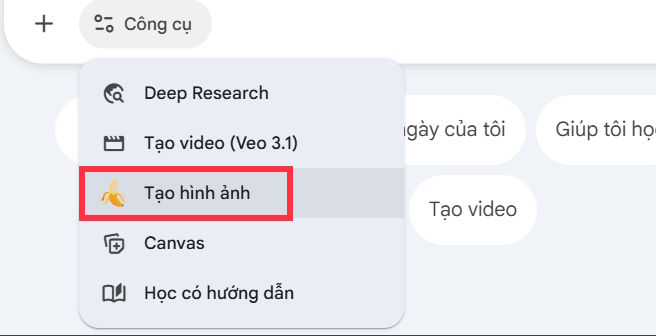
Open Gemini and choose Create image from the tools menu when available, or explicitly ask it to generate a worksheet image. Paste your prompt and submit it.
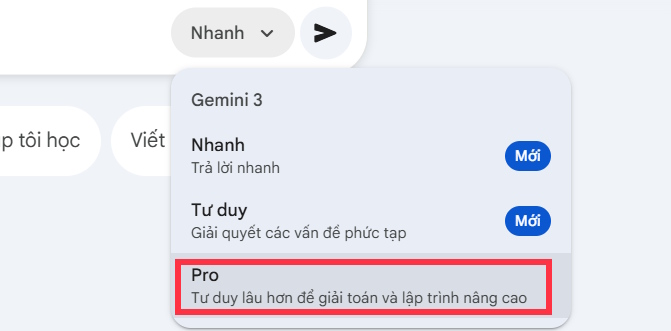
Select an image-generation option available to your account. The screenshots show a Pro option, but choosing Pro does not guarantee error-free fonts, punctuation, or question content. Google's image-generation guide describes current controls and account availability.
Ask for targeted corrections when needed, such as “increase the writing space under questions 6–10” or “restore the exact punctuation in question 4.” Recheck the entire revised image because a correction can alter another part.
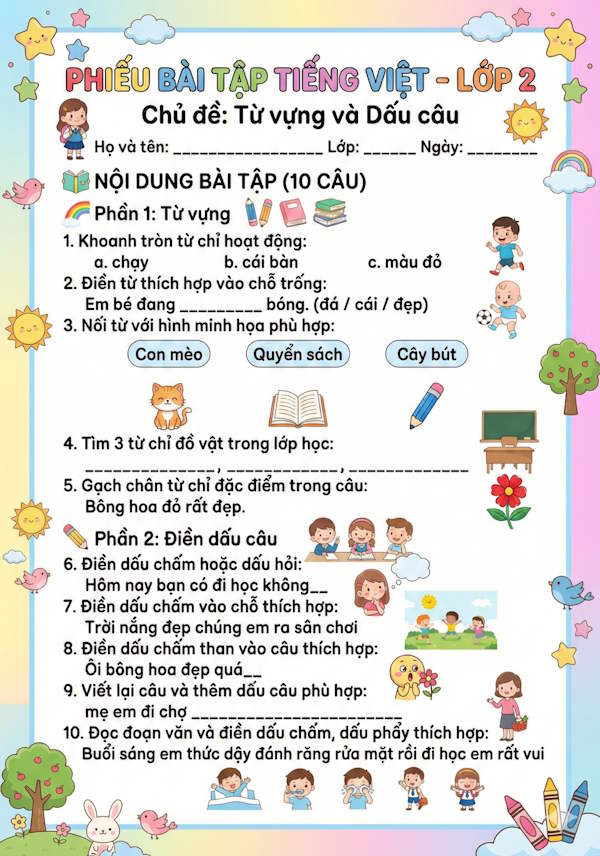
4. Check the final page at print size
- Content: all intended questions are present, in the right order, without duplicate numbers.
- Text: words, symbols, accents, and punctuation match the approved draft.
- Pictures: each image supports the question and is unambiguous.
- Layout: students have enough writing space and nothing is cut off at the margins.
- Answers: the key is correct and absent from the student page.
Download the full-size image and inspect a test print or print preview. If generated text remains unreliable, use Gemini for illustrations only and assemble the questions as editable text in Word, Google Docs, or another page editor.
For related classroom tasks, see creating test questions with Gemini and planning an assessment matrix. Keep your own reviewed text and answer key so future changes do not depend on extracting words from an image.
Related Articles
 How to Quickly Create Worksheets on Magic School4 minutes read
 Instructions on Creating Worksheets in Canva4 minutes read
 How to Create Mind Maps for Lessons Using Gemini5 minutes read
 Instructions on Creating Multiple-choice Questions on Gemini3 minutes read
 Instructions on Creating a Mind Map for a Lesson Using Gemini5 minutes read
 Tips for Quickly Creating Automated Tests on Gemini4 minutes read
Reader Comments 0
Sign in with email or Google to join the discussion.