Table of Contents
Explore 4 Google apps that work better with gemini, including the key concepts, practical examples, important considerations, and useful guidance.
Gmail
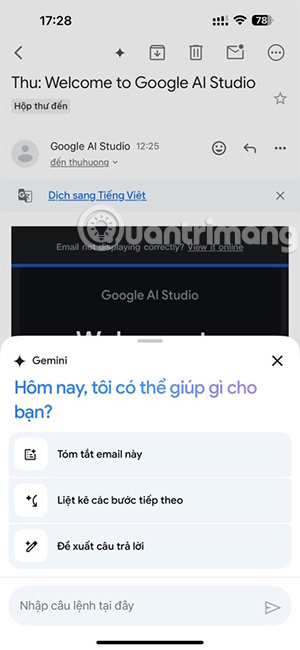
The immediate impact of combining Gemini with Gmail is the feature that helps you write emails. The tool not only suggests content but also generates entire email drafts based on the prompts you type.
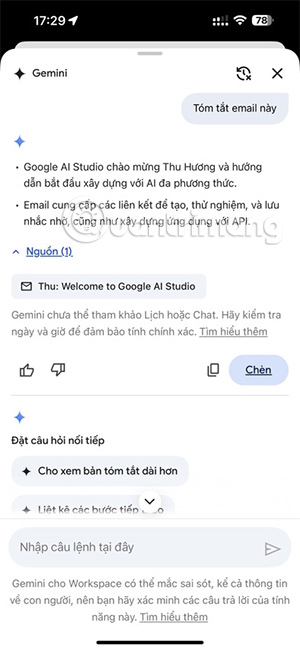
- How to use Gemini in Gmail
Gemini also helps reduce the summation of the entire email content, allowing you to read emails quickly while still retaining the main points.
Gemini's sidebar also functions as an intelligent assistant. Instead of using traditional search keywords that often yield inaccurate results, you can ask questions in natural language. Gemini will scan your emails for specific answers and display them directly to you, often with a link to the source email for verification.
Google Meet
Gemini's standout feature in Google Meet is "Take notes for me ," which takes notes for you during meetings. It not only records word for word but also summarizes the conversation to identify key points, decisions made, and actionable objectives for each participant. After the call, these notes are automatically saved to Google Docs.
For those joining the meeting late, the Ask Gemini feature provides information to help them catch up without interrupting the conversation.
Google Docs
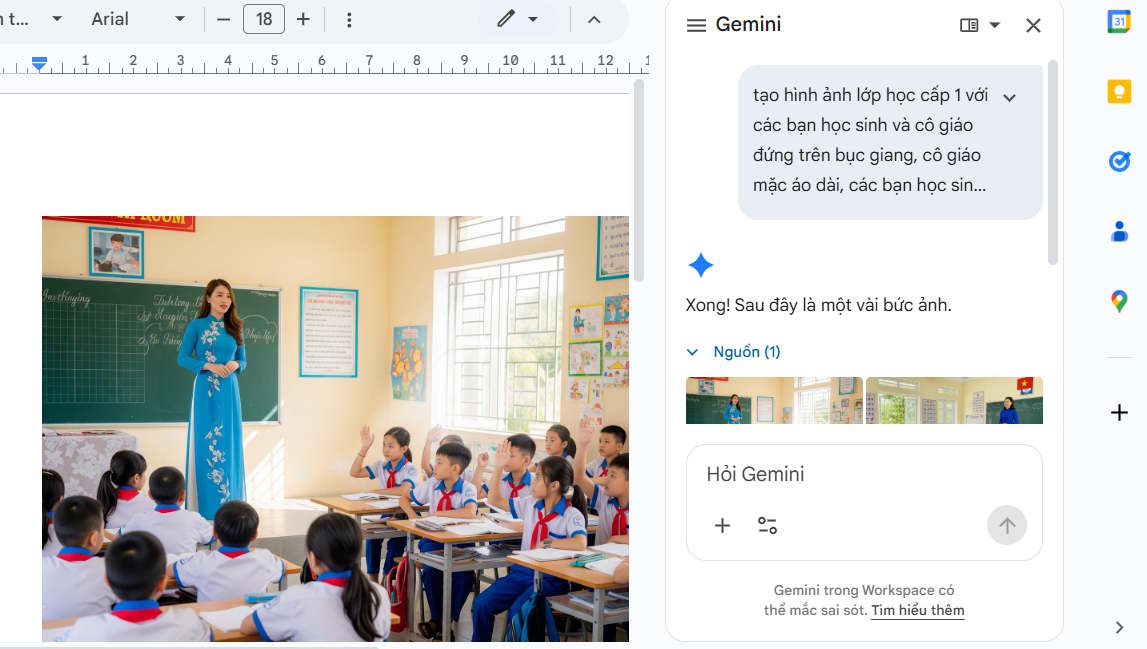
Gemini's Help me write feature allows you to create outlines, blog posts, or project proposals from scratch based on simple instructions. Content creation capabilities aren't limited to text; you can also create custom images directly within the document.
- Create images for your document using Gemini in Google Docs.
During the text editing and refinement phase, Gemini significantly increases productivity. You can highlight specific sections of text and ask the AI to rephrase them for clarity, correct grammar errors, or completely change the style.
The system can also summarize long documents instantly, which is very useful when reviewing lengthy reports or academic papers.
Perhaps the most powerful aspect of Gemini in Docs is its ability to access information from the entire Google Workspace ecosystem. Through the dashboard, you can ask Gemini to reference a specific email thread or a file stored in Drive and retrieve that information into the current document.
Google Drive
Google Drive also integrates Gemini, a natural language search and query system that works within the content of files. Specifically, Gemini allows you to extract detailed information without opening any files. Users can select a file and then ask Gemini to summarize the content they need.
Gemini also helps enhance Drive's organization and management capabilities. It can analyze the contents of unorganized folders and suggest logical ways to structure folders or suggest file names that accurately reflect document content.
Final Thoughts
Understanding 4 google apps that work better with gemini makes it easier to evaluate the information and apply the most relevant recommendations. Focus on the key points above and verify details that may change over time.
FAQ
What is 4 google apps that work better with gemini?
Explore 4 Google apps that work better with gemini, including the key concepts, practical examples, important considerations, and useful guidance.
What key points does this article cover?
The article focuses on Gmail, Google Meet, Google Docs, with practical explanations and examples.
How can you use this information in practice?
Use the explanations to compare options, verify important details, and make a more informed decision. Apply the recommendations that best match your goals and situation.
Related Articles
 What Is Google Gemini? How Does Gemini Work?6 minutes read
 How Gemini Extensions Help Work More Efficiently on Google7 minutes read
 4 Google Apps Work Significantly Better with Gemini AI: Explained8 minutes read
 Gemini 3.1 Pro or Gemini 3 Pro: Better?8 minutes read
 How to Disable Gemini in Gmail and Other Google Workspace Apps5 minutes read
 How to Turn Off Gemini in Google Docs10 minutes read
Reader Comments 0
Sign in with email or Google to join the discussion.