Table of Contents
Explore instructions on creating multiple-choice questions on gemini.
How to create multiple-choice review questions on Gemini
Step 1
You access Gemini, then in the Tools section , we select Canvas .
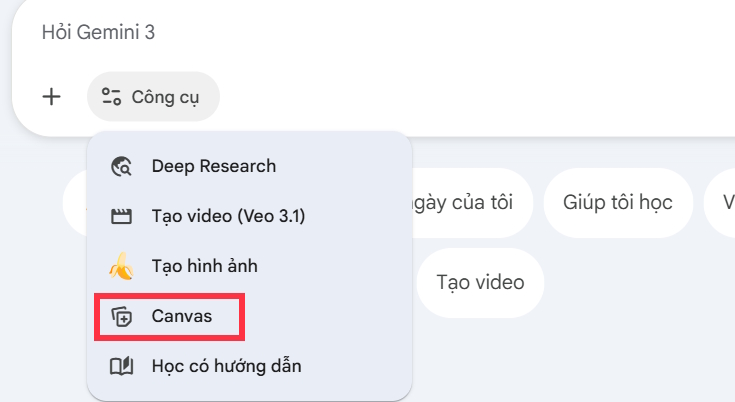
Step 2
Enter the command, specifying the subject name, stage, topic, or time period for which you wish to synthesize knowledge . You need to provide detailed information so that Gemini can perform the synthesis accurately.
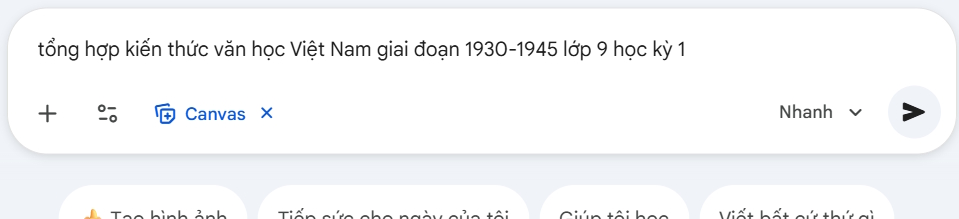
The result is a comprehensive summary of the knowledge we gain based on the command you entered.

Step 3
Continue by clicking Create and then selecting Test to create it on Gemini.
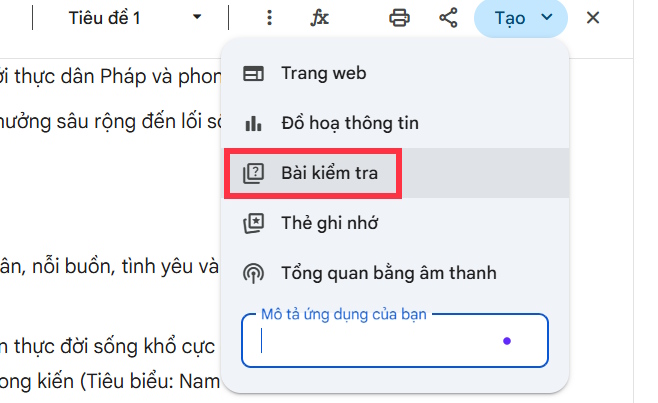
Step 4
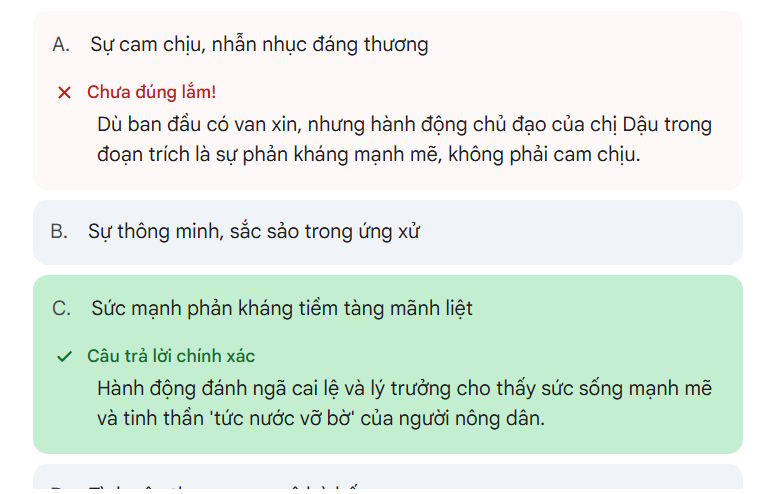
As a result, we have a multiple-choice quiz based on the general knowledge you requested on Gemini.

Whether your answers are correct or incorrect will be indicated below during the answering process. After you have answered all the questions, there will be a summary of your work, analyzing your learning outcomes based on your answers.
Final Thoughts
Understanding instructions on creating multiple-choice questions on gemini makes it easier to evaluate the information and apply the most relevant recommendations. Focus on the key points above and verify details that may change over time.
FAQ
What is instructions on creating multiple-choice questions on gemini?
Explore instructions on creating multiple-choice questions on gemini.
What key points does this article cover?
The article focuses on How to create multiple-choice review questions on Gemini, Step 1, Step 2, with practical explanations and examples.
How can you use this information in practice?
Use the explanations to compare options, verify important details, and make a more informed decision. Apply the recommendations that best match your goals and situation.
Related Articles
 Guide to Creating Multiple Choice Questions on Vnedu4 minutes read
 How to Quickly Creating Multiple-Choice Questions Using Brisk3 minutes read
 How to Create Multiple-choice Questions in ScratchJR (Part 1)4 minutes read
 Instructions on Creating Automated Exam Scoring Sheets Using Gemini1 minutes read
 Quickly Create Multiple-choice Questions from Slides4 minutes read
 A Set of JavaScript Multiple-choice Questions Has P4 Answers2 minutes read
Reader Comments 0
Sign in with email or Google to join the discussion.