Table of Contents
Learn how to quickly applying for a house number online with clear steps, practical tips, and troubleshooting guidance for a reliable result.
How to apply for a house number online
Step 1
First you need to log in to the National Public Service Portal with your VneID account.
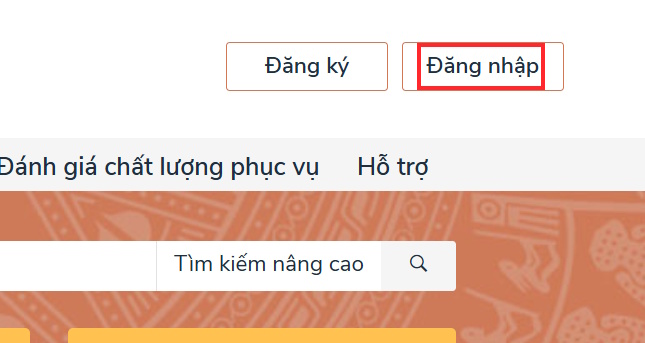
Step 2
At the interface of the National Public Service Portal, you enter the keyword house number and then click on the procedure to Newly issue/Reissue House Number Certificate .
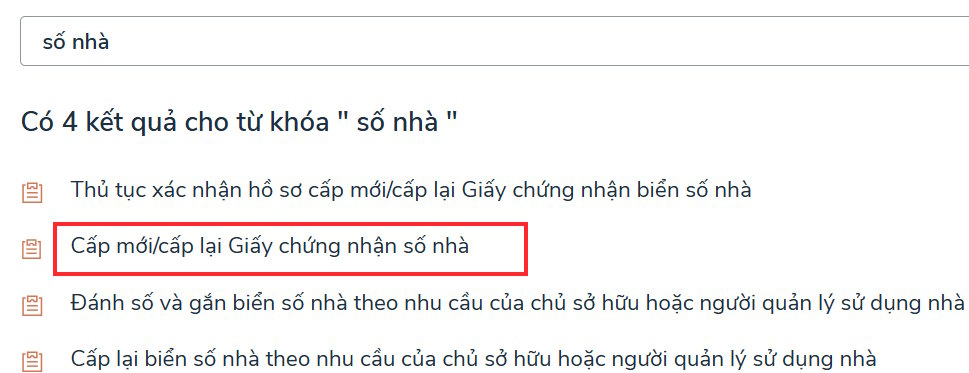
Note, currently only some localities have implemented online house numbering procedures , so make sure your locality has implemented this online service to perform.
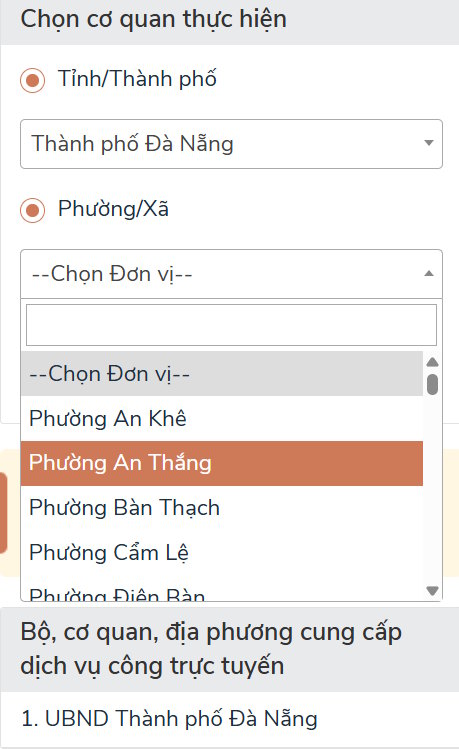
Step 3
Switch to the new interface, you select the province/city and ward/commune where the house needs to be numbered. The list of units that support online house numbering will be displayed accordingly. If there is no locality in the list, it means it is not supported.
Step 4
Next, click Submit online to proceed with information declaration.
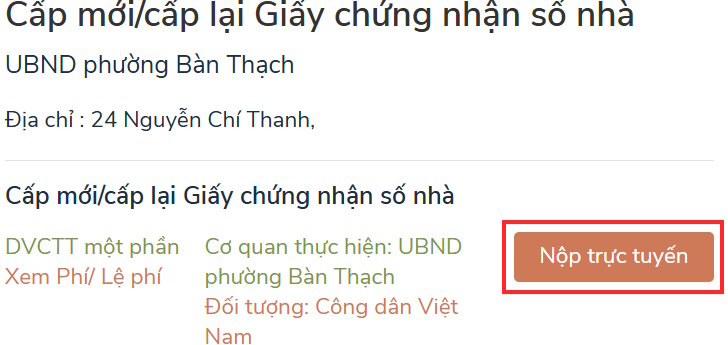
Step 5
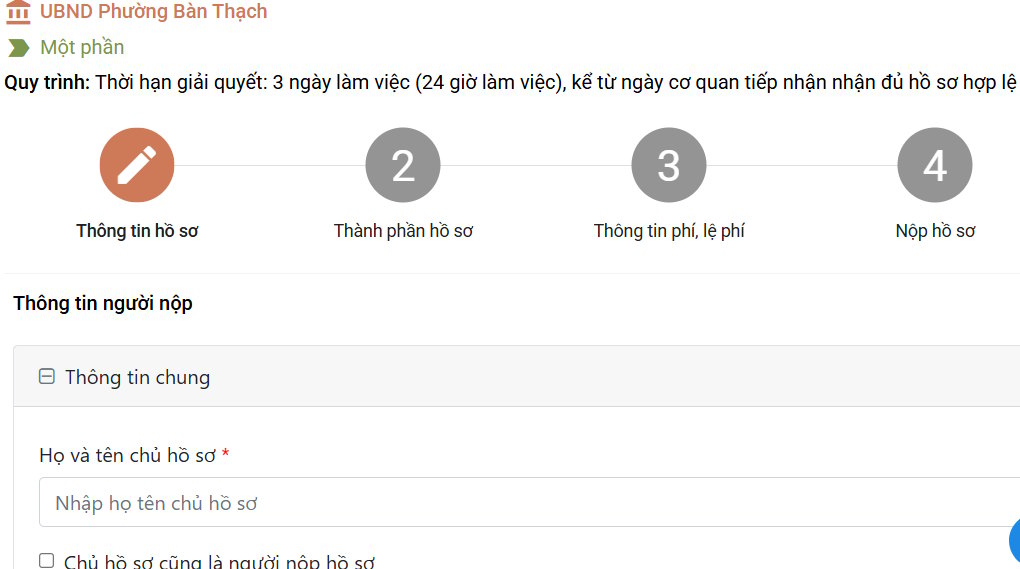
Now please fill in all the required information displayed in the interface to submit your online house numbering application on the National Public Service Portal.
Your application will be reviewed and if successful you will receive the results.
Final Thoughts
Use this guide as a practical checklist for how to quickly applying for a house number online. Work through the steps in order, verify each result, and adjust the options to match your needs.
FAQ
What do you need before following this How to Quickly Applying for a House Number Online guide?
Review the required tools, accounts, settings, or materials mentioned in the article. Learn how to quickly applying for a house number online with clear steps, practical tips, and troubleshooting guidance for a reliable result.
What are the main steps for how to quickly applying for a house number online?
Follow the sections in order, especially How to apply for a house number online, Step 1, Step 2. Complete each step before continuing and verify the result as you go.
What should you do if the process does not work as expected?
Recheck the prerequisites, update the relevant app or service, review the settings, and repeat the step that caused the issue. Use any troubleshooting notes included in the guide.
Related Articles
 How to Change Mobifone Phone Number to Keep SIM Right at Home6 minutes read
 10 'No' When Online: A Practical Guide1 minutes read
 Startled with Houses Built on Unbelievable Terrain5 minutes read
 How to Merge Videos Online on Your Computer Quickly, without4 minutes read
 How to Change Mobifone Phone Number at Home7 minutes read
 These Are the Subtle Things That Ruin a House, and Few People Realize It7 minutes read
Reader Comments 0
Sign in with email or Google to join the discussion.