Table of Contents
This updated guide explains how to convert outlook email into event invitation with clear steps, practical tips, and useful context. Converting emails to meeting invitations in Microsoft Outlook saves users time and effort when creating event invitations in Outlook, while preventing back-and-forth scheduling and ensuring everyone is on the same page.
How to Convert Outlook Email into Invitation
Step 1:
You select the email in Outlook then select the 3 dots icon then select Other reply actions then select Reply all by meeting .
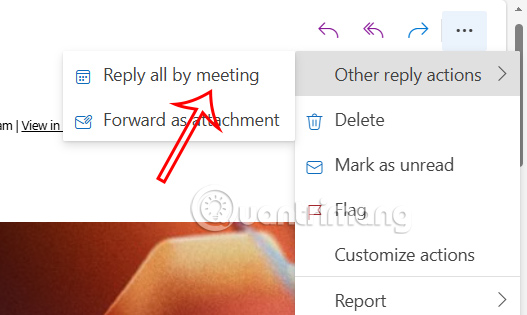
Step 2:
The new interface displays, you review the auto-filled fields to ensure the content is correct.
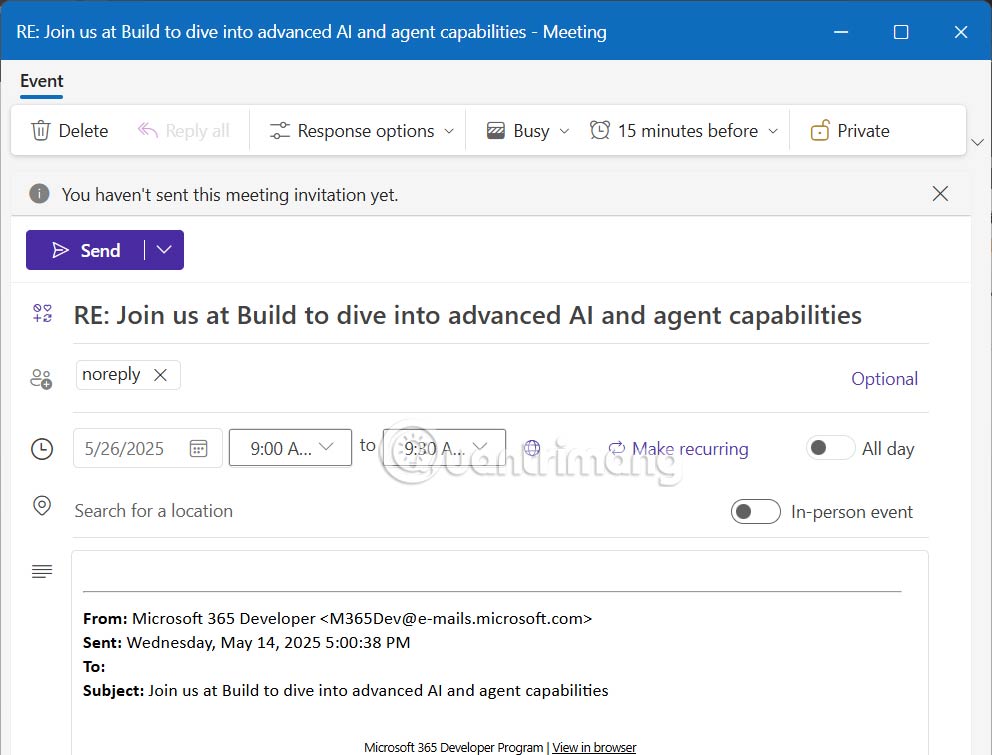
We will fill in the necessary information for the meeting invitation, date and time, meeting participants and meeting location or join the meeting online.
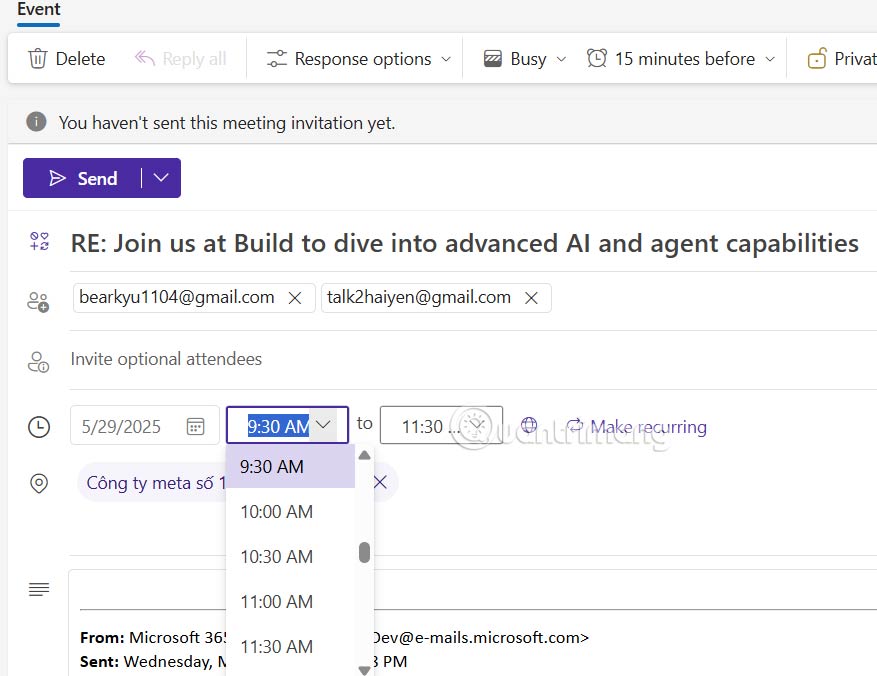
Step 3 :
Below is the original email content so users can change or add content to the meeting if needed. Scroll down to find some tools to insert content into the invitation and format the invitation.
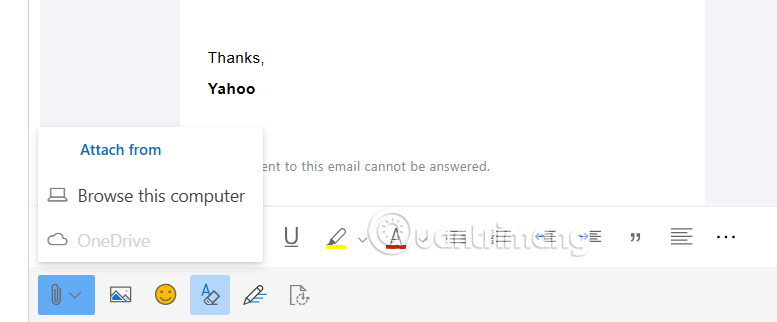
Step 4:
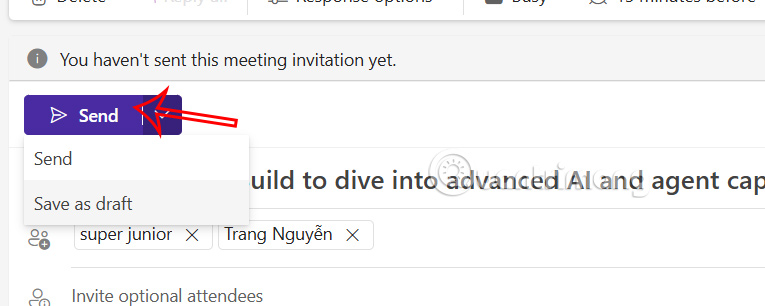
Once you have finished setting up, choose Send to send the invitation to join to the people you added in the meeting invitation.
FAQ
What should I prepare before I convert outlook email into event invitation?
Review the requirements and options in the guide first. Having the correct device, app version, account access, or materials ready helps prevent avoidable errors.
How long does it take to convert outlook email into event invitation?
The time depends on the task and your setup. Most basic steps can be completed quickly, while downloads, updates, scans, or troubleshooting may take longer.
What should I do if the steps do not work?
Repeat the instructions in order, confirm that your software or device is supported, and check permissions, connectivity, and available updates before trying again.
Related Articles
 Apple Issued an Invitation for the Event on September 9, 20143 minutes read
 How to Schedule an Event in Outlook3 minutes read
 Click: How to Convert Dbx to Pst3 minutes read
 How to Set Up Email in Outlook Latest 20225 minutes read
 How to Print Email in Outlook3 minutes read
 How to Print Emails on Outlook3 minutes read
Reader Comments 0
Sign in with email or Google to join the discussion.