Table of Contents
After a long search for a great AI tool to record the details of regular weekly meetings, many people finally found one they like: Granola AI.
After a long search for a great AI tool to record the details of regular weekly meetings, many people finally found one they like: Granola AI.
Why Granola is the perfect AI-powered meeting assistant?
Granola AI integrates some really useful features. Not all of them are powered by AI; they're just plain useful.
Automatically detect meetings and calendar events
Once installed on your device (Windows, macOS, or iOS, no Android version yet), Granola can automatically launch whenever you have a scheduled meeting, or as soon as you start a video or voice call. You can allow Granola access to your Google Workspace, where it automatically syncs everything that's coming up.

Almost Unparalleled AI Note Summarization
If the idea of automatic meeting detection doesn't appeal to you, Granola's AI note-taking and summarization feature probably will. That's because you can use Granola to work with AI-generated meeting notes and recordings in a variety of ways. Plus, Granola uses GPT-5 to power note summarization and queries, meaning it's using OpenAI's latest model.
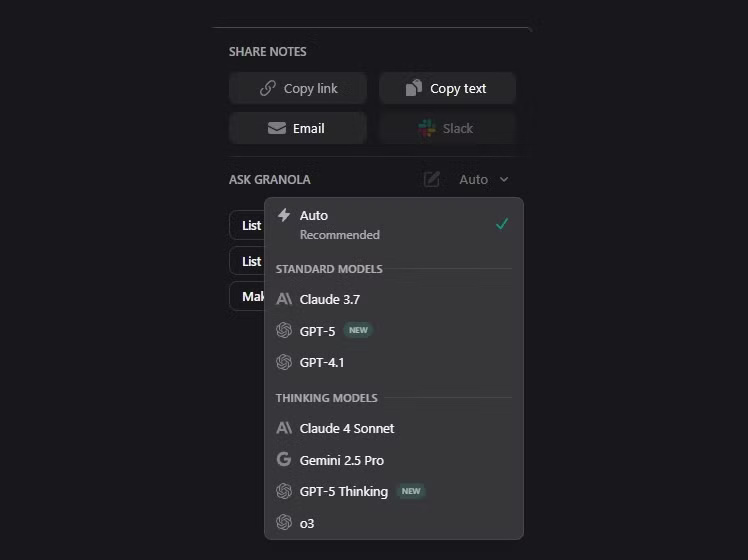
There have been some complaints about GPT-5's capabilities, but overall, it's a powerful AI model built right into this note-taking tool. But if that doesn't suit you and you want to use a different AI model, Granola can also meet your needs. You can switch between general-purpose AI models and inference models (also known as "thinking models"), which are better suited for complex, intensive tasks.
In short, at the moment you can use GPT-5, GPT-4.1 and Claude 3.7, or move on to reasoning models like Claude 4 Sonnet, Gemini 2.5 Pro, GPT-5 Thinking and OpenAI o3. It's pretty comprehensive.
If you're not sure, ask Granola!
You don't have to work on just one conversation or transcript, either. In the bottom right corner of the screen is the Ask Granola Button, which acts as an AI Overview of all transcripts and note sets added to the tool. The Ask Granola Option is useful for finding information, especially if you have a series of daily or weekly meetings with similar topics.
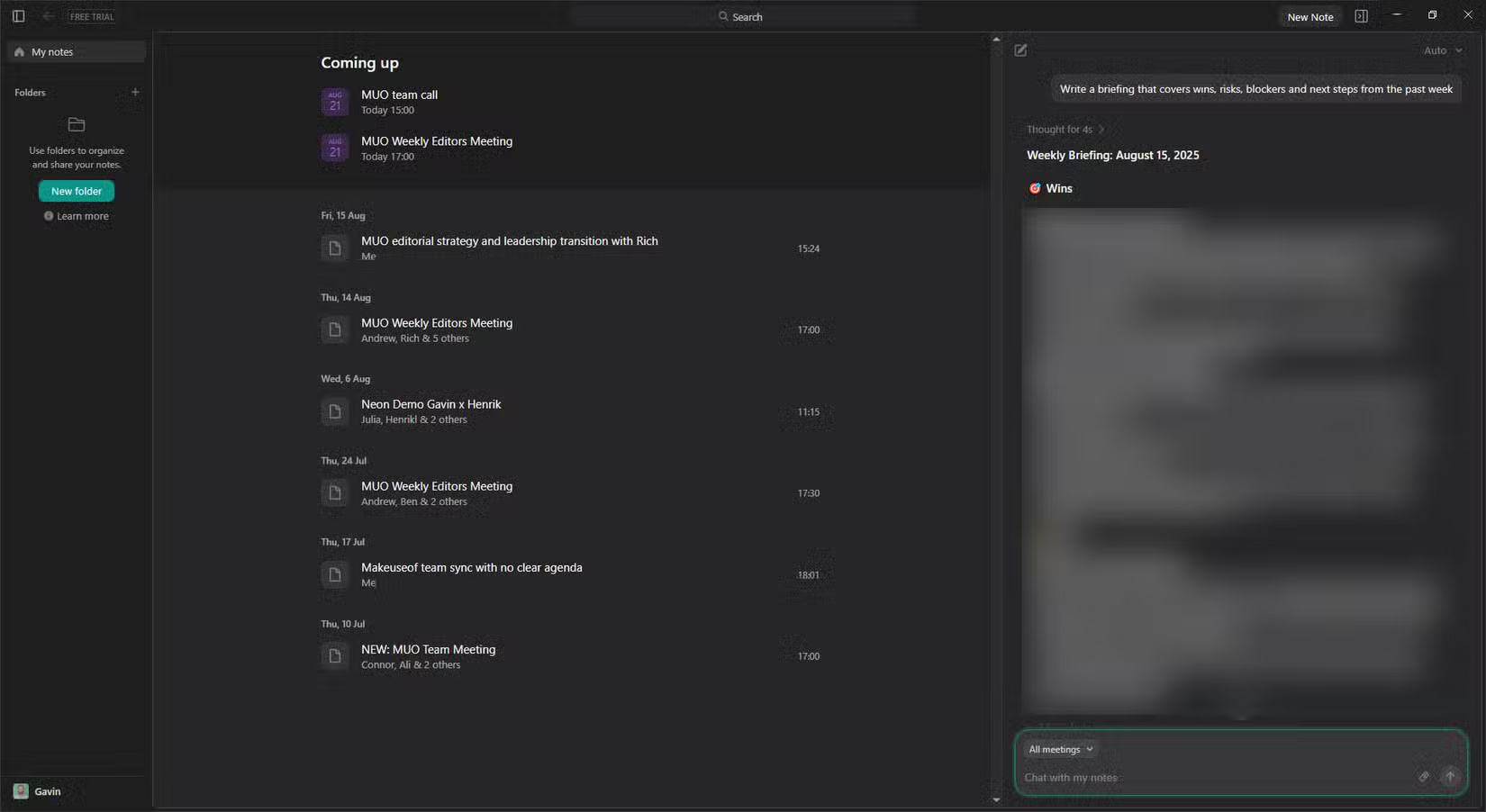
The built-in prompts give you a good idea of how to get started with Ask Granola, suggesting questions like 'Who did I promise to follow up with' and 'Help me catch up on what's important.' However, this is an AI tool, and the prompts are generic. You can customize them further if you want, and add more layers of complexity to suit your transcript and notes.
Add notes to make Granola work
One feature that hasn't been tested as much as I'd like is the option to add notes to an ongoing conversation/transcript and have Granola build specific information around it. For example, let's say you're in a weekly team meeting where each week you discuss a specific set of data.
Before the meeting, you can create a set of notes and point Granola at them. The tool will then build information around the notes you've added, adding more information as needed, processing the transcript as the meeting progresses.
This is especially useful if there are certain areas you really want more information about, perhaps to think about later or to follow up on immediately.
Share your notes when they're ready
The first time Granola was used was at a smartphone launch (Nothing Phone 3 in London).
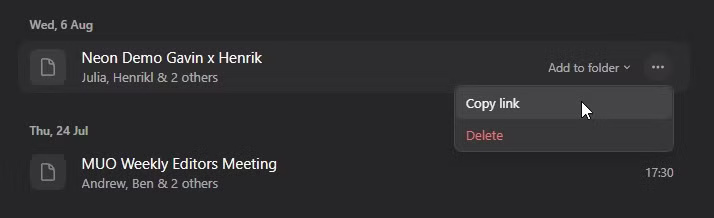
But the really cool thing is at the end of the keynote. After Granola compiles the notes, the presenter can share the entire conversation with others, including the AI features. Here, you can share your entire notes with anyone who has the link, and then they can use Granola's built-in AI models to search for what was discussed, dig deeper, etc.
How does Granola AI handle privacy?
Granola AI doesn't process your requests locally, so you should avoid providing it with any particularly sensitive information.
Granola's Privacy Policy explains that it does not "allow third parties like OpenAI or Anthropic to use your personal data to train AI models" and that it only uses "anonymized data to train AI models." There is also an option to turn off anonymous data sharing, which you should do if you value your privacy. This opt-in should be optional.
There is no denying Granola in this regard; it is a great app. But if you are working with sensitive data, health information, passwords, intellectual property, etc., it is best to avoid sharing any of this information with an AI tool, be it Granola or any other. It is worth noting that Granola is SOC 2 compliant.
On the plus side, Granola AI doesn't store audio from the recording. Once that conversation is recorded and ready for analysis and annotation, the audio is discarded. Furthermore, all data collected is encrypted during transmission and at rest, which is another big plus.
FAQ
Why Granola Is the Perfect AI-Powered Meeting Assistant: Explained?
In practical terms, after a long search for a great AI tool to record the details of regular weekly meetings, many people finally found one they like: Granola AI.
What factors are most important?
The article highlights that automatically detect meetings and calendar events Once installed on your device (Windows, macOS, or iOS, no Android version yet), Granola can automatically launch whenever you have a scheduled meeting, or as soon as you.
What is the main takeaway?
The main takeaway is that that's because you can use Granola to work with AI-generated meeting notes and recordings in a variety of ways.
Related Articles
 5 Best AI Meeting Assistants in 2026: Compared14 minutes read
 An AI-powered Administrative Document Drafting Assistant4 minutes read
 Notta - an AI Note-taking App That Helps Visualize Meeting Decisions6 minutes read
 Utilize Old Computers to Build Home Assistant and a Free Smart Home System7 minutes read
 Instructions on How to Use the Zoom Meeting Application from a to Z6 minutes read
 Is Cursor Worth It? AI Coding Editor Review for 202614 minutes read
Reader Comments 0
Sign in with email or Google to join the discussion.