Table of Contents
Explore don't invite bots to your online meetings, including the key concepts, practical examples, important considerations, and useful guidance.
Sending a bot to replace you is impolite
If you can't do it, why should anyone else?
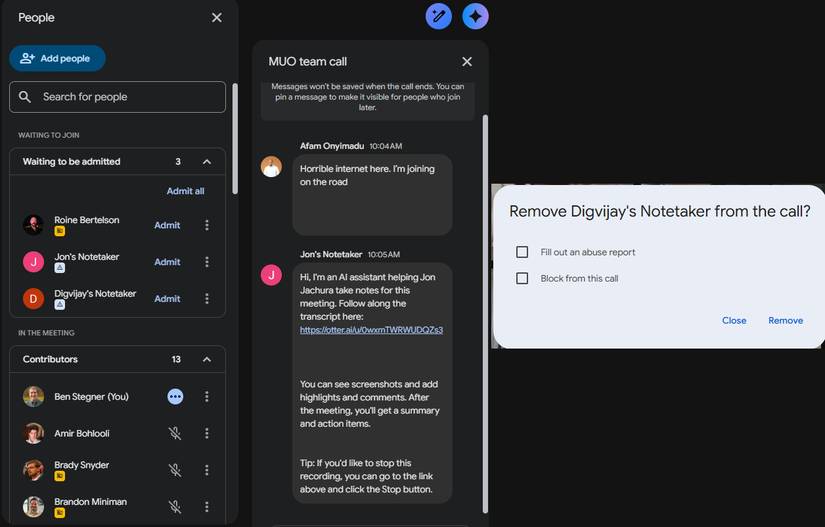
The biggest problem with AI note-taking assistants, as well as many other concerns related to AI, is the human element. Since AI note-taking assistants became popular, people have joined numerous calls where someone else's AI note-taking assistant is also present, even if that person isn't physically there.
This is extremely impolite behavior. The meeting isn't important enough for you to take the time to attend, yet you send an AI bot in your place? Why take the time to participate in a call when you don't want to? It's like sending an assistant to a meeting in person without notifying the team beforehand that you can't be there.
This is the most negative view. The reality is often more compassionate. Once you sign up for a note-taking assistant, it will automatically join all your meetings (this is a separate issue we'll discuss shortly). So, if you get sick and miss a meeting, you probably won't think about canceling the AI's presence in that call.
AI note-taking tool records everything
All comments are recorded
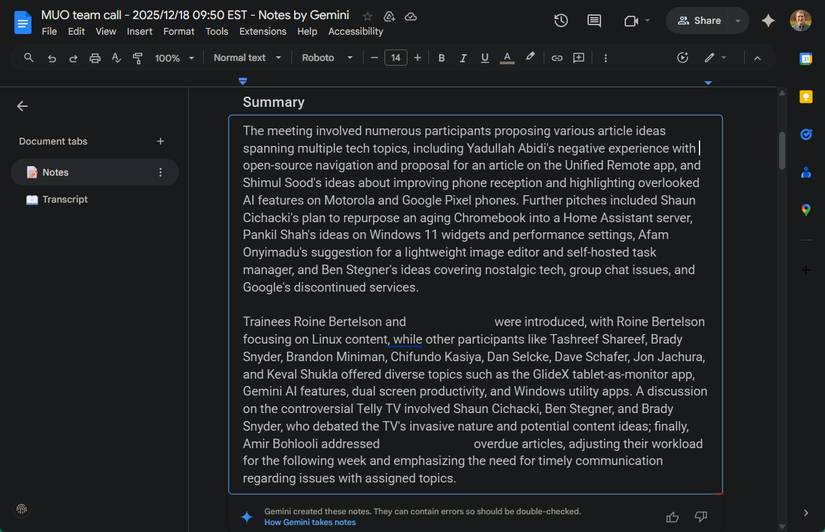
'Note-taking tool' isn't the right word for these AI bots. They don't record key points; they record the entire meeting. They provide summaries and action items, but full transcripts are available if desired. Everything you say is saved as part of that meeting transcript, which the meeting organizer (and everyone invited) can view.
Although the tool needs to do this to function properly, its presence alters the dynamics of the call. When people know they are being recorded, they are more likely to self-censor to avoid being misinterpreted, saying the wrong thing, or leaving a recording of their mistakes. If a small group remains on the call for a few minutes after everyone else has left, their discussion becomes part of the official recording.
Unlike manual note-takers, AI bots don't grasp subtle nuances. They won't detect when someone is joking, and they can't read the visual cues you provide while speaking. This can lead to notes that are less helpful or reflect poorly on you. You're relying on AI tools that often can't answer simple questions to accurately explain what happened in a meeting.
These tools are spreading without you even knowing it
Everyone has an AI note-taking assistant
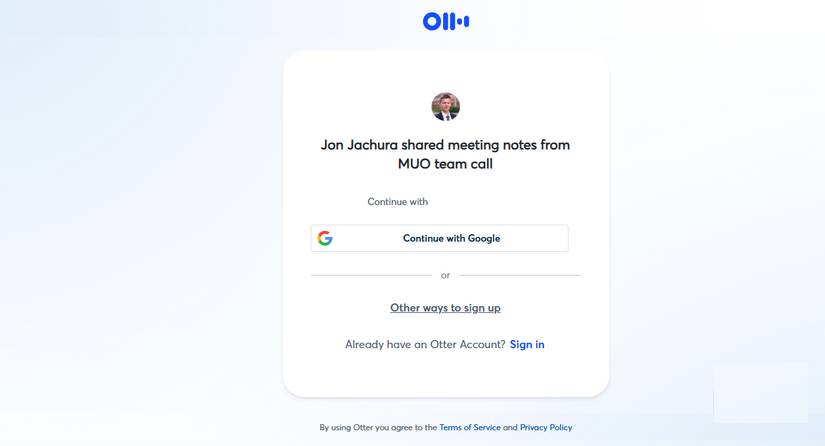
You might sign up for an AI note-taking assistant for an important call, so you can focus without worrying about taking notes. But you'll soon realize you're getting more than you expect. Most major note-taking assistants require you to log in with your Google or Microsoft account, then grant them access to your calendar and contacts. Once you do that, they'll join all your scheduled meetings.
This goes even further. One of the most popular note-taking assistants, Otter.ai, spread like a virus using a questionable method. Everyone who attended a meeting with someone using Otter received a series of emails after the call. These emails contained a link to a summary and notes. However, to view anything, you had to register for Otter yourself.
Integrated AI tools are a better fit
The best solution is already available
You shouldn't be completely against AI note-taking tools. If you were the primary note-taker in many meetings before these tools came along, you'll appreciate not having to bear the mental burden of taking clear, concise notes while still paying attention and being present in the meeting. This is the kind of tedious work that AI can perfectly handle.
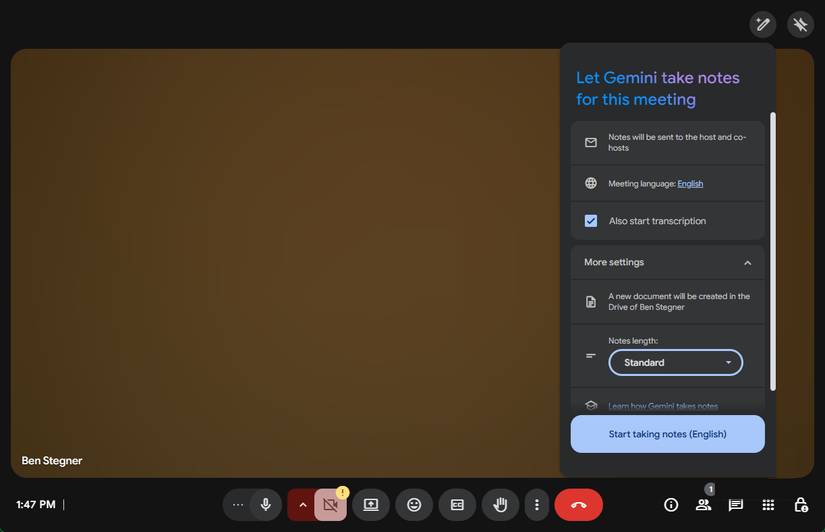
The best solution for this is to use the built-in note-taking feature in the meeting tool you're using. For example, Google Meet has a Gemini note-taking feature that records notes in a simple Google Doc document. The meeting host can choose to send notes to all invited guests, only the co-hosts, or only those in the organization.
This makes it easier to control who can access the recorded information and avoids the hassles of Otter and similar tools.
Let's use AI bots in meetings responsibly!
Note : There are other concerns about inviting AI bots to meetings, such as company data leaks or breaches of privacy laws. But those are more relevant to corporations, not ordinary users, so this article doesn't want to focus on them here.
AI note-taking assistants are a useful tool for keeping track of highlights, helping you stay fully focused on meetings. But how you use them is crucial. Don't send them on your behalf and convey the message that the call isn't important to you. Don't engage in spreading information just to give your colleagues access to your notes. And make sure everyone knows when they're being recorded by the AI.
Final Thoughts
Understanding don't invite bots to your online meetings makes it easier to evaluate the information and apply the most relevant recommendations. Focus on the key points above and verify details that may change over time.
FAQ
What is don't invite bots to your online meetings?
Explore don't invite bots to your online meetings, including the key concepts, practical examples, important considerations, and useful guidance.
What key points does this article cover?
The article focuses on Sending a bot to replace you is impolite, If you can't do it, why should anyone else?, AI note-taking tool records everything, with practical explanations and examples.
How can you use this information in practice?
Use the explanations to compare options, verify important details, and make a more informed decision. Apply the recommendations that best match your goals and situation.
Related Articles
 How to Use EzTalks Meetings for Online Meetings4 minutes read
 Link Download Zoom Meetings 5.0.05 minutes read
 Top 5 Best Cameras for Online Meetings Today7 minutes read
 How to Add Attendees to a Meeting on Google Hangouts4 minutes read
 7 Tips to Help Secure Online Meetings on Zoom6 minutes read
 Zoom Meetings: How to Learn Online, Create Classrooms on Zoom3 minutes read
Reader Comments 0
Sign in with email or Google to join the discussion.