Table of Contents
This practical guide explains how to create spotlight effect in powerpoint. Follow the steps in order, review the requirements first, and use the troubleshooting notes when a setting or option does not work as expected.
How to creating Spotlight effects in PowerPoint
Step 1:
First you will have to use PowerPoint Shapes to create a frame. Click Insert and then select Shapes to select the frame surrounding the content you want to create a Spotlight effect .
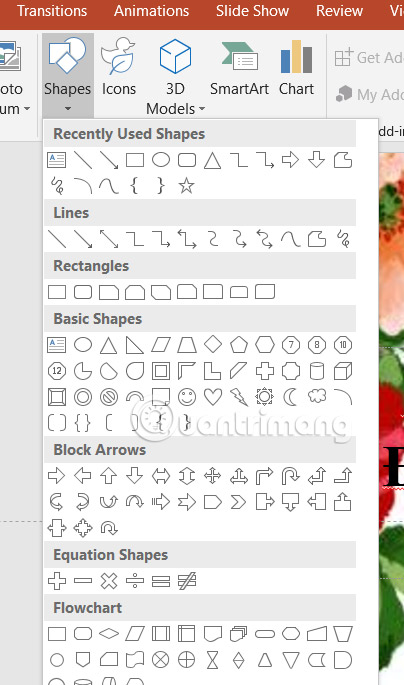
Now you draw a shape to cover the content that needs to be highlighted.

Step 2:
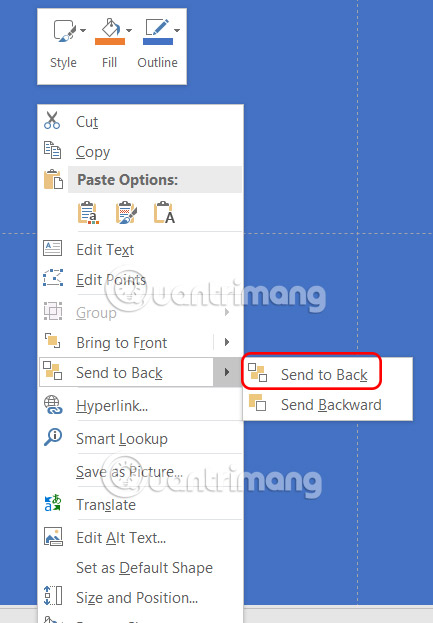
Continue to add a rectangle that covers the entire slide and needs to be drawn outside the slide. Then right-click and select Send to Back .
Step 3:
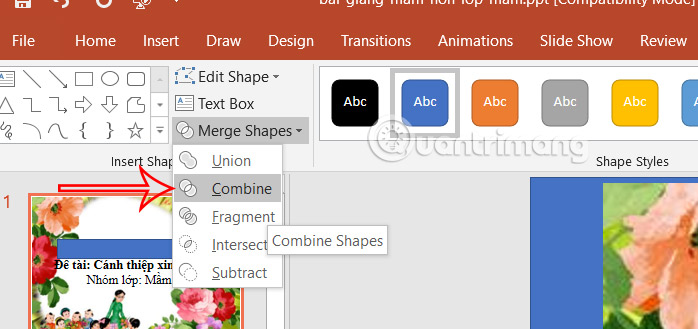
Press Shift and left-select the rectangle and block overlays that cover the content . Next, select Merge Shapes and select Combine to create the cutout effect.
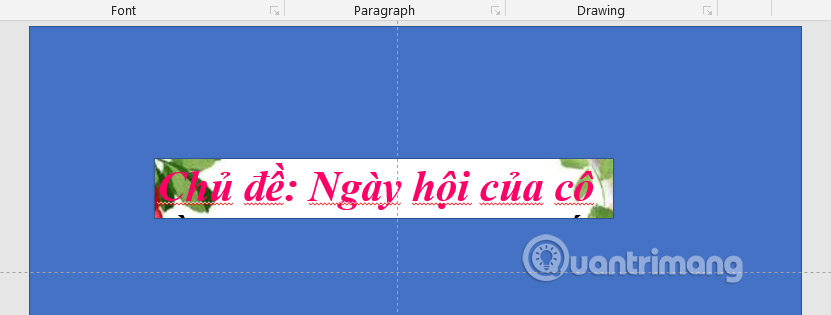
The result will be only the content area you want to highlight displayed in the slide as shown below.
Step 4:
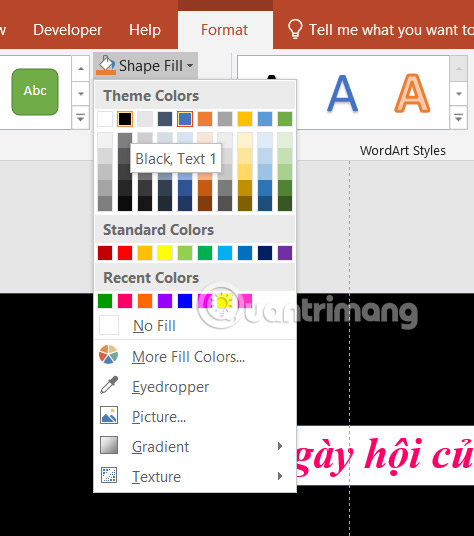
Continue in the Format tab , select the paint bucket icon and change the overlay color to black or gray. Next, select the arrow icon at Shape Styles to expand the customization interface.
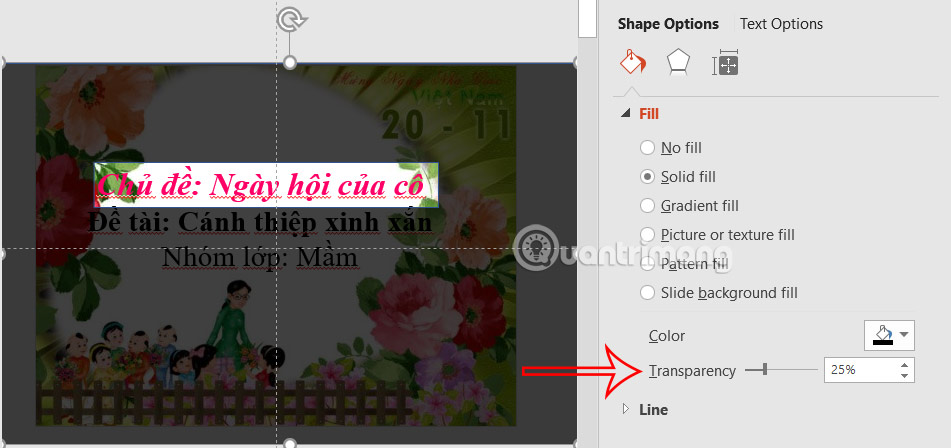
Then you adjust the transparency level of the overlay down to 25%.
Step 5:
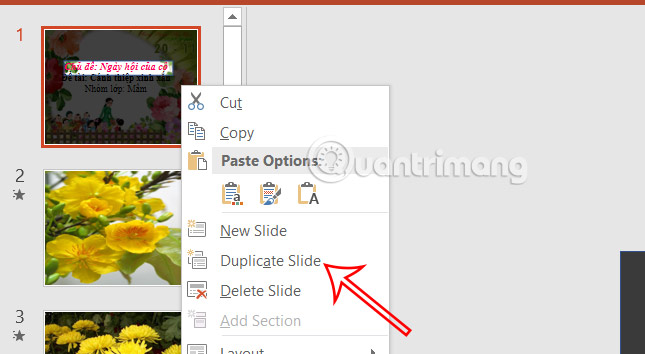
Right-select the slide and select Duplicate Slide to duplicate the slide.
Now in the duplicate slide you move the highlight area to another content .

Step 6:
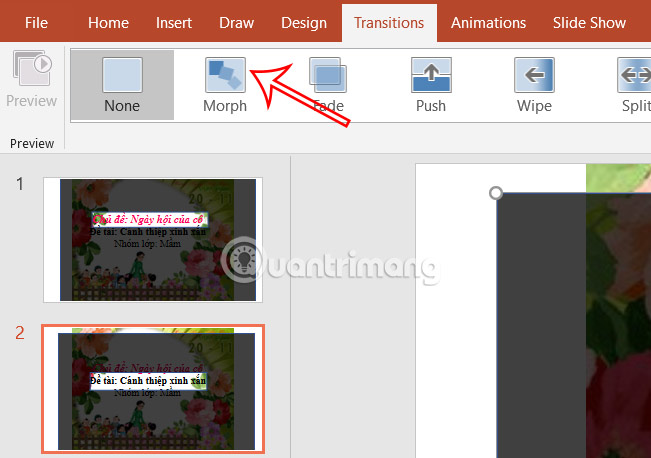
select the duplicate slide , select the Transitions tab , and select Morph . You will then see the Spotlight effect in the slide move from one content to another.
FAQ
How to creating Spotlight effects in PowerPoint?
First you will have to use PowerPoint Shapes to create a frame. Click Insert and then select Shapes to select the frame surrounding the content you want to create a Spotlight effect.
What does this guide cover?
This guide explains create spotlight effect in powerpoint, including the main steps, important details, and practical considerations.
Who is this guide for?
It is designed for readers who want a clear, practical overview and a reliable process they can follow without unnecessary complexity.
Related Articles
 How to Create a Loop Effect on PowerPoint3 minutes read
 How to Add a Spotlight Effect Behind Your Subject Using Adobe11 minutes read
 Macromedia Flash - the Spotlight3 minutes read
 How to Create an Effect for an Excel Chart in PowerPoint9 minutes read
 How to Use Disappearing Effects in PowerPoint5 minutes read
 How to Create PowerPoint Photo Album with Effects5 minutes read
Reader Comments 0
Sign in with email or Google to join the discussion.