Table of Contents
We probably all have the same habit: Picking up our phones for a quick check, only to realize half an hour has passed.
We probably all have the same habit: Picking up our phones for a quick check, only to realize half an hour has passed. Our phones are addictive, and they distract us. When you see your screen time creep up to 5-6 hours a day, it's time to fight back.
Make your phone 'less smart'! This involves removing everything that engages you until your phone becomes almost boring. It's not easy, but it will eventually help you stop wasting hours on your phone.
Start by uninstalling most of the apps!
Less choice, more focus
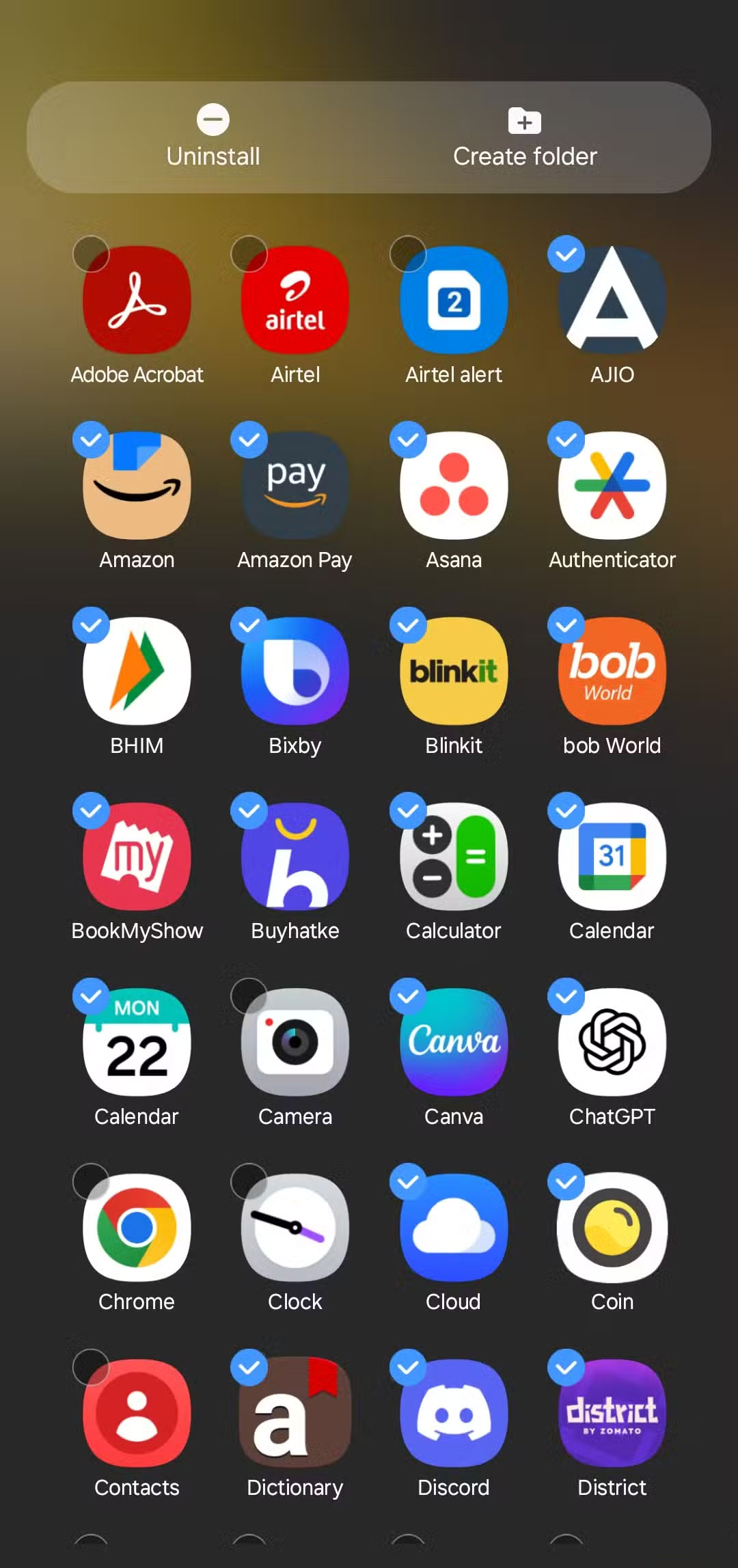
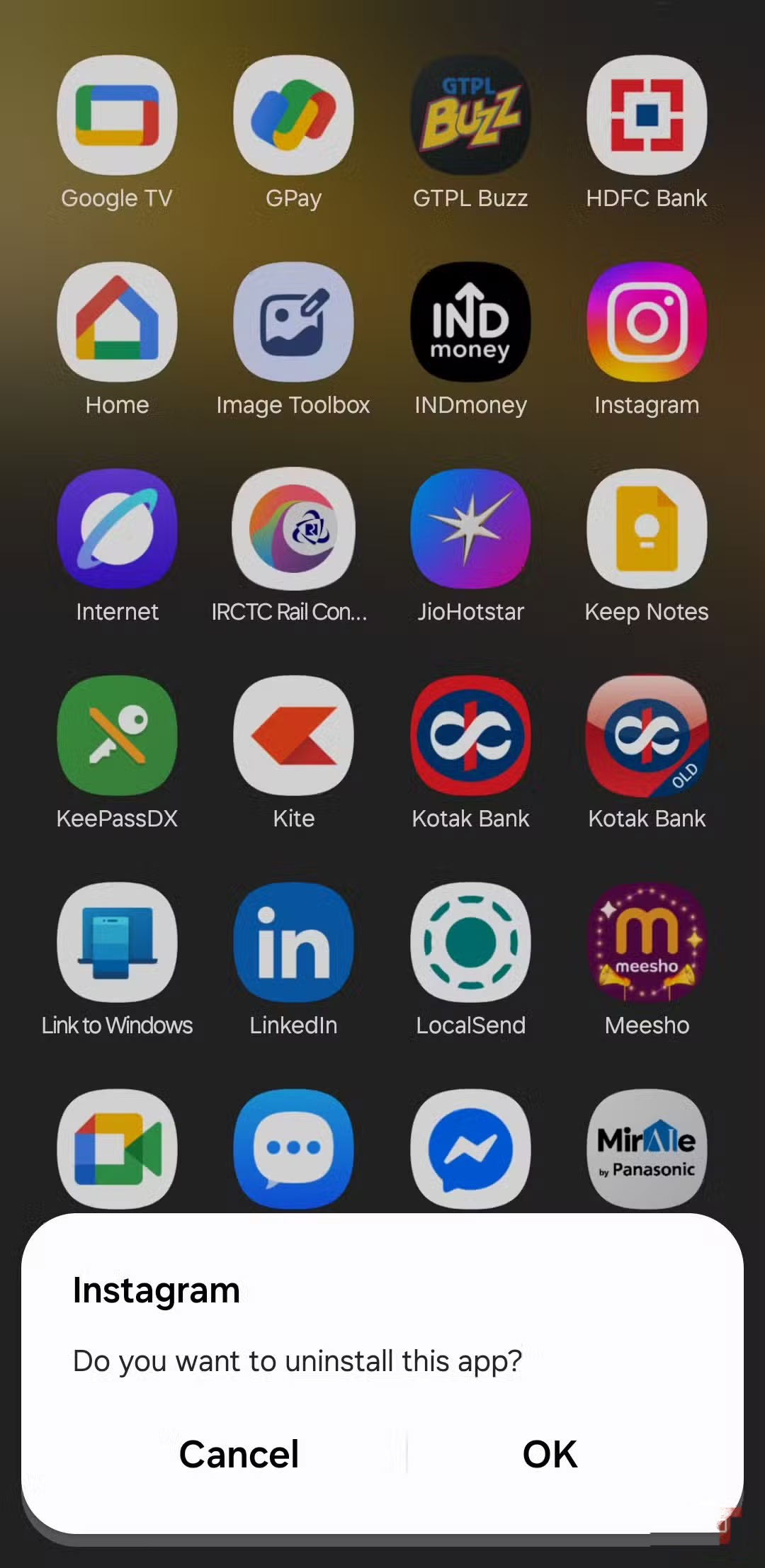
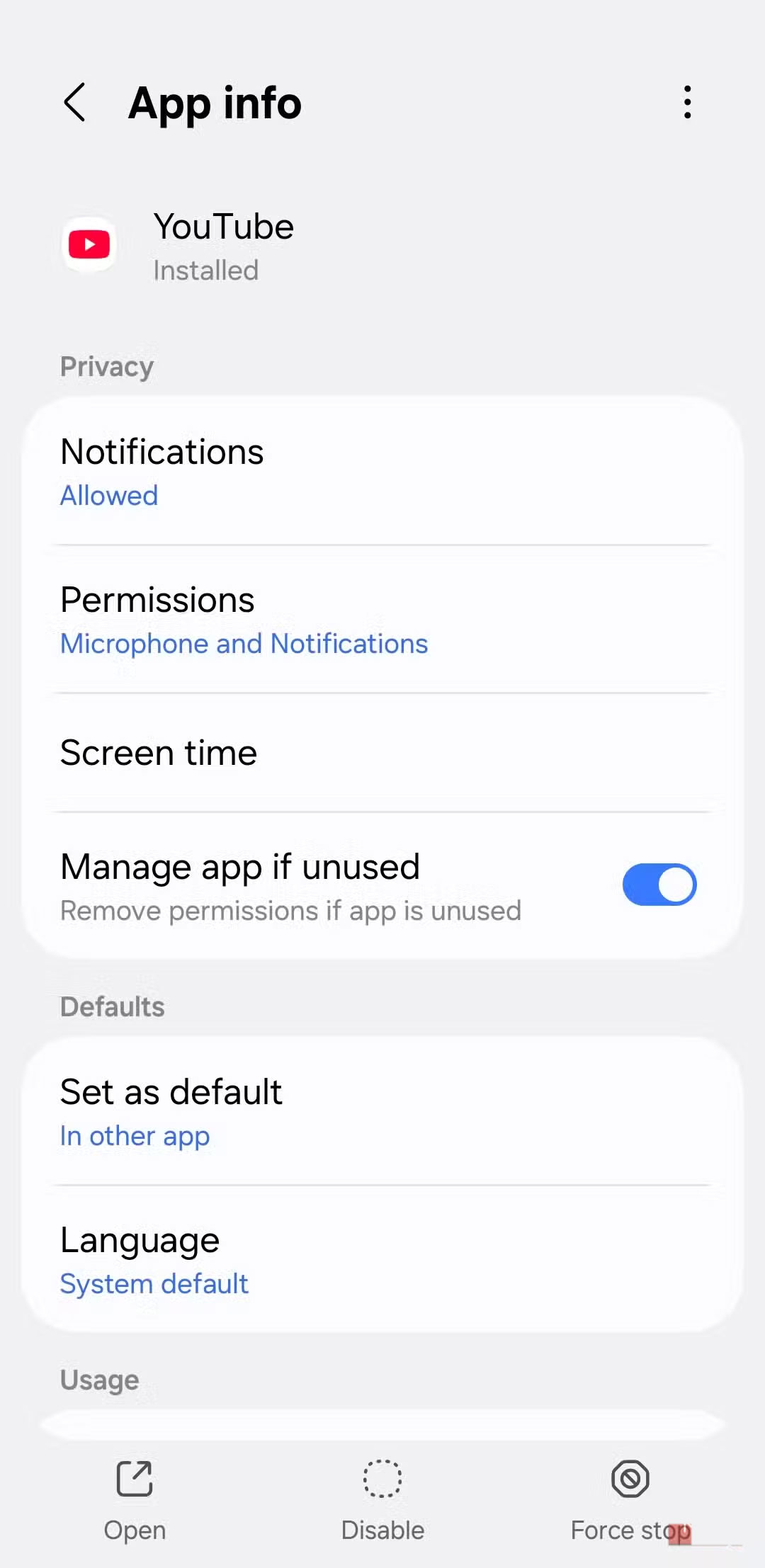
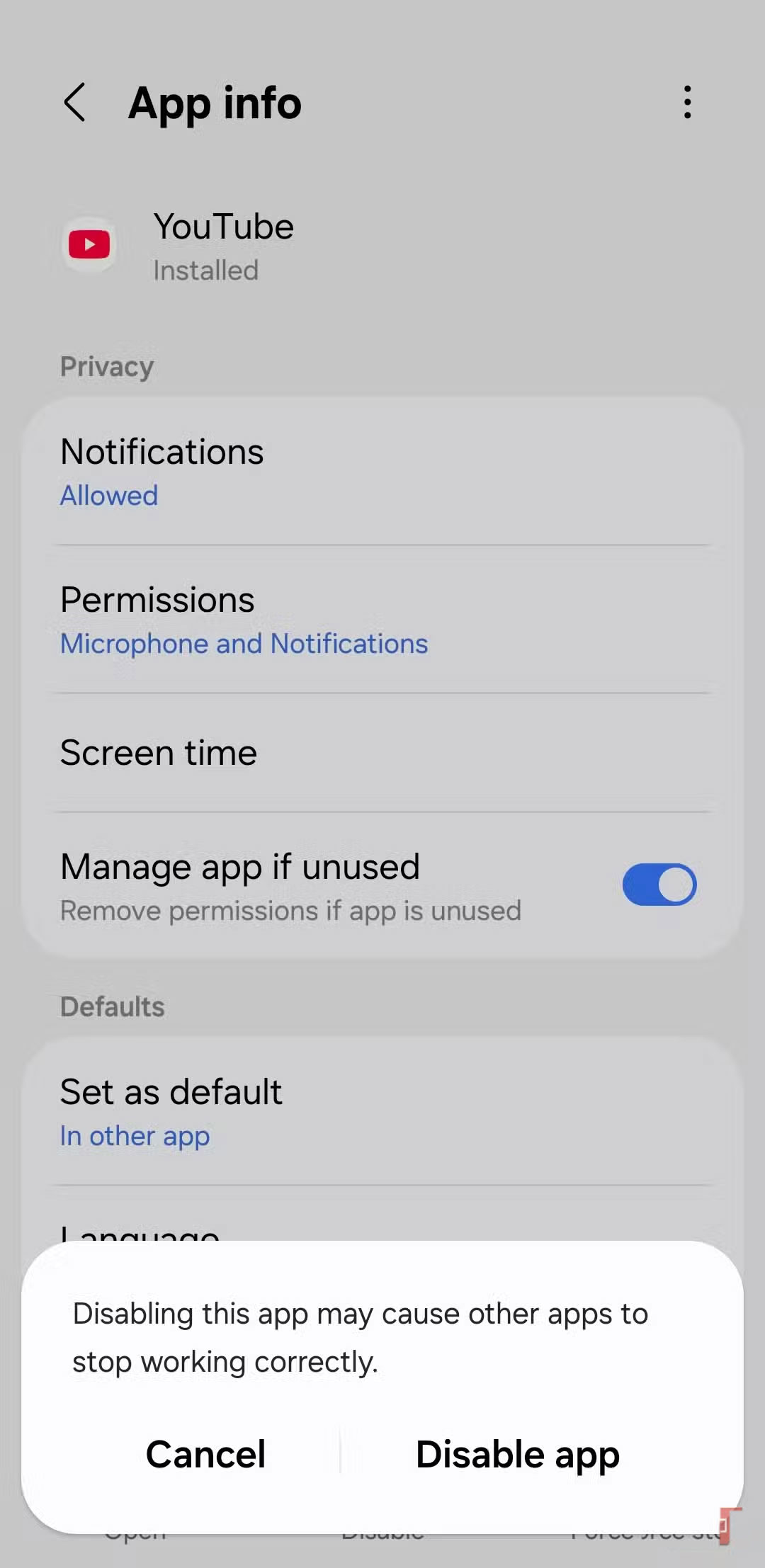
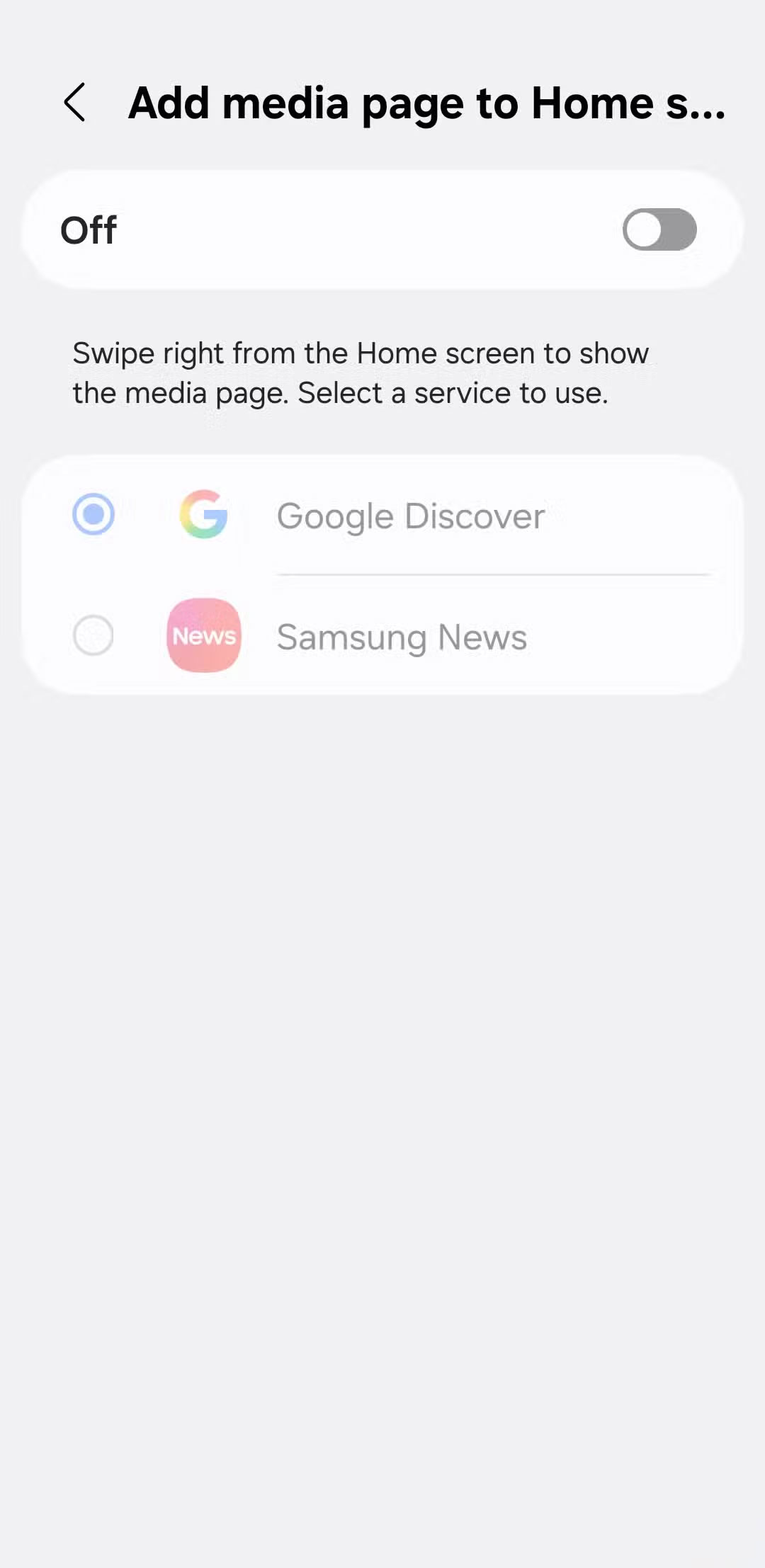
Every time you unlock your phone, your favorite apps are there, staring at you. You tap one, switch to another, and before you know it, you've scrolled through countless news feeds without even realizing the time has passed.
So the first thing to do is uninstall most of the apps from your phone. Social media apps like Instagram, Snapchat, and X are the first to go. Also delete YouTube, Netflix, Prime Video, and those mindless time-killers. For those apps that can't be deleted, keep them out of the app drawer. You can even turn off Google Discover to avoid getting sucked into endless content recommendations.
Turn off all notifications except calls and messages
No more constant pings
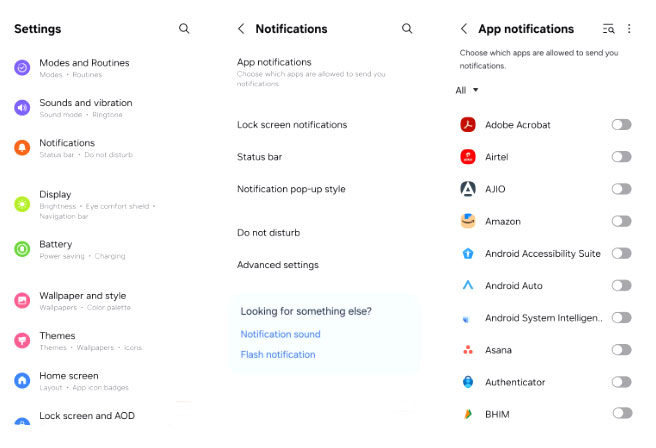
Even if you try your best to use your phone less, notifications can still break your self-control. The question 'what is that notification?' is enough to make you pick up your phone, and before you know it, you've lost another 20 minutes. It happens over and over again, and we've all been there.
The few essential apps you keep, be it WhatsApp, Spotify, or your favorite food delivery app, can still silently grab your attention with just a ping or a small banner. Even the Play Store and Galaxy Store do this by suggesting apps and games.
So turn off notifications for everything. The only notifications You should leave are calls, texts, and voicemails.
Make your home screen and lock screen completely boring
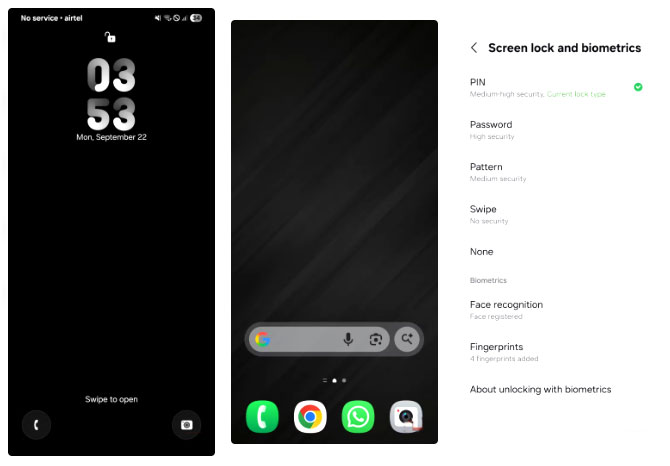
Even when there are no notifications, your phone's lock screen can still grab your attention. Depending on how you set it up, it can display stock updates, breaking news, or handy app shortcuts.
So, strip everything. No widgets. No shortcuts. No animations. Even the wallpaper should now be a solid black. The lock screen should just have the date and time, nothing else. To make it even less appealing, turn off fingerprint unlock so that every unlock requires a PIN. It's a little annoying, but it works.
Enable grayscale mode to eliminate the temptation of color
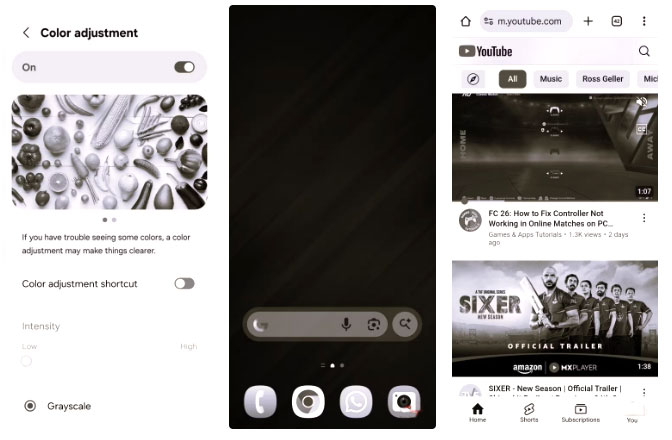
Did you know that every app icon and notification is designed to look like candy to your brain? All those reds, blues, and yellows aren't random—they're designed to grab your attention. A surprisingly effective way to reduce that attraction is to switch your phone to grayscale.
If you can't stop scrolling through Instagram or Twitter even in your phone's web browser, this tip will help.
Living with your phone after making all these changes wasn't easy at first. But seeing your screen time drop from 5-6 hours a day to less than an hour was worth it. Suddenly, you have more time to work, read, and really live. If you're considering trying something similar, it's best to start small. Make one change at a time, and soon you'll see less screen time and more control over your digital life.
FAQ
How do you adjust settings to reduce phone usage time: step-by-step guide?
In practical terms, we probably all have the same habit: Picking up our phones for a quick check, only to realize half an hour has passed.
What should you check before getting started?
Review the requirements, compatible device or software version, and any warnings described in the guide before making changes.
What should you do if the steps do not work?
Repeat the steps in order, confirm that your app or system is up to date, and review the troubleshooting details provided above.
Related Articles
 How to Reduce iPhone Screen Brightness to Lower Than the iOS Limit5 minutes read
 How to Reduce the Memory Usage of Firefox: Step-by-Step8 minutes read
 4 Settings to Make Your Pixel Phone Smarter: Explained7 minutes read
 6 Useful Android Settings You May Not Know Yet9 minutes read
 How to Change iPhone Video Recording Settings to Reduce Video Size4 minutes read
 How to Adjust Windows Microphone Settings for Clearer Audio Calls6 minutes read
Reader Comments 0
Sign in with email or Google to join the discussion.