Table of Contents
This guide organizes the entries in "4 Habits to Help You Stop Wasting Time on Your Phone" and explains what each option, idea, or example offers. It also highlights practical details that matter when comparing the choices.
So use these cold, hard, shocking statistics to take back control with some small changes to your habits. You can also try these tips on your iPhone (or Android with Digital Wellbeing).
1. View screen time stats without guilt
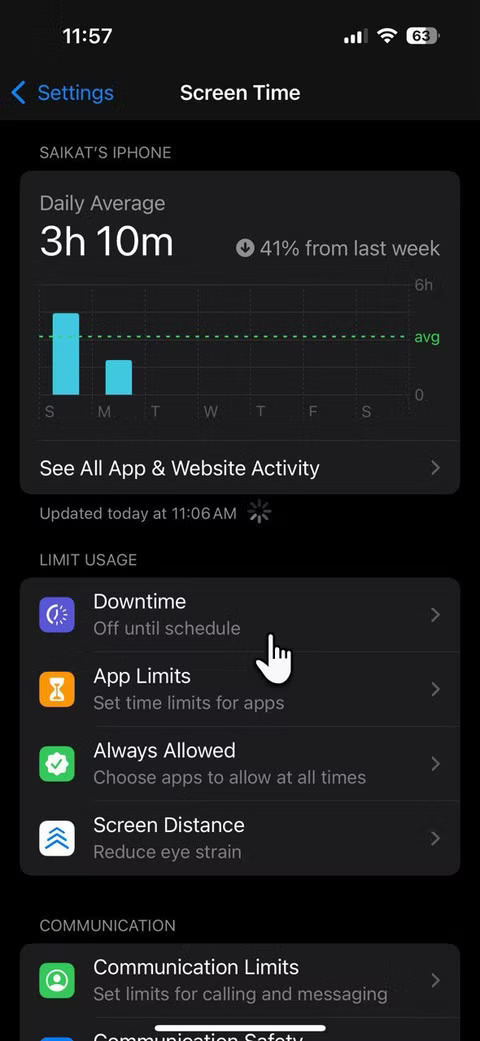
The first step is the hardest. You have to take an honest look at your screen time metrics, without beating yourself up. Open Screen Time on your iPhone and expect to feel shame. Instead, think of it as a scorecard of your digital habits.
This data isn't meant to judge you. The numbers just paint a picture of where your time is going. Seeing exactly how many minutes you spend on Instagram or YouTube helps you realize that you're not using your phone consciously; it's just a response to FOMO (Fear of Missing Out), notifications, or boredom.
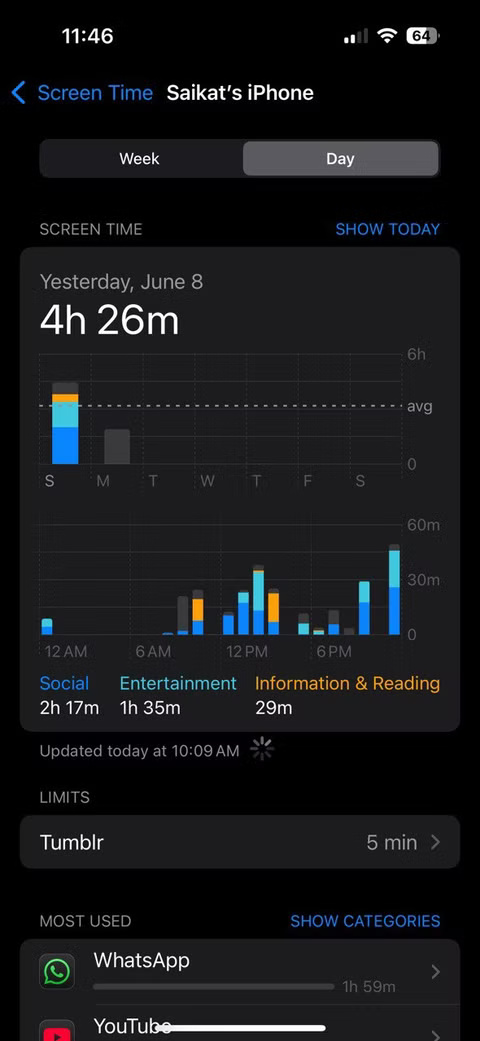
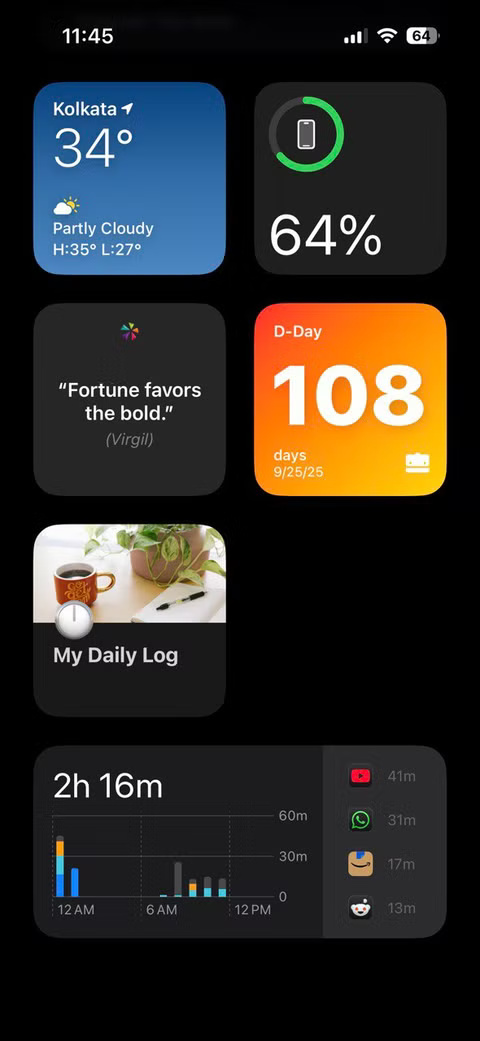
Tip : Don't judge. Just observe because some usage is necessary, like breathing. Let Time Be Your Mirror. It's hard to change what you can't see.
2. Set a goal to intentionally reduce screen time
Once you have a clear picture, you need a plan. Set small, specific goals based on your stats, usually 4-5 hours of daily use. For example, aim to cut down on social media use by 30 minutes per day over the next week.
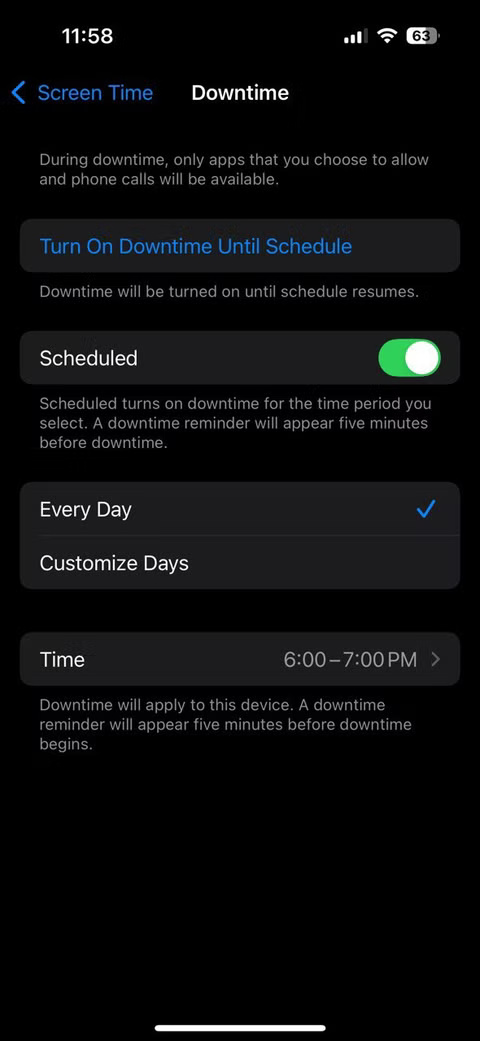
You can also use Screen Time limits to help you achieve these goals. They're surprisingly effective. When you hit your limit, your phone will remind you and often lock you out of the app unless you override it. This nudge makes you pause and think twice about whether you want to keep scrolling.
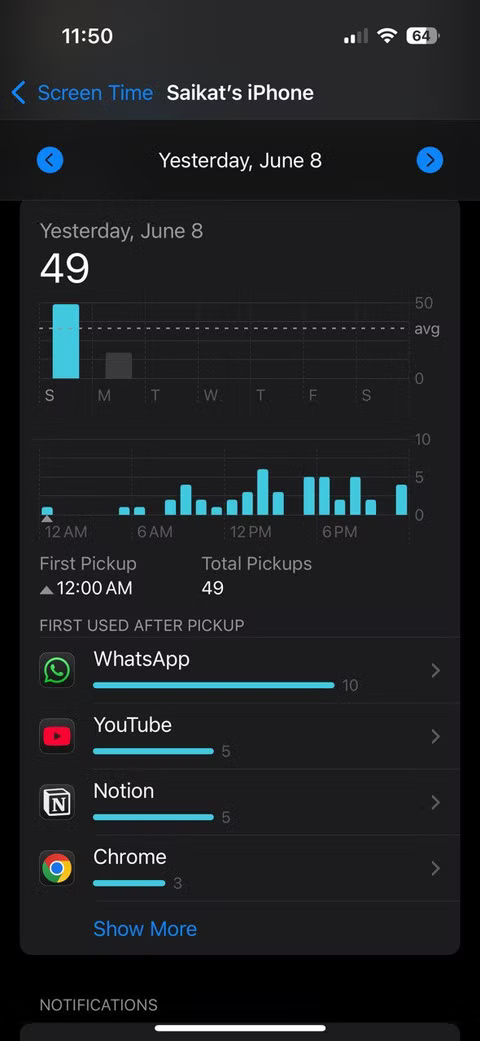
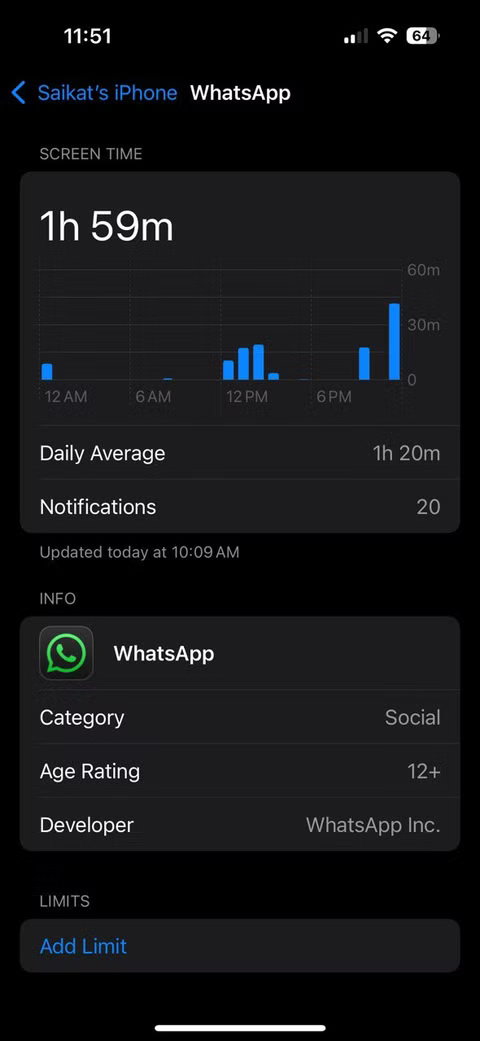
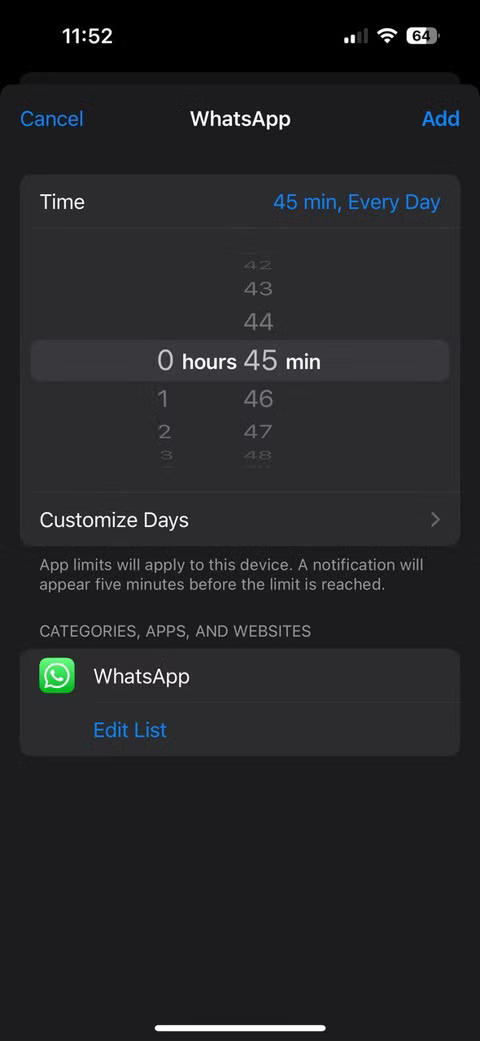
Start small. Don't try to quit cold turkey or cut your hours overnight. That approach is likely to backfire. Instead, build momentum with small tech habits.
3. Create and maintain a "time log"
Cutting down on screen time is only possible if you make good use of the minutes you save. Otherwise, they can easily turn into other distractions. That's why you should start a 'time log'—a simple diary in Apple Notes where you record how you spend the time you save. You can also use the voice memo trick on your iPhone to make things even simpler.
Every night, write down the minutes you saved and what you did instead. Some days, you might use that time to read a chapter of a book. Other days, you might take a walk or practice a new skill online. On the weekends, you might even schedule a get-together with friends.
4. Reinvest your 'time capital' strategically
The time you regain can be lost to other time-wasting habits. Reinvest the minutes you save (think of them as money) into activities that align with your goals and your health.
For example, divide the 90 minutes you save each day into two parts: a 30-minute walk after lunch and a 60-minute online class. Both are good activities that are often neglected. This intentional reinvestment will change the way you view your free time. It is no longer a vague 'free time' but a valuable resource that fuels your growth.
You don't have to be too perfectionist here. Some days you can choose to rest or indulge in a regular hobby. When you consciously decide how to spend your free time, it becomes more meaningful and less likely to drift into mindless scrolling.
FAQ
What should you know about 1. View screen time stats without guilt?
The first step is the hardest. You have to take an honest look at your screen time metrics, without beating yourself up. Open Screen Time on your iPhone and expect to feel shame. Instead, think of it as a scorecard of your digital habits.
What should you know about 2. Set a goal to intentionally reduce screen time?
Once you have a clear picture, you need a plan. Set small, specific goals based on your stats, usually 4-5 hours of daily use. For example, aim to cut down on social media use by 30 minutes per day over the next week.
What should you know about 3. Create and maintain a "time log"?
Cutting down on screen time is only possible if you make good use of the minutes you save. Otherwise, they can easily turn into other distractions. That's why you should start a 'time log'—a simple diary in Apple Notes where you record how you spend the time you save. You can also use the voice memo trick on your iPhone to make.
What should you know about 4. Reinvest your 'time capital' strategically?
The time you regain can be lost to other time-wasting habits. Reinvest the minutes you save (think of them as money) into activities that align with your goals and your health.
Related Articles
 15 Habits of Wasting Time Need to Be Removed Immediately8 minutes read
 Top 10 Habits to Waste Time to Eliminate: Lack of Time6 minutes read
 Why Shouldn't We Reply to Every Message Right Away4 minutes read
 7 Tips to Help You Stop Wasting Time on PowerPoint: Practical Guide7 minutes read
 Cleaning Habits That Are a Complete Waste of Time6 minutes read
 3 Functions to Help You Stop Wasting Time in Excel8 minutes read
Reader Comments 0
Sign in with email or Google to join the discussion.