Table of Contents
Google once had ambitions to turn Chromebooks into serious gaming platforms, with ideas ranging from Chromebooks with flashy RGB lighting to Steam support. In fact, the Steam experience on Chromebooks wasn't bad in its early days. But the 'Steam' part of that plan is officially coming to an end.
According to the latest announcement, the Steam for Chromebook Beta program will end on January 1, 2026 – New Year's Day. And this is not the 'end of beta to stable release' kind of thing! After this point, users will no longer be able to play Steam games installed on Chromebooks via the official client. This information was not announced by Google, but was silently sent to users in the form of a pop-up when they searched for 'Steam' in the ChromeOS launcher. From announcement to shutdown was less than 6 months – quite urgent, especially when all installed games will stop working immediately.
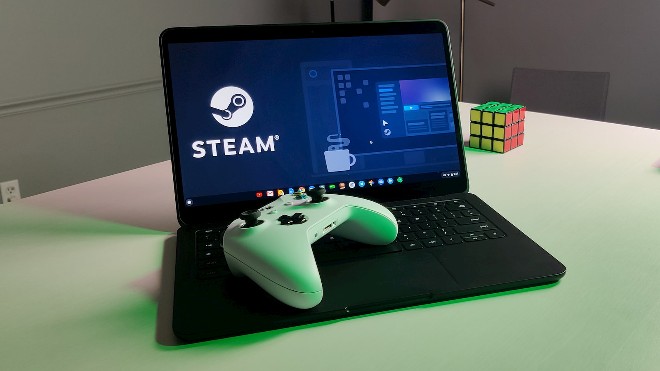
Steam has been available on Chromebooks since 2022, around the same time Google launched its 'Chromebook Gaming' line. However, three years later, the project is still labeled 'Beta', despite the experience being quite smooth. Perhaps Steam on Chromebooks doesn't have the user base that Google hoped for. While some high-end Chromebooks have high-refresh-rate screens, most devices are still only suitable for light or indie gaming - not as good as a real gaming PC.
Google says it will 'learn from the beta' to shape the future of gaming on Chromebooks, but hasn't revealed specific plans. It's likely to focus on cloud gaming services like NVIDIA GeForce Now and Xbox Cloud Gaming, which are already doing well on Chromebooks. Android games are still available, but they're mostly mobile games, and can't be compared to Steam's PC game library.
Bottom line: If you're using Steam on your Chromebook, you should start looking into porting your games to another platform soon. The fun stops here.
Final Thoughts
The development covered in this article is worth following, but specifications, dates, and feature details may change until the relevant company or organization publishes an official confirmation.
FAQ
What is the main development covered in this article?
Google once had ambitions to turn Chromebooks into serious gaming platforms, with ideas ranging from Chromebooks with flashy RGB lighting to Steam support. In fact, the Steam experience on Chromebooks wasn't bad in its early days.
What should you know about the key details?
According to the latest announcement, the Steam for Chromebook Beta program will end on January 1, 2026 – New Year's Day. And this is not the 'end of beta to stable release' kind of thing!
Is every reported detail officially confirmed?
Not necessarily. Product leaks, preview builds, research reports, and early announcements can change. Confirm important specifications, dates, and availability through an official source before making a decision.
Related Articles
 What Chromebooks Have and Can't Do?8 minutes read
 How to Install Steam on a Chromebook4 minutes read
 The Best Chromebook Models You Can Buy in 20217 minutes read
 Things to Know About When Google Stops Supporting Chromebooks: Key Facts7 minutes read
 Steam Officially Supports Vietnamese Language, Please Activate3 minutes read
 Steam Announces End of Support for macOS 113 minutes read
Reader Comments 0
Sign in with email or Google to join the discussion.