Table of Contents
Valve's Steam Hardware lineup adds three different ways to use a Steam library: Steam Frame for wireless headset play, Steam Machine for a living-room gaming PC, and a redesigned Steam Controller for game input. They serve different purposes, so the right choice depends on where and how you want to play.
The three devices at a glance
| Device | Main role | What to check |
|---|---|---|
| Steam Frame | Wireless VR and non-VR gaming in a headset | Whether your game runs locally or streams from a PC |
| Steam Machine | SteamOS gaming on a TV or monitor | Game compatibility, display connection, and performance at your settings |
| Steam Controller | Configurable controls for Steam games | Device compatibility and input mappings for your games |
Steam Frame: wireless play, with streaming as a focus
Valve presented Steam Frame as a wireless headset for both VR and non-VR content. Its streaming design uses an included 6GHz wireless adapter to connect to a gaming PC. Separate radio connections handle the streaming link and Wi-Fi traffic; that design should not be read as a guarantee that congestion or connection problems can never occur.
The announced hardware includes a Snapdragon 8-series processor, 16GB of memory, two 2160 × 2160 LCD panels, eye tracking, speakers, and dedicated VR controllers. The onboard processor also allows supported content to run locally.
Local play and PC streaming are different modes. For streaming, the host PC still needs to run the game well, and wireless conditions affect the experience. Check the current game-support information before assuming that every title in your library works in both modes.
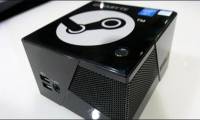
Steam Machine: a compact gaming PC for the living room
Steam Machine is designed to bring SteamOS to a TV or monitor. The announced configuration pairs a custom AMD Zen 4 processor with six cores and 12 threads with an RDNA 3 GPU containing 28 compute units, 16GB of system memory, and 8GB of graphics memory.
Valve's performance comparison with Steam Deck and its 4K/60 FPS positioning describe product goals and manufacturer claims. Actual results depend on the game, graphics settings, and any FSR upscaling used. A 4K output signal does not necessarily mean that the game renders every frame at native 4K.
The announcement described 512GB and 2TB storage options, microSD expansion, Ethernet, display outputs, and USB connections. Check the current configuration and port specifications when choosing a model for your display and accessories.
SteamOS compatibility also matters. The guide to Steam Play and Windows games on Linux explains the role of Proton; verify the particular games you intend to play.
Steam Controller: trackpads, gyro, and magnetic-sensing sticks
The redesigned Steam Controller combines dual trackpads with TMR analog sticks, gyro input, and rear controls. TMR sensing is a design feature, not a promise that calibration issues or all forms of stick drift are impossible.
The controller includes a rechargeable battery and a magnetic Puck accessory for charging and wireless connection. Compare its input options with the games you play, particularly if you need mouse-like control or custom mappings.
Announcement video and current purchasing details
The original announcement described a 2026 rollout. For current prices, supported regions, and availability, consult Valve's Steam Hardware page rather than relying on an early launch forecast.
If you are new to the platform, start with setting up Steam on a computer, then check the hardware and game requirements for the device you are considering.





Reader Comments 0
Sign in with email or Google to join the discussion.