Table of Contents
This guide provides a clear, practical overview of "Steam Announces End of Support for macOS 11". It organizes the most useful details, explains important considerations, and highlights the steps or choices that matter most.
This follows Steam dropping support for Windows 7/8/8.1 and now macOS 11, as the Chrome browser – a core component of the Steam Client – is no longer compatible with Big Sur. Google currently only supports Chrome on macOS 12 and later, while Apple has also ended support for Big Sur in 2023, and has also stopped releasing updates or providing technical support for users still using the older operating system since 2020.
This means that Mac users who want to continue playing games on Steam will be forced to upgrade to macOS 12 or later. However, many older Macs (released in 2013–2014 or with Nvidia GPUs) cannot officially upgrade to macOS 12, making it difficult to continue using Steam without a 'circumvention' installation.
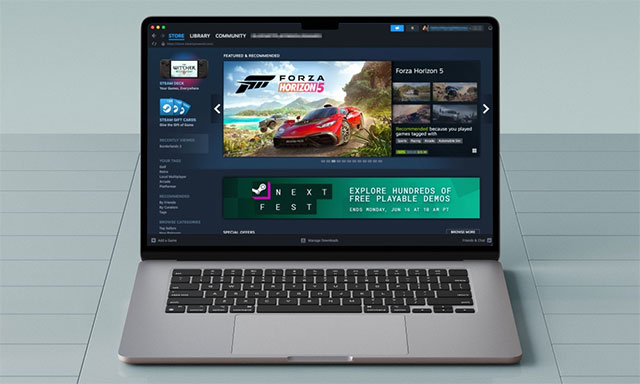
According to the latest statistics from Steam, macOS users currently account for about 1.88% of the total number of users of this platform, with macOS 12 and 15 being the most popular. Therefore, the discontinuation of Big Sur support is expected to not affect too many gamers.
Details on this change are now available on Steam's official support page.
FAQ
What does this guide cover?
This guide explains Steam announces end of support for macOS 11, including the main steps, important details, and practical considerations.
Who is this guide for?
It is designed for readers who want a clear, practical overview and a reliable process they can follow without unnecessary complexity.
What should you check before getting started?
Review the requirements, confirm that your software or device is up to date, and save any important data before changing settings.
Related Articles
 Steam Stopped Supporting Windows XP and Vista Since January 1, 20196 minutes read
 Valve Officially Stops Supporting Steam on Windows 10 32-Bit: Complete Guide4 minutes read
 List of Mac Devices That Will Support macOS 263 minutes read
 Google Officially Kills Steam on Chromebooks4 minutes read
 Update macOS High Sierra to Check 64-bit Compatibility3 minutes read
 macOS Big Sur Launches: Completely New Interface, Faster Safari, ARM4 minutes read
Reader Comments 0
Sign in with email or Google to join the discussion.