Table of Contents
Explore Google chrome upgrades autofill, including the key concepts, practical examples, important considerations, and useful guidance.
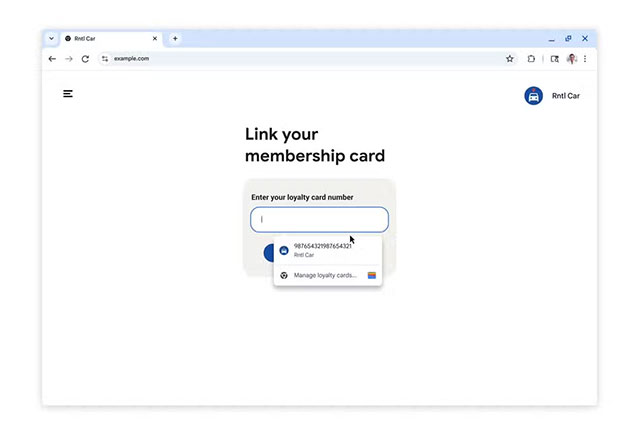
With the new update, Chrome Autofill can suggest a variety of data stored in your Google account, from membership card numbers, home and work addresses, to trip information. When users visit a checkout page and are faced with a series of repetitive forms, Autofill saves time by automatically filling in the necessary information.
The biggest change is how Chrome interacts with Google Accounts. With just a few taps, Chrome can pull in your name, email, or other sign-in information when you need it. When you shop or book a service, your home or work address is pulled directly from your Google Account, and this feature will appear on your computer, Android, iPhone, and iPad.
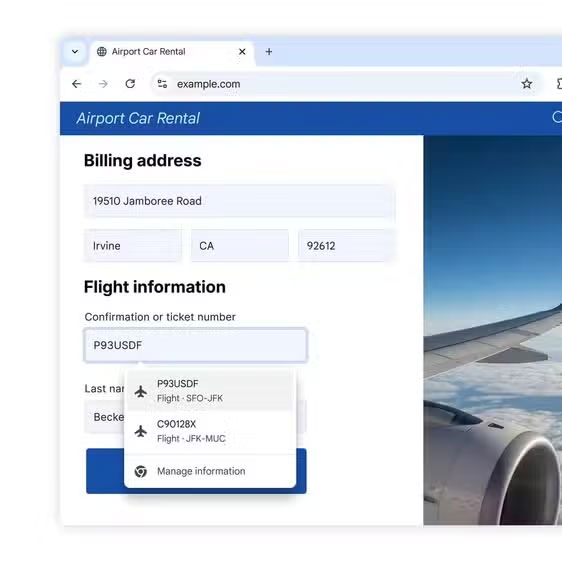
The integration doesn't stop there. Chrome now connects directly to Google Wallet to autofill the hardest-to-remember information. If you save your membership card in Wallet, Chrome can autofill the card number when you shop on your computer or Android. Wallet also allows Autofill to handle travel data, so when you book a flight or car rental, Chrome will recognize the form and prefill the reservation number, date, and other relevant information.
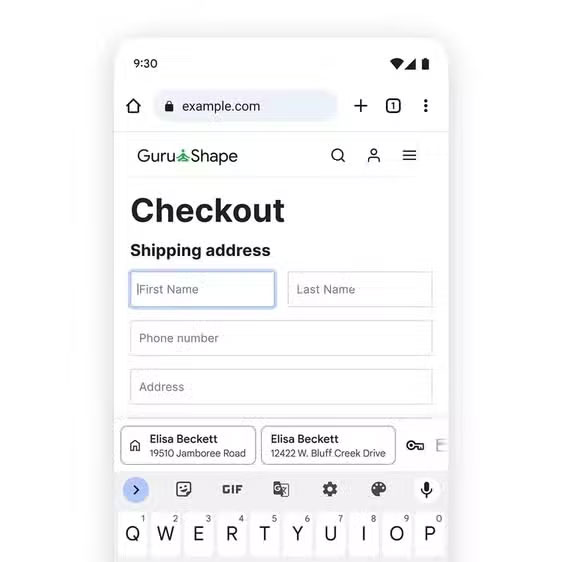
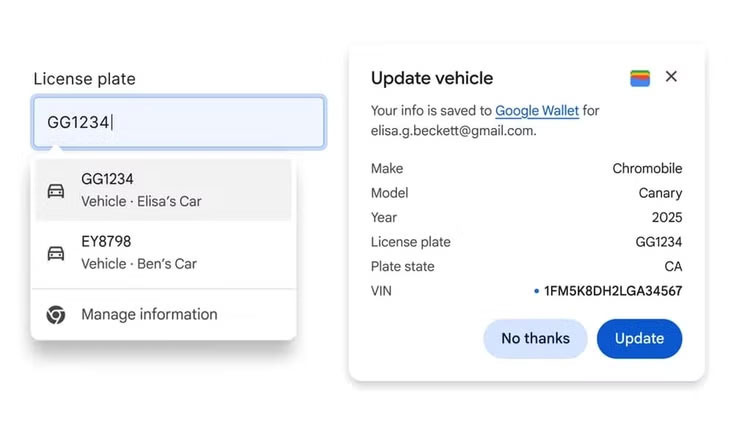
On desktop Chrome, users can also save vehicle information like license plate numbers or VINs, making it easier to fill out insurance or repair service forms. Google has also tweaked the Autofill experience on mobile devices, which used to be a bit awkward. Suggestions on Chrome for Android now appear in two lines, making them easier to see, whether they're passwords, addresses, or payment methods.
Additionally, Chrome is improving its global address recognition and filling capabilities, matching how each country structures postal information. For example, Chrome already supports the 'between two streets' field commonly used in Mexican addresses, and will soon add phonetic name handling for Japanese users.
It's worth noting that users can only opt in to the Wallet and trip data Autofill feature, while other Autofill extensions are almost always enabled by default. To enable the full new capabilities, users will need to enable Enhanced Autofill in Chrome settings.
Final Thoughts
Understanding google chrome upgrades autofill makes it easier to evaluate the information and apply the most relevant recommendations. Focus on the key points above and verify details that may change over time.
FAQ
What is google chrome upgrades autofill?
Explore Google chrome upgrades autofill, including the key concepts, practical examples, important considerations, and useful guidance.
What key points does this article cover?
The article explains the core concept, important considerations, and practical details readers should understand.
How can you use this information in practice?
Use the explanations to compare options, verify important details, and make a more informed decision. Apply the recommendations that best match your goals and situation.
Related Articles
 Steps to View Saved Credit Cards in Google Chrome3 minutes read
 Google Pay Is Available on the Web and iOS2 minutes read
 Google Officially Launched Google Pay Payment Service to Replace Android Pay Globally3 minutes read
 Fix the Google Chrome Sync Feature Not Working6 minutes read
 Chrome V71 Makes Online Payment More Secure3 minutes read
 Security Chips: Google Wallet: 5 Things to Know7 minutes read
Reader Comments 0
Sign in with email or Google to join the discussion.