
Program
Create an English Vocabulary Activity in ScratchJr
Build a simple ScratchJr vocabulary project in which tapping a character displays its English name, then extend it with audio and animation.
Browse more Learn programming through practical tutorials, code examples and clear guides covering languages, databases, web development and core concepts.
Build a simple ScratchJr vocabulary project in which tapping a character displays its English name, then extend it with audio and animation.

Add a second ScratchJr character, customize or delete it, create its own script, name the project, and understand the difference between characters and pages.

Learn what ScratchJr is, identify its main editing areas, and build a first script that moves the cat when the green flag is tapped.

Design, test, and measure a focused Claude Dispatch workflow for mobile use, with clear permissions, verification steps, and a fallback for failures.

Diagnose Claude Dispatch connection, file, permission, connector, and task failures with a safe sequence that avoids unnecessary retries or unintended changes.

Understand how Claude Cowork performs multi-step knowledge work, where it runs, what it can access, and when Chat or Claude Code is the better choice.

Use Claude Dispatch for drafts, data summaries, file inventories, meeting preparation, and research while keeping verification and external actions under human control.

Use Claude Dispatch for remote code review, codebase searches, log analysis, tests, and small changes while keeping permissions and verification under control.

Claude Dispatch can start work on your desktop from your phone, using approved local files, connectors, plugins, and apps. Understand its requirements, permissions, limits, and safety checks before assigning a task.
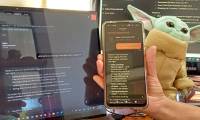
Set up Claude Dispatch with the current desktop and mobile apps, keep the host computer available, test a local task, and fix common connection or notification problems.

Claude Dispatch lets you assign desktop Cowork tasks from your phone using local files, connectors, plugins, and supported apps. See how it differs from cloud sessions, what it requires, and when to use it.
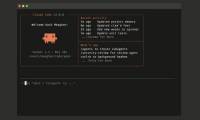
Use Claude Code checkpoints to restore the conversation, code, or both after a bad turn. Learn the difference between rewind options, what checkpoints cannot undo, and when to use summarize or Git instead.

Explore mastering the Claude Code Session, including key concepts, practical steps, useful tips, and common questions. Read the full guide below.

Set up three bounded Claude Code automations for documentation drift, pull-request review, and alert triage, with safe triggers, permissions, test runs, and monitoring.

Delegate multi-step work across Outlook, Teams, Word, Excel, PowerPoint, OneDrive, and SharePoint while reviewing each proposed action in Copilot Cowork.

Use Copilot Cowork to gather recent emails, Teams conversations, and files into a cited meeting brief, draft an agenda, and propose preparation time.

Recover SQL Server administrator access safely with Windows Authentication or single-user mode, then reset or disable the sa login without editing master.mdf.

Install SQL Server 2025 on a supported Ubuntu release, configure the service, add sqlcmd, test a database, and limit remote network access.

Filter SQL rows by text pattern, value list, inclusive range, or missing value, with corrected examples and notes about wildcards, NULL, and collation.

Create a SQL Server database and a practical table with suitable data types, keys, constraints, and verification queries.