Table of Contents
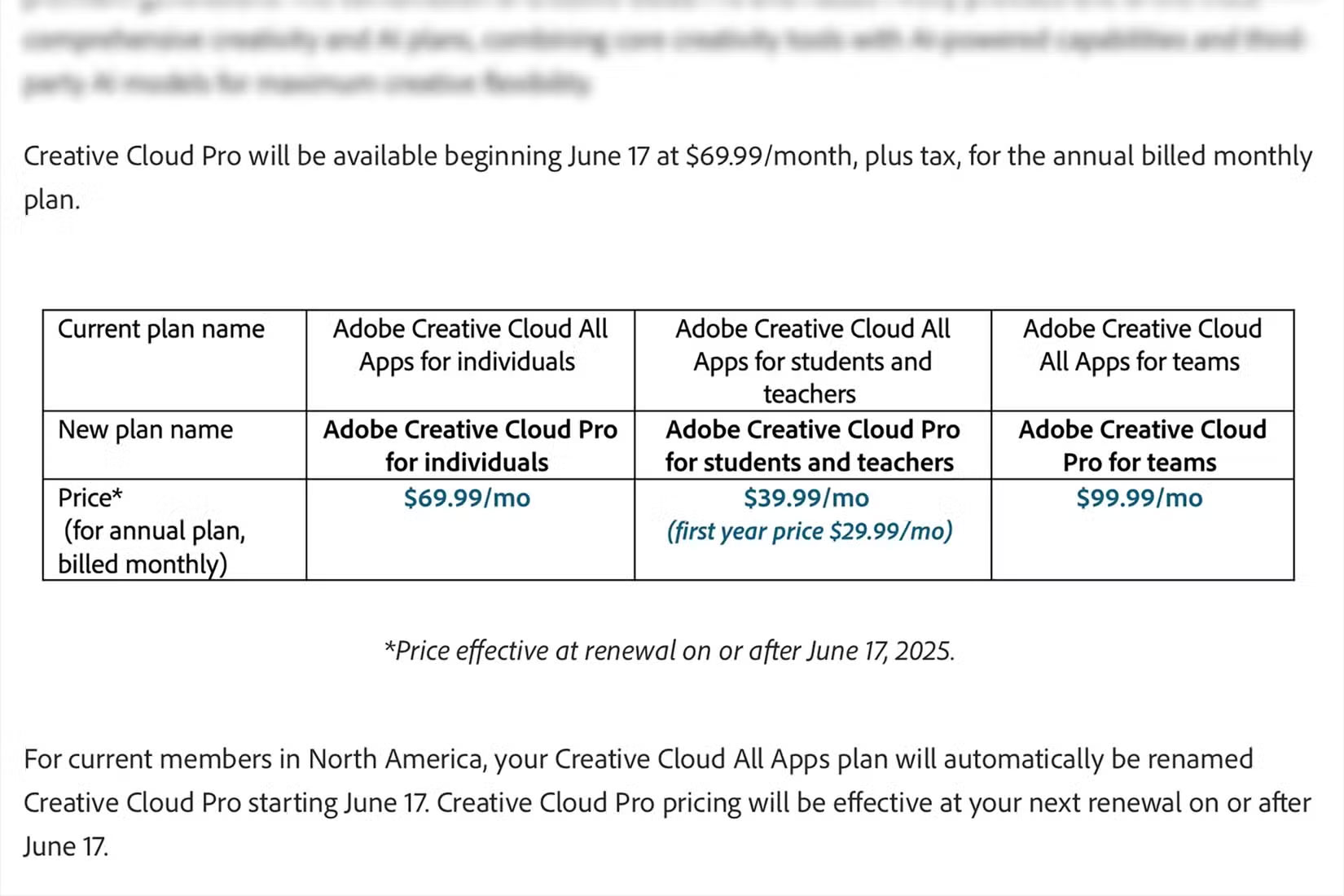
Adobe renamed its Creative Cloud All Apps plan to Creative Cloud Pro and introduced Creative Cloud Standard as a lower-priced option for individuals. Both plans include the core desktop apps. The main trade-offs are premium web and mobile access and how much you can use Adobe’s generative AI features.
What you get with Standard and Pro
- Creative Cloud Standard: Includes desktop apps such as Photoshop, Illustrator, and Premiere Pro. Adobe lists 25 monthly credits for standard generative features and limits premium access to some web and mobile apps.
- Creative Cloud Pro: Includes the desktop apps, broader premium access on the web and mobile, and unlimited access to standard generative features. Premium features such as generative video use a separate credit allowance.
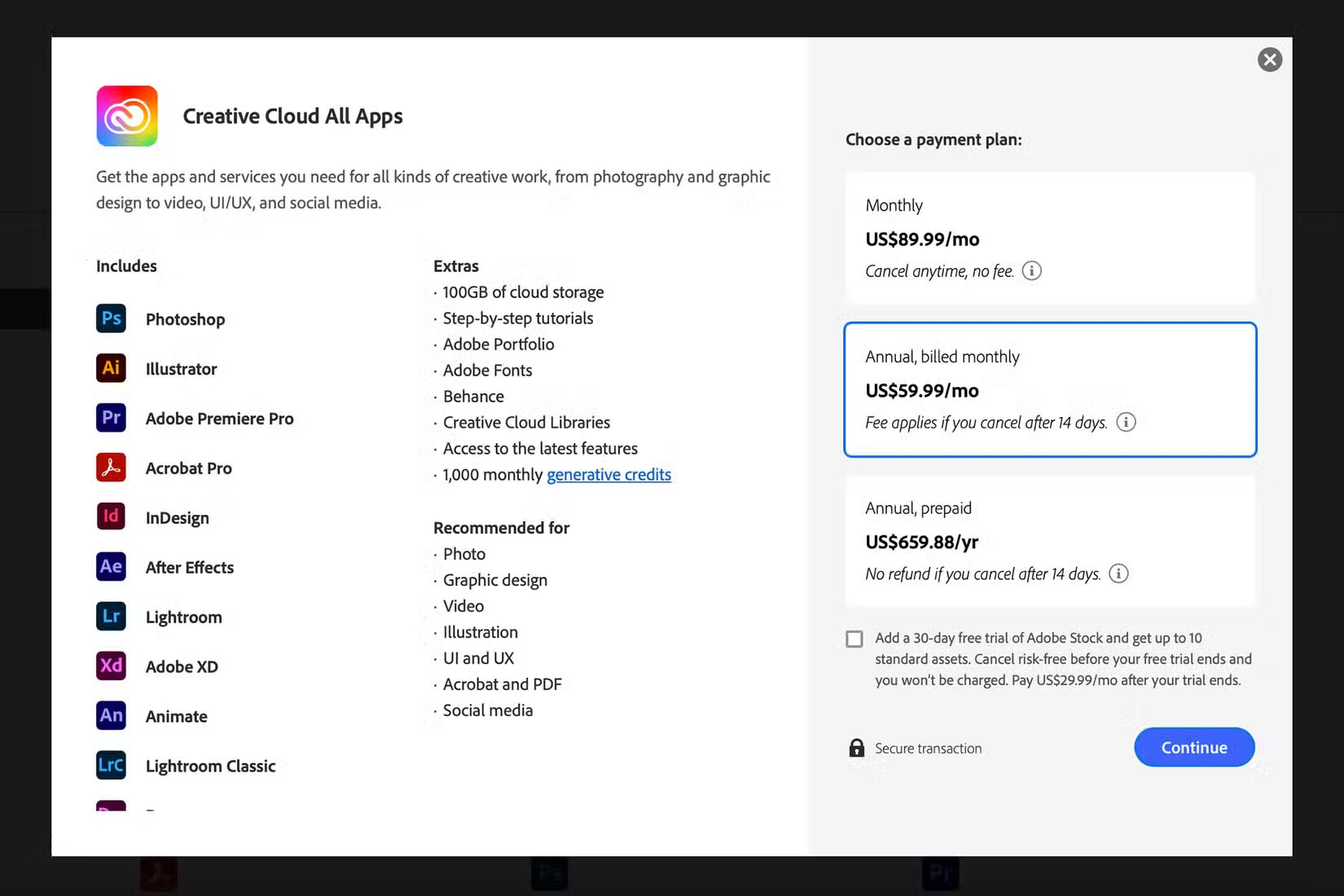
Adobe introduced the plan changes in North America in June 2025. Your price and renewal terms depend on your country and subscription. Compare the full yearly cost and check whether the quoted monthly payment commits you to an annual term.
Which plan fits your work?
Standard is worth comparing if you mostly work in desktop apps and rarely use Firefly. Before switching, check whether any workflows depend on premium Lightroom, Photoshop, or Illustrator features on a tablet or in a browser. If you only need one Adobe app, compare the corresponding single-app plan too.
Open your Adobe account and select Manage plan to check your renewal price, available options, and any cancellation charge. Adobe’s Standard and Pro comparison lists current feature differences.
Before moving a project to another editor
Test one real project before changing subscriptions. Reopen an exported copy and check editable text, linked files, layers, and colors. For basic photo editing, try a common task such as removing a background in GIMP. If you rely on retouching or batch processing, see which tasks the GIMP add-ons for filters and batch editing cover.
Related Articles
 How to delete Adobe Creative Cloud when installing Photoshop
 Why not choose Adobe Creative Cloud in 2024?
 Adobe Creative Cloud has been integrated directly for Powerpoint and Word
 Adobe Creative Cloud Express launched: Software to support rapid graphic creation
 FULL APP ADOBE CREATIVE CLOUD
 How does Adobe Creative Cloud work?
Reader Comments 0
Sign in with email or Google to join the discussion.