Table of Contents
This guide provides a clear, practical overview of adobe creative cloud express launched: software to support, with useful context, important details, and straightforward takeaways for everyday readers.
The free version of Creative Cloud Express includes thousands of background templates, fonts, and design assets, as well as some royalty-free images. Along with that, users will also have access to some basic photo effects and editing tools on the web and mobile devices, including background removal and animation. Along with that is 2GB of free cloud storage to store your works.
For professionals or experienced content creators, a premium subscription plan is more suitable. Along with the free add-ons, paid users get additional access to all the premium features and designs (approximately 50,000 options), 20,000+ fonts, and 175 million copies of Adobe Stock images. Adobe rights. Along with that is 100GB of free storage.
In particular, users will also be able to easily create their logos, brands, colors and fonts with just a few simple taps, saving time and maintaining consistency in the design language. . More advanced editing features are available for the premium account, such as grouping of graphics, resizing, tweaking the crop, importing and exporting PDFs, and many other file types.
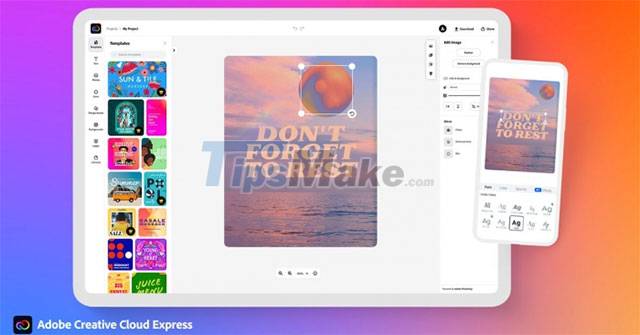
The Creative Cloud Express app will be integrated with Creative Cloud Libraries. As a result, all Creative Cloud Express assets and templates can be edited and managed in other Creative Cloud applications.
Creative Cloud Express uses Adobe Sensei, the machine learning and artificial intelligence technology behind Adobe's core applications, such as Photoshop and Premiere. Adobe Sensei supports advanced features like turning videos into GIFs and merging videos. Additionally, Adobe plans to integrate ContentCal, which automates social media publishing and reporting, into Creative Cloud Express.
Creative Cloud Express is currently available on the web and as a standalone app for platforms that users can download from the Microsoft Store, Google Play Store, and Apple App Store. The enterprise version will be available next year.
Key Takeaways
Use the information above as a practical reference for adobe creative cloud express launched: software to support. Review each step carefully, confirm any requirements, and choose the option that best fits your situation.
FAQ
What does this guide explain about Adobe Creative Cloud Express Launched: Software to Support?
It explains the main concepts, practical considerations, and useful steps related to adobe creative cloud express launched: software to support without requiring advanced knowledge.
Who can benefit from learning about Adobe Creative Cloud Express Launched: Software to Support?
This information is useful for readers who want a clear overview, practical guidance, and reliable steps related to adobe creative cloud express launched: software to support.
What should I check before applying this information?
Review the requirements, confirm that your device, software, or situation matches the instructions, and back up important data before making major changes.
Related Articles
 Adobe Raises Creative Cloud Prices and Changes Plans9 minutes read
 How Does Adobe Creative Cloud Work?7 minutes read
 Why Not Choose Adobe Creative Cloud in 2024?: Causes, Tips, and8 minutes read
 How to Delete Adobe Creative Cloud When Installing Photoshop4 minutes read
 Photoshop Creative Cloud Launched June 17, Subscribing 20 USD /3 minutes read
 Adobe Creative Cloud Has Been Integrated Directly for Powerpoint3 minutes read
Reader Comments 0
Sign in with email or Google to join the discussion.