Table of Contents
Explore 5 ways to run file explorer with administrator privileges on Windows 11.
Open File Explorer in Windows 11 with administrator privileges
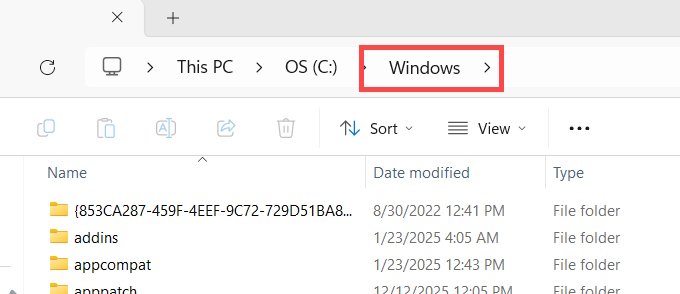
Open File Explorer on your computer, then navigate to C: > Windows .
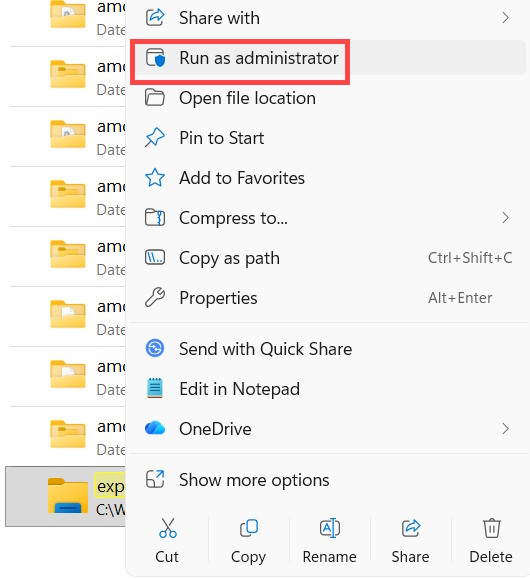
Navigate to the Explorer folder , then right-click on the Explorer application and select Run as administrator .
Run File Explorer with administrator privileges from PowerShell
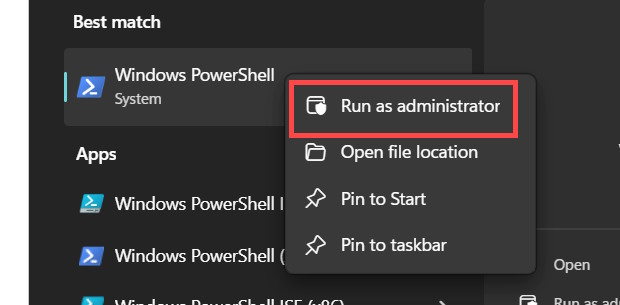
Type "Windows PowerShell" into the search bar and select "Run as administrator" .
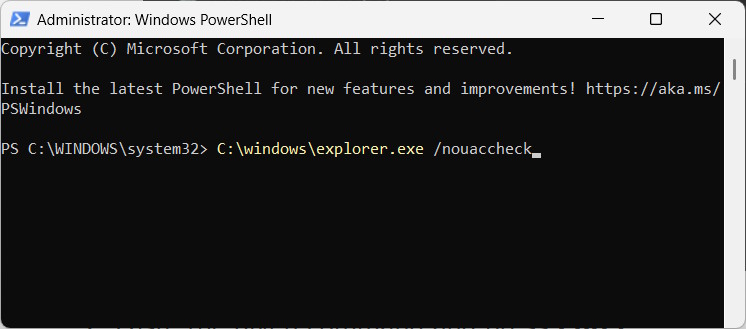
The command input interface will appear; enter the command below.
C: windowsexplorer.exe /nouaccheck
Open File Explorer as administrator from Windows Search
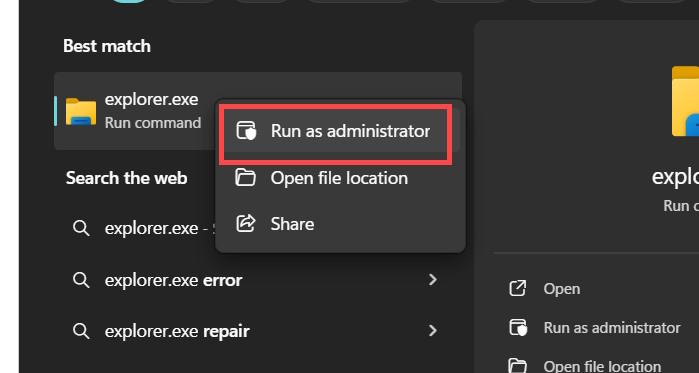
Type "explorer.exe" into the search bar , then right-click on Explorer.exe and select "Run as Administrator" .
Run File Explorer with administrator privileges via Task Manager
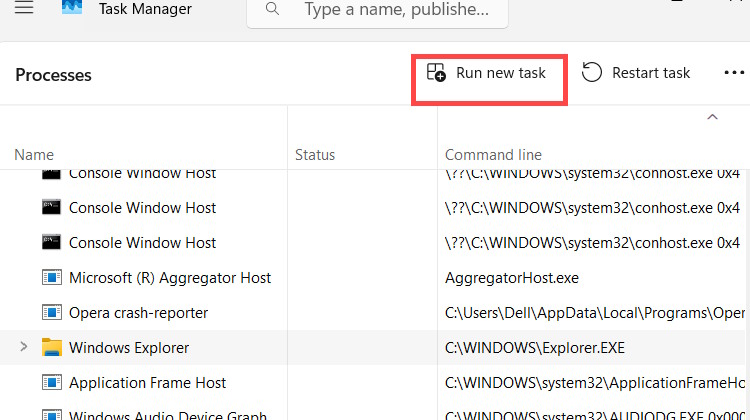
We open Task Manager on the computer, then select Run New task at the top of the interface.
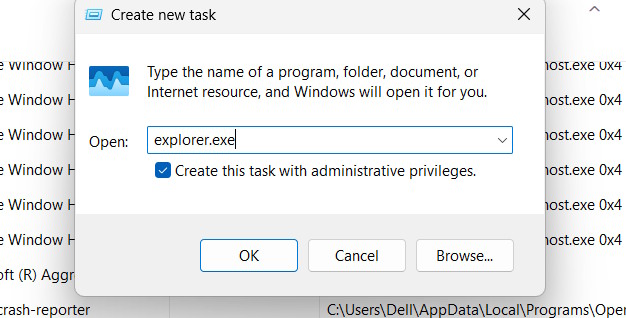
Next, type explorer.exe into the box and check the box "Create this task with administrative privileges".
Use an administrator account on Windows 11
If you always want to run File Explorer with administrator privileges, you must use the default Administrator account on Windows 11. Then you no longer need to use the methods above to open File Explorer with administrator privileges.
Final Thoughts
Understanding 5 ways to run file explorer with administrator privileges on windows 11 makes it easier to evaluate the information and apply the most relevant recommendations. Focus on the key points above and verify details that may change over time.
FAQ
What is 5 ways to run file explorer with administrator privileges on windows 11?
Explore 5 ways to run file explorer with administrator privileges on Windows 11.
What key points does this article cover?
The article focuses on Open File Explorer in Windows 11 with administrator privileges, Run File Explorer with administrator privileges from PowerShell, Open File Explorer as administrator from Windows Search, with practical explanations and examples.
How can you use this information in practice?
Use the explanations to compare options, verify important details, and make a more informed decision. Apply the recommendations that best match your goals and situation.
Related Articles
 How to Run File Explorer with Administrative Rights in4 minutes read
 Run CMD with Administrator Privileges on Windows 7, 8, 8.1, And 104 minutes read
 9 Ways to Enable File Explorer in Windows 106 minutes read
 Steps to Fix Slow Windows File Explorer6 minutes read
 How to Log in with Administrator Privileges on Windows4 minutes read
 How to Open the Application with Administrator Privileges on Windows 102 minutes read
Reader Comments 0
Sign in with email or Google to join the discussion.