Table of Contents
Many people have stopped using the Tor Browser because they have lost faith in the project. From malicious or compromised exit nodes to security vulnerabilities, it is not the private Internet alternative that users hoped for. However, there are a few features of Tor that cannot be replaced, at least not by any other browser or service.
5. Unified browser fingerprinting
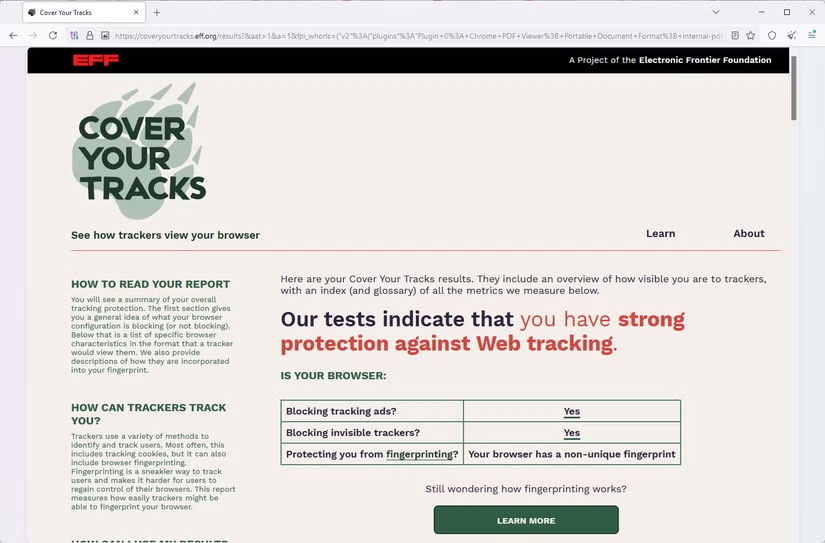
Browser fingerprinting is a technique that creates permanent digital profiles of individuals, allowing them to be tracked across the web. This tracking is possible because the websites you visit can run scripts that collect unique browsing characteristics, details like device type, operating system, hardware, time zone, and IP address. But for good reason, Tor has become the go-to choice for journalists and whistleblowers who need to remain anonymous.
The reason is that Tor can report all sessions as if they were using the same operating system and browser version, making it harder to 'fingerprint' individual users. By default, Tor Browser also restricts or disables APIs like WebGL, Canvas, and AudioContext, which are known to create unique fingerprints. Checking fingerprints on Tor Browser will often return non-unique or random results.
4. Easy-to-click New Identity button
During your browsing sessions, you start to build up a specific profile for each session. You accumulate cookies, cached files, and login state. If you have similar habits between sessions, websites can easily associate your previous actions with your current actions.
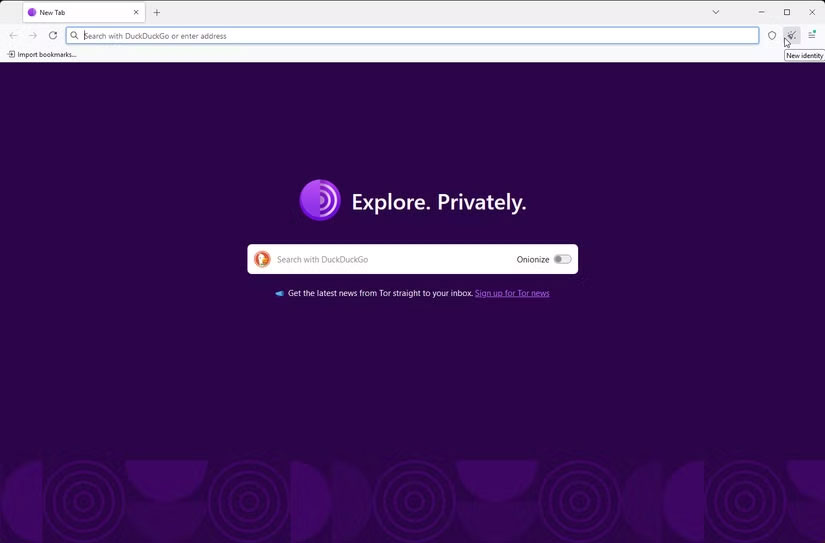
Tor provides an easy-to-click New Identity button. This feature instantly disconnects your current session, rendering any collected user habits redundant without having to restart the browser. It resets all circuits, clears session data, disrupts correlation attempts, and provides a strong defense against persistence.
3. Quickly adjust security levels
Hardening your browser to better protect your privacy has become very popular among certain groups. This requires using scripts or extensions to enhance your privacy or security, and in some cases, changing a set of configurations in your browser settings. There is just one problem with this approach: The more you harden your browser, the less convenient and difficult it becomes to use.
You may quickly notice that some websites are broken or that some features on the website are not working. In this case, you will have to uninstall scripts or extensions, or restore adjusted settings to their original values. This can be stressful because you may not remember every setting.
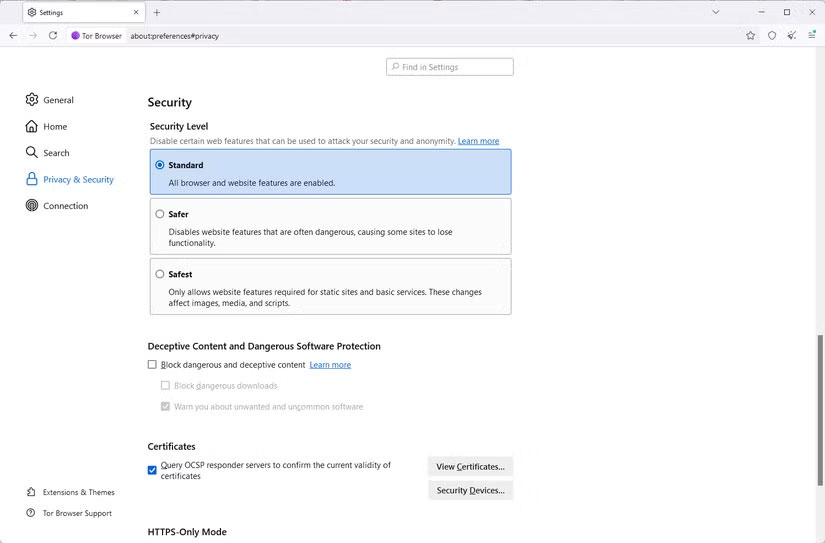
Tor lets you make these changes by choosing from three options: Standard, Safer , and Safest. When a site goes down, instead of having to adjust multiple settings to get it working again, you can simply switch back to one of these pre-configured privacy levels. Very convenient!
2. Communication without hidden server
If you've ever used Tor, you've probably tried some.onion services. These special services are like websites that allow publishers or users to remain anonymous. They work quite differently than regular websites. Instead of using the Domain Name System (DNS) to resolve readable domains into IP addresses,.onion services are limited to the Tor network for greater privacy and security.
Regular browsers can't replace the.onion service, and you have to stay on the open web when browsing. However, it's true that you can get similar functionality on I2P, Freenet, or ZeroNet. But in each of these alternatives, the archive size is much smaller than what Tor offers.
1. Tor traffic travel route
With regular browsers, traffic flows from your device to your ISP, then to the destination server. This is simple, straightforward, and fast. The only downside is that your ISP can see your IP address, DNS requests, and metadata.
Tor Browser, however, takes a different approach, and this is a feature that has never been seen in other browsers. It routes traffic through 3 layers: Guard, Middle, and Exit. This feature is called Onion Routing. Each layer has limited knowledge of routes and travel information. This way, your personally identifiable information, such as your IP, is protected, making your online sessions more private and secure.
Final Thoughts
The development covered in this article is worth following, but specifications, dates, and feature details may change until the relevant company or organization publishes an official confirmation.
FAQ
What is the main development covered in this article?
Many people have stopped using the Tor Browser because they have lost faith in the project. From malicious or compromised exit nodes to security vulnerabilities, it is not the private Internet alternative that users hoped for.
What should you know about 5. Unified browser fingerprinting?
Browser fingerprinting is a technique that creates permanent digital profiles of individuals, allowing them to be tracked across the web.
Is every reported detail officially confirmed?
Not necessarily. Product leaks, preview builds, research reports, and early announcements can change. Confirm important specifications, dates, and availability through an official source before making a decision.
Related Articles
 Torch Browser 42.0.0.9806: Chrome-based Browser with Many5 minutes read
 How to Remove AI Features and Unnecessary Programs from Your Browser7 minutes read
 7 Unexpected Capabilities of the Web Browser5 minutes read
 9 Best Arc Features That Should Live in Every Browser7 minutes read
 Why Are browser-based Photo Editors Better Than Desktop Editing6 minutes read
 How to Create Wifi Hotspot on UC Browser Web Browser5 minutes read
Reader Comments 0
Sign in with email or Google to join the discussion.