Table of Contents
If you're concerned about privacy while using Gboard, try four open-source keyboard alternatives like AnySoftKeyboard, HeliBoard, Simple Keyboard, and FlorisBoard — lightweight, secure, and customizable.
Gboard is the default keyboard on most Android devices and is packed with smart features. However, Gboard's tight integration with Google services has raised privacy concerns for many. If you're one of those users who wants to break away from the Google ecosystem, there are plenty of open-source options that can provide a similar experience without compromising your personal data.
AnySoftKeyboard
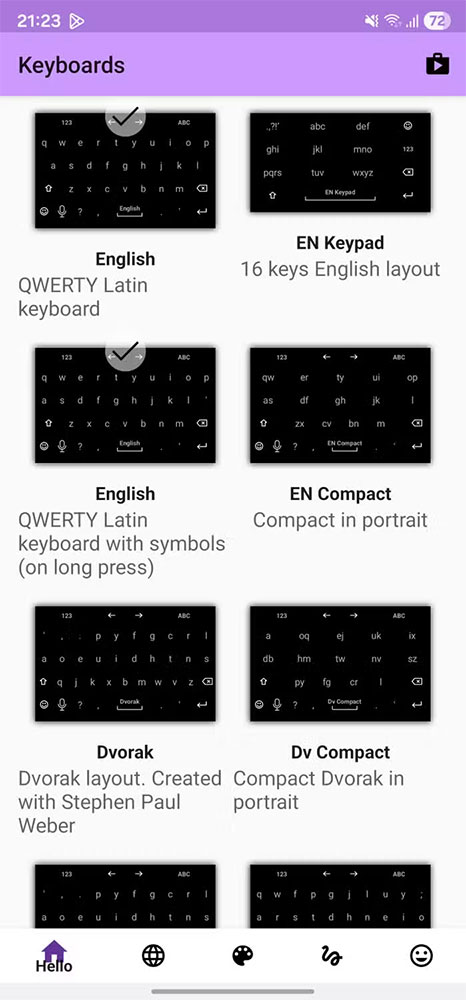
AnySoftKeyboard is the most popular and powerful open-source Gboard alternative available today. It is privacy-focused, customizable, and supports multiple languages via its own language packs. You can choose from a variety of keyboard layouts such as QWERTY, Dvorak, or AZERTY, and there are even specialized keyboards just for entering emails, web addresses, or numbers.
Similar to Gboard, AnySoftKeyboard also supports voice input and swipe typing. If you don't like this type of typing, you can assign swipes to other actions for faster operation. The keyboard has full features such as auto-correction, word suggestions and especially Incognito Mode To help enter sensitive information more securely. When this mode is turned on, the application will pause saving the typed content and disable word suggestions.
You can also customize the keyboard interface with many different themes, automatically changing colors according to the application in use thanks to the Per-app tint Feature, providing a highly personalized experience.
HeliBoard
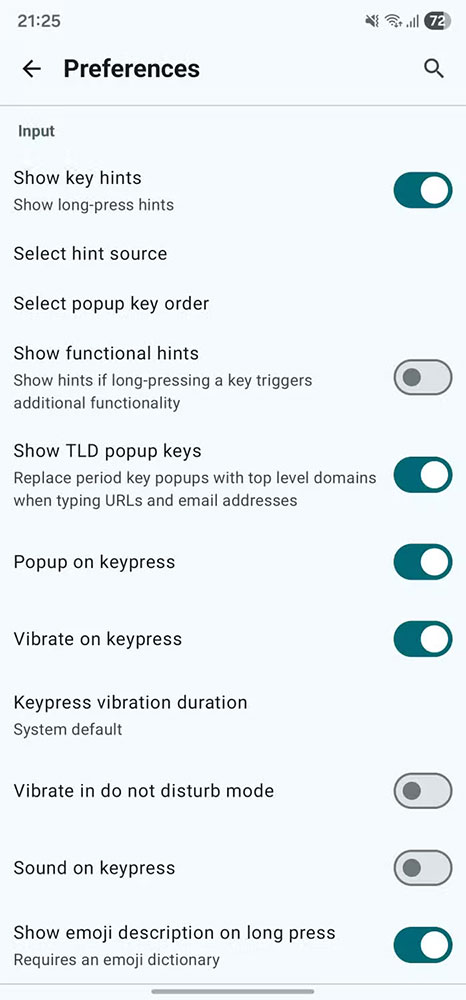
HeliBoard is another open-source Android keyboard, built on OpenBoard (AOSP's open-source keyboard). The app works completely offline, requiring no internet access — which many users consider a big plus for security.
That said, since it doesn't connect to the internet, HeliBoard lacks features like spell checking or cloud-based word suggestions. Instead, You can download and install a local dictionary, which gives the app basic word suggestions and spell checking. While the accuracy can't match Gboard, it's a reasonable price to pay for privacy.
HeliBoard doesn't have swipe typing enabled by default, but you can enable it manually by adding an external gesture library. It still supports multiple layouts, one-handed mode, split keyboard, clipboard memorization, and a very flexible interface customization.
Simple Keyboard
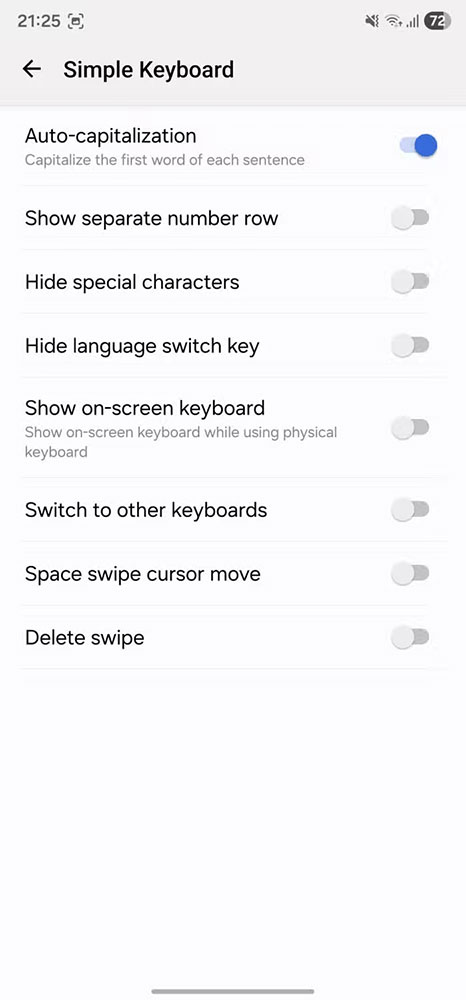
If you like minimalism, Simple Keyboard is the perfect choice. It's less than 1MB , only requires vibration permission, and doesn't access the internet. However, because it's designed to be as lightweight as possible, it doesn't have emojis, GIFs, swipe typing, or spell checking.
Simple Keyboard also offers only a few basic themes, lets you adjust the keyboard height and turn on/off display elements. This is the ideal keyboard for those who want a fast, light and absolutely private typing experience.
FlorisBoard
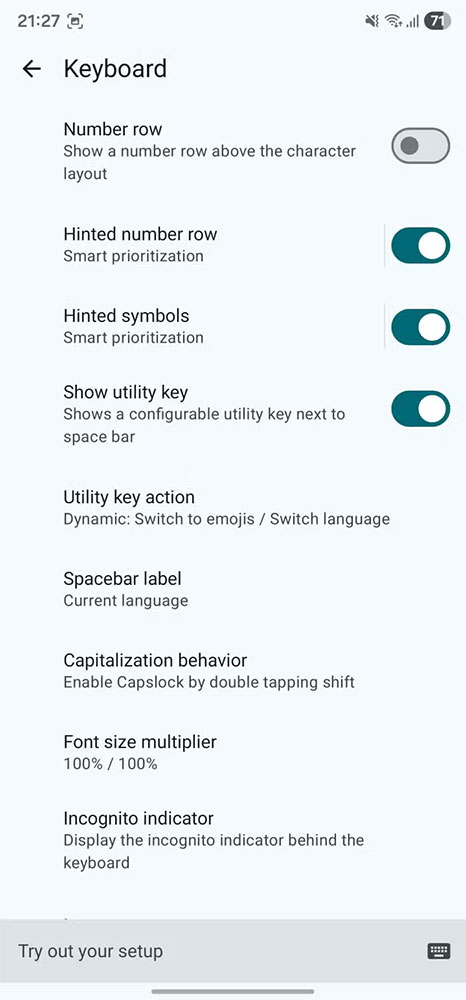
FlorisBoard is a modern, open-source keyboard that balances Privacy and usability . It has a clean, user-friendly design, supports multiple languages, and has a variety of keyboard layouts, including split and one-handed modes.
You can fully customize everything from the interface to the input behavior. Like HeliBoard, FlorisBoard has An incognito mode , a built-in clipboard manager, gesture support, and the ability to create secondary keyboard layouts for quick language switching.
FlorisBoard is still in beta, so it may occasionally have minor bugs or lack some features like word suggestions and spell check. However, it is still a promising option for those who want a more user-friendly and privacy-friendly alternative to Gboard.
Depending on your needs—from minimalist to powerful, from absolute privacy to smart features—you can choose one of the four keyboards above to replace Gboard, enjoying a safer and more personal typing experience.
FAQ
What should you know about the options in this guide?
In practical terms, if you're concerned about privacy while using Gboard, try four open-source keyboard alternatives like AnySoftKeyboard, HeliBoard, Simple Keyboard, and FlorisBoard — lightweight, secure, and customizable.
Which option is the best choice?
The best choice depends on your priorities, compatibility, budget, and the specific features discussed in the comparison.
What should you compare before deciding?
Compare core features, limitations, ease of use, compatibility, and long-term value before making a decision.
Related Articles
 10 Things Gboard Can Do on Android8 minutes read
 The Best 4 Free and Open Source Android Keyboard Apps7 minutes read
 4 Useful Gboard Tips to Make Typing on Android More Enjoyable8 minutes read
 10 Open Source Android Apps You Can't Live Without8 minutes read
 Open Source Android Launcher: Best Options and Key Tips5 minutes read
 Why Should You Replace Your Iphone's Default Keyboard6 minutes read
Reader Comments 0
Sign in with email or Google to join the discussion.