Table of Contents
Explore 11 lesser-known Google maps features that are perfect for photographers.
The combination of satellite view, community-contributed images, data, and Street View transforms it into a tool that aids pre-capture decisions. Along the way, people are beginning to see Maps as a photographer, not just an everyday commuter. Here are a few features that photographers commonly use.
1. Satellite view for an aerial perspective
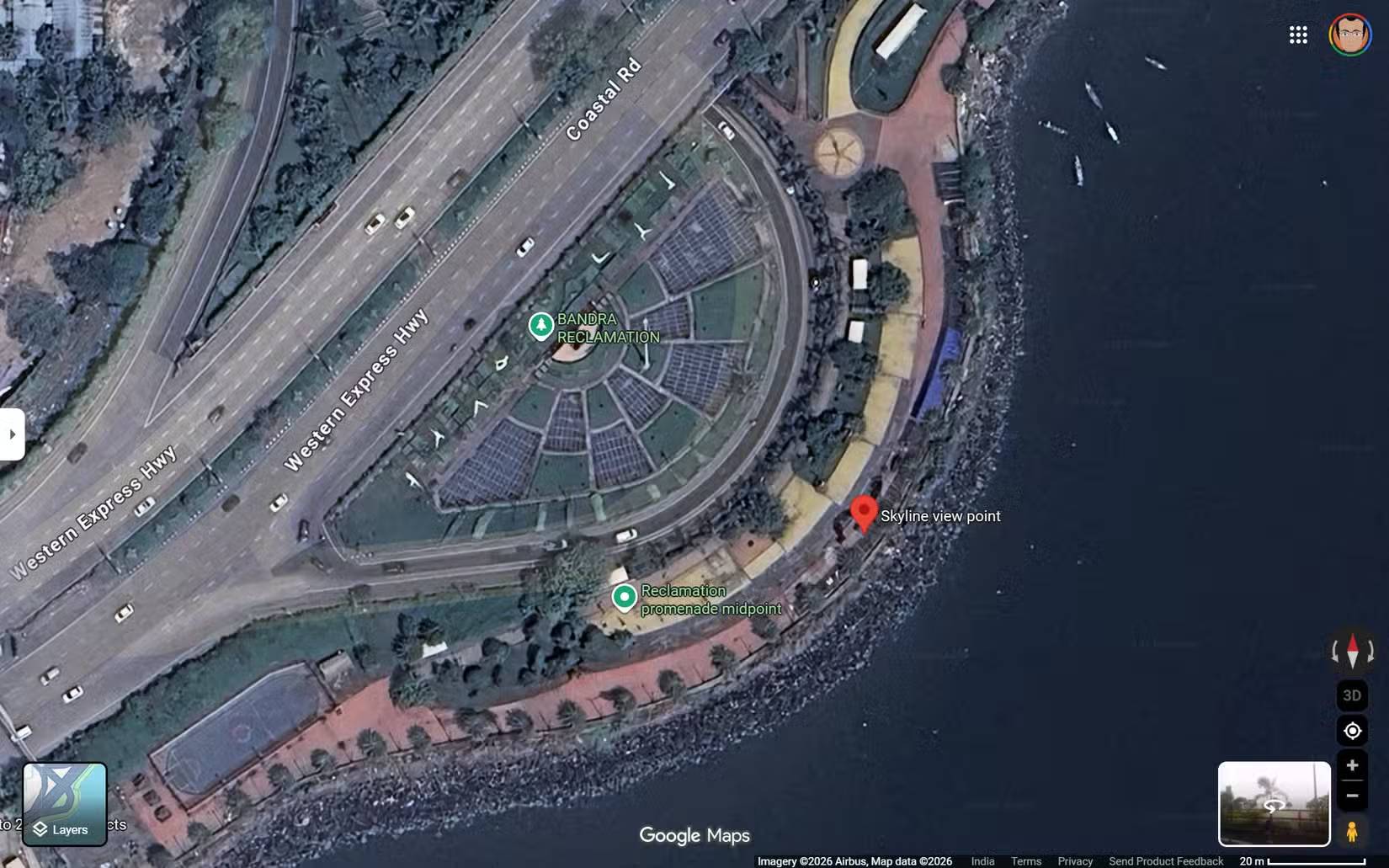
Satellite view eliminates urban distractions and allows you to see the world in its shapes, textures, and lines. Intersections become vantage points, buildings form a grid, and bodies of water evoke reflective surfaces. How you use this feature will depend on your imagination.
Look for curves, intersections, and naturally converging roads that guide the viewer's eye through the frame. You can save these locations on Google Maps and find compositional ideas. Highways and overpasses are also great locations for long-exposure shots.
2. Parks and green spaces hidden within urban forests
Taking photos of nature doesn't always require traveling far
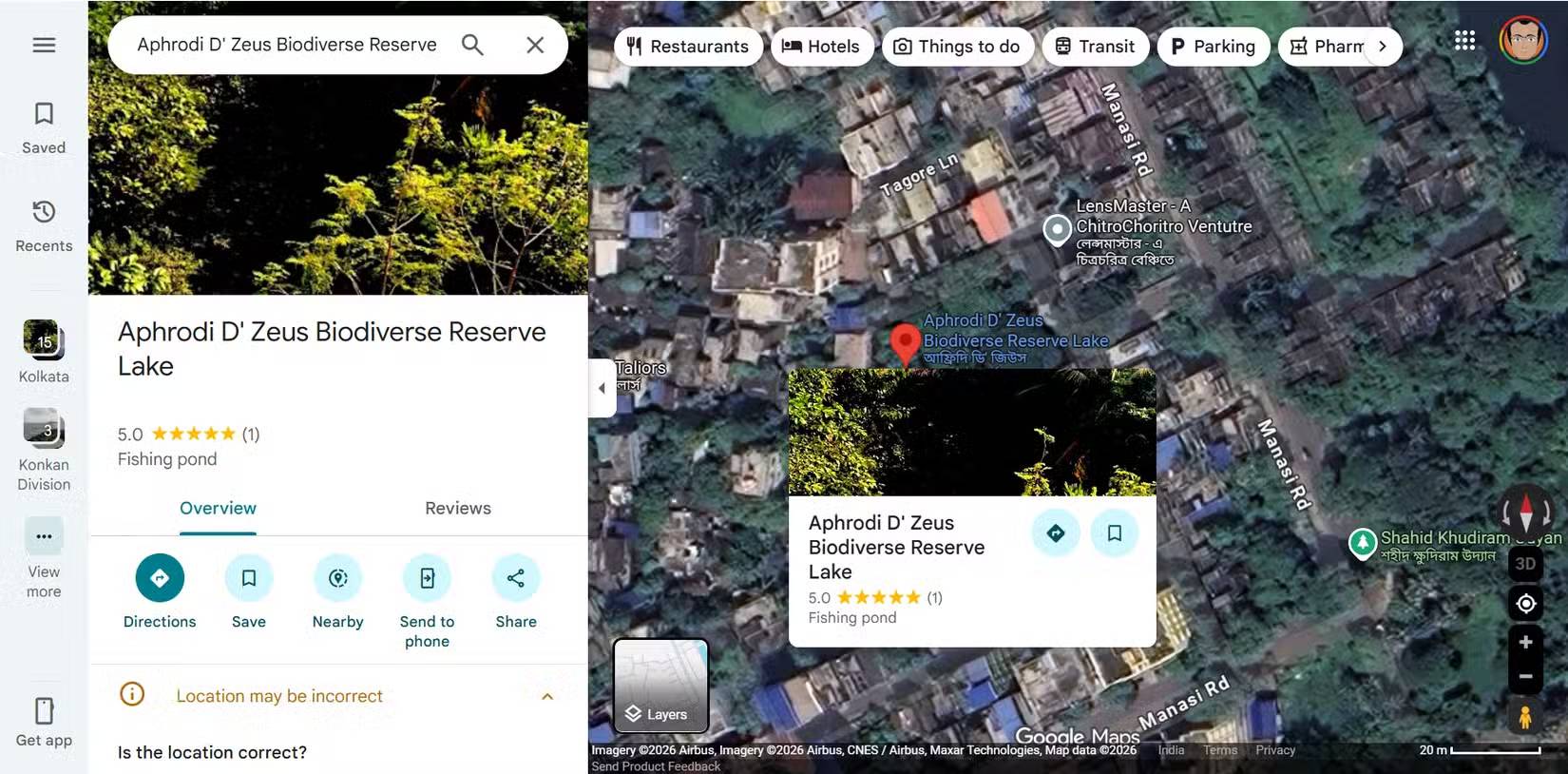
Google Maps makes it easy to spot green spaces nestled between buildings. These spaces often offer a tranquil setting, a respite from the hustle and bustle of the city.
Many people regularly discover small parks and tree-lined paths they would never have noticed during their normal commutes. These have become reliable backup locations when time or weather limits their options.
3. Business information helps you find the rooftop terrace, cafe, and balcony
Access rights are just as important as location
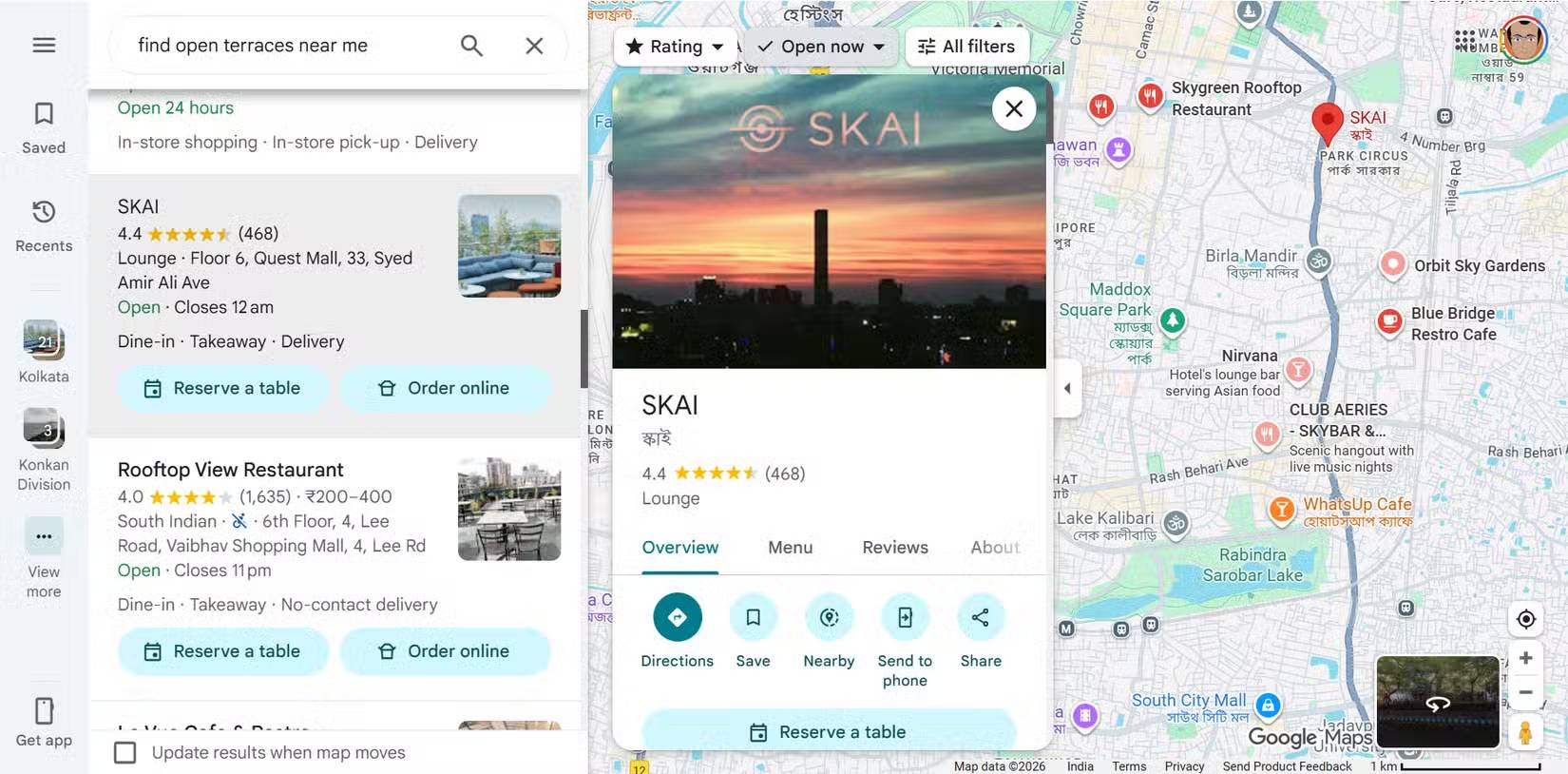
Business information often reveals aerial or semi-private views such as cafes, terraces, and rooftops. Check reviews and photos to understand access rules. While photography permissions may not be explicitly mentioned, it's still worth checking.
4. 3D buildings help you predict depth and shadows
Understand how height and structure affect lighting and framing
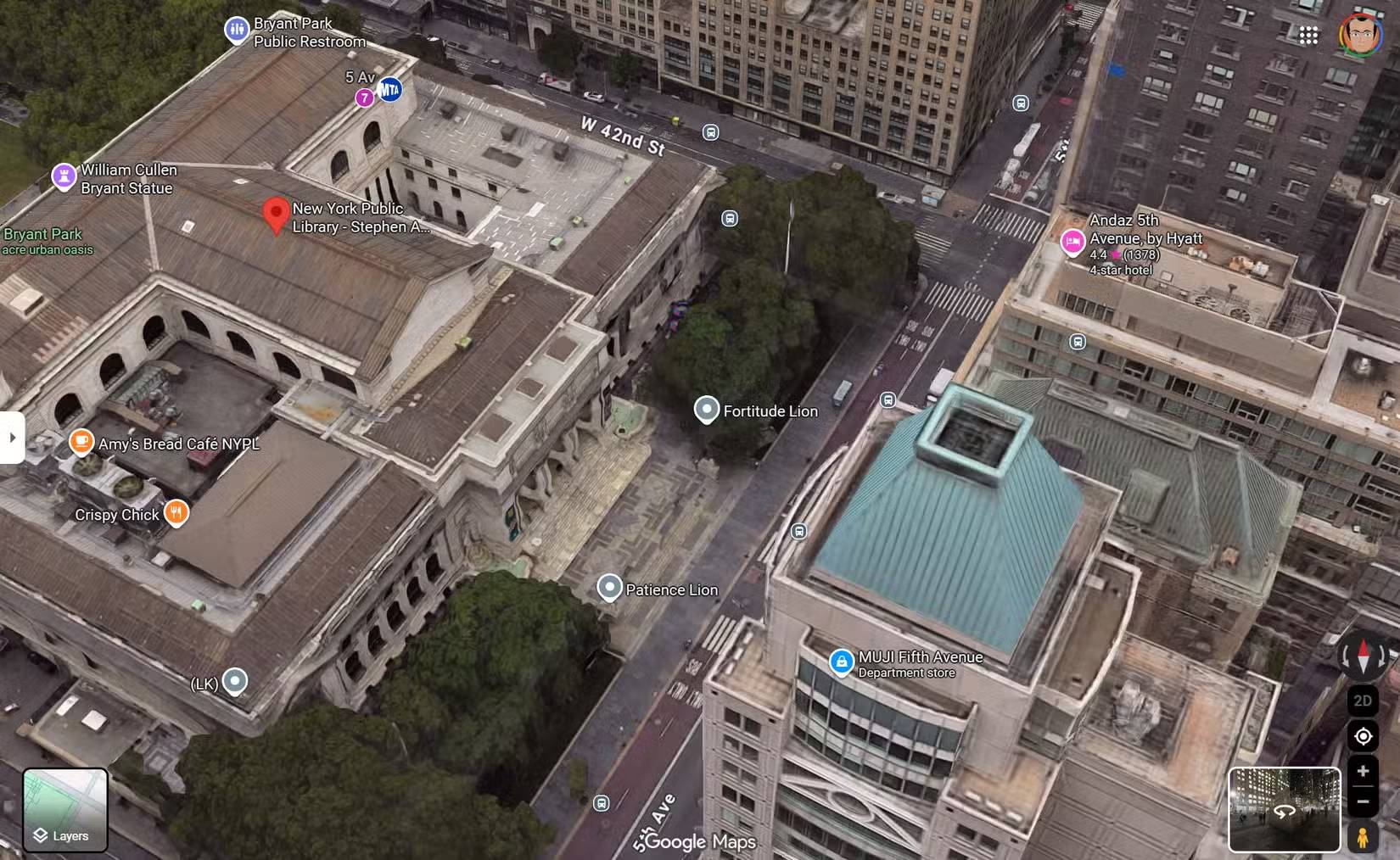
Shadows are fantastic eye-catching subjects for a photograph. They are also equally unpredictable. 3D building views add depth that flat maps can't show. You can quickly see how high-rise buildings interact with streets, open spaces, and with each other, which is crucial for understanding perspective.
Tip : For information about shadows, you can also use apps like Shadowmap and ShadeMap.
5. User-generated photos reveal the actual angle and conditions
Community-contributed images show what maps can't see
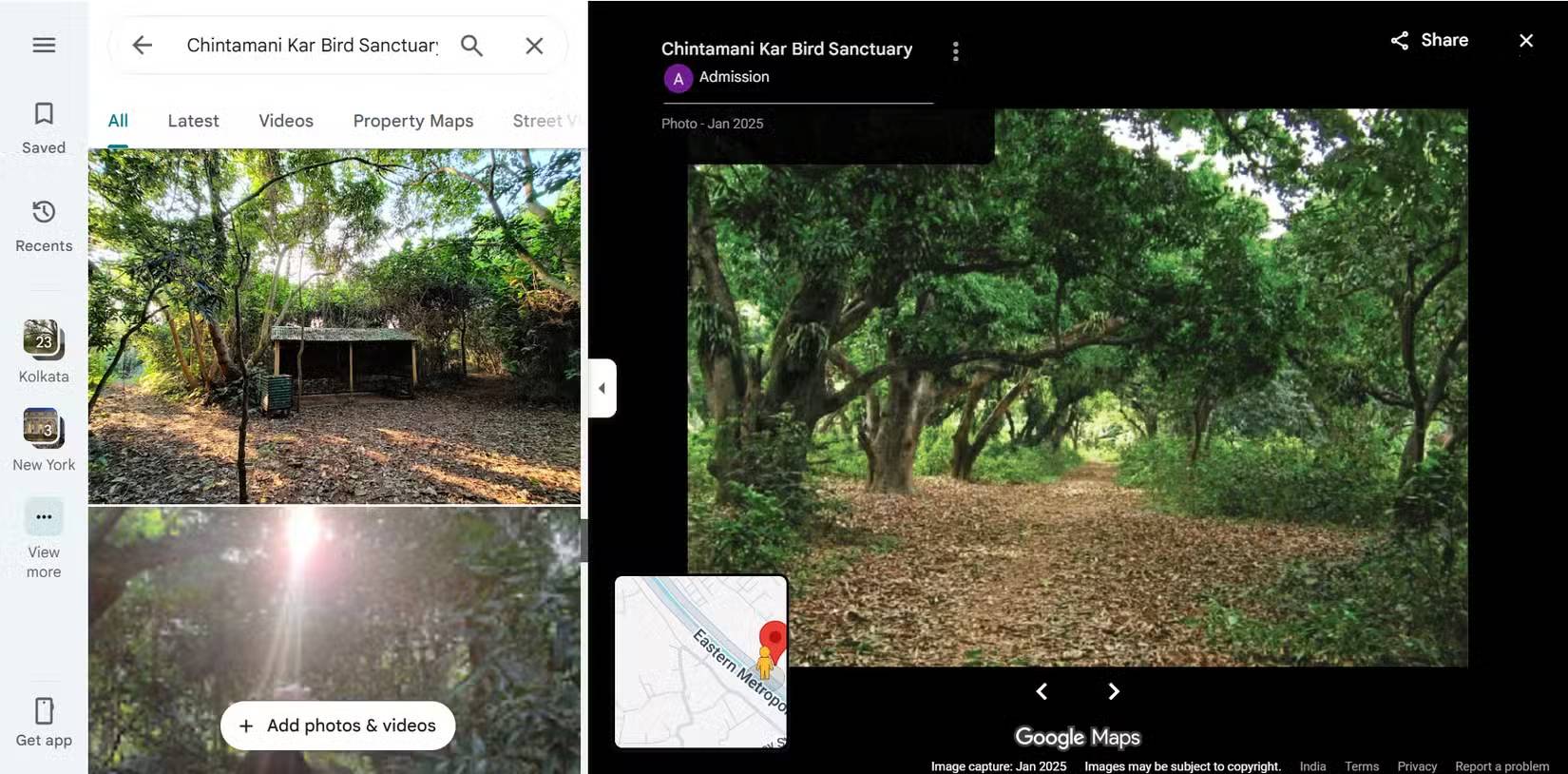
User-uploaded images often reveal unclear angles, perspectives, and compositional opportunities from satellite imagery. They also show clutter, fences, and obstructions.
People look at these photos not for inspiration, but for verification. They help them confirm whether the idea in their head is actually feasible for filming. In one case, a single preview photo showing a crowded parking lot was imagined as an ideal location for a photoshoot. And the lack of photos of a location can be a clue to the next spot.
6. Signs of quiet locations with few people taking photos
Fewer photos often mean more creative freedom
We are being overwhelmed by too many images. Areas with fewer photos uploaded may be less crowded and less likely to be photographed.
It's fortunate if you can find more beautiful locations with fewer user-uploaded photos. It's a simple way to avoid stereotypical images and hopefully avoid the crowds when traveling.
7. Popular time data helps you avoid crowds
The photo was taken at the same location, but without people
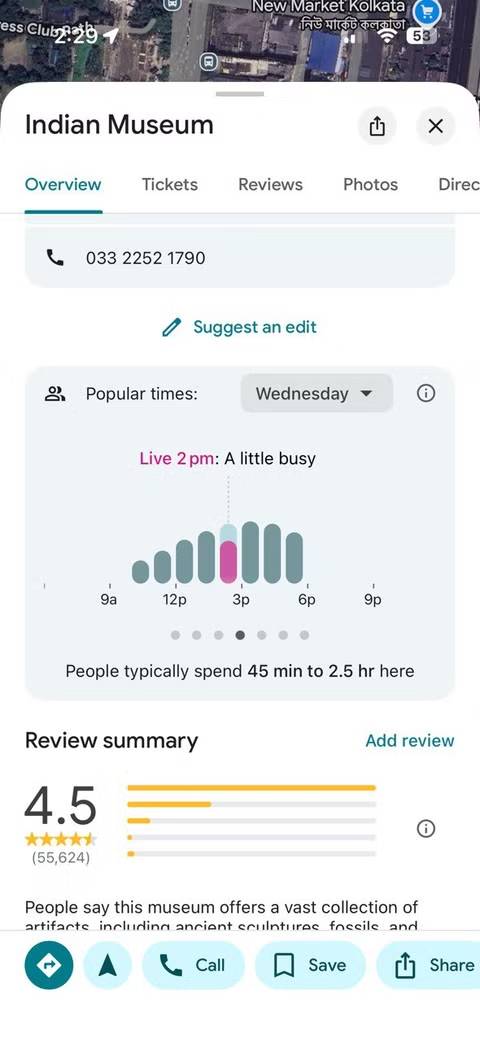
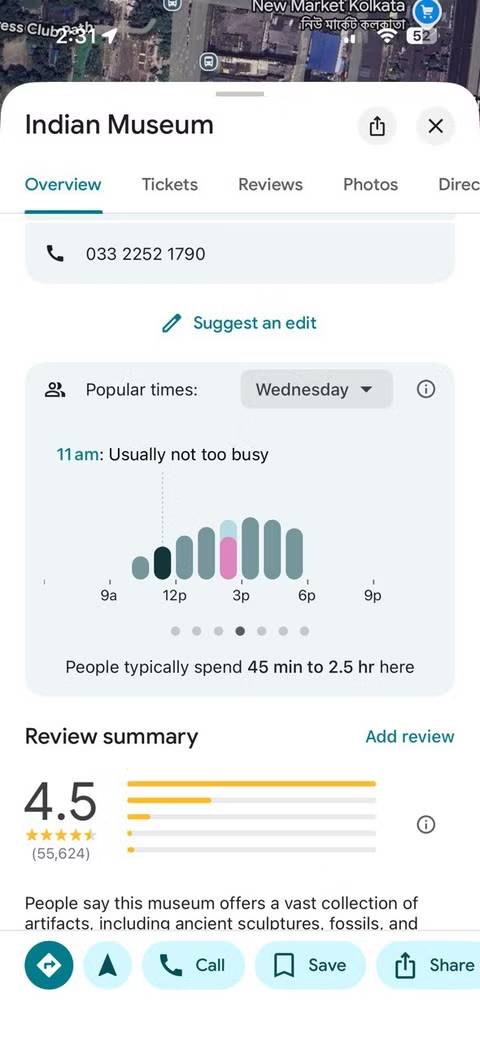
Popular time data shows when locations are most crowded. For photographers, this is a crowd-avoiding tool disguised as a convenient feature.
You can test this even with just a smartphone. A small change in timing, even 30 minutes earlier or later, can transform a chaotic scene into a clearer interior or street scene. This is especially important when photographing architecture or minimalist layouts, where people disrupt the visual flow.
8. Terrain view helps you plan landscape layouts
Altitude is more important than you think
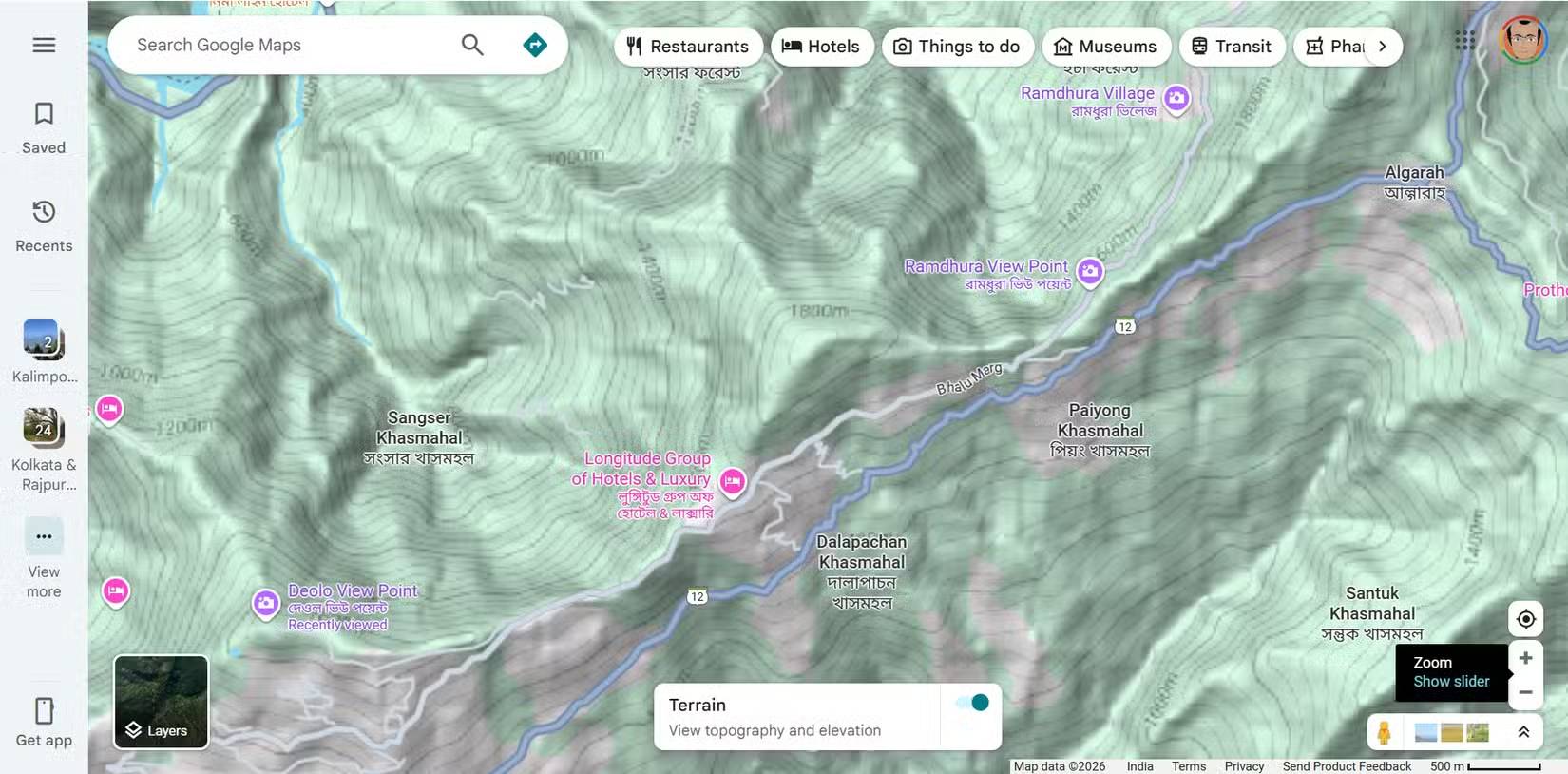
The terrain view reveals elevation changes that standard maps hide. Hills, slopes, and valleys suddenly become clear, which is essential for landscape planning.
When unfamiliar with a location, use this feature to decide whether staying in a guesthouse or hostel near a viewpoint is actually better for photography and saves both time and money on your trip.
9. Saved locations become a personal photo diary
Transform Google Maps into a creative archive
You can do more than just bookmark your favorite locations. It can become a journal recording your past photography practice and a place to store ideas, experiments, and unfinished photos for the future.
You can turn your Google Maps account into a list of must-visit photo spots, planning to visit those places months later, when you have more time or when the lighting or weather conditions are different.
This habit transforms Google Maps into a living photo diary. Then, combine Gemini with Google Maps to build itineraries that fit your schedule.
10. Look for street art and murals on Street View
An interesting search exercise you can do anytime
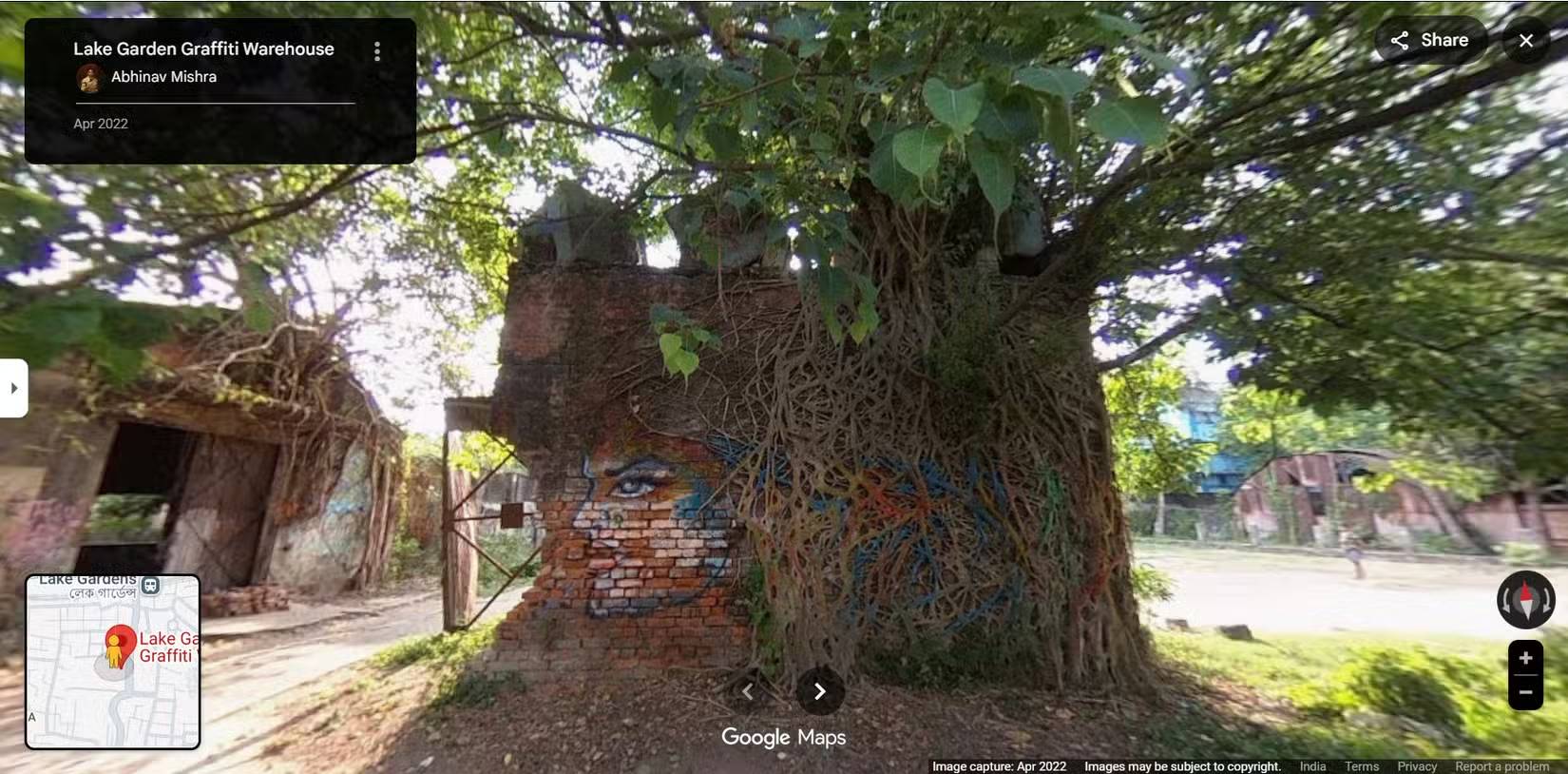
Street View has a huge collection of images that you can explore. Murals, installations, and street art can also be featured through uploaded photos. If you know of a street known for this type of art, use Maps to track the development of street art.
Tip : You can contribute to Google's Street View project by uploading your own 360-degree video to Street View Studio.
11. Use search suggestions to discover new places
Let chance bring you some surprises!
Try this exercise when you're feeling bored. Enter a general query into Google Maps in and around your city. It might reveal unexpected places and landmarks. Or, simply place a plastic figure in a random location and see what it reveals.
Think of these search suggestions as reminders to explore more. Hopefully, this habit will lead you to places you would never have actively sought out.
Final Thoughts
Understanding 11 lesser-known google maps features that are perfect for photographers makes it easier to evaluate the information and apply the most relevant recommendations. Focus on the key points above and verify details that may change over time.
FAQ
What is 11 lesser-known google maps features that are perfect for photographers?
Explore 11 lesser-known Google maps features that are perfect for photographers.
What key points does this article cover?
The article focuses on 1. Satellite view for an aerial perspective, 2. Parks and green spaces hidden within urban forests, Taking photos of nature doesn't always require traveling far, with practical explanations and examples.
How can you use this information in practice?
Use the explanations to compare options, verify important details, and make a more informed decision. Apply the recommendations that best match your goals and situation.
Related Articles
 Top 5 Extensions to Add More Features to Google Maps6 minutes read
 8 Useful, but Underused Google Maps Features6 minutes read
 Useful Features on the Google Maps App That You Don't Know Yet7 minutes read
 5 Useful Features of Google My Maps You Need to Know: Top Picks and Buying Guide8 minutes read
 Does Apple Maps' New Feature Put It on Par with Google Maps?7 minutes read
 Tips for Using Google Maps on Android11 minutes read
Reader Comments 0
Sign in with email or Google to join the discussion.