Table of Contents
Discover why should you switch to a usb-c hub with a touchscreen for monitoring devices and explore the main causes.
One person has been testing the Dockcase Studio 8-in-1 USB-C hub for over a year (using a sample provided by Dockcase), and it's a premium option that delivers on all expectations. It supports all the connectivity specifications you'd expect from a content creation-focused device, but its standout feature isn't about ports or cables. This USB-C hub is unique because it offers a 1.9-inch smart touchscreen that can manage the device, display key diagnostics, and assist with troubleshooting. Even if you don't use this hub daily, it will still prove to be an incredibly important part of your toolkit.
The screen is not just a gimmick
This 1.9-inch touchscreen is a breakthrough in diagnostics
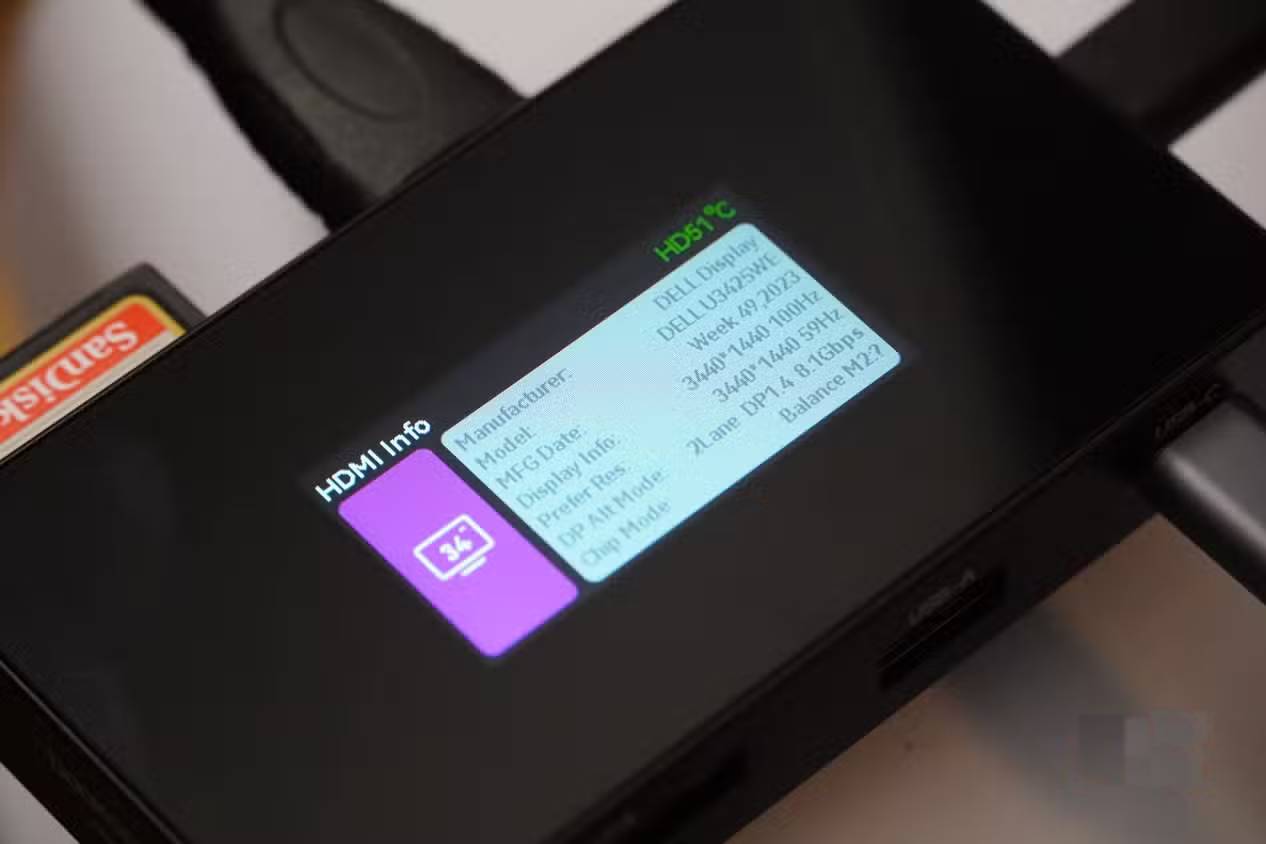
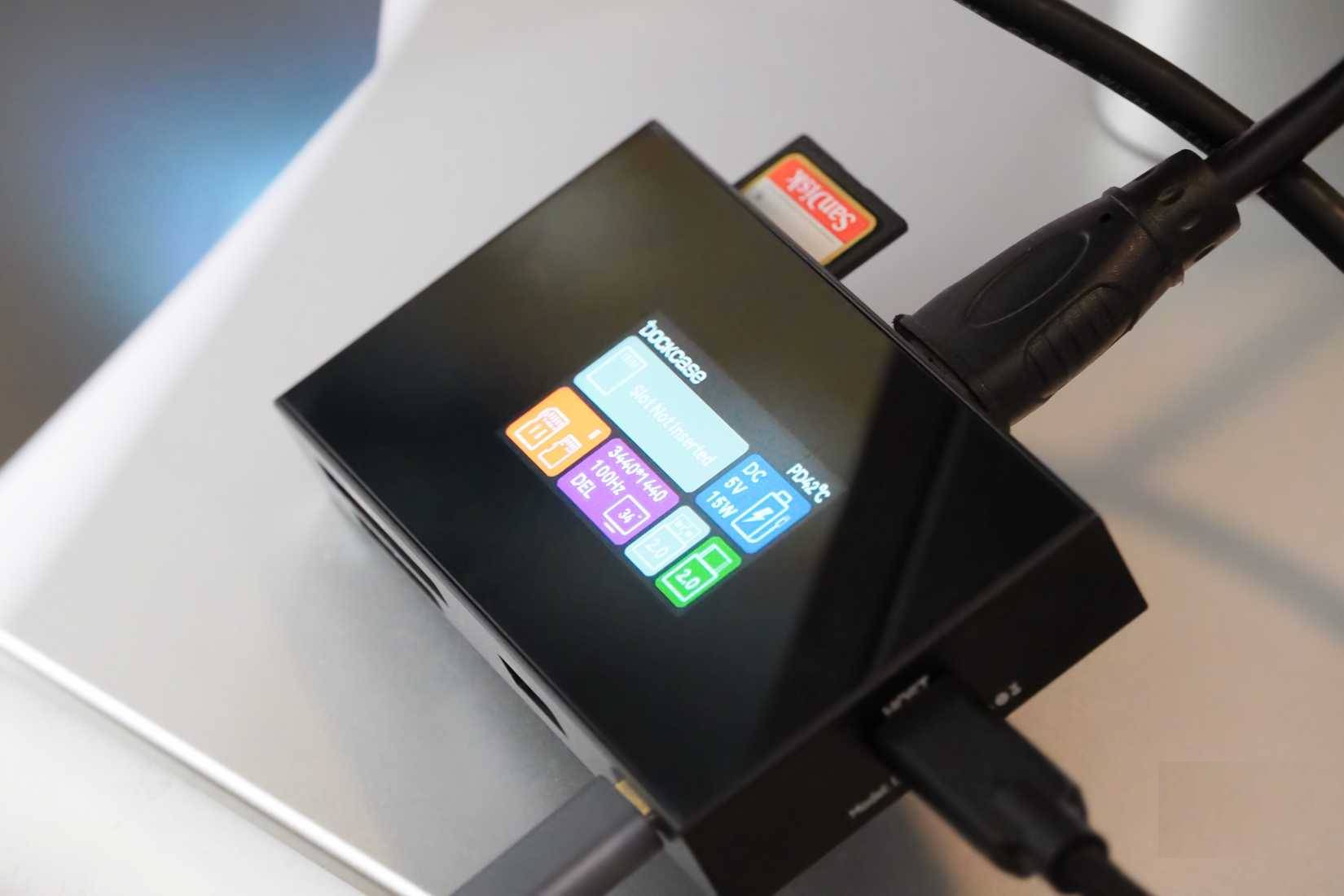
At this point, you might be wondering why a USB-C hub needs a screen. The truth is, the 1.9-inch touchscreen on the Dockcase Studio proves useful in many situations. It can be used to test the speed and power delivery of USB-C cables, check monitor specifications, and monitor the temperature of your memory card. The screen provides additional detailed information for each port and connected device you plug into the Dockcase Studio.
It's impressive how much information Dockcase Studio can provide in such a compact device. For example, when you plug the USB-C hub into a host device and an HDMI monitor, you can tap the HDMI tab on the home monitor to display detailed monitor information. This includes the monitor manufacturer, model number, manufacturing date, resolution, and refresh rate. You could find similar information by looking through your computer or monitor settings, but it wouldn't be as straightforward.
Dockcase Studio is most effective in situations where you frequently troubleshoot and diagnose problems. If you enjoy tinkering with and assembling NAS servers or single-board computers (SBCs), owning a USB-C diagnostic hub that can quickly display detailed information about your project will be very useful. The same applies to IT managers, tech enthusiasts, and other professionals who need to solve everyday technology issues.
USB-C uses complex communication and charging protocols, making it difficult to figure out which protocol your device supports. With a display-based device like the Dockcase Studio, things become much simpler. You can view USB data and Power Delivery specifications for your cable or device directly on the USB-C hub's screen. The best feature is definitely the temperature sensor, which lets you monitor if your memory card or SSD is overheating during data transfer.
This is also a versatile USB-C hub!
There's even a version with an integrated SSD
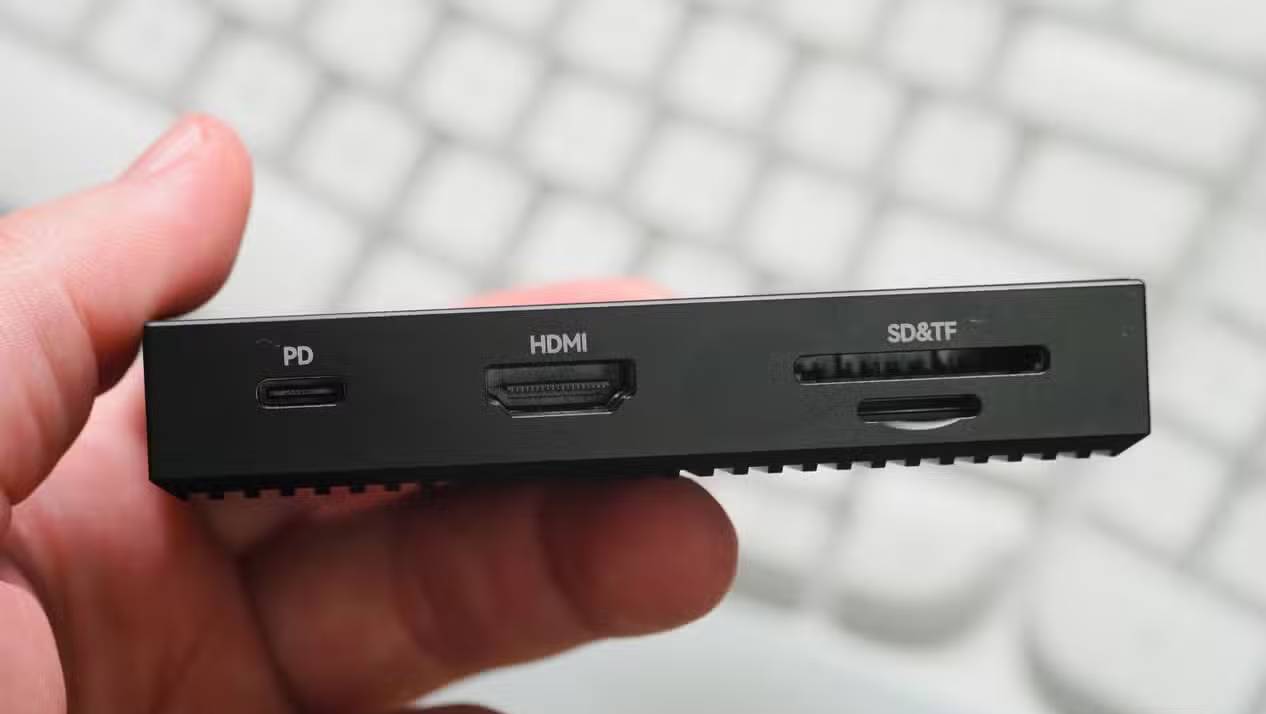
This USB-C hub is specifically aimed at photographers, with memory card slots supporting various media types. Specifically, it supports CFExpress, SD, and TF memory cards. For the general user, this dock offers one USB-A port, two USB-C ports, and an HDMI port. It doesn't have the most diverse range of ports – certainly some people would like to see Thunderbolt support or more USB-A ports here – but that's because the standout feature of this dock is its display.
The connectivity options are quite impressive, with one of the USB-C ports capable of delivering 100W of power to charge other devices. Additionally, the USB-C hub supports resolutions up to 4K at 120Hz, 5K at 60Hz, or 8K at 30Hz, giving users plenty of choices. It's compatible with Windows, macOS, Android, Linux, and iPadOS, so it will work with almost any computer you own.
Although the prototype doesn't support this feature, there is a Dockcase Studio model with an M.2 enclosure compatible with 2230 or 2242 SSDs up to 2TB. That model adds active cooling fans to keep the SSD operating at optimal temperatures, and it's a more comprehensive option. You can purchase it when the time comes to expand your laptop's storage capacity.
Who needs a USB-C hub with a display?
Any content creator, IT professional, or tech enthusiast could benefit from such a device
Of course, there are other USB-C hubs with screens on the market, although they are quite rare. You can find other devices with similar functionality that better suit your USB-C hub needs if you choose the right port. Really, the surprising experience with the Dockcase Studio isn't just about this particular accessory, but about the prospects of USB-C hubs with screens in general. It's the kind of feature that makes you wonder why it exists.
Then, once you start using it, things become clearer. If you've never wondered about the exact manufacturing date of your monitor, why your USB cable is slower than expected, or how hot your memory card gets, you can safely skip buying a USB-C hub with a display. However, if you're passionate about all kinds of data or frequently waste time troubleshooting IT issues, then a USB-C hub with a display can really be useful.
Final Thoughts
Understanding why should you switch to a usb-c hub with a touchscreen for monitoring devices makes it easier to evaluate the information and apply the most relevant recommendations. Focus on the key points above and verify details that may change over time.
FAQ
What is why should you switch to a usb-c hub with a touchscreen for monitoring devices?
Discover why should you switch to a usb-c hub with a touchscreen for monitoring devices and explore the main causes.
What key points does this article cover?
The article focuses on The screen is not just a gimmick, This 1.9-inch touchscreen is a breakthrough in diagnostics, This is also a versatile USB-C hub!, with practical explanations and examples.
How can you use this information in practice?
Use the explanations to compare options, verify important details, and make a more informed decision. Apply the recommendations that best match your goals and situation.
Related Articles
 Best Snmp Monitoring Software9 minutes read
 6 Devices and Sensors for Monitoring the Best Intelligent Air8 minutes read
 10 Best Ping Monitoring Software and Tools18 minutes read
 5 Useful Network Monitoring Tools9 minutes read
 How to Become a Pro on Android Monitoring8 minutes read
 Switch in C: What to Know5 minutes read
Reader Comments 0
Sign in with email or Google to join the discussion.