Table of Contents
LM Studio is a desktop app for downloading and running compatible language models on your computer. It includes a chat interface and can serve models to other software through a local API. Once you have the files and runtime, local chat can work without an internet connection.
Download and chat with a model
- Check the requirements for your operating system before installing. The app supports compatible Windows, macOS, and Linux systems.
- Use the model downloader to search for an instruction-tuned model. Start with a small quantized build that leaves room for the operating system and the model’s context.
- Open Chat, choose the downloaded model, and send a short test prompt. Compare memory use and response speed before deciding you need a larger model.
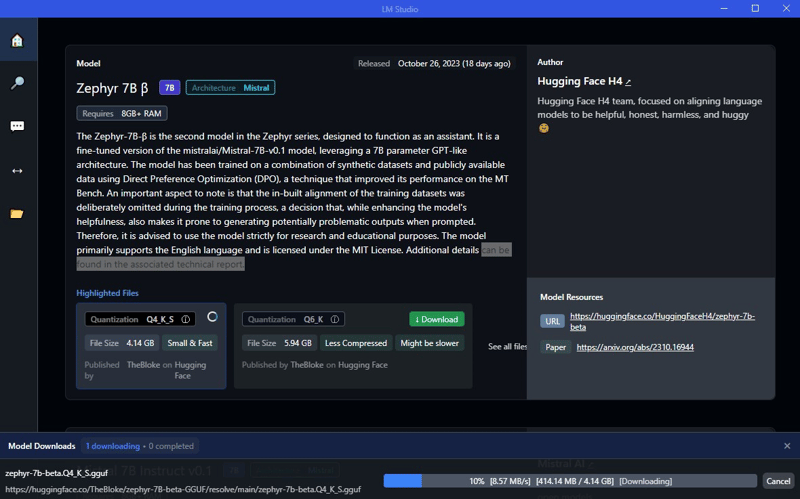

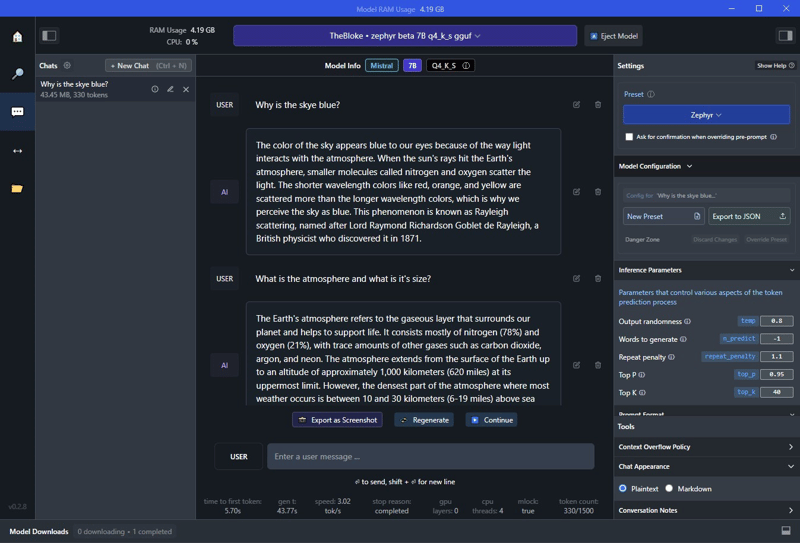

The screenshots show older builds and example models. Look up the current model card for context limits, licensing, and intended use.
Try the local API
Open the developer view, load a model, and start the local server. For a test on the same computer, keep it bound to localhost. Use the address and model identifier displayed by LM Studio. The default port in the documentation is 1234.
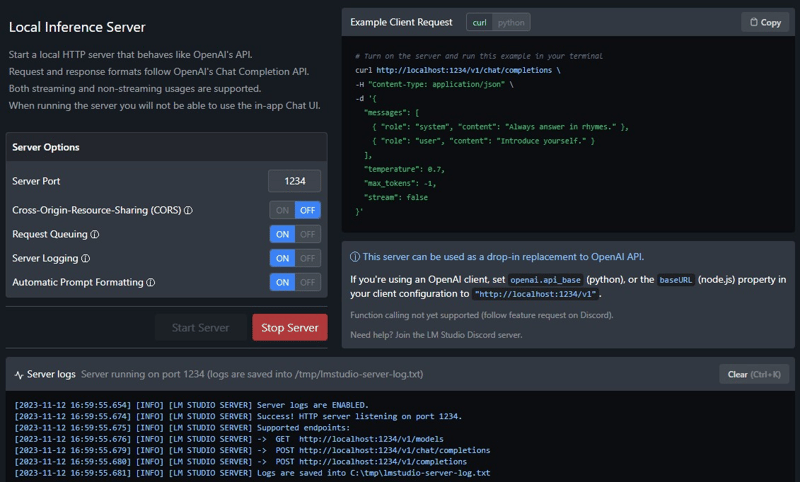
curl http://localhost:1234/v1/modelsUse an identifier from that response in an OpenAI-compatible chat completion request. If the client cannot connect, check that the server is running and that its address and port match. For a workload that needs privacy, review which tools or extensions are connected before providing sensitive input.




Reader Comments 0
Sign in with email or Google to join the discussion.