Table of Contents
The new theme - Baseline - has a different feel and many people decide to stick with it for the long term.
People have tried more Obsidian themes than they can count. They always switch to another theme after a few weeks to find a better option. But the new theme, Baseline, feels different, and many people decide to stick with it for the long haul.
The baseline is surprisingly minimalist.
When you first come across Baseline, its tagline is 'incredibly minimalist.' Many Obsidian themes claim the same thing, and they're not lying—minimalism is ingrained in Obsidian's DNA. Design-wise, the app is clean and unobtrusive. Everything is there when you need it, and nothing more.
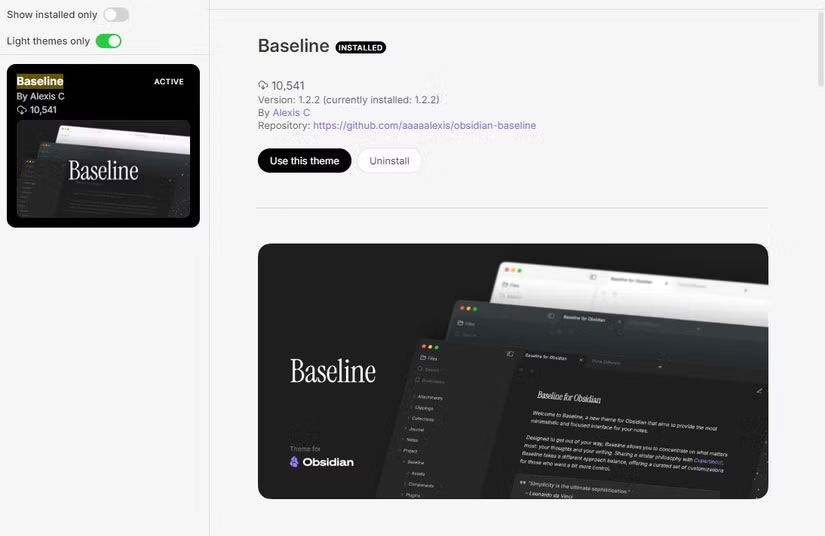
But Obsidian has another, arguably more important, selling point: Customization. Obsidian flexes to your liking in a way that most apps don't. You can run it as is, or install plugins until it becomes a full-fledged operating system. You can skip the graph view entirely, or build your entire vault around it. There's no right way, no FOMO.
That's where Baseline comes in. Its second slogan is "endless customization." That's what caught the attention of many users.
Unlimited customization
If you've spent any time designing Obsidian themes, you've probably heard of the Style Settings plugin. It allows theme developers to expose customization options - fonts, colors, spacing, etc. The problem is that you're limited by what the theme developer decides to provide.
Baseline flips that limitation. Yes, you're still technically bound by the developer's choices—but they've been generous here. You can customize almost everything. Fonts, colors, folder indicators, navigation bars, buttons, and even how charts are displayed. The level of flexibility almost makes it feel like a full-fledged Obsidian v2 theme.
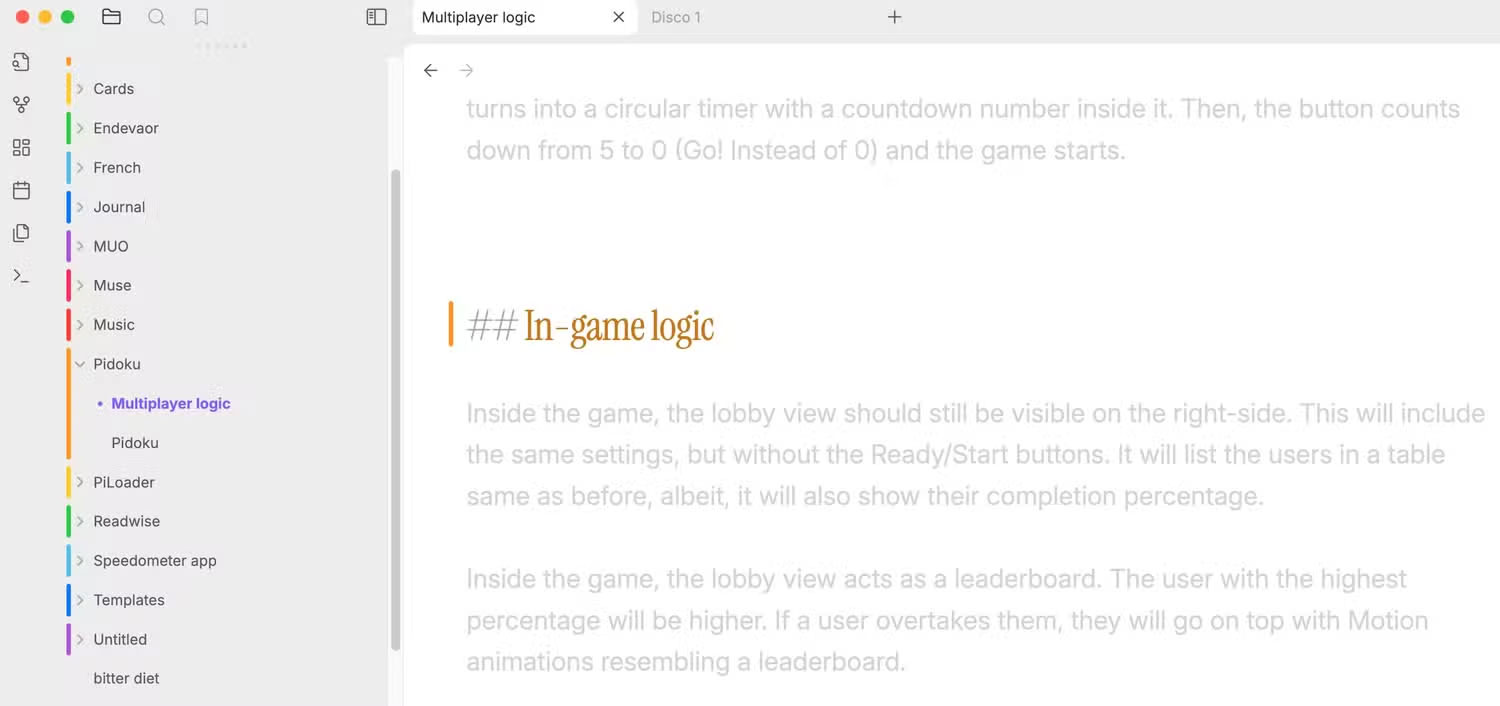
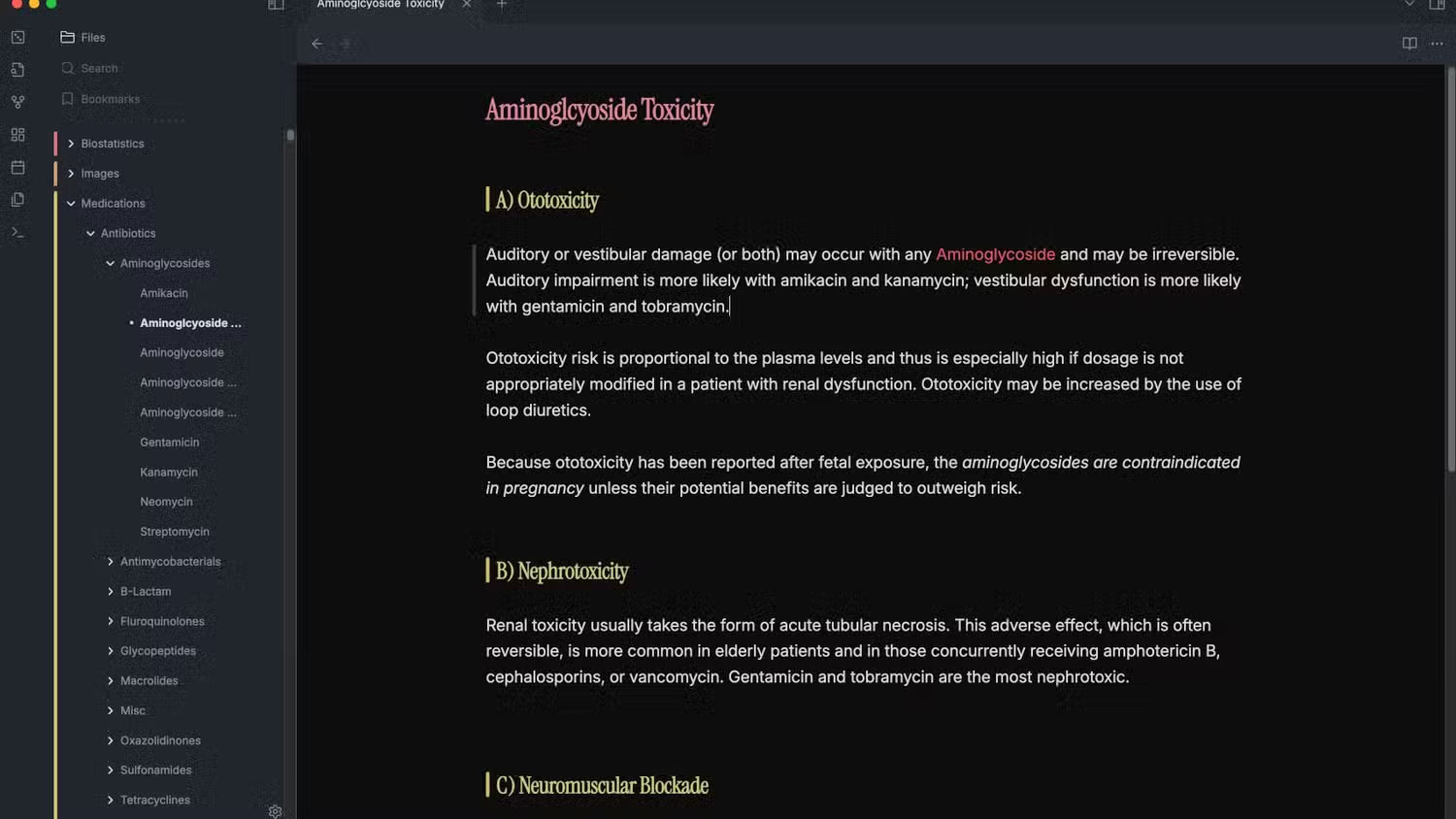
Note : The titles have a modern, sleek typography reminiscent of the Nothing Phone brand. Better yet, you can change or tweak it via Style Settings.
Even without touching a single toggle, the theme feels great. If you've been using the original Obsidian up until now, the changes Baseline brings are subtle. You'll notice the headers first, maybe some spacing adjustments. But the biggest change is harder to spot: Your Vault just feels better.
Convert without difficulty
The biggest reason people stick with old settings—whether it's a browser, a note-taking app, or a theme—is the hassle of moving. Many people struggle to switch from Chrome to Safari, even though Safari is clearly better. It's the same thing: you've already spent time customizing the current interface, and starting over can be a pain.
Baseline solves that problem nicely. It comes with a Migration Tool that lets you paste your current theme's custom styles and automatically converts them to Baseline. Install Baseline, apply those settings, and you're good to go without losing your tweaks.
Tip : However, I still encourage you to try the original, without bringing over the old interface. You might be surprised at how quickly you enjoy it.
Tons of options
Baseline feels like Obsidian refined into an interface. Customizable yet elegant by default. Even if you never touch a single toggle, it still gives you the necessary flair. But if you're a personalization freak, Baseline opens new doors.
Color is where it shines. You can change almost every shade used in the interface—or create your own custom color palettes to reuse later. One of my favorite features is 'Colorful Headings,' which automatically assigns different colors to different heading levels. It's a small but useful feature; some colors work great for navigation.
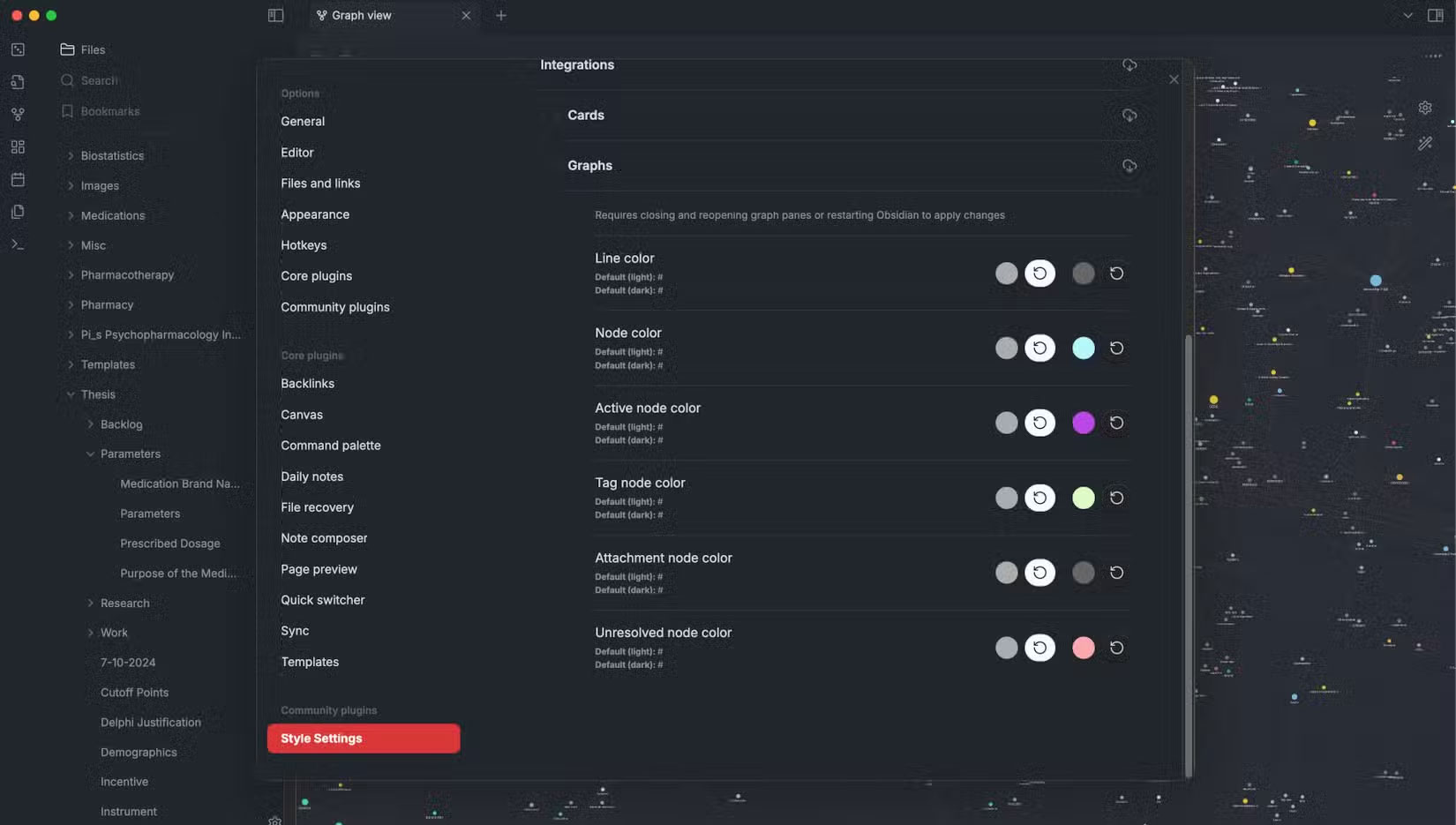
There's also an accent color sync feature, where Baseline will take your Obsidian accent color (the default purple) and apply it consistently. This can be turned off to give you more freedom to choose your color scheme, but it's a plus.
And there are preset color schemes. In Style Settings, under Colors, you'll find menus for both Light and Dark modes, each with dozens of ready-to-use color schemes. If you enable Colorful Folders under 'Indicator,' the folder tree gets subtle color markings that make parsing those collapsed folders easier—something you never realized you needed until you had it.
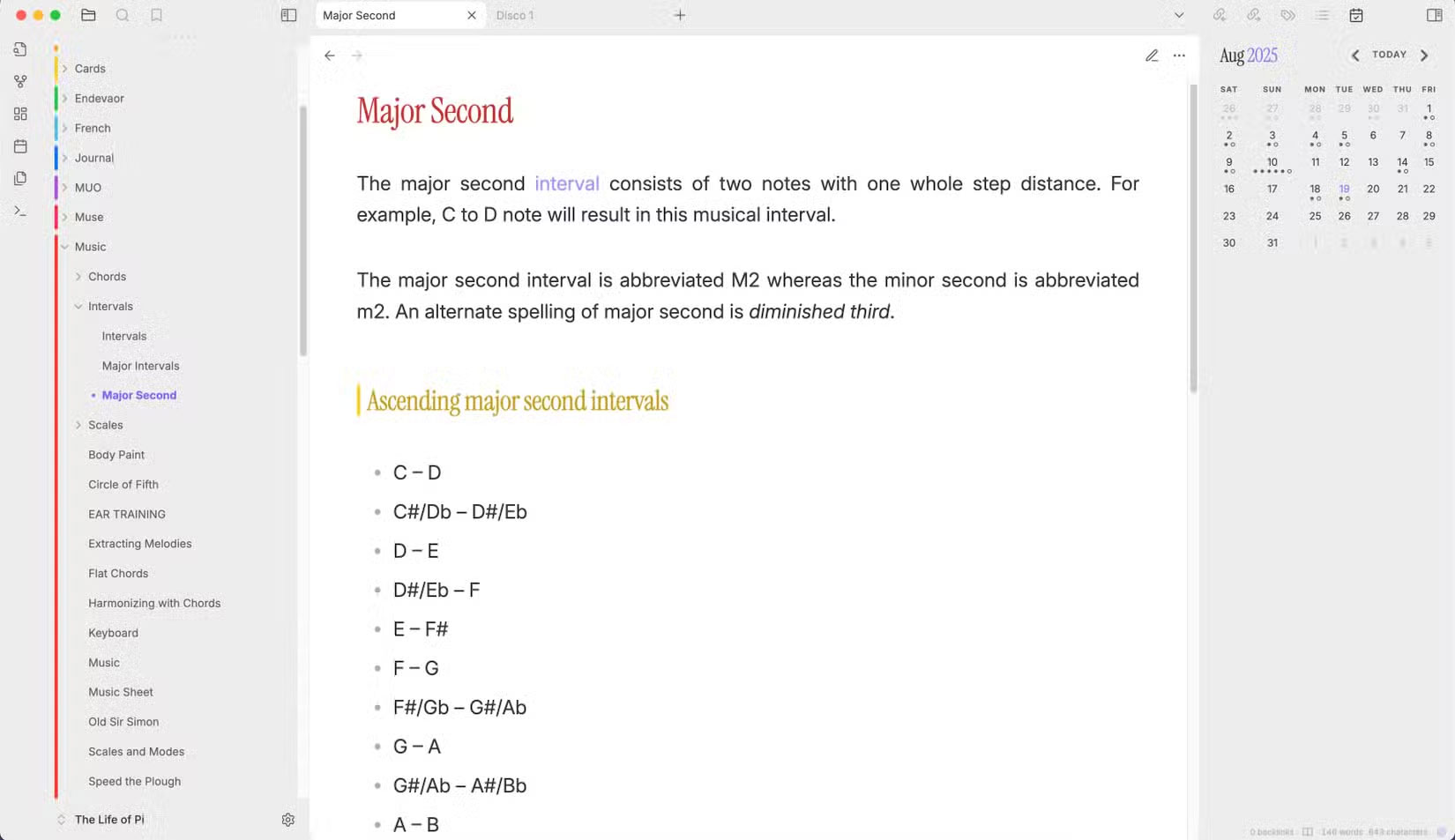
Baseline includes a toggle to 'always show vault switcher.' Turn it on right away. Add to that a compact status bar, cleaner main navigation options, and even a big, friendly 'new note' button, and suddenly the UI becomes more usable and personal.
FAQ
What is new about why install the new baseline custom obsidian theme?
In practical terms, the new theme - Baseline - has a different feel and many people decide to stick with it for the long term.
Why does this update matter?
The article highlights that when you first come across Baseline , its tagline is 'incredibly minimalist.' Many Obsidian themes claim the same thing, and they're not lying—minimalism is ingrained in Obsidian's DNA.
Is the change available to everyone?
Availability may depend on the product version, region, account, or rollout stage described in the article.
Related Articles
 How to Install Visual Styles Theme and Custom Theme in Windows8 minutes read
 What Is the Cost for a Custom WordPress Theme?10 minutes read
 What Is Obsidian Note-Taking? Obsidian User Manual6 minutes read
 How to Use Obsidian with Local AI to Visualize Things9 minutes read
 Click: How to Install Themes for Windows 76 minutes read
 7 Best Obsidian Plugins for Mobile: Complete Guide6 minutes read
Reader Comments 0
Sign in with email or Google to join the discussion.