Table of Contents
Luckily, there is Row Zero, an easy workaround that gets around this limitation and also lets you use Excel-like formulas.
Microsoft Excel may be the best spreadsheet program ever created, but it does have its limitations. One particular limitation is the number of rows it can handle – it can't load millions of rows. Fortunately, there's Row Zero, an easy workaround that gets around this limit and still lets you use Excel-like formulas.
Try loading millions of rows into Row Zero and you will be amazed at how easily it handles the data. It outperforms Excel in speed and efficiency when handling large data sets. This performance advantage alone makes it worth considering for data-intensive projects.
Come to Row Zero!
The superior alternative for handling large data sets
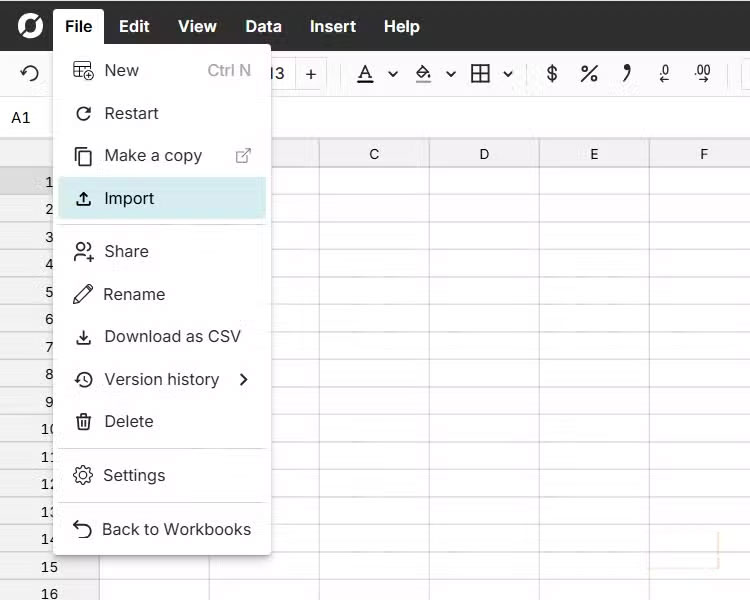
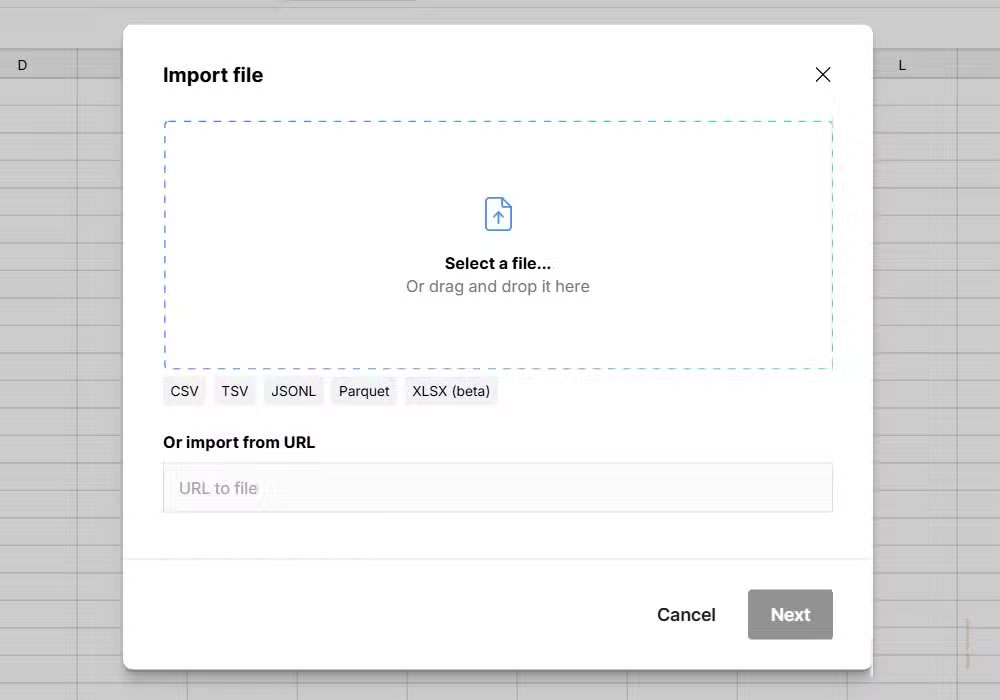
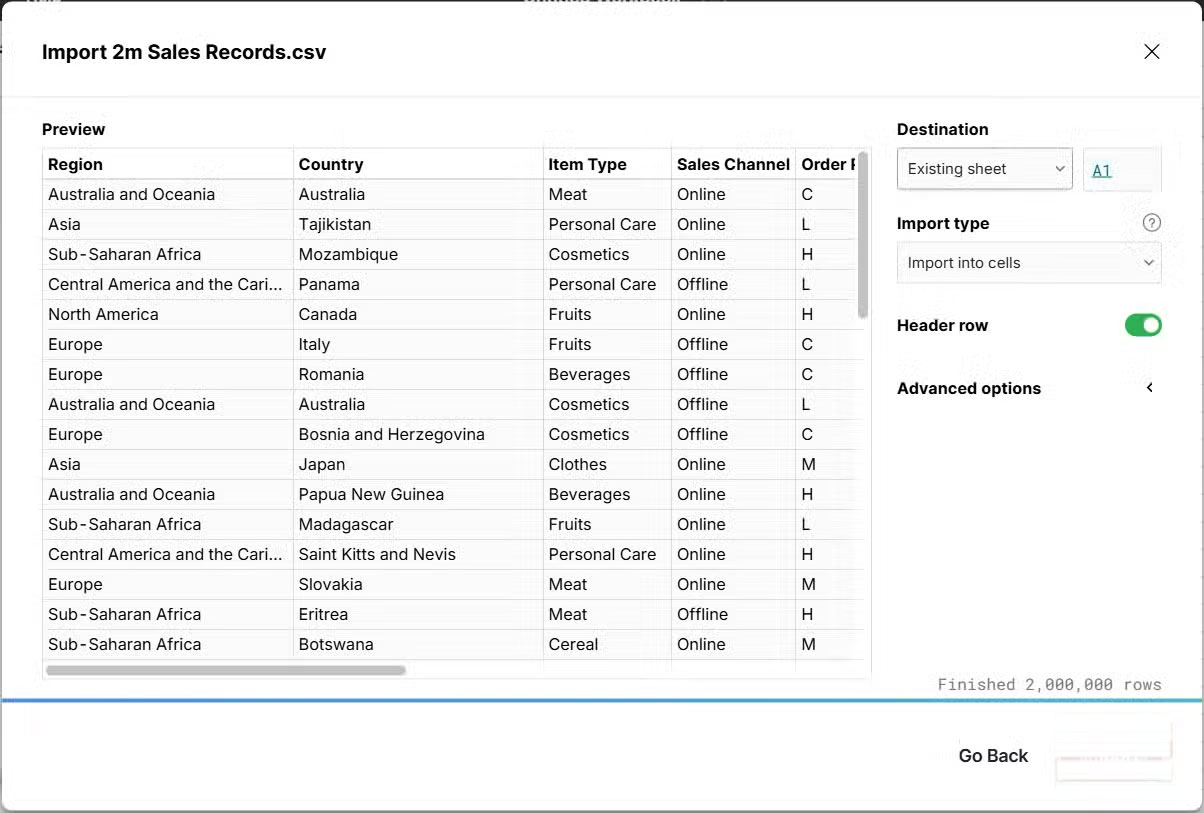
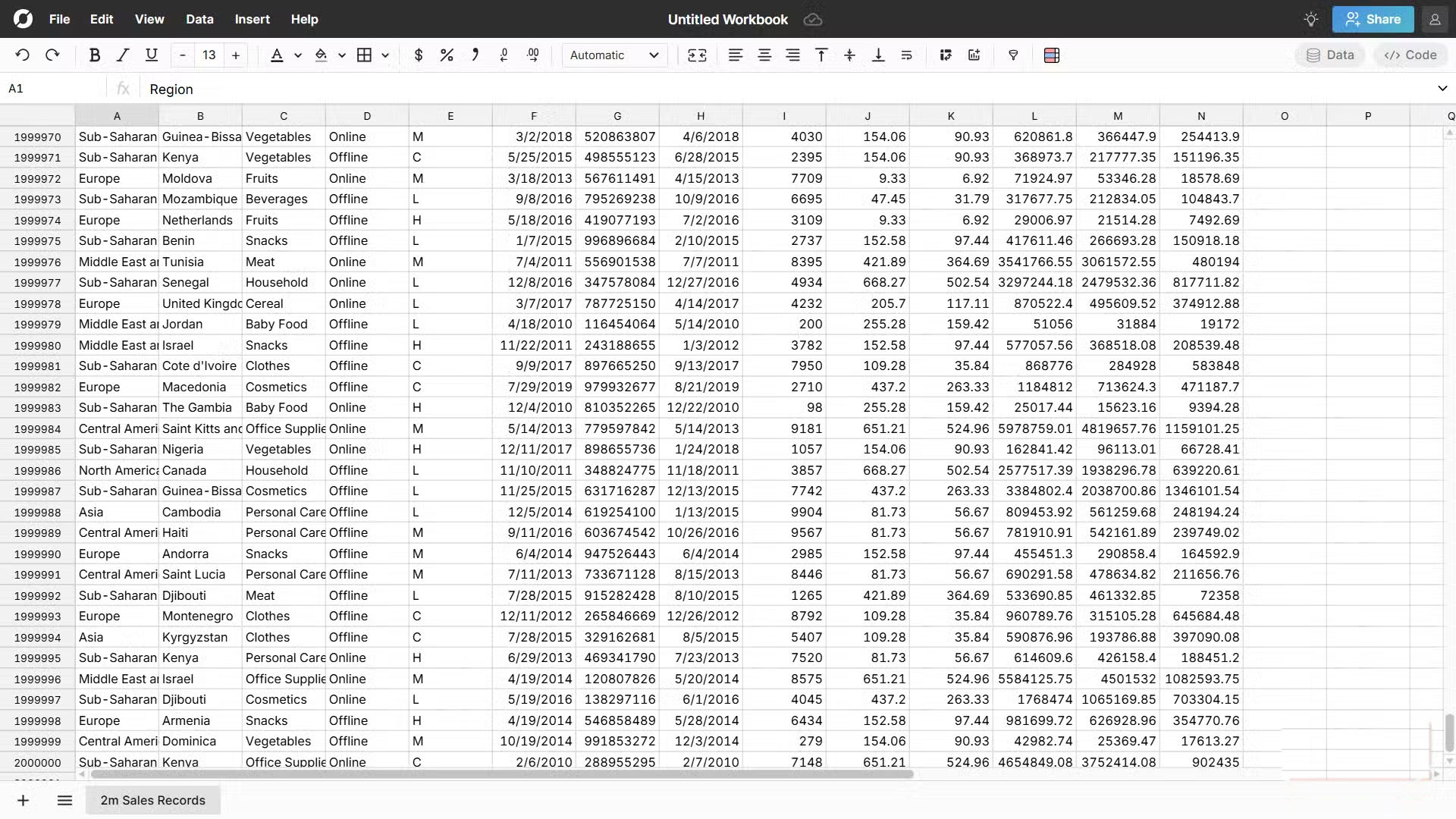
In short, Row Zero is a cloud-based spreadsheet application designed to handle large data sets. It lets you perform common spreadsheet operations—filtering, sorting, pivoting, and charting—on billions of rows in seconds. Basically, if Excel is too much for you, Row Zero is a better choice, with over 250 Excel-like functions for your formulas.
Row Zero also has connections for platforms like Snowflake and BigQuery. It's also built with real-time collaboration in mind, allowing you to securely share spreadsheets with just one click. Plus, instead of using Visual Basic for Applications (VBA) like Excel, it uses the more powerful and flexible Python programming language (although VBA is generally considered easier to learn).
Row Zero is a paid app, starting at $8/month (billed annually), but it also offers a free plan that can load tens of millions of rows. The biggest downside is that it's limited to one workbook, whereas the paid plans allow for unlimited workbooks. Fortunately, Row Zero still has real-time collaboration and access to all connectors in the free plan.
It is possible to do all your testing on Row Zero with the free plan.
Time to load 2 million rows into Row Zero!
See if it flashes!
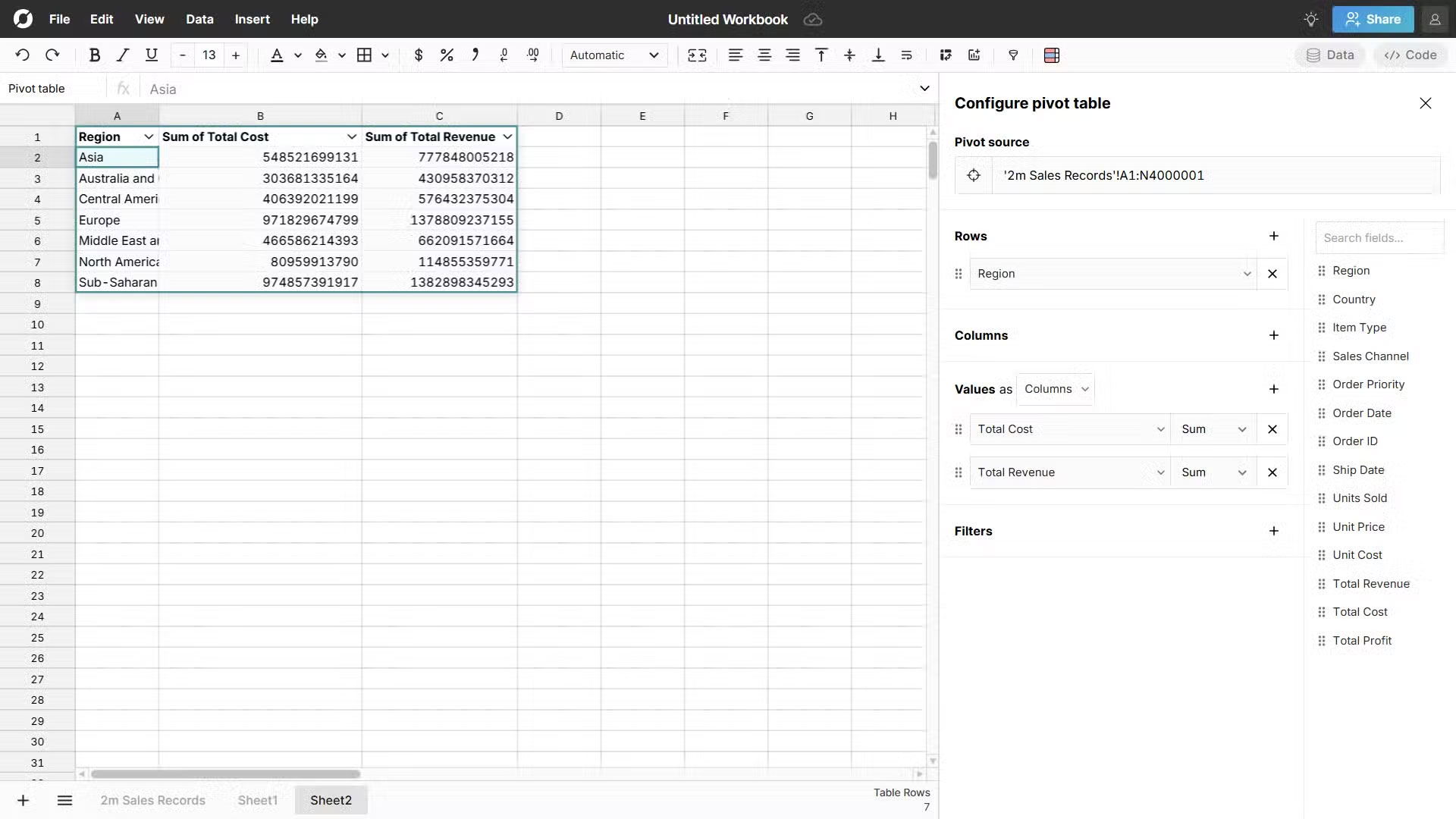
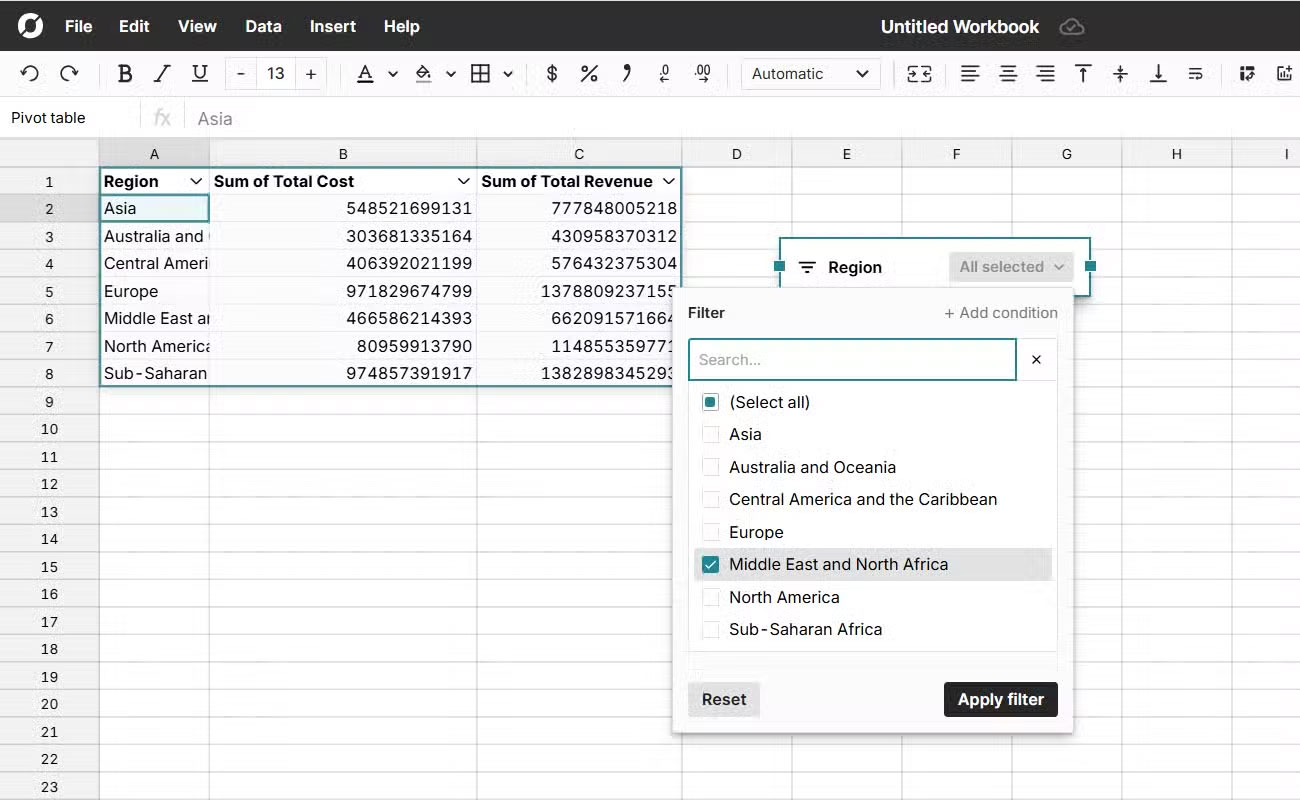
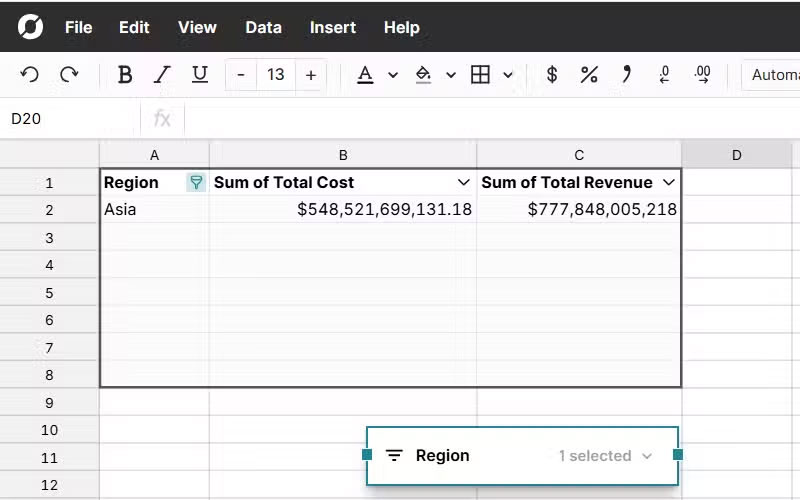
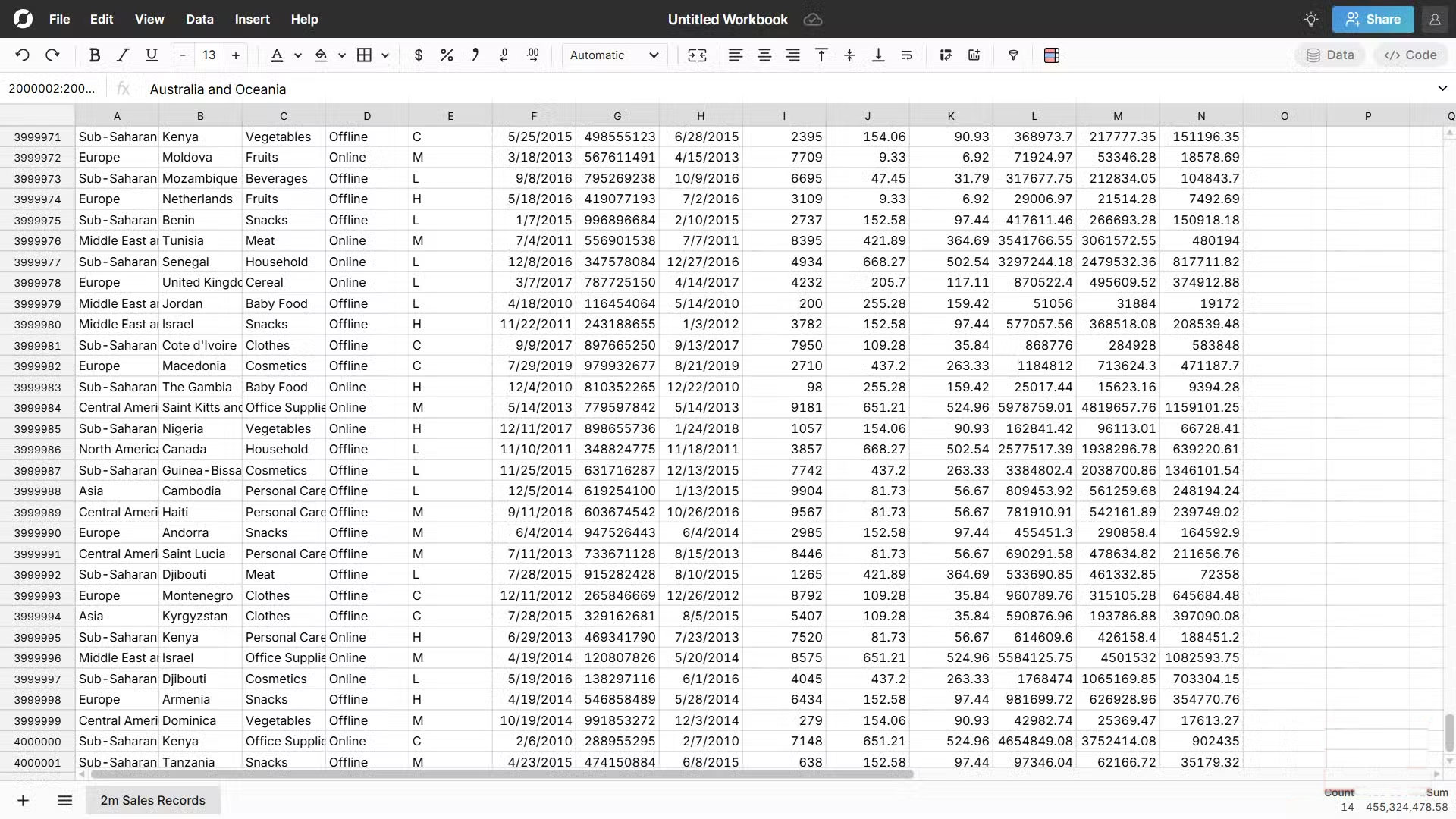
Once you open a workbook in Row Zero, the interface looks like a basic version of Excel. You should have no trouble getting started right away. Try loading 2 million rows, and as advertised, they load very quickly without any truncation.
You can even add another 2 million rows to see if it can handle it, bringing the total to 4 million rows. Please note that upload speed depends on your internet connection, which means if it is slow, Row Zero may not be as fast and efficient as expected.
Once you've confirmed it can handle a large number of rows, start writing formulas to test its performance. Test formulas with functions like XLOOKUP, and it's pretty fast. Popular and favorite formulas work right out of the box, meaning you don't have to learn how to write them from scratch.
For example, use the formula below to calculate total profit based on an order ID:
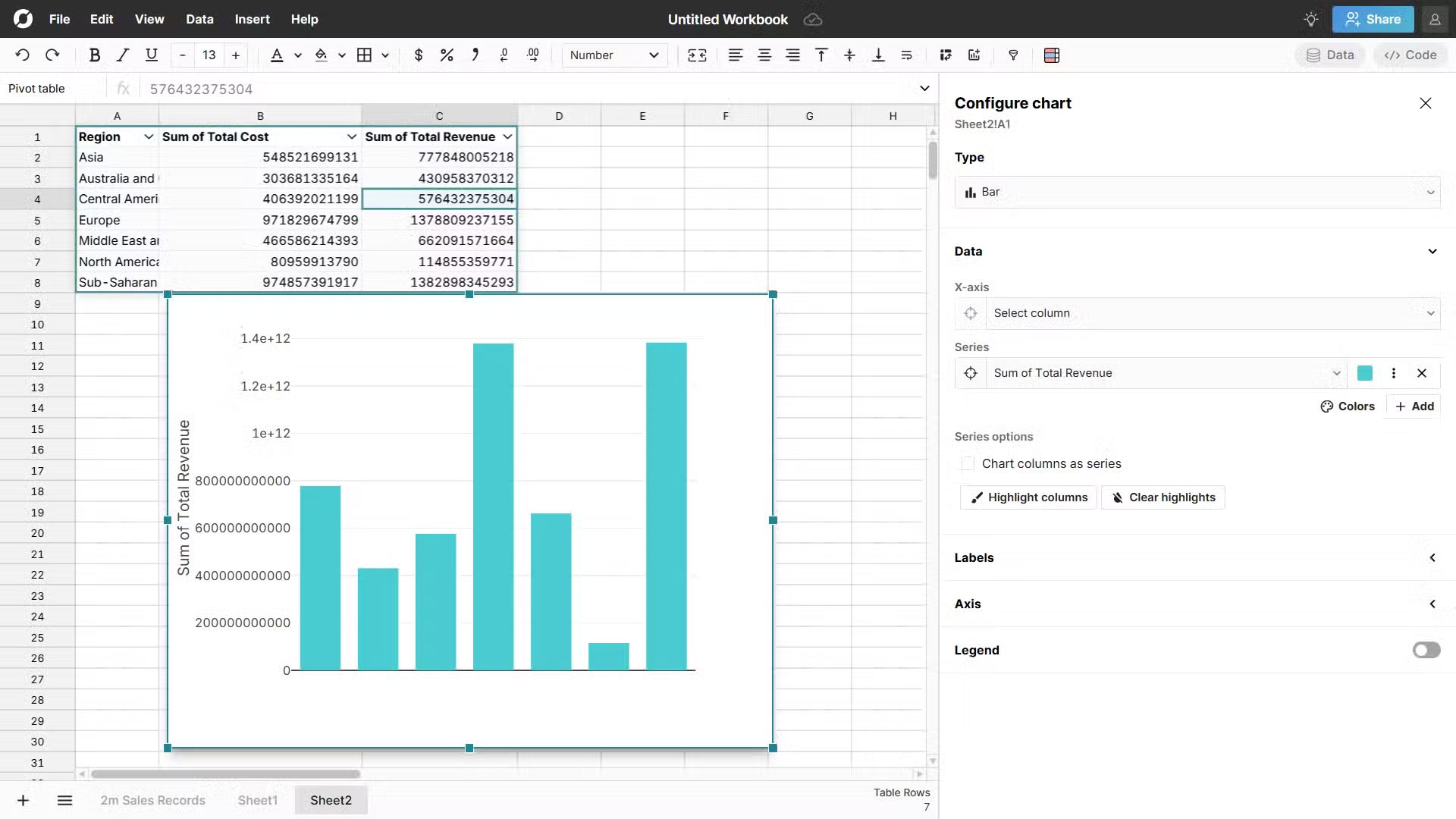
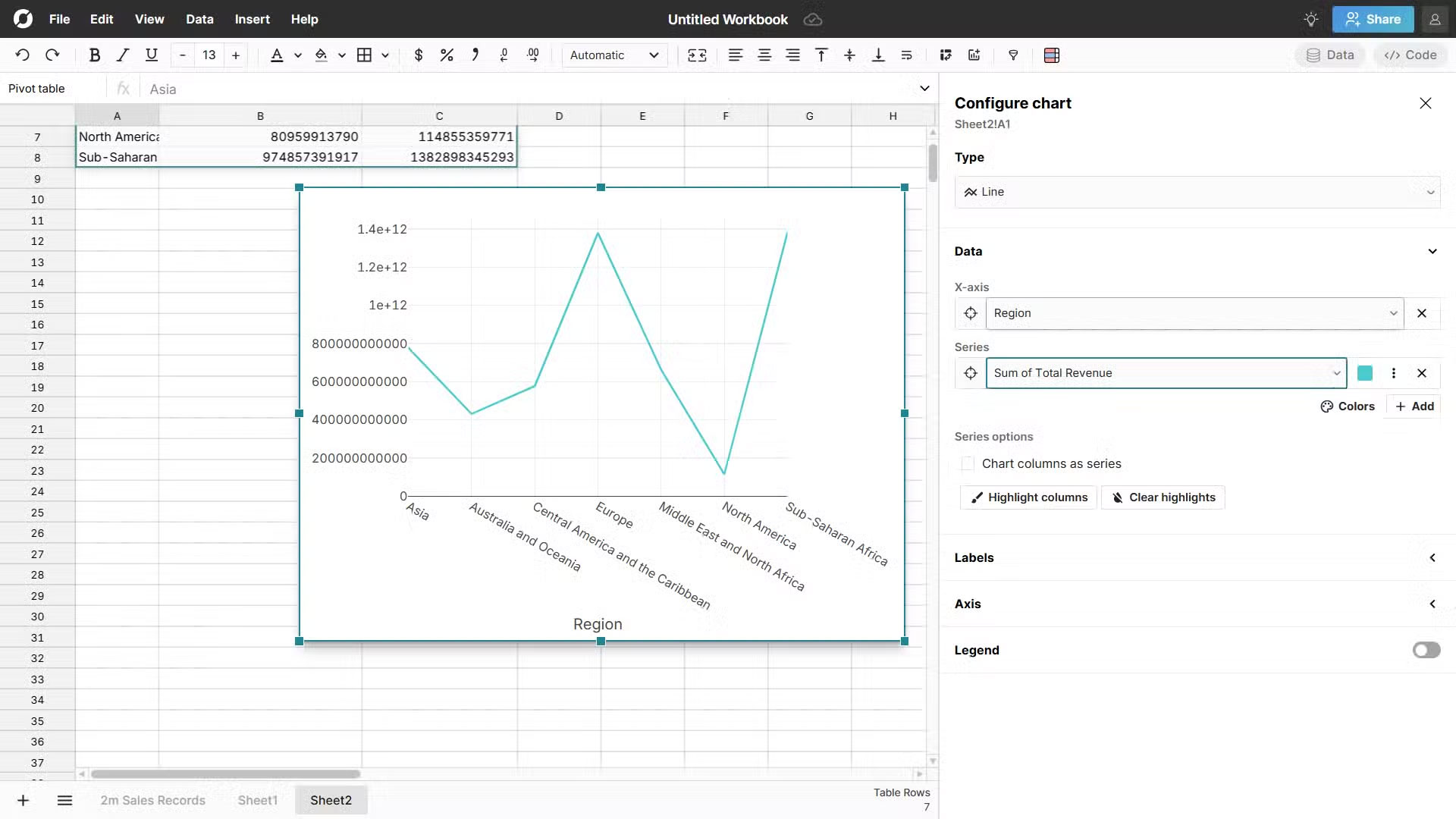
=XLOOKUP(451691138, G2:G4000001, N2:N4000001)Next, try creating a pivot table, which is just as easy as doing it in Excel. Basically, just select the range, insert the pivot table in a few clicks, and choose what you want in the rows and values. You can even experiment with charts and filters, Row Zero is still fast, even when working with millions of rows.
This is where Row Zero's cloud architecture comes in. It leverages multiple servers working simultaneously to process data, no matter how large it is. This frees it from the user's hardware constraints, making it faster than Excel in this regard.
FAQ
Why Row Zero Is Superior to Excel: Complete Guide?
In practical terms, luckily, there is Row Zero, an easy workaround that gets around this limitation and also lets you use Excel-like formulas.
What factors are most important?
The article highlights that the superior alternative for handling large data sets In short, Row Zero is a cloud-based spreadsheet application designed to handle large data sets.
What is the main takeaway?
The main takeaway is that basically, if Excel is too much for you, Row Zero is a better choice, with over 250 Excel-like functions for your formulas.
Related Articles
 8 Key Ways GIMP Is Superior to Photoshop8 minutes read
 Get Started with Excel for Beginners5 minutes read
 Tips for Adding in Excel You Need to Know4 minutes read
 Why Is Claude Superior to Gemini and ChatGPT?7 minutes read
 How to Fix the SUM Function Doesn't Add up in Excel3 minutes read
 Guidance on How to Align Excel Correctly: Alignment in Excel3 minutes read
Reader Comments 0
Sign in with email or Google to join the discussion.