Table of Contents
Learn what is agentic os? how will the future of Windows change as AI begins to 'do means.
What is Agentic OS?
Before discussing the major changes coming to Windows, it's necessary to clarify some basic concepts. We are all familiar with operating systems like Windows, Linux, and macOS. But what makes an operating system 'authentic'?
Simply put, an agentic OS is an operating system designed from the outset, or deeply modified, to comprehensively integrate and manage AI agents.
You've probably used ChatGPT or Gemini – essentially, they're chatbots: you ask, the system answers.
AI agents are different. They have the ability to be autonomous, reason, and act to accomplish a complex goal at a high level. For example, you could ask it to book airline tickets or send emails to a list of people – tasks that require multiple consecutive steps.
The way AI agents work typically revolves around a loop: breaking down a large task into smaller steps, using the appropriate tools for each step, observing the results, and then self-evaluating and adjusting the plan if necessary. This process is repeated until the initial goal is achieved.
Some familiar examples include Google Workspace Duet, Copilot in Outlook, and GitHub Copilot Workspace. These are all AI agents, albeit optimized for specific areas such as office work or programming.
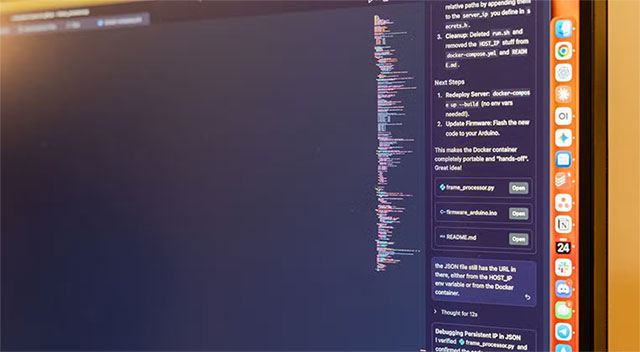
How does Artificial Intelligence OS differ from traditional operating systems?
The concept of an agentic OS is relatively new, but it can be understood as an operating system whose underlying architecture is built to support, coordinate, and manage multiple AI agents simultaneously. It acts as a 'conductor,' allowing agents to access system resources such as files, applications, networks, and settings, while maintaining security and order.
The core difference lies in how the operating system responds. Windows and Linux are currently passive : you click the mouse, open an application, and the system responds in a pre-programmed way. In contrast, agentic OS is proactive : it performs tasks for you automatically, minimizing manual intervention.
For example, if you want to reorganize files in a folder by file type, creation time, and move old files to a storage folder, you currently have to do it manually or write a script. With agentic OS, you only need to describe your needs in natural language, and AI will automatically handle everything in the file system for you.
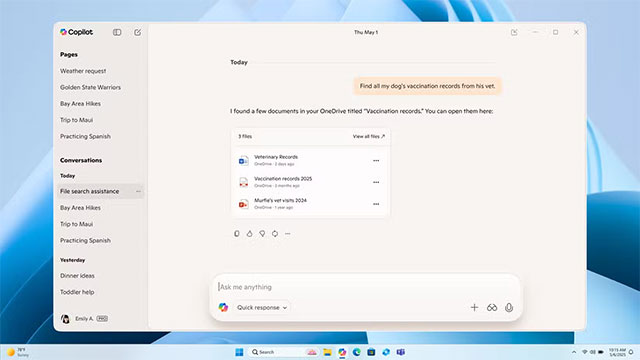
Microsoft's vision for an 'authentic' Windows
To put it bluntly: Microsoft is pouring all its efforts into turning Windows into an agentic OS. This isn't surprising, as the transition has been underway for a long time – starting with Copilot, then Copilot PC, and controversial features like Recall.
Windows 11 is gradually moving towards a model where users give commands via voice or text, and the computer directly performs the task. Microsoft even envisions that in the future, the mouse and keyboard will become secondary, giving way to voice, gestures, and contextual interaction.
Microsoft is building its agentic OS based on three main architectural pillars.
First, there are Copilot Actions – the primary interaction layer between the user and the operating system. Users describe tasks using natural language, and the Copilot attempts to complete them by interacting with desktop and web applications, or assigning tasks to other agents.
Secondly, there's the Model Context Protocol (MCP) – an open standard proposed by Anthropic, which allows AI agents to communicate effectively with external tools and data sources. Microsoft has deeply integrated MCP into Windows, for example in File Explorer or Settings, so that AI can access information directly instead of having to 'look' at the screen via screenshots – which is slow and prone to errors.
Thirdly, there's Agent Workspace – an isolated environment where AI agents operate independently of the user's main session. Agents only have access to applications and files that the user allows, running in their own Windows session and virtual desktop. This is how Microsoft minimizes the security risks posed by AI.
Does Windows really 'do the work for you'?
The short answer is yes. Technically, Windows is perfectly capable of automating many tasks. However, the more important question is: do users actually want that?
In a business environment, agentic OS can help optimize processes and improve performance. But for the average user, cramming too many AI agents and automation features can become confusing, distracting, and intrusive to the user experience.
An operating system that is always proactive in suggesting, reminding, and intervening may not necessarily be helpful. Sometimes, it can disrupt work more than it helps. Furthermore, security risks are a major concern: a single misconfiguration or exploited vulnerability can lead to data loss or serious system changes that users may not even realize.
Therefore, future Windows agents may 'do the work for you,' but the price to pay could be privacy, simplicity, and peace of mind when using a computer.
Final Thoughts
Understanding what is agentic os? how will the future of windows change as ai begins to 'do the work for the user' makes it easier to evaluate the information and apply the most relevant recommendations. Focus on the key points above and verify details that may change over time.
FAQ
What is what is agentic os? how will the future of windows change as ai begins to 'do the work for the user'?
Learn what is agentic os? how will the future of Windows change as AI begins to 'do means.
What key points does this article cover?
The article focuses on What is Agentic OS?, How does Artificial Intelligence OS differ from traditional operating systems?, Microsoft's vision for an 'authentic' Windows, with practical explanations and examples.
How can you use this information in practice?
Use the explanations to compare options, verify important details, and make a more informed decision. Apply the recommendations that best match your goals and situation.
Related Articles
 minutes read
 5 Things You Need to Know About Agentic AI Before Jumping on the Bandwagon8 minutes read
 Change User: The Command Changes User in Windows6 minutes read
 minutes read
 The Best Chrome Extensions for Agentic AI7 minutes read
 How to Change User Profile Folder Name in Windows 11: Clear Instructions6 minutes read
Reader Comments 0
Sign in with email or Google to join the discussion.