Home
Home
 Wifi Tips
 Fix Computer
 Windows 10
 Windows 11
 Artificial Intelligence
 Space Science
 Strange story
local account
-
 Steps on how to create a local user account in Windows 10
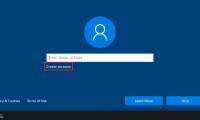
a lot of people enjoy the privacy that a local user account provides and separate themselves from unnecessary online services offered by microsoft. if you're trying to stop using your online admin account, check out these 4 ways to set up a new local user account in windows 10.
Steps on how to create a local user account in Windows 10
a lot of people enjoy the privacy that a local user account provides and separate themselves from unnecessary online services offered by microsoft. if you're trying to stop using your online admin account, check out these 4 ways to set up a new local user account in windows 10.
-
How to delete or change local account password in Windows 10
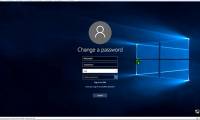
while using the local user account, you may want to change or delete the account password. follow the instructions below to change or delete the local account password in windows 10.
-
How to add a password to a local account in Windows 10
if you did not add a password to the account or one of the local accounts on the pc and want to protect the account with a password now, you can do this.
-
Distinguish local accounts and Microsoft accounts on Windows 8
windows 8 integrates more microsoft services than previous windows versions. when creating a user account on the computer, you will be asked to use a microsoft account. this account is different from the usual local account. the article will explain the differences between these two types of
-
Instructions to transfer Microsoft account to Local account on Windows 10 / 8.1
if you don't want to use all the new features on windows 10, 8.1 ... or you forgot your local account, you simply need to transfer your microsoft account to a local account. the following article will show you how to switch to local account.
-
How to limit the time to use Local accounts on Windows 10
if the computer is used for group or family work, there will be multiple user accounts created. and to control the time of machine usage of each user, we can set ...