HOME
HOME System
 Windows 10
 Windows 11
 Fix computer error
 Ghost - Install Win
 Wifi tips
 Speed up the computer
boot menu
-
 How to access the Boot menu in Windows 11
the advanced options menu, sometimes called the boot menu, is a collection of tools and configuration options that you can use to troubleshoot or repair problems related to software on your windows pc.
How to access the Boot menu in Windows 11
the advanced options menu, sometimes called the boot menu, is a collection of tools and configuration options that you can use to troubleshoot or repair problems related to software on your windows pc.
-
Remove the boot menu component in Windows 7
the following article will show you how to remove those components and speed up the startup
-
Add Recovery Console to the boot menu on Windows XP
when there is a problem with windows on the computer, you often use the windows cd and recovery console built-in disk to solve the problem ...
-
Instructions for accessing BIOS on Windows 8
one of the changes that appears on windows 8 and the newer computers designed for this operating system is how to access the system bios. instead of having to press a key while the system is booting, an option to allow bios access is now set at the boot menu in windows 8 to allow users to enter the
-
Use parallel Windows 7 and Windows 8 on PC
if you have a pc running windows 7 but aren't sure if you're ready to upgrade to windows 8, a dual-boot system might be a good solution.
-
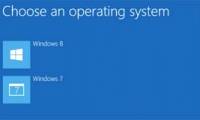
Set up dual - boot system Windows 7 and Windows 8
the developer preview version of windows 8 has been officially announced to users, but the process of installing, testing and exploring the features of this new operating system may cause many people to worry, so the best way is to install in parallel with the existing operating system, or dual -
-
How to delete old boot options in boot menu on Windows 10
have you ever started another operating system with windows operating system? dual booting is a great way to try the new operating system without affecting the windows version. you can choose between operating system versions using the built-in boot manager.