Table of Contents
Some people took a closer look at Chrome's menus and found a hidden panel that was completely overlooked.
Many people think Google Chrome 's privacy settings are already strong enough. They regularly clear their history, block cookies, and turn off any tracking options they can find. But the ads they see still seem to know exactly what they're doing. They're overly tailored to their recent searches, as if Chrome is secretly helping websites track them. So some people dig deeper into Chrome's menus and find a hidden panel that's been completely overlooked.
Many people think they have control over their privacy.
Why are basic security steps not enough?
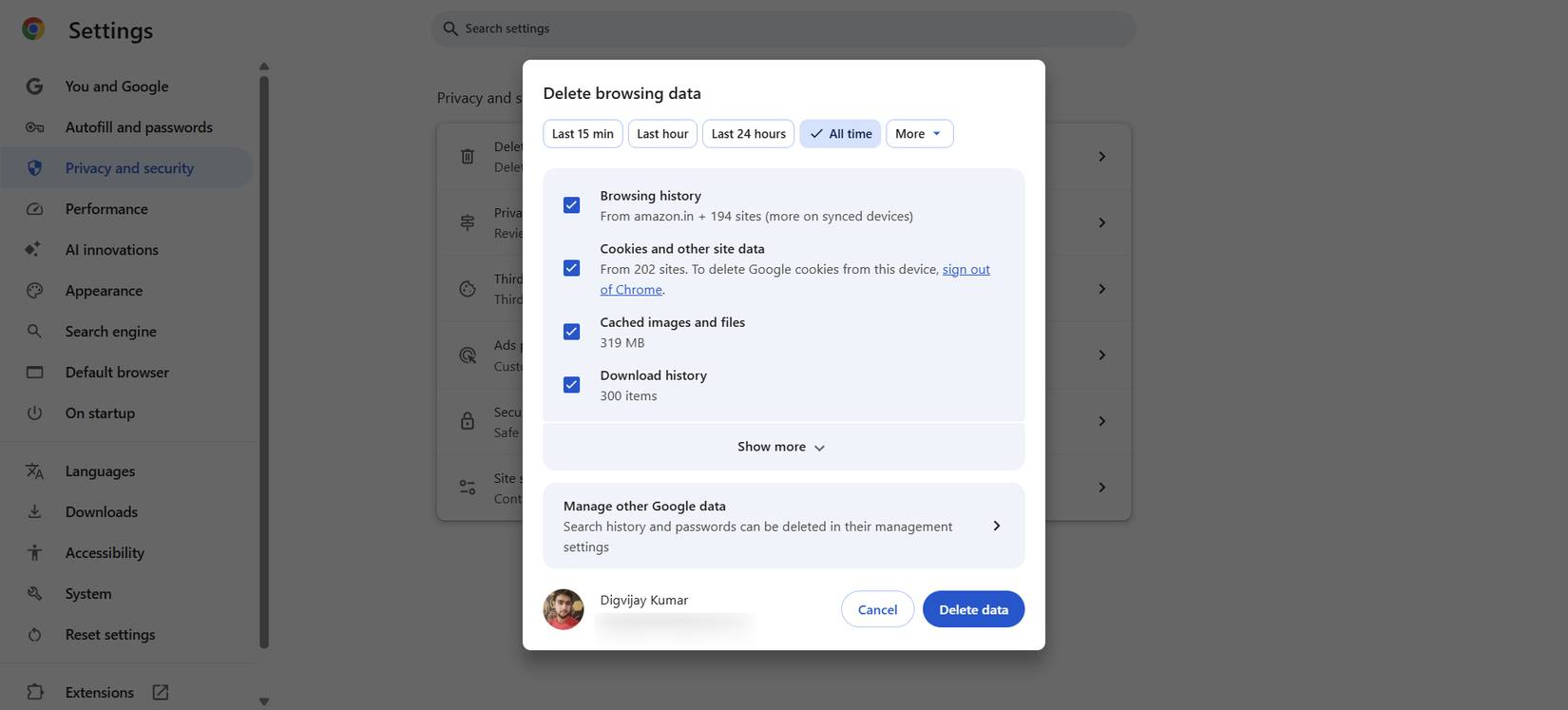
Ads aren't the real problem. What worries people is that they accurately reflect what they've been doing online. They've cleared their browsing history on a schedule, turned off unnecessary activity syncing, reviewed their site permissions, and kept a tight lid on cookies. They've also blocked third-party cookies and regularly deleted site data for sites they no longer visit.
Over time, those steps became routine, and many people felt confident that the big gaps had been filled. When they still saw a few targeted banners, they assumed that was just how the web worked. But that changed when ads started matching things they only saw once. They checked the price of something, and the same product appeared the next day.
They realized then that conventional privacy tools didn't cover everything. Even with strict cookie and sync settings, their browsing behavior still shaped what came next. They felt like there was another layer silently influencing what they saw, one that conventional controls couldn't handle.
Hidden Chrome Settings People Don't Realize Are Already There
Where Chrome hides ad trackers
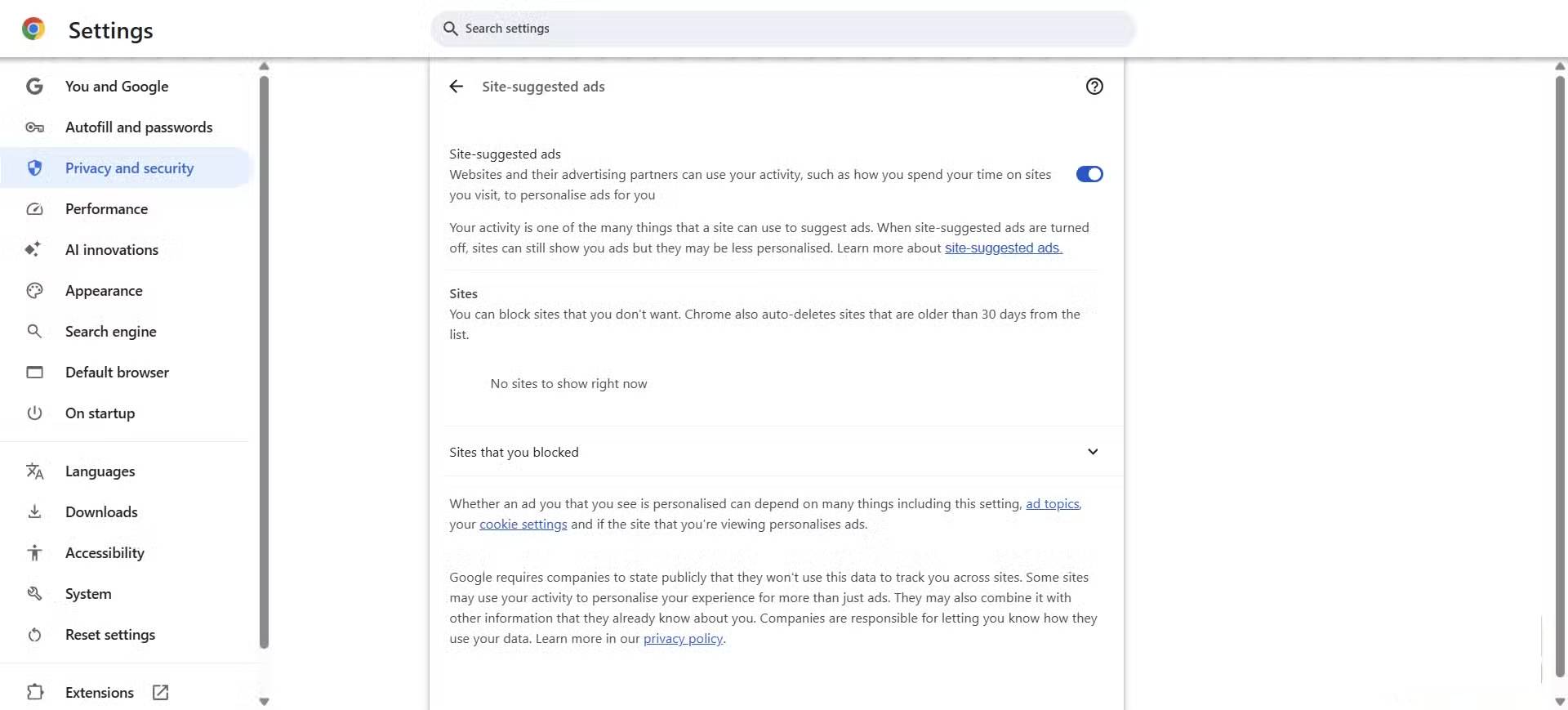
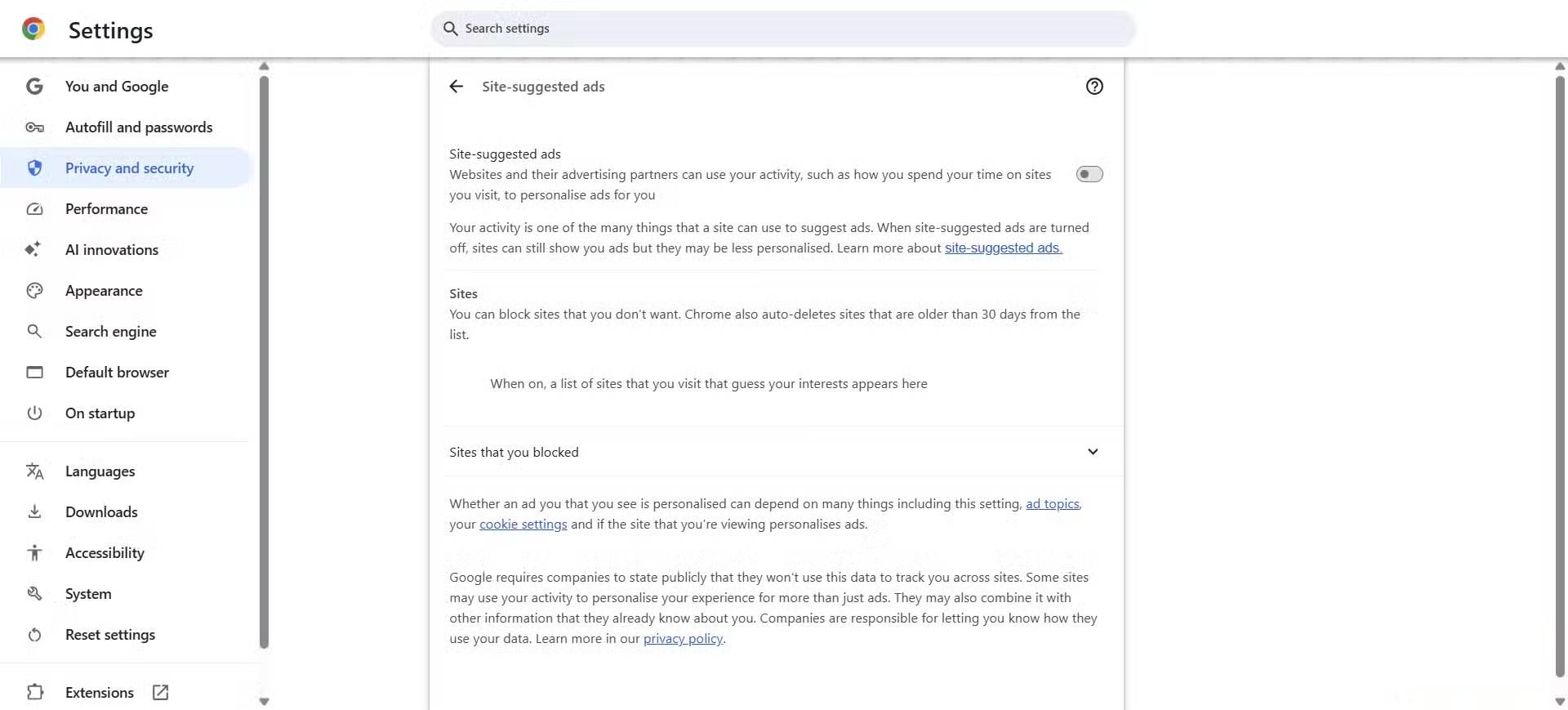
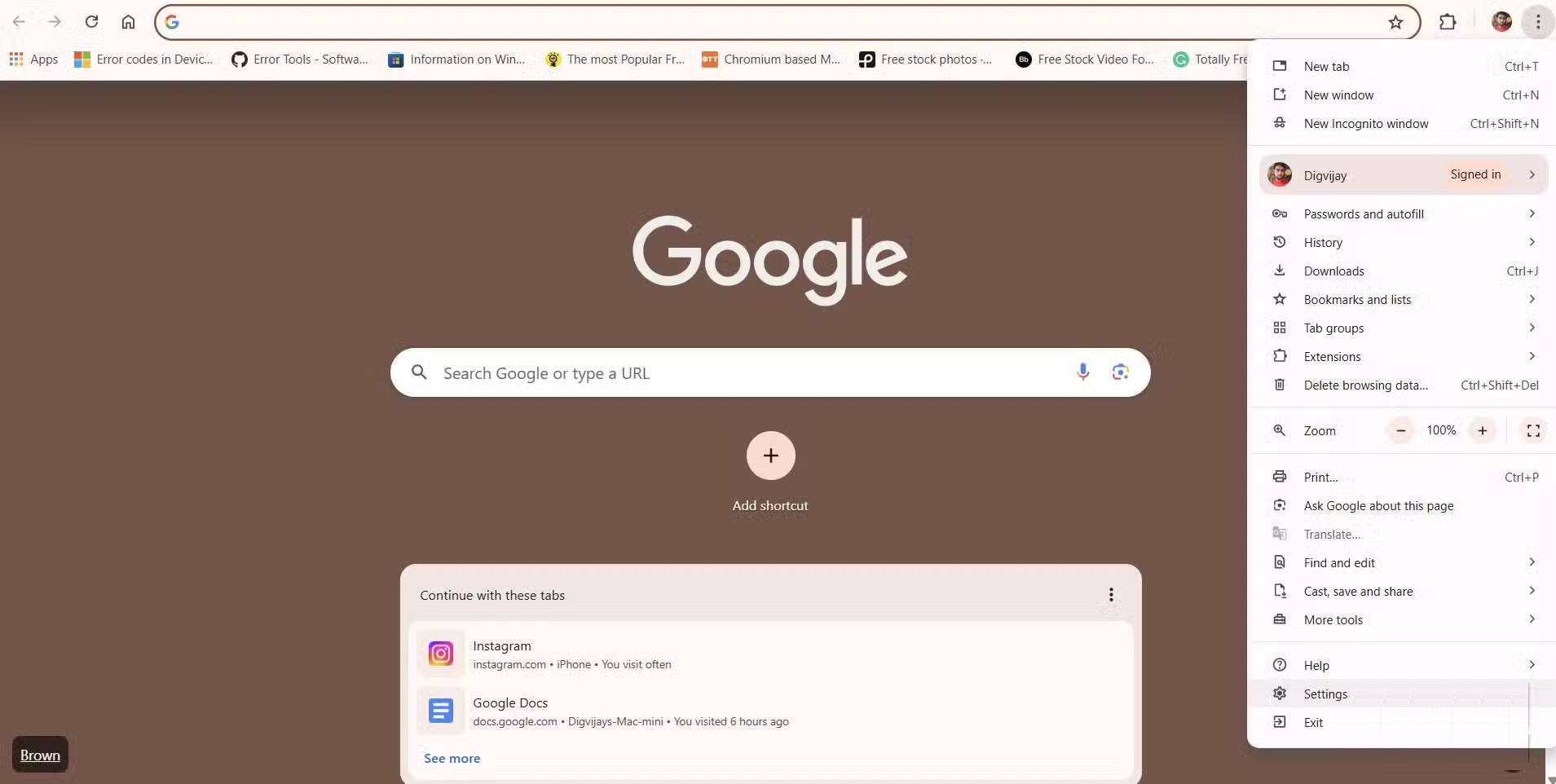
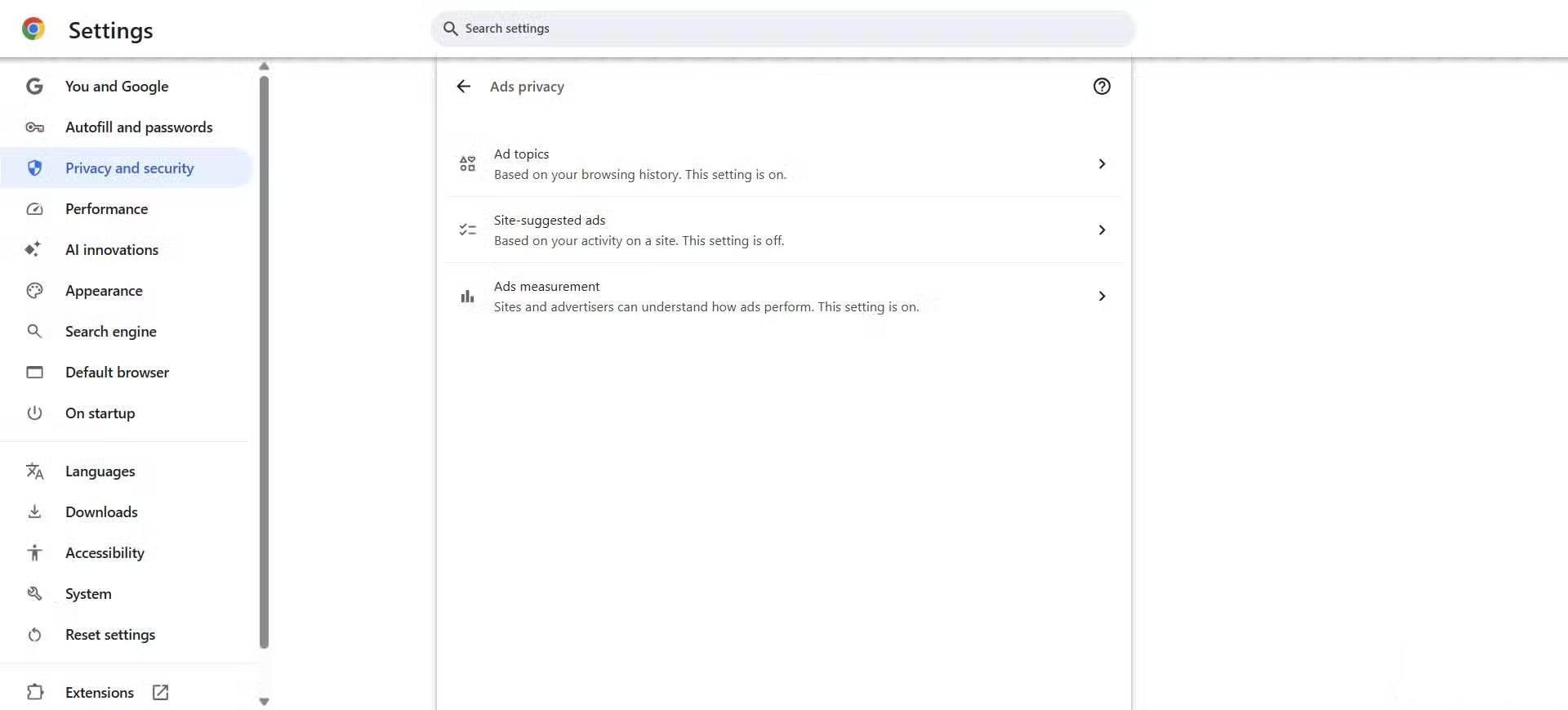
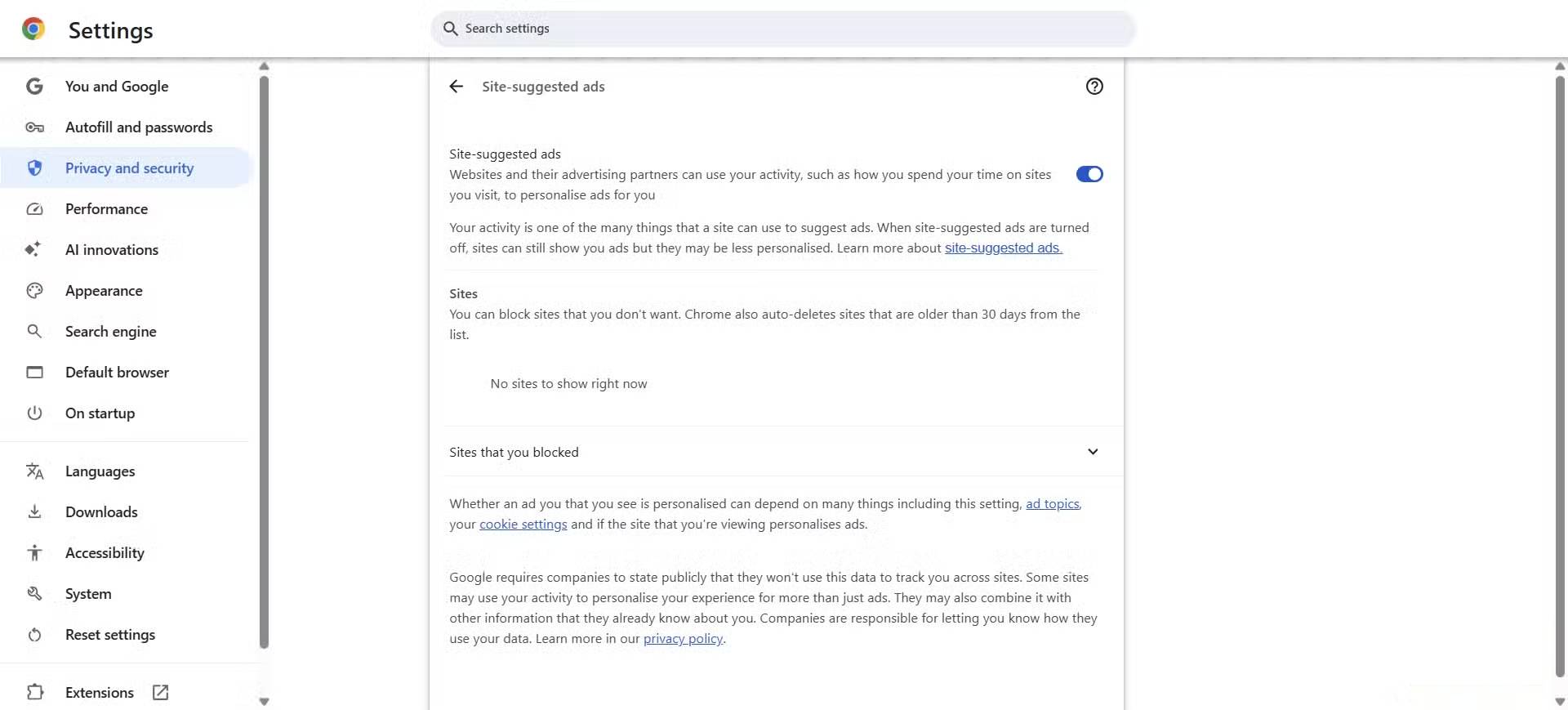
Searching through the menus leads us to Privacy and security , then Ads privacy , and finally Site-suggested ads . This option is in that sub-menu, and your browser doesn't show it during setup. Even if you care about privacy, it's easy to miss because its name doesn't explicitly suggest tracking.
Open this page and you'll see its purpose. The description says that websites and their advertising partners can use your activity, like how you spend time on sites you visit, to personalize ads for you. Your activity is one of many signals that sites can use to recommend ads. When you turn this setting off, you'll still see ads, but they may be less personalized. This setting is under Ad privacy and works independently of cookies and history, so changing those settings alone won't turn it off.
On the same page, Chrome lists the sites that have used your activity. You can block any of them from serving you ad suggestions, and Chrome will automatically delete entries older than 30 days. Below that is the Blocked Sites section, which will be empty until you add one yourself. All of these options are on the same level as the regular privacy menu, with nothing to differentiate them, making them easy to miss.
Turning this feature off makes Chrome less tracking
How ads work after they're turned off
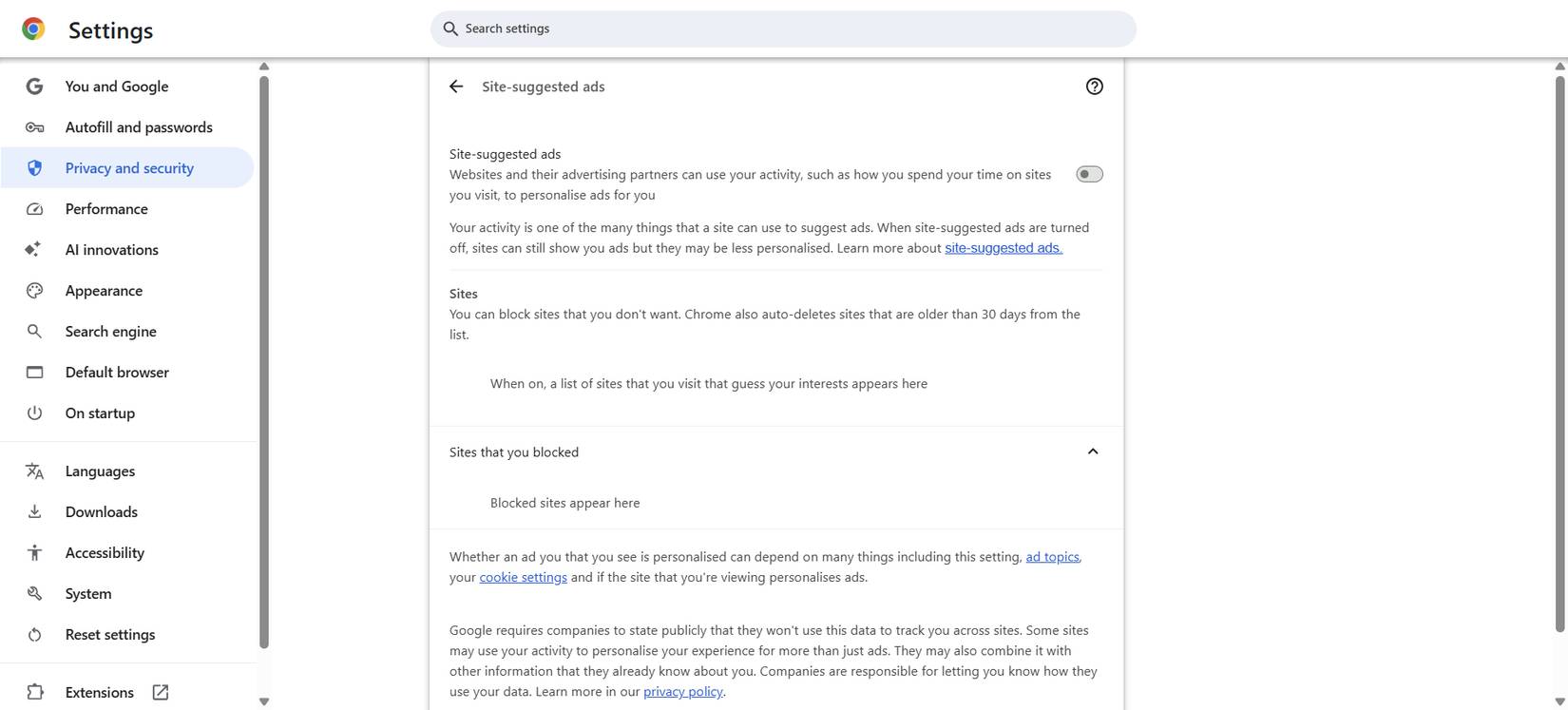
After turning off Site-suggested ads, you still see ads, but they no longer match what you've recently searched for or viewed. Over the next few days, the recurring banners you see appear less frequently, and many of the ads seem more generic than relevant to your most recent activity. The change is subtle but noticeable. Fewer ads follow you from site to site, and browsing no longer feels like your recent clicks are shaping each page. The web still looks the same, but it seems less aware of you.
What you see when you browse the web is also visible in the settings. A small note there confirms what you see. The Sites section shows the sites that have used your activity and notes that entries expire after 30 days. Once you turn the setting off, you won't see any new sites appear there. This is consistent with the notice on the page that turning the setting off won't remove ads, but it may make them less personalized.
While the difference is clear, it's understandable why some people prefer to keep personalization on. Relevant ads can make shopping easier and sometimes show you deals you might otherwise miss. They can make browsing more private. However, convenience doesn't always justify the amount of information shared in the background. You'll want to turn this feature off and only add personalization where you choose, rather than letting your recent browsing dictate what you see by default.
FAQ
How do you turn off this hidden panel to stop Chrome from tracking your browsing?
In practical terms, some people took a closer look at Chrome's menus and found a hidden panel that was completely overlooked.
What should you check before getting started?
Review the requirements, compatible device or software version, and any warnings described in the guide before making changes.
What should you do if the steps do not work?
Repeat the steps in order, confirm that your app or system is up to date, and review the troubleshooting details provided above.
Related Articles
 The 'Do Not Track' Feature Is Practically Useless: Take These5 minutes read
 3 Ways to Prevent Websites from Tracking Your Location on Google3 minutes read
 How to Turn Off Ad Tracking on Google Chrome3 minutes read
 How to Turn Off the Notification Feature on Chrome When3 minutes read
 12 Chrome Flags Useful You Should Activate on Android7 minutes read
 How to Block Ads on Google Chrome4 minutes read
Reader Comments 0
Sign in with email or Google to join the discussion.