Avoid Legacy Free Word-to-PDF Installers: Use Built-In Tools
Create PDFs with Word, Microsoft Print to PDF, or LibreOffice instead of an unverified legacy converter, and check the finished document carefully.
Fix Windows problems, troubleshoot devices, understand AI, secure your accounts and get more from your technology with tested step-by-step guides.
Create PDFs with Word, Microsoft Print to PDF, or LibreOffice instead of an unverified legacy converter, and check the finished document carefully.
Use Solid Converter to export PDF to Word, create PDFs, combine files, choose an editable layout, understand trial limits, and verify the output.
Save Word as PDF locally or compare iLovePDF, Smallpdf, and Convertio, with practical privacy, pricing, formatting, and verification checks.
Extract PDF tables with Excel Power Query, Smallpdf, or maintained desktop tools, then clean data types, verify totals, and protect sensitive files.

Compare Word, Smallpdf, Google Docs, and Solid Converter for PDF-to-Word conversion, including OCR, privacy, font errors, and output checks.
Choose the right image format and resolution, export PDF pages locally or online, convert selected pages, and preserve text clarity and privacy.

Share a document through a QR code by creating a secure cloud link, choosing static or dynamic codes, testing permissions, and designing for reliable scanning.

Learn the correct home-row hand position, follow a focused online practice routine, and improve typing speed without sacrificing accuracy.
Measure WPM and accuracy consistently, compare online typing tests, and turn the results into a focused touch-typing practice routine.

Compare six browser-based typing tests by language support, test length, practice style, and the results they report.
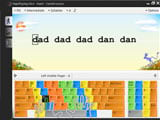
Set up RapidTyping, learn the correct finger zones, complete guided lessons, and use accuracy statistics to improve touch-typing skills.
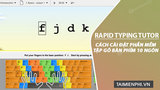
Download the correct RapidTyping build, install or run it portably, configure your keyboard, and complete the first touch-typing lesson.

Build faster, more accurate typing with correct home-row technique, focused drills, a comfortable setup, and a repeatable 15-minute routine.
Download the official portable RapidTyping build, run it without installation, choose the right keyboard course, and preserve your practice data.

Compare seven typing games and courses for children by age, lesson style, progress tracking, classroom tools, and offline support.
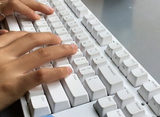
Compare ten touch-typing websites by lesson structure, language and layout support, classroom tools, games, and progress tracking.
Run a legitimate copy of Mario Teaches Typing safely in DOSBox, follow the legacy installer, and fix common folder, speed, and sound problems.

Learn the controls and scoring in 10 Finger BreakOut, use the correct fingers, and combine the legacy game with realistic typing practice.

Install and run a legitimate copy of Mario Teaches Typing inside DOSBox on Windows 7 while avoiding unsafe downloads and drive mappings.
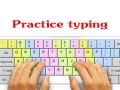
Compare current and legacy touch-typing programs, then set up TypingMaster lessons safely and build an accuracy-first practice routine.