26 amazing applications of the Raspberry Pi mini-computer.
After some thought, you've decided to buy a Raspberry Pi computer. You know it has many uses, but you're unsure how. Can this small device function as a PC, a server, or a radio?
- 1. Using a Raspberry Pi as a desktop computer
- 2. Wireless print server
- 3. Add AirPrint support to the Pi print server.
- 4. Kodi Media Center System
- 5. Retro gaming console
- 6. Minecraft game server
- 7. Robot Controller
- 8. Top motion video camera
- 9. Time lapse video camera
- 10. FM Radio
- 11. Web server
- 12. Create a Twitter bot
- 13. Build a security system.
- 14. Digital photo frame
- 15. Photographing the night sky
- 16. Build a network monitoring tool.
- 17. Using Raspberry Pi as a smart TV
- 18. Build your own NAS box.
- 19. Home automation system with Arduino
- 20. Build an AirPlay receiver.
- 21. Controlling a model train
- 22. Stream live video to YouTube
- 23. Learn how to write code
- 24. Stream PC games to Raspberry Pi
- 25. Build a smart mirror.
- 26. Play games directly on Raspberry Pi
Yes, it's possible. Simply install an operating system on an SD card, and you'll have some great applications at your fingertips. Sometimes, you might need a separate operating system, but the process is generally the same: boot up, configure the Raspberry Pi (or pre-configure it with PiBakery), and install some software. This article will introduce you to 26 amazing uses for the Raspberry Pi .
1. Using a Raspberry Pi as a desktop computer
Let's start with the simplest way to use a Raspberry Pi: using it as a desktop computer.
Besides the Raspberry Pi, microSD card , and power supply, you'll need an HDMI cable and a suitable display. Like a traditional computer, you'll also need a USB keyboard and mouse. The Raspberry Pi 3 has built-in Wi-Fi and Bluetooth, but if you're using a different model, you'll need compatible USB dongles. However, if you prefer using an Ethernet network, the Pi also comes with an Ethernet port .
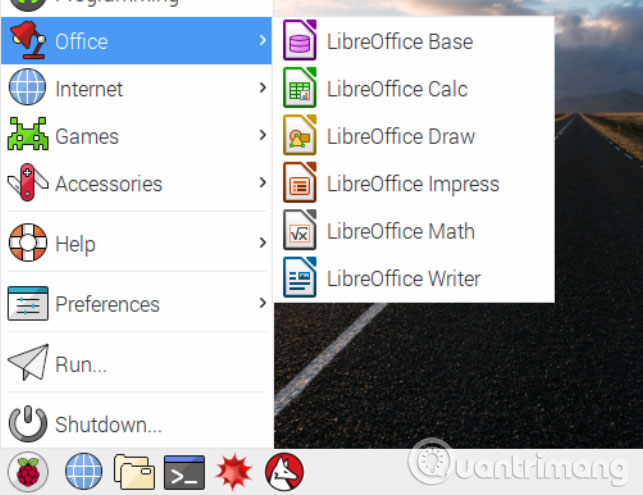
Once the operating system is installed (unless otherwise specified, all these projects require the latest version of Raspbian), you will find all the necessary tools to run the Raspberry Pi as a desktop computer. Software such as LibreOffice and the Chromium browser are pre-installed. You can install any other tools through repositories or download them via the browser.
2. Wireless print server
If you have an old printer that can't connect wirelessly, you can use it with a Raspberry Pi. All you need is to connect the Raspberry Pi to your home network and install some print server software.
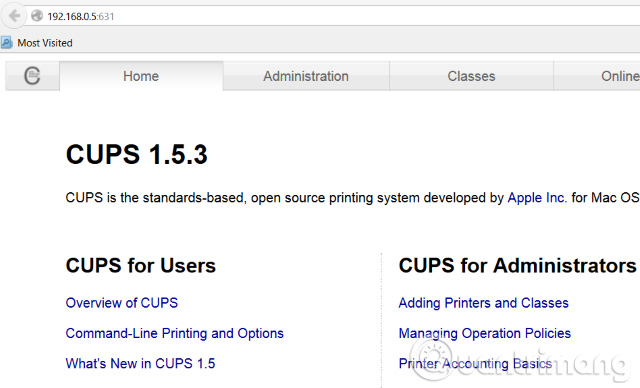
To turn a Raspberry Pi into a wireless print server, you first need to install the Samba file-sharing software, followed by CUPS (Common Unix Printing System). CUPS provides printer drivers and an administration control panel.
Once everything is set up, configure the Raspberry Pi to ensure that any Windows or macOS computer on your home network can access the printer. Note that the printer needs a USB cable or adapter.
3. Add AirPrint support to the Pi print server.
The above project is ideal for printing from Windows, Mac, or Linux computers, but what about printing from tablets and phones ? For that reason, you need Air Print support, which can be added via a script.
Although iOS devices have AirPrint functionality, Android tablets and phones require a dedicated app. Most newer printers support printing from mobile devices. With a Raspberry Pi, you can use this functionality with older printers.
4. Kodi Media Center System
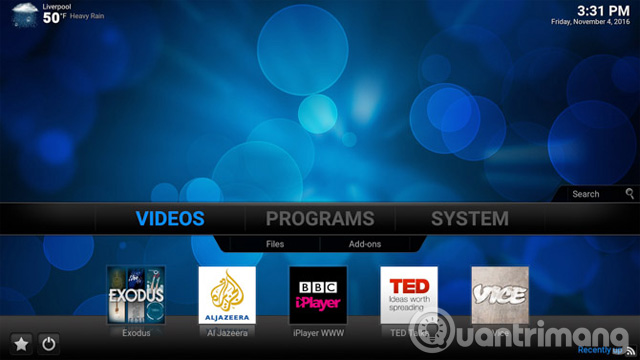
Although there is no specific information, the main function of the Raspberry Pi is likely to be a Kodi media center. Several versions of Kodi have been released as disk images, with OSMC and OpenElec being the most well-known.
When installing Kodi, you should be careful, as not all add-ons are available, and some may violate copyright. Therefore, you should only install safe and legitimate add-ons from the official Kodi repository. It's also worth noting that when running Kodi on a Raspberry Pi, it's vulnerable to certain security issues. To mitigate this, you can set up a VPN to encrypt data to and from the device.
5. Retro gaming console
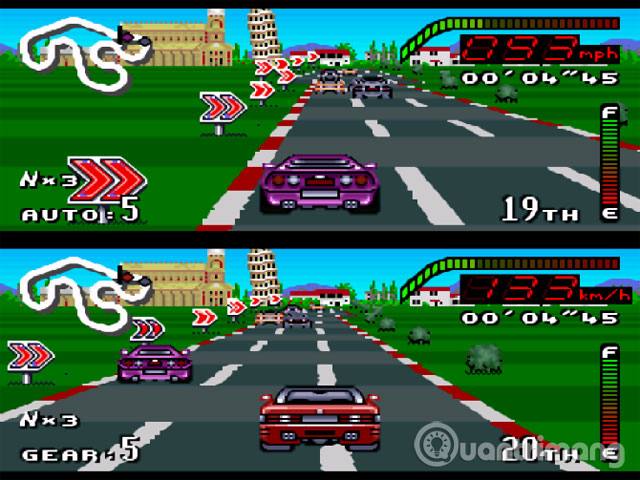
One of the most popular applications of the Raspberry Pi is its suitability as a retro gaming machine. The Raspberry Pi is compact and powerful enough to be used for various purposes, such as being one of the lightest components of a full-sized arcade machine.
There are two main options: Recalbox and RetroPie. Other games can also be used, but they require a controller and some appropriate configuration. Therefore, you can emulate many platforms, from classic MS-DOS games to Commodore 64.
But users don't need to emulate games; some great games can run on the Raspberry Pi without emulator software, like Doom. Additionally, you can install RISC OS to access some retro gaming options not found on other emulation platforms.
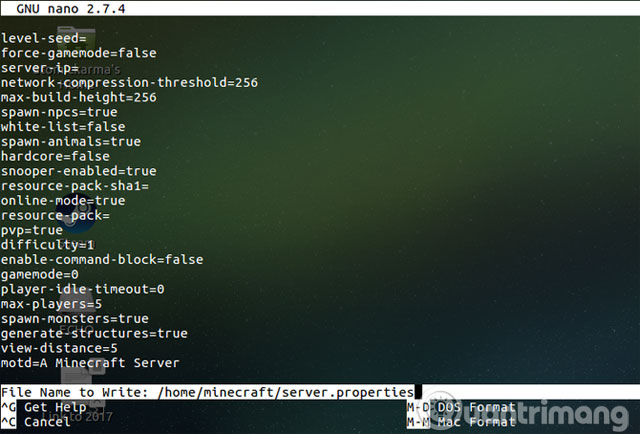
6. Minecraft game server
Beyond just retro games, the Raspberry Pi's default operating system, Raspbian, comes pre-installed with a special version of Minecraft . But did you know that the Pi can also be used as a game server?
The Raspberry Pi can make a great game server for Minecraft. If you have multiple Raspberry Pis, you can dedicate one as a dedicated game server for the best gaming experience. Besides Minecraft, you can also set up many other multiplayer games on the Raspberry Pi. Open-source ports of Quake, Civilization, Doom, Open TTD, and even the official Windward version can be installed as game servers on the Raspberry Pi.
7. Robot Controller
There are too many Raspberry Pi projects for robot control to list them all in a few short sentences. For example, you can use a dedicated Pi robot kit, which uses batteries and is used for communication and robot control. Or you can design and build your own from readily available components. Either way, you need to choose the right type of Raspberry Pi, and for robots, it can only be the Pi Zero W. This slim version of the Raspberry Pi features wireless connectivity, making it perfectly ideal for lightweight robots.
It's lighter than the Raspberry Pi 2 and 3 B+ models, and its low profile means it can be placed in the most efficient location without worrying about USB ports.
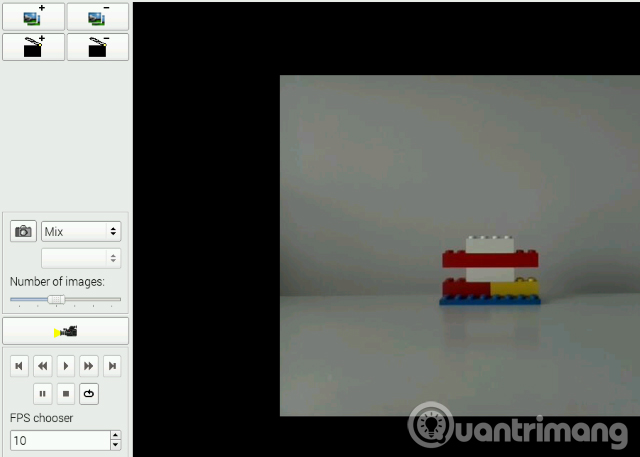
8. Top motion video camera
Everyone loves stop-motion videos. But how do you create them? You can find the answer with a Raspberry Pi and a dedicated camera module.
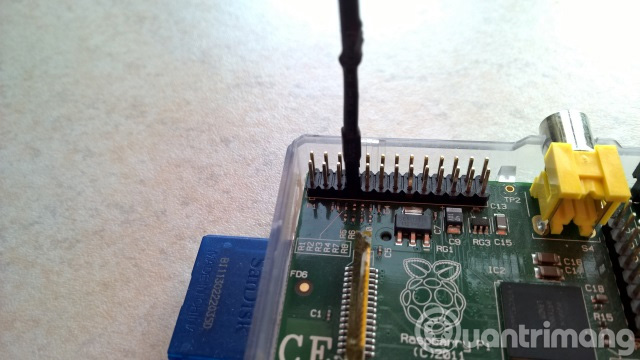
Using the Python programming language , a suitable tripod, and a lighting area, this is a time-consuming process. To get the desired result, you should add background music. Additionally, you'll need a breadboard to mount a button (unless you already have a suitable button that can connect to the Raspberry Pi's GPIO) and a Python script to capture each image.
9. Time lapse video camera
Combining the Raspberry Pi camera module with another script creates another use case for the Pi: creating time-lapse videos. This is done by capturing a single frame with a time delay. You can then optionally use the Raspberry Pi to capture time-lapse images. Additionally, you might need a portable battery solution and a tripod for convenient video recording.
Users can film anything they want, such as flowers in the garden, fruit in a bowl, people walking down the street, clouds in the sky, or changing weather—it all depends on their creativity.
10. FM Radio
Want to share a message and communicate with a group or community that doesn't use the internet? The best way is to communicate via radio, and the Raspberry Pi can broadcast on the FM band.
However, users should note that broadcasting on FM is illegal without a license. Fortunately, Pi can only broadcast over short distances, so you'll be able to avoid trouble. It may prove useful in remote areas but is not suitable in a city center or suburban neighborhood.
Users need a portable battery solution and require some basic soldering skills. Any audio intended for broadcast will need to be pre-loaded onto a microSD memory card.
11. Web server
One great application of the Raspberry Pi is setting it up as a web server . This essentially means it can be configured to host a website, such as your blog.
There are several methods that can be used here. The first thing you need to do is install the correct software: Apache and the related libraries. Or you can install the full LAMP stack with PHP and MySQL along with Apache. It's very useful if the user also sets up FTP.
Once you've completed the steps above, you can save the HTML files to the /www/ directory, and the web server is ready to use. Alternatively, you can install some specific web software like WordPress, or its competitor, Ghost.
To get your website online, using a solution like No-IP.com can overcome the problem of not having a static IP address from your Internet service provider.
12. Create a Twitter bot
Twitter is full of nonsense, largely thanks to bots created for the purpose of posting messages. Some bots are helpful, they can get updates from your favorite websites. However, many programs are annoying, or even irritating, to users.
But there are a few useful things you can do, and instead of using an online service to publish these messages, you can use a Python application on your Raspberry Pi. As long as your Pi is always connected to the internet, you can create a Twitter bot.
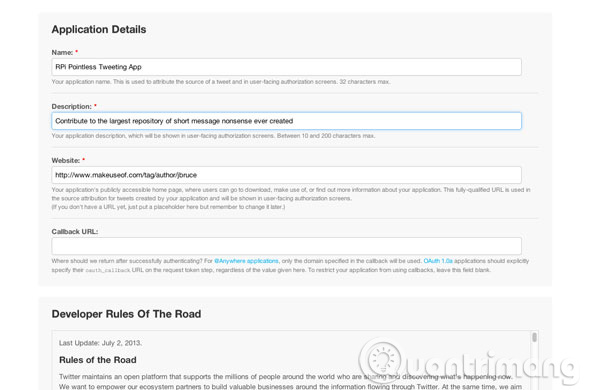
You will need to register for a Twitter application through the Twitter website. This allows access to the Twitter API, with which the Twython software will interact. All you need to do after that is specify the type of content to be tweeted.
13. Build a security system.
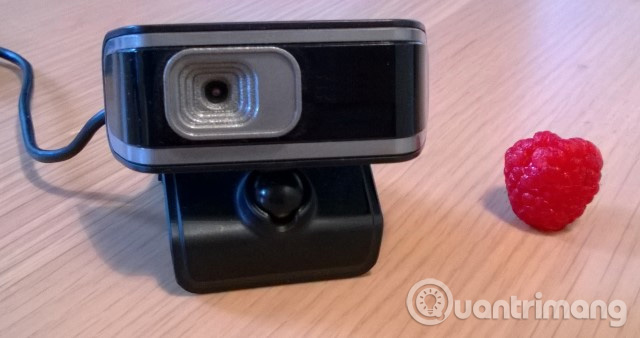
Who's breaking into your house and ransacking everything? The only way to find the answer to this question is to use a security system. With the camera module included in the Raspberry Pi Camera or a regular USB webcam, you can build a motion-activated security system.
Note that you will need a high-capacity microSD card or USB storage device to store footage from the device. The Raspberry Pi project combines motion detection software with uvccapture , a tool for capturing webcam footage, and ffmpeg software used to manage bitrate and time lapse. Once set up and running, you can expect the system to start recording whenever motion is detected and send email alerts if configured.
14. Digital photo frame
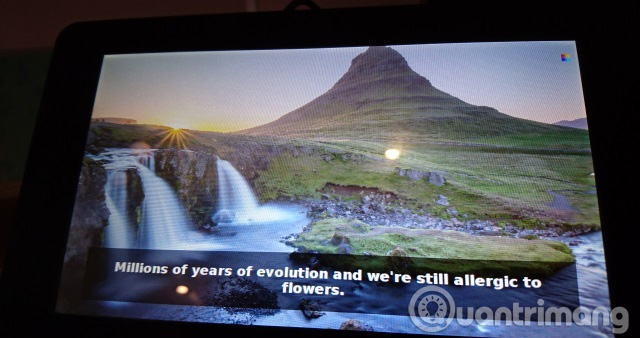
You can use a Raspberry Pi to create digital photo frames for your pictures with a message for each image. You can use a Raspberry Pi touchscreen display for this project, or any LCD screen that can be connected to the Pi.
15. Photographing the night sky
If stop-motion videos, time-lapses, and security systems aren't enough for the Raspberry Pi camera module, why not try night photography? To do this, you'll need a Raspberry Pi No-IR Camera Module. By removing the IR filter, the camera will deliver better night vision, allowing you to capture what's happening above while you sleep. You can also photograph stars, meteors, the moon, planets, and even UFOs.
Additionally, you can use time-lapse photography to track the paths of stars and the moon overnight, or adjust the shutter speed to a slow shutter speed to achieve a motion effect.
16. Build a network monitoring tool.
Another application of the Raspberry Pi is creating network monitoring devices. Want to monitor devices on the network? Concerned about connection loss or checking when a website is offline?
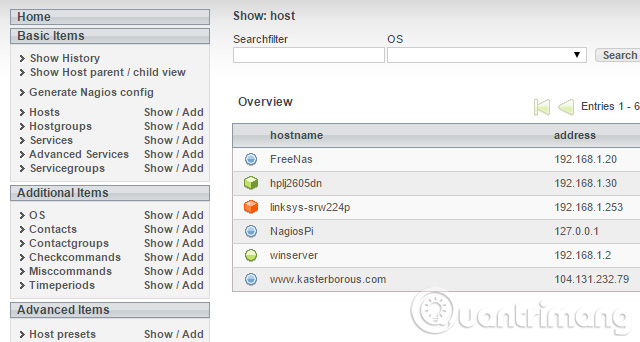
The answer is a network monitoring solution. Several tools are available, but perhaps the most popular is the open-source Nagios tool, which is easy to install and configure. With this setup, you can monitor network activity, view images of devices on the network, etc.
Typically, it's installed on Linux; however, it can be used with a Raspberry Pi. All you need to do is download the Nagios disk image file and flash it to the Pi's SD card. For best results, use a Raspberry Pi 2 or later for this project.
17. Using Raspberry Pi as a smart TV
As mentioned above, we can use a Raspberry Pi as a Kodi media center, but there are many other entertainment projects you can do with a Raspberry Pi. In short, you can turn a standard TV into a smart TV.
To make a TV "smart," it can play media from USB or flash storage devices, stream from Netflix, YouTube, and similar websites, and provide remote control. Smart TVs also offer news and weather and support PVR, which a Raspberry Pi can manage thanks to a USB TV card.
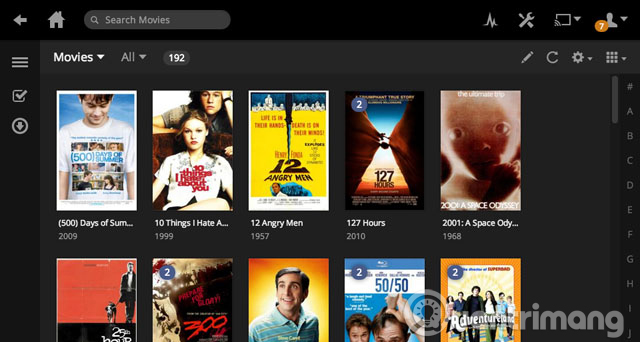
Besides Kodi, the Raspberry Pi can be used as a Plex client . This means you need a computer or server running Plex and the RasPlex software installed on the Pi. Browsing the server's media is simple, allowing users to enjoy all the movies, TV shows, and music stored there. Additionally, the Raspberry Pi 3 can mimic Google Chromecast thanks to MiracleCast, meaning you can stream video from your mobile phone to the Pi.
18. Build your own NAS box.
Want to create your own local network drive? It's a great idea to have a Network Attached Storage device, if just for browsing from a media center.
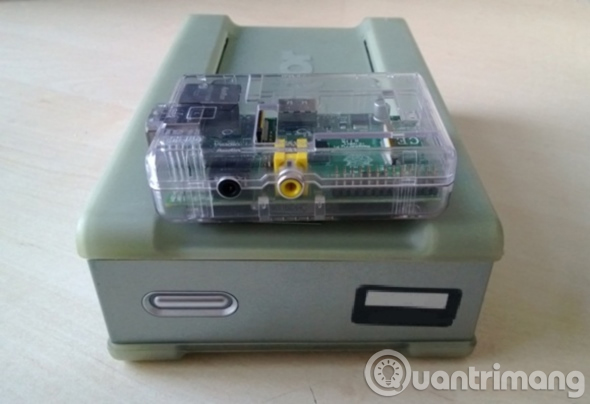
Personal NAS drives are also very small, meaning they can be hidden in a drawer or on top of a closet. Just like a Raspberry Pi NAS, simply connect the Pi to an external hard drive or high-capacity flash storage, or even an SSD .
You can set it up manually with Samba, or you can flash a NAS4Free image from Sourceforge. This process doesn't take long before your important data is stored on your home network drive, freeing up space on your computer. Just remember to back up your NAS drive regularly.
19. Home automation system with Arduino
The Raspberry Pi becomes the ideal "brain" and interface for a home automation system. Along with an Arduino and running the Node.js Heimcontrol application, you can create your own automation system using an adapter that can trigger remote radio control. Heimcontrol allows users to activate or deactivate any device plugged into the adapter via the Raspberry Pi, using signals transmitted from the Arduino .
20. Build an AirPlay receiver.
In the uses above, we've learned how to support AirPrint so that the Raspberry Pi acts as a wireless print server. And now, let's use the Raspberry Pi as a smart speaker with AirPlay. You can stream audio from your mobile device through a DIY speaker system.
Using the Pi Music Box disc image from Pimusicbox.com for Raspberry Pi and connecting your computer to a suitable speaker, you can also stream audio directly from the web, Google Music, Spotify, SoundCloud, and many other services. Along with AirPlay, the Pi Music Box uses Spotify Connect, DLNA/OpenHome, and BubbleUPnP, has USB audio support, and is compatible with some Raspberry Pi sound cards.
21. Controlling a model train
Thanks to its various ports (from USB to GPIO), the Raspberry Pi can integrate and connect with many devices. One of the most interesting options is the train model.
Wouldn't it be great to control your model train with a Raspberry Pi? Several projects have been developed that allow you to do this. These are scalable projects that can do everything from monitoring the train's position and adjusting its speed to controlling points, lighting, and even the surrounding environment of the model village.
This video is from the Raspberry Pi Model Railway Automatic project. You can find more information on the developer's website.
22. Stream live video to YouTube
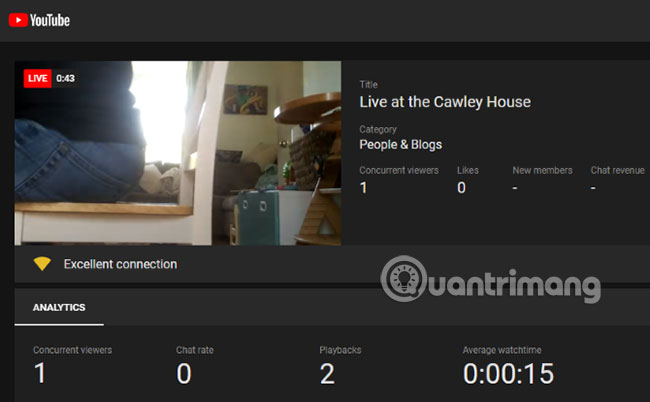
Another way to utilize the Raspberry Pi Camera module is to stream live to YouTube.
This works with Raspberry Pi 3 and later. While compatible USB cameras can be used, the official device will yield the best results.
To get started with this project, you'll need your own YouTube channel , ready to use, and the libav-tools package installed. Check out TipsMake 's detailed guide on how to live stream video directly to YouTube from a Raspberry Pi .
23. Learn how to write code
When the Raspberry Pi was launched in 2012, one of its primary goals was to help children learn to code. But the uses of the Raspberry Pi don't stop there. Adults can also take advantage of the platform's built-in programming tools.
This might sound complicated, but it's actually not. Several software programs are available in Raspbian to support basic programming, but the most important is Scratch.
Designed for all skill levels, Scratch is a block-based programming tool that avoids the complexity of typing lines of code. Instead, you simply drag and drop commands. You can see the effect of your commands in code view and export the code as a runnable program.
Scratch is simple enough to control lights connected to the Pi's GPIOs, and complex enough to program basic games. Here's what you need to know about learning to code with Raspberry Pi and Scratch .
24. Stream PC games to Raspberry Pi
If you think the Raspberry Pi is limited to retro video games, think again! With a Raspberry Pi 2 or later, you can emulate Steam Link's streaming capabilities. This essentially means you can stream video games from your PC to your TV via the Raspberry Pi .
Similar to Steam Link, you'll need to ensure that your Raspberry Pi or PC (ideally both) is connected to the router via Ethernet. This is because the speeds required for successful streaming cannot be guaranteed with a wireless setup.
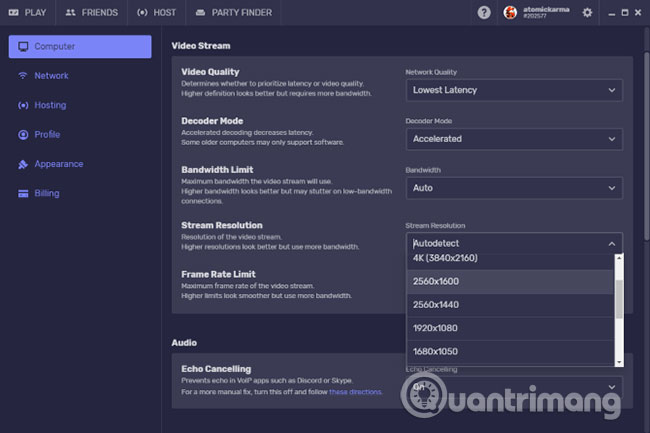
However, unlike Steam Link, you can stream games that aren't available on Steam. Many people prefer streaming games to the Raspberry Pi using a free tool called Parsec. Parsec offers 60fps video streaming, ultra-low latency, and is available for Windows 10, macOS, and Linux.
25. Build a smart mirror.
Have you ever wanted to catch up on the latest news, movie trailers, pop music videos, traffic information, and weather while shaving? The answer is to use a smart mirror, a device powered by a Raspberry Pi.
Essentially, it's a two-way mirror with a special screen mounted behind the glass. Any type of mirror can be used for a smart mirror project. You should use a mirror that best suits your purpose.
26. Play games directly on Raspberry Pi
You can emulate classic platforms on a Raspberry Pi or stream games from a PC. But what about games that run directly on the Raspberry Pi itself?
Several great games can run on a Raspberry Pi without an emulator. A great example is Doom, which can be installed to run on a Raspberry Pi. Other examples include FreeCiv, Quake III, and even the open-source SimCity clone, Micropolis.
If you're not comfortable with setting up streaming or emulators, many games can be installed on a Raspberry Pi.
This article has introduced you to a large collection of different uses for the Raspberry Pi. All of them contain the links you'll need to achieve great results.
If you're new to Raspberry Pi, before you begin, learn how to install an operating system on your Raspberry Pi .
Good luck!
- 5 great apps that make your Raspberry Pi really useful
- The 7 best mini PCs for every budget
- What is the Raspberry Pi and how is the Raspberry Pi used?
- 5 things Raspberry Pi does better than any other computer.
- How to run, Raspberry Pi emulator on computer?
- Learn about mini PC
- Raspberry Pi 4 officially launched, quad-core Cortex-A72 1.5 GHz, maximum RAM of 4GB
- Learn about Ethical hacking using Kali Linux and Raspberry Pi