How to Remove Read-Only Mode and Edit a Word Document
Find out why a Word document opens as read-only and safely restore editing when the cause is Protected View, file attributes, permissions, or document protection.
Fix Windows problems, troubleshoot devices, understand AI, secure your accounts and get more from your technology with tested step-by-step guides.
Find out why a Word document opens as read-only and safely restore editing when the cause is Protected View, file attributes, permissions, or document protection.
A practical summary of the typeface, font sizes, and emphasis used in Vietnamese administrative documents under Decree 30/2020/ND-CP.
Install trusted TrueType and OpenType fonts in Windows 11 or 10, make them available to desktop apps, and troubleshoot missing or duplicate fonts.
Customize Office 2016 themes, the Quick Access Toolbar, Ribbon, Start screen, and display language in Word, Excel, and PowerPoint.

Troubleshoot PDFs that will not open in Acrobat Reader by checking the file, updating or repairing Reader, correcting file associations, and testing Protected Mode safely.
Convert text-based or scanned PDFs to editable Word documents with desktop software, and avoid common layout, font, privacy, and OCR problems.
Turn JPG, PNG, and other images into a single ordered PDF with Windows Print to PDF or an online converter, while controlling page size and image quality.
Check whether a PDF permits copying, copy selectable text into Word with clean formatting, and use OCR for authorized scanned documents.
Convert a PDF to an editable DOCX with Microsoft Word, Google Docs, or Adobe Acrobat, and choose the right method for text, scans, and private files.

Export selected sheets or an entire Excel workbook to PDF, control the print area and page order, and fit wide columns without making text unreadable.
Find out whether a PDF file, Windows file association, browser, or PDF reader is causing the problem, then apply the safest matching fix.

Copy permitted text from a PDF with Foxit Reader or convert a complete file with UniPDF, with checks for scans, formatting, privacy, and output quality.
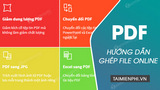
Combine PDFs in the correct order with Smallpdf, review page arrangement before downloading, and decide when an offline tool is safer.

Recover access to a PDF you own by checking password records, requesting a replacement, using authorized recovery carefully, or removing security after the correct password is known.
Download Foxit PDF Reader from the official source, review installer choices, set the default PDF app, and open your first document safely.
Choose the right free workflow for PDF text, annotations, scans, and forms using Google Docs, Word, or a trusted PDF editor.
Export all or selected PDF pages to JPEG, PNG, or TIFF in PDF-XChange, with practical guidance on resolution, filenames, image quality, and privacy.
Compare PDF, DOC, and DOCX formats, including layout, editing, compatibility, collaboration, and the best use cases for each.
Set Google Chrome to download PDF files instead of opening them in a tab, restore the built-in viewer, and troubleshoot settings that do not work.
Save a Word 2016 document as a PDF, choose the right quality setting, export selected pages, and fix common formatting problems.