Table of Contents
No PDF-to-Word method can guarantee perfect fonts and formatting. The best choice depends on whether the PDF contains real text or scanned images, how complex the layout is, and whether the document can safely be uploaded to a web service.
Choose a method before converting
| PDF type or requirement | Best starting point |
|---|---|
| Mostly text, Word already installed | Open the PDF in desktop Word |
| Simple content recovery, exact layout unimportant | Google Docs |
| Complex layout or scan | Dedicated converter with OCR |
| Confidential or regulated content | Approved local software |
| One non-sensitive file, no desktop tool | Verified online converter |
Method 1: Open the PDF in Microsoft Word
Desktop Word can create an editable copy of many PDFs. It works best with documents that are mostly text; graphics, forms, columns, and page layouts may shift.
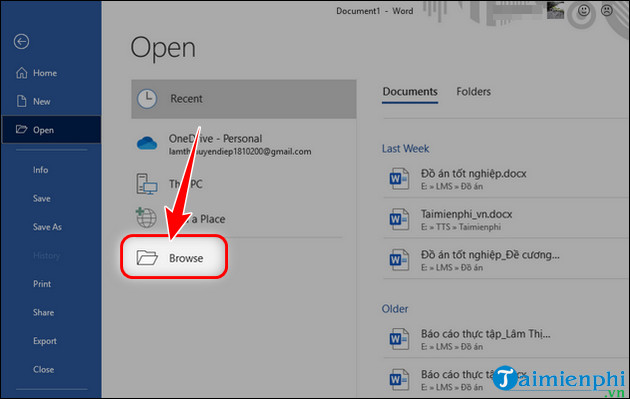
Open Word, press Ctrl + O, and choose Browse.
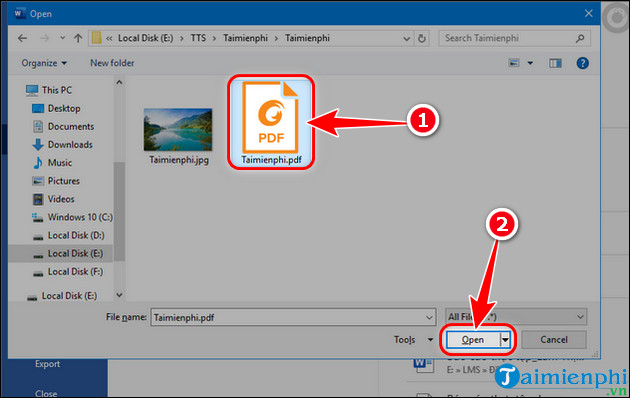
Select the PDF and choose Open.
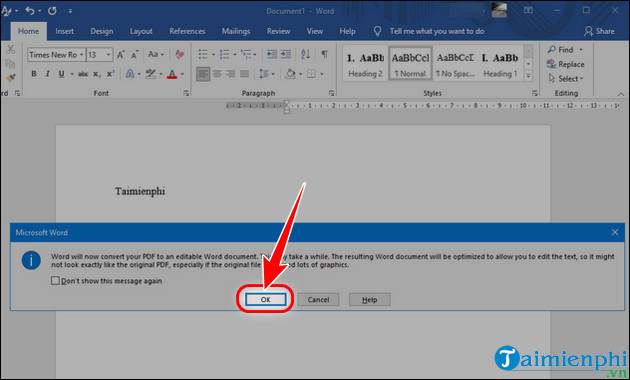
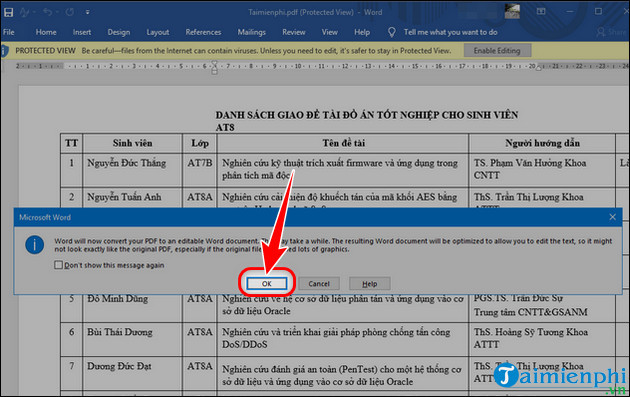
Accept Word's message explaining that it will convert a copy. The original PDF remains unchanged.
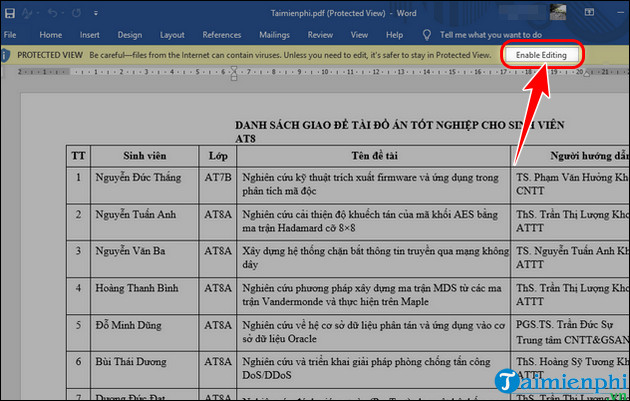
If Protected View appears for a file you trust, select Enable Editing. Do not enable editing for an unexpected or untrusted file.
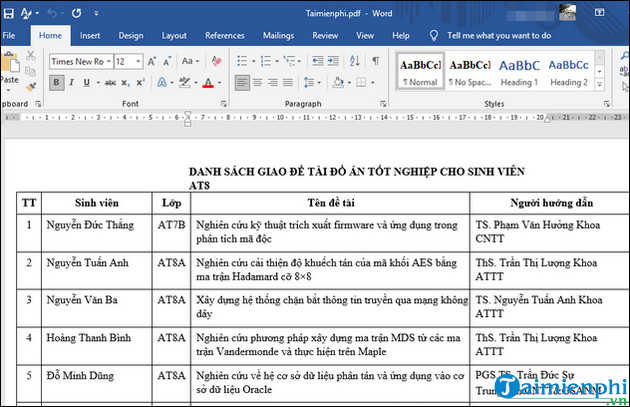
Review the result and save it as DOCX.
If an entire page appears as one image, the PDF needs OCR. Use the scanned-PDF OCR workflow instead.
Method 2: Use Smallpdf online
Open the official Smallpdf PDF-to-Word converter, upload the file, choose the available conversion mode, and download the DOCX.
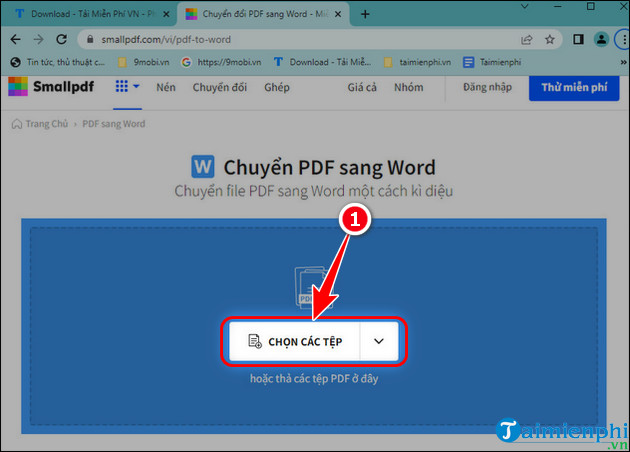
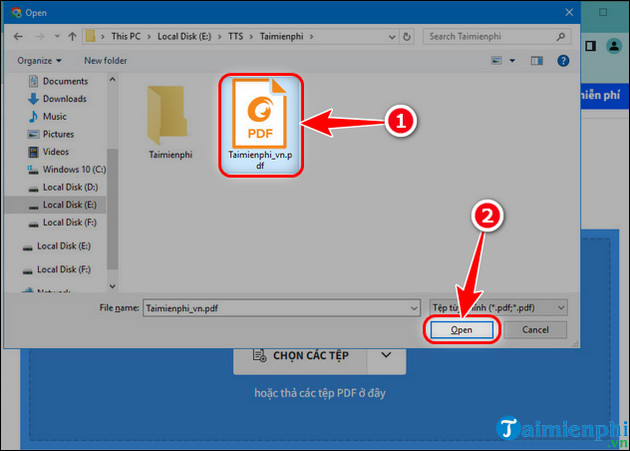
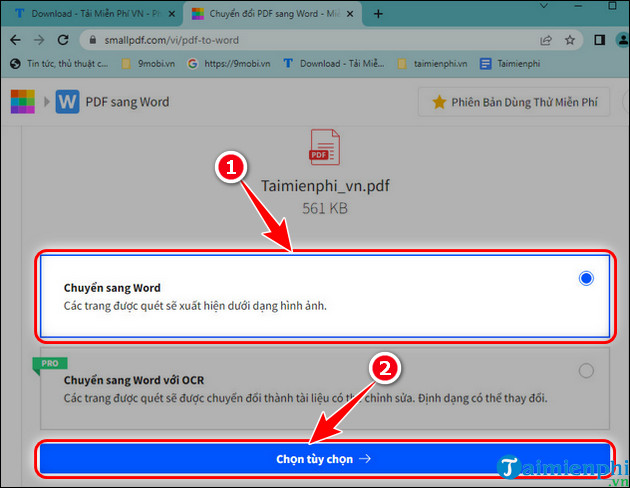
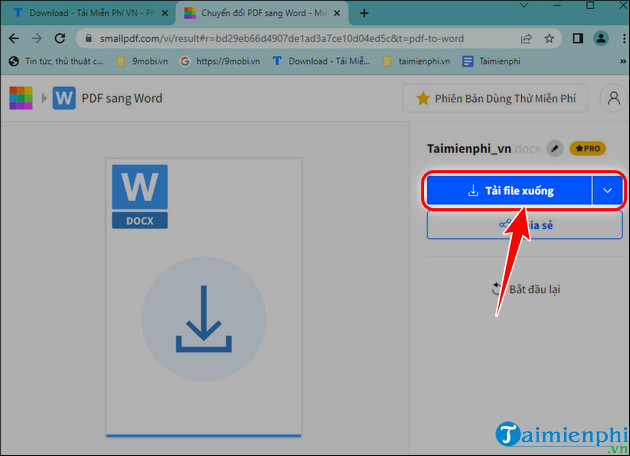
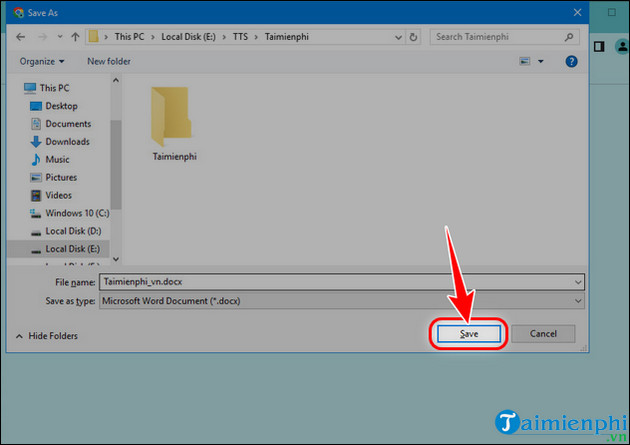
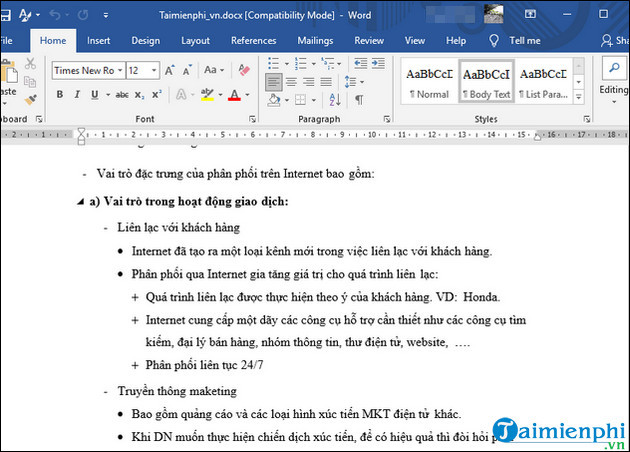
The screenshots show an older interface. Free-use limits, account requirements, OCR, batch processing, and subscriptions can change. Smallpdf does not guarantee perfect accuracy, and OCR may be a paid feature. Read the current privacy and retention terms before uploading.
Method 3: Extract content with Google Docs
Google Docs is useful when you mainly need the words rather than an exact page replica.
Open Google Drive and sign in to the correct account.
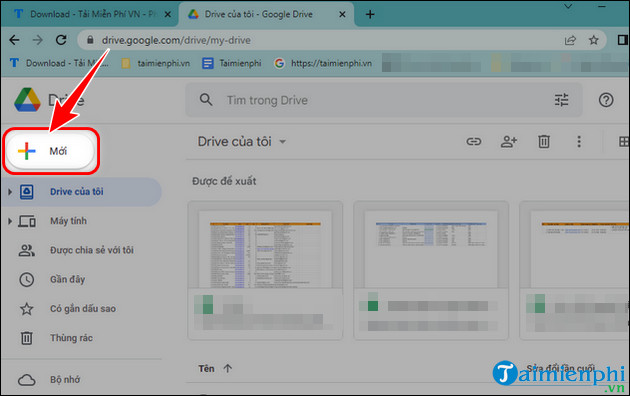
Select New > File upload.
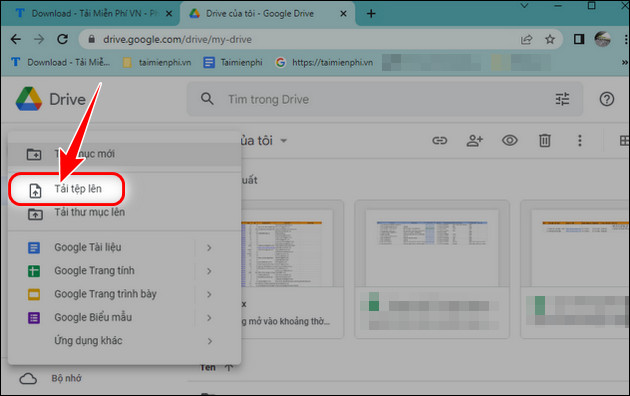
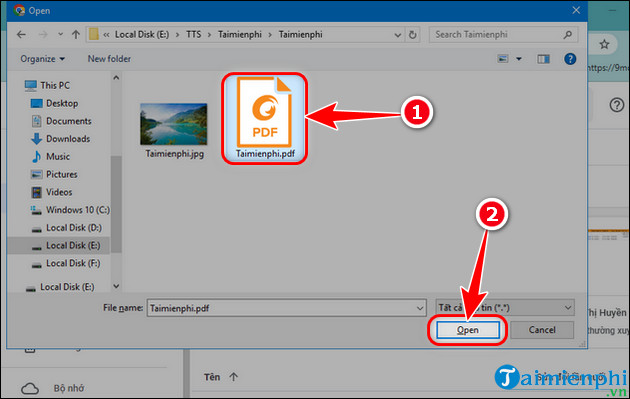
Choose the PDF and wait for upload.
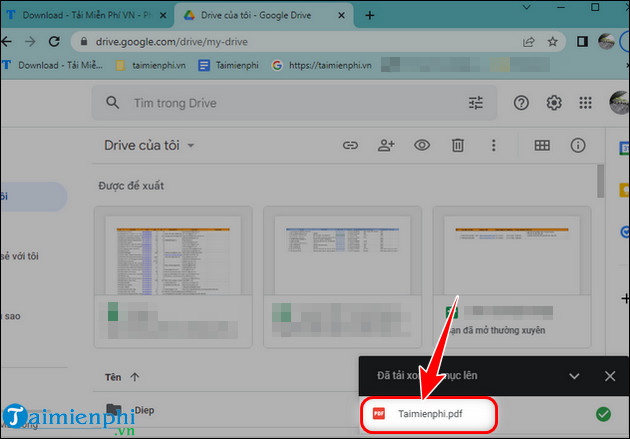
Right-click it and choose Open with > Google Docs.
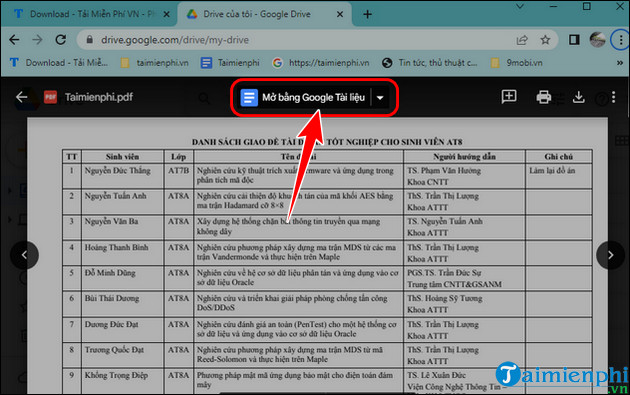
In the new Docs file, select File > Download > Microsoft Word (.docx).
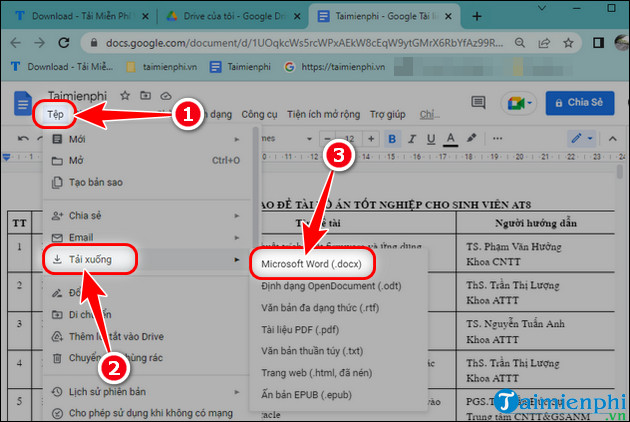
Google Docs can change tables, columns, page breaks, and image placement. It may place a page image above extracted text. Compare every important passage with the source before using the DOCX.
Method 4: Use Solid Converter locally
Solid Converter is commercial software with PDF reconstruction and other export tools. Download it only from its identified publisher, check the current license and trial restrictions, and verify the installer signature.
Open Solid Converter and choose Convert PDF Files.
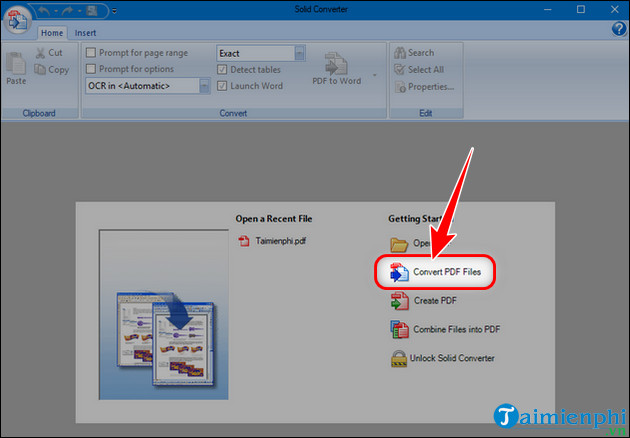
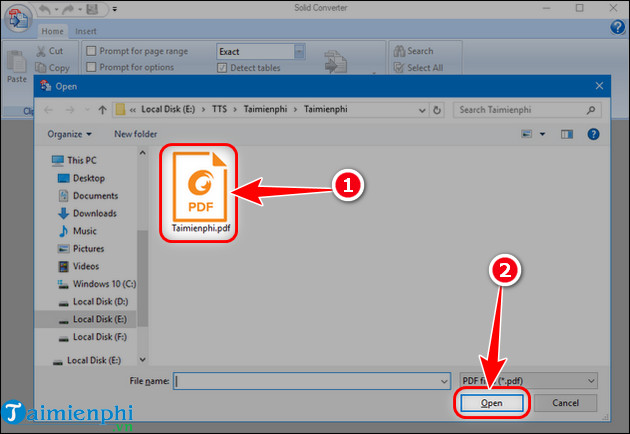
Select the PDF and choose Open.
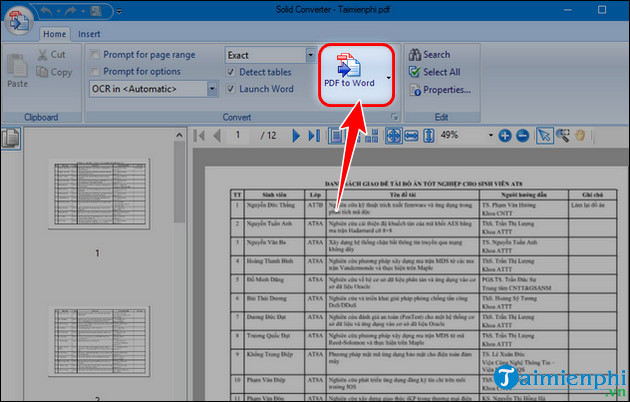
Choose PDF to Word and select the layout or OCR options appropriate for the source.
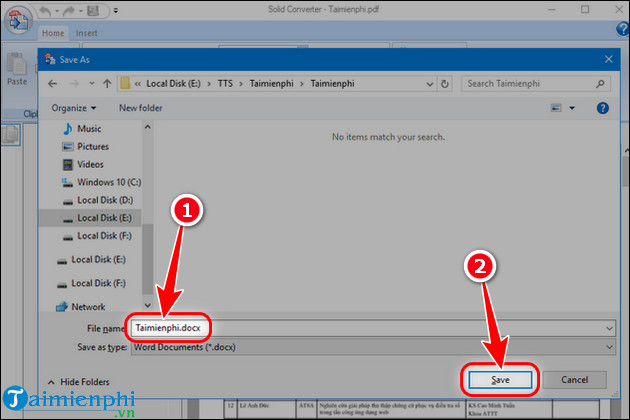
Choose a new output filename and location, then save and inspect the DOCX.
The Solid Converter guide explains its create-and-combine tools as well.
Protect sensitive PDFs
- Use a local approved tool for contracts, identity records, financial data, medical information, legal files, client documents, and unpublished work.
- Remove unneeded pages before uploading to any website.
- Verify the domain and never install a “download manager” offered by an advertisement.
- Delete cloud copies and downloads that are no longer required.
- Do not bypass copying restrictions or passwords unless you own the file or have authorization.
Reduce font and layout errors
- Identify whether the problem is OCR, a missing font, or legacy character encoding.
- Select the correct OCR language, especially for Vietnamese or multilingual text.
- Prefer DOCX over legacy DOC.
- Use a flowing layout when extensive editing matters; use a page-preserving layout when visual similarity matters more.
- Install required fonts only from trusted, licensed sources.
- Avoid global character replacement until you have checked multiple examples.
Use the targeted guide to fix converted Word font and character errors when the text is editable but garbled.
Verify the Word file
- Compare names, dates, totals, punctuation, equations, and accented letters.
- Check page order, headings, tables, columns, footnotes, hyperlinks, and images.
- Confirm that paragraphs are editable text rather than pictures or fragmented text boxes.
- Run spelling checks but validate every correction against the PDF.
- Save, close, and reopen the DOCX to confirm the layout remains stable.
Keep the original PDF unchanged. The converted Word file is an editable reconstruction, not a certified copy and not proof that every character is correct. For additional choices, compare the current PDF-to-Word methods.
Related Articles
 How to Convert PDF to Word Without Font Errors for Free7 minutes read
 Professional PDF File Conversion Software for Word7 minutes read
 Software to Convert PDF to Word Online, PDF to Doc Online8 minutes read
 Convert Word to PDF Online on Your Computer6 minutes read
 How to Fix Font Errors Word, Excel, Transcoding Fonts Super Fast3 minutes read
 Instructions on How to Fix Font Errors in Word4 minutes read
Reader Comments 0
Sign in with email or Google to join the discussion.