Do You Need a Word-to-PDF Converter? Safer Built-In Options
Create PDFs from Word with built-in export and printing tools, and understand the risks before installing an old or unverified converter.
Fix Windows problems, troubleshoot devices, understand AI, secure your accounts and get more from your technology with tested step-by-step guides.
Create PDFs from Word with built-in export and printing tools, and understand the risks before installing an old or unverified converter.

Install Foxit PDF Reader safely, open PDFs, navigate pages, adjust the view, add comments, fill forms, and troubleshoot files that will not open.
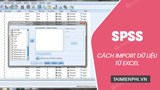
Prepare an Excel workbook, import the correct worksheet and range into SPSS, and verify variable types, dates, missing values, and identifiers.

Embed files in a PDF with Foxit's Attachments panel, add a file-attachment comment, manage embedded items, and understand security and compatibility limits.
Switch Office 2019 to the Black or Dark Gray theme from Options or Account, restore a light theme, and troubleshoot unavailable appearance settings.

Diagnose missing fonts, legacy encodings, and OCR mistakes in Word, then repair the document without unsafe global replacements.

Choose the right barcode type, configure a label in BarTender, connect the data, print a test batch, and verify every code before production.

Find the cause of a slow Windows computer, reduce startup and background load, free storage, scan for malware, and decide whether hardware needs an upgrade.

Download Steam from Valve, install the Windows client, secure your account, choose a game library location, and fix basic setup problems.

Use Quick Parts, charts, dates, themes, watermarks, Power Query, lookup, and OneDrive in Office 2016, with important end-of-support limitations.

Create, organize, share, search, and archive Google Keep notes on the web, with current guidance for checklists, reminders, labels, privacy, and backup.

Diagnose Outlook offline and disconnected states, check the mail service, repair profiles or data files safely, and know when to contact an administrator.
Prepare a Google Docs document for export, download it as a PDF, verify the layout and links, and troubleshoot a missing or failed download.
Identify scanned PDFs, choose an OCR-capable conversion method, protect sensitive files, reduce font errors, and verify the Word output against the source.
Export a Word 2016 document as PDF, add an opening password, choose quality and page options, and verify the protected file before sharing it.

Set the print area, scaling, page breaks, and worksheet range in Excel 2016, then save or export a clean PDF without cut-off columns.
Convert a PDF to an editable Word file on Android, verify generic document-viewer apps safely, handle scanned pages with OCR, and check the result.
Convert PDF files with Google Docs or Xodo in a browser, choose OCR for scans, protect sensitive documents, and verify the resulting Word file.
Save a Word document as PDF in the Android or iOS Microsoft Word app, use a browser converter safely, and verify the mobile export before sharing.
Understand the risks of an unverified legacy PDF converter, recognize its old workflow, choose a maintained alternative, and verify the Word output.