Table of Contents
The most private and reliable way to convert Word to PDF is Word's built-in export, because the document stays on your computer. An online converter is convenient when Word is unavailable, but it requires uploading the file and may impose daily limits, subscriptions, or retention rules.
Best option: save as PDF in Microsoft Word
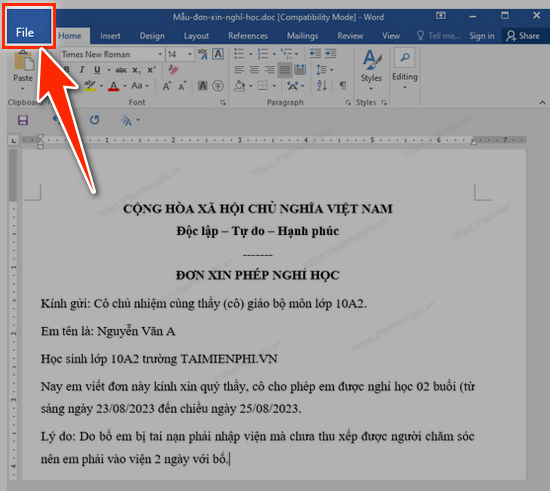
Open the DOC or DOCX file and select File.
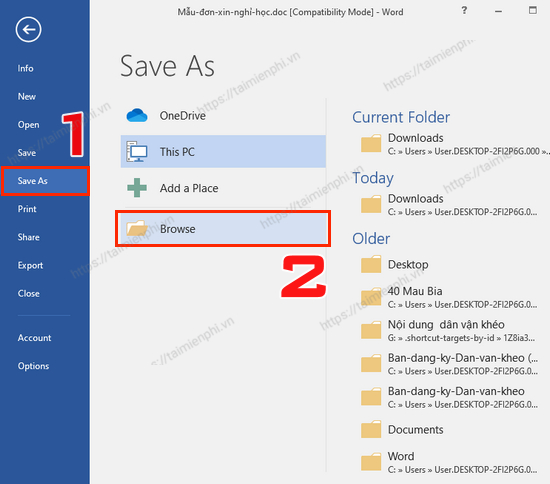
Select Save As, then choose Browse.
Enter a file name and choose PDF (*.pdf) from Save as type. Merely adding
.pdfto a Word filename does not convert the document.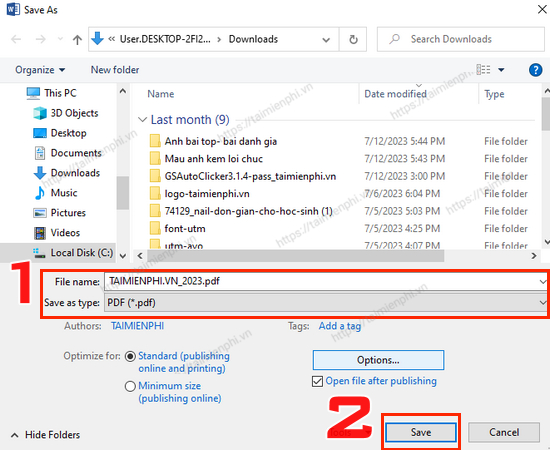
Choose standard or minimum-size optimization, open Options if you need a page range or bookmarks, then select Save.
Open the PDF and check page count, fonts, tables, links, images, headers, and footers.
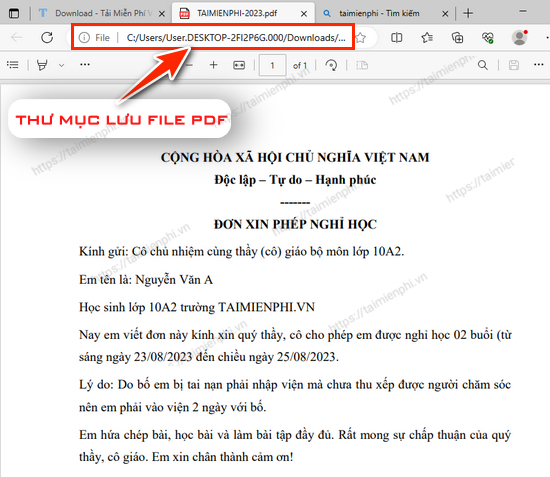
For more export controls, see how to convert DOC and DOCX files to PDF in Word.
Before using any online converter
- Use only the service's verified domain.
- Read current file limits, pricing, trial renewal, privacy, and deletion terms.
- Do not upload contracts, identity documents, medical records, financial data, client files, or unpublished material to an unapproved service.
- Remove tracked changes, comments, hidden text, and personal metadata that should not be shared.
- Keep the original DOCX and verify the PDF after download.
Option 1: iLovePDF
Open the official iLovePDF Word-to-PDF tool, choose or drag in the DOC/DOCX file, start conversion, then download the PDF.
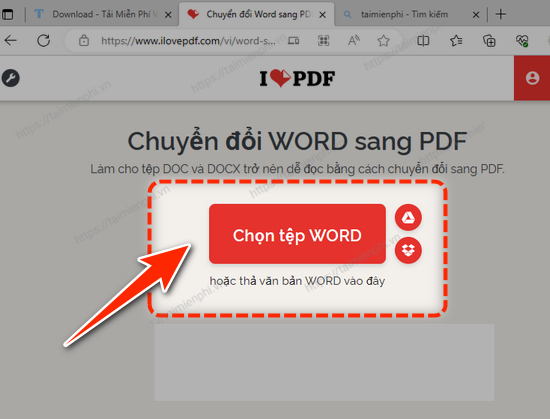
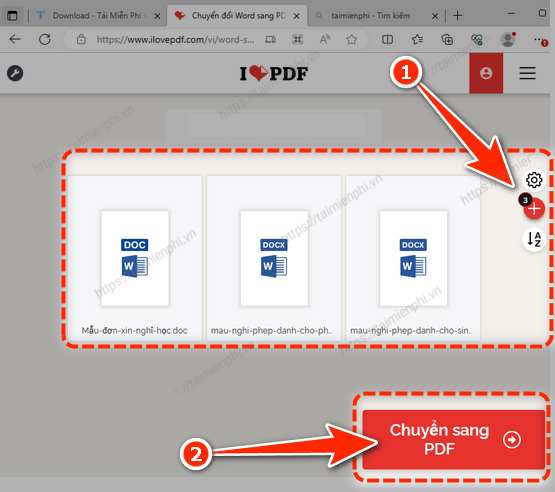
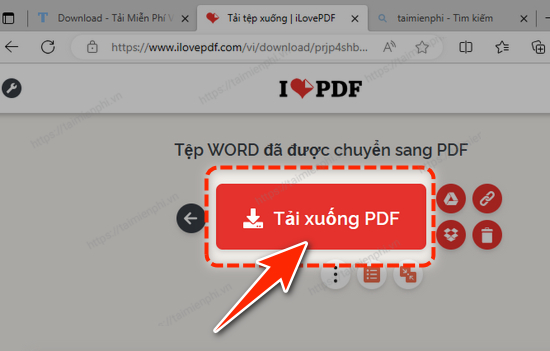
Batch availability and free limits can change. iLovePDF currently publishes its security and deletion practices, but you should review them at the time of use and follow your organization's data-handling policy.
Option 2: Smallpdf
Open the official Smallpdf Word-to-PDF converter, upload the Word file, wait for processing, and select Download.
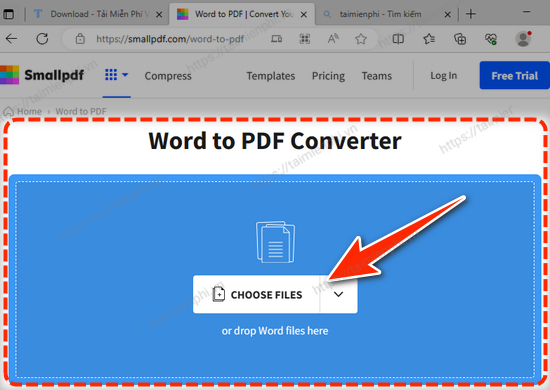
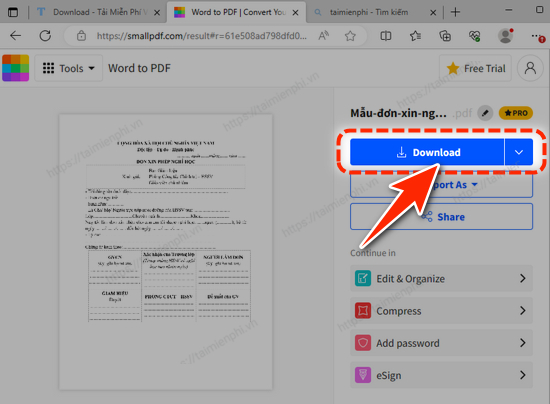
Smallpdf's free usage is limited rather than universally unlimited. Account storage, sharing links, and other actions can change how long a file remains available, so review the current choices before proceeding.
Option 3: Convertio
Open the official Convertio DOC-to-PDF converter, select a file from an available source, confirm PDF as the output, start conversion, and download the result.
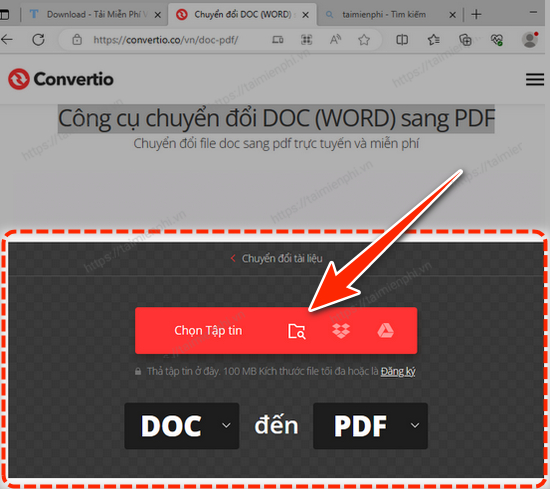
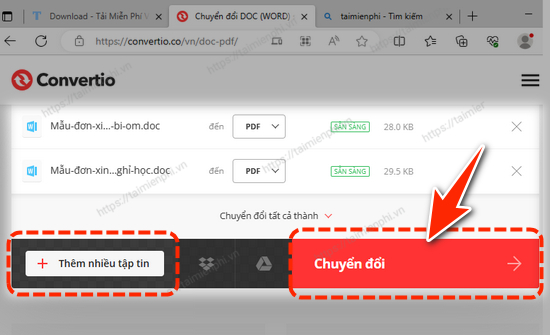
Basic conversions and larger paid workloads have different limits. Avoid importing a document by public URL unless you understand who can access that URL.
How to choose among them
| Situation | Recommended route |
|---|---|
| Word is installed | Use Word's own PDF export |
| Shared or public document, one-time conversion | A verified web converter may be convenient |
| Confidential document | Use an approved local tool or managed organizational service |
| Many files | Use a licensed batch tool with logging and clear retention controls |
| Layout changes after conversion | Install missing fonts, correct page settings, and export from the source app |
PDF is not a complete security control
PDF usually provides a more stable page presentation, but a recipient can still copy visible information or edit the file with suitable tools. Use proper access permissions and encryption when required. Also, online conversion is never “absolutely accurate”; fonts, fields, macros, linked objects, comments, and complex layout can change.
If you need to convert on a mobile device, follow the Word-to-PDF phone guide. If the Word source is gone and only the PDF remains, compare the PDF-to-Word recovery options.
Related Articles
 Professional PDF File Conversion Software for Word7 minutes read
 How to Convert PDF Files to Word Online Very Fast3 minutes read
 Convert PDF to Word, Convert PDF Files for Free12 minutes read
 How to Convert PDF Files to Doc, Docx Using Cleverpdf4 minutes read
 Tools for Converting PDF to Word8 minutes read
 Add Another Tool to Convert Word Files to PDF for Free: Word to PDF2 minutes read
Reader Comments 0
Sign in with email or Google to join the discussion.