How to Protect a Laptop Before It Is Lost or Stolen
Prepare a laptop for loss or theft with Find My Device, storage encryption, secure accounts, verified backups, and a practical recovery checklist.
Fix Windows problems, troubleshoot devices, understand AI, secure your accounts and get more from your technology with tested step-by-step guides.

Prepare a laptop for loss or theft with Find My Device, storage encryption, secure accounts, verified backups, and a practical recovery checklist.
Create long, unique passwords with a password manager, build a memorable passphrase when necessary, and strengthen accounts with MFA or passkeys.

Enroll a fingerprint for Windows Hello on an HP laptop, add a backup finger, and troubleshoot a missing or unreliable fingerprint reader.
Check saved credentials with Google, Edge, Apple, or a breach-notification service, interpret alerts correctly, and secure affected accounts in the right order.

Check an email address, saved passwords, and account activity for breach exposure without pasting live credentials into an untrusted website.

Replace discontinued SmartPSS with SmartPSS Lite, verify the official installer, select only needed modules, and add Dahua devices securely.

Understand the consent, privacy, malware, and legal risks of AI nudify apps, plus practical steps for reporting non-consensual intimate images.

Check Bkav Pro activation and update status, run a manual update safely, and troubleshoot failed downloads without weakening Windows security.

Understand security vulnerabilities, exploits, CVEs, CVSS, and zero-days, then prioritize patches using exposure, active exploitation, and asset risk.

Lock Windows instantly with a shortcut or menu, create a desktop lock button, and configure automatic sign-in protection without confusing it with display timeout.

Learn how to set a Password in Windows 10: easy and Detailed Instructions with clear steps, practical tips, and troubleshooting guidance for common issues.

Learn how to remove the NPSK Ransomware and Decrypt. Npsk files with clear steps, practical tips, and troubleshooting guidance for common issues.

Pause Avast protection for a few minutes, an hour, or until restart, then turn it back on safely. This guide also explains when an exception is a better choice.

Compare safe ways to free storage on Android and iPhone, including Files by Google, Samsung Device Care, iPhone Storage, CCleaner, and specialist Android cleaners.

Phone cleaners can recover storage, but RAM boosters, battery savers, and CPU coolers often overpromise. Learn what these apps can do, their risks, and safer alternatives.

Install Bitdefender Antivirus Plus safely through Bitdefender Central, activate the correct subscription, run the Windows installer, and troubleshoot common setup problems.

Compare VirusTotal, MetaDefender Cloud, ESET Online Scanner, and Microsoft Safety Scanner, with guidance on privacy, false positives, and whole-device protection.

Microsoft Defender is enough for many careful Windows users, while paid antivirus can add multi-device tools, parental controls, identity features, and support.

A computer may appear normal without active antivirus, but malicious files can run with less chance of being blocked. Learn the risks and how to check Windows protection.
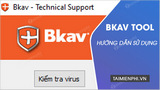
Use Bkav Tool to create a BL.bkc diagnostic log for Bkav Support, process the returned BT.dat file, and send the follow-up BS file safely.