Table of Contents
This guide provides a clear, practical overview of "Microsoft Uses Internal AI Copilot for Code Review, Impacts 600,000". It organizes the most useful details, explains important considerations, and highlights the steps or choices that matter most.
The Redmond-based tech giant said it is using an internal AI programming assistant to review code. GitHub Copilot now impacts more than 600,000 pull requests (PRs) per month — nearly 90% of the company's total PRs. The code review assistant doesn't have a specific name, but was developed with the support of the AI & Data team within Microsoft's Developer Division. The lessons learned from this internal implementation are then applied to GitHub Copilot's code review feature for external customers.
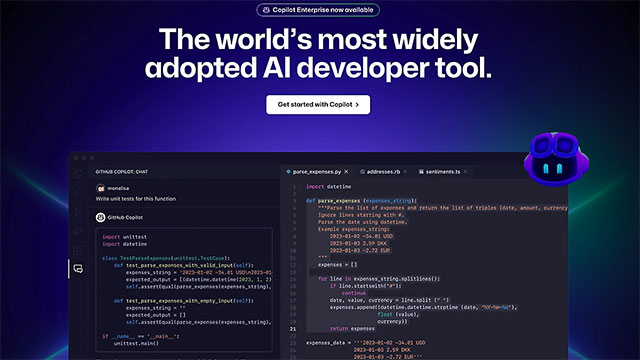
Microsoft also pointed out the problems with large-scale code review, including:
- Reviewers sometimes focus too much on syntax and miss more important issues.
- Code authors often find it difficult to determine the context in complex PRs. This causes PR delays - and this is where AI code review comes in handy, solving most problems in a short time.
In return, the code review assistant will be able to assist with the following aspects:
- Automatic code testing
- Give feedback
- Problem Alert
- Suggest improvements and optimizations
- Generate PR summaries Reviewers can also engage in Q&A with the assistant to gain deeper understanding of the code. Teams can also configure the assistant and customize it for specific issues via prompts.
Microsoft boasts about the positive impact of this solution: faster review cycles, improved code quality, and learning opportunities for both developers and reviewers. The company believes this is the future of programming, which is why they are sharing their internal experience and tools with customers through GitHub Copilot code review, which officially launched in April 2025.
FAQ
What does this guide cover?
This guide explains Microsoft uses internal AI copilot for code review, impacts 600,000, including the main steps, important details, and practical considerations.
Who is this guide for?
It is designed for readers who want a clear, practical overview and a reliable process they can follow without unnecessary complexity.
What should you check before getting started?
Review the requirements, confirm that your software or device is up to date, and save any important data before changing settings.
Related Articles
 What Are Copilot Labs: Clear Explanation5 minutes read
 What Is Microsoft Copilot AI? How to Use It Effectively?6 minutes read
 How to Use Cursors to Review Code Effectively6 minutes read
 Overview of Copilot Studio11 minutes read
 GitHub Copilot - Your AI Programming Tool6 minutes read
 How Is Copilot Pro Different from Copilot? Should I Upgrade Explained7 minutes read
Reader Comments 0
Sign in with email or Google to join the discussion.