Table of Contents
OpenAI launched the Codex desktop app for Windows in March 2026. Codex is now available as a dedicated view in the newer ChatGPT desktop app for Windows, alongside Chat and Work. If you are installing it today, use the current official ChatGPT download page and check that the publisher is OpenAI rather than relying on a similarly named store result.
Install and open Codex
- Download the Windows desktop app from the official page and complete installation. Managed devices may require an administrator to allow the app.
- Sign in with the ChatGPT account associated with the workspace you intend to use.
- Switch to the Codex view. Open a local project folder and grant access to the files needed for your task.
- Describe a concrete goal, such as “Find the failing test for this function, fix the cause, and run the relevant tests.” Review the proposed file changes and test output before committing.
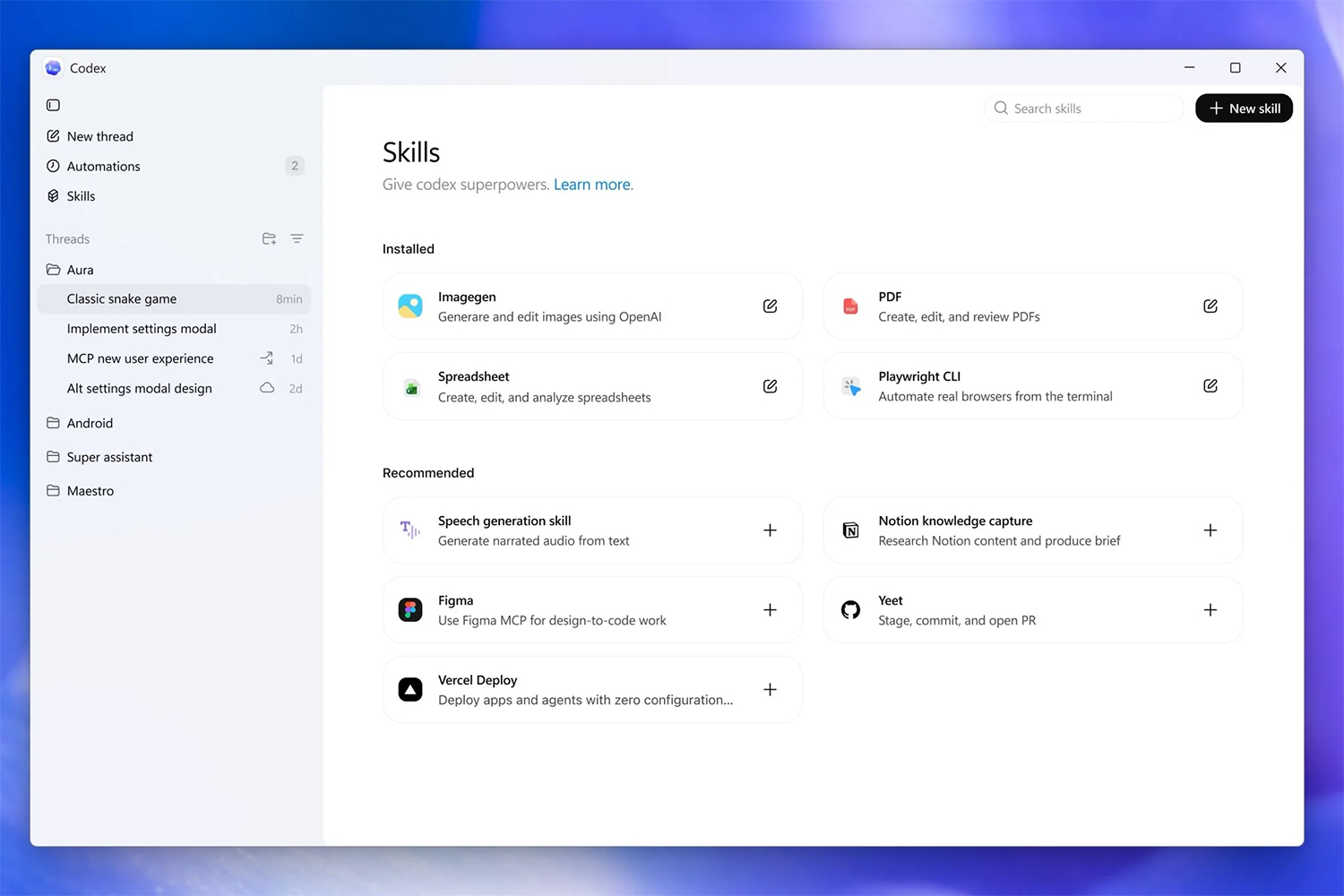
OpenAI's desktop transition guide explains that Codex projects and history remain in their own view. For the broader workflow, TipsMake's Codex guide offers examples, though older screenshots may show a different interface.
Projects, tools, and Windows behavior
Codex can work across project threads, use skills for repeatable workflows, and support scheduled Automations and isolated worktrees where available. Those features do not remove the need to review access and changes. The Windows app has a native sandbox for agent commands; OpenAI's engineering explanation describes its design. Shell choice and WSL support depend on configuration, so check the app's current settings rather than assuming every task uses PowerShell.
Keep the project in version control and inspect the diff before committing. TipsMake's Git change-review guide covers the basic idea. If a task needs network or access beyond the project, read the permission prompt and approve only what the work requires.
Related Articles
 OpenAI Codex User Guide with 3 Real-World Examples10 minutes read
 OpenAI Codex Officially Launches Globally4 minutes read
 5 exciting projects to help you explore the power of7 minutes read
 OpenAI Launches GPT-5-Codex: Upgrading Codex with Dynamic4 minutes read
 How to Use OpenAI Codex Directly in Google Chrome5 minutes read
 Is the Codex or Claude Code Better for AI in Programming: Explained10 minutes read
Reader Comments 0
Sign in with email or Google to join the discussion.