Table of Contents
Gemini can turn lesson notes into lyrics and a music track. For classroom use, start with a small set of accurate facts, check the lyrics, and then generate the song. A catchy rhyme is useful only if it preserves the meaning of the lesson.
1. Open Gemini's music tool
Open Gemini and choose Create music from the tools menu. Select Pro when creating a full track. Tool availability and labels may vary by account; consult Google's music-generation instructions if the option is missing.
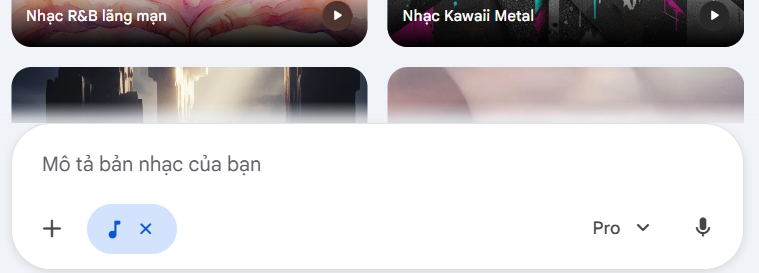
2. Prepare the lesson and draft lyrics
Choose one learning objective rather than an entire chapter. Paste the definitions, dates, or formulas that students must remember, and explain the intended grade level. Define every symbol in a formula so Gemini does not have to guess.
Use this prompt to draft lyrics before requesting audio:
Write lyrics for a short [genre] revision song for students in [grade].
Topic: [topic and subject].
Use only these lesson facts: [paste checked notes].
Use simple language and short lines that are easy to sing.
Verse 1 should explain the idea; verse 2 should repeat the key rule or formula.
Keep the facts and formula symbols unchanged. Do not invent information.
Return lyrics only, with no audio yet.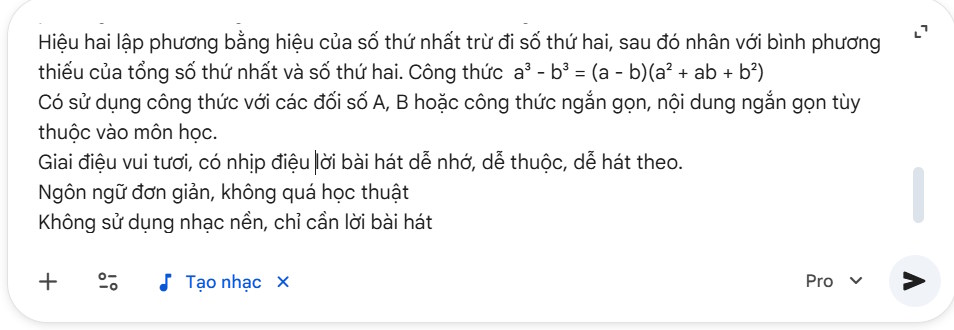
3. Check the lyrics, then generate the song
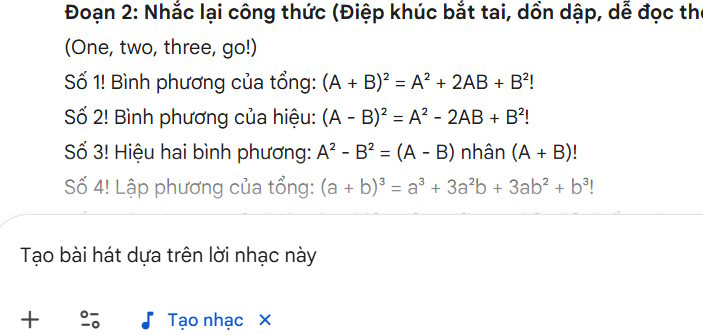
Compare every line with your teaching material. Check that rhymes have not changed a definition, omitted an exception, or confused similar terms. Read equations aloud: a formula that looks right on screen may be unclear when sung. Correct the text before proceeding.

Once the lyrics are accurate, ask Gemini to make the track:
Create a [genre] song using the checked lyrics below.
Include clear vocals, a steady pace, and a melody students can sing along with.
Keep the wording and formula symbols unchanged.
Lyrics: [paste the approved lyrics]
Choose an available track length that fits the lyrics. The original screenshots show an earlier interface; do not assume every account is limited to a 30-second track. If the words sound rushed, shorten the lyrics or split the lesson into separate songs.
For more control over the musical result, see TipsMake's Lyria prompt tips and its guide to Lyria 3 Pro.
4. Listen and download
Play the complete song before using it in class. Listen for missing lines, mispronounced terms, and unclear numbers or symbols. Regenerate or revise any section that could teach the wrong information.
Use the track's Download control to save the available audio or video version. Use the song as a revision activity alongside the written lesson, and ask students to explain the rule in their own words afterward.
Related Articles
 How to Easily Identify Songs Using Gemini on Android6 minutes read
 How to Create Mind Maps for Lessons Using Gemini5 minutes read
 Instructions on Creating a Mind Map for a Lesson Using Gemini5 minutes read
 How to Create Visual Lectures with Gemini Canvas4 minutes read
 Tips for Quickly Creating Automated Tests on Gemini4 minutes read
 What Is 3D Transform: 3D Transform in CSS4 minutes read
Reader Comments 0
Sign in with email or Google to join the discussion.