Table of Contents
You can try some of Gemini's advanced features without paying through the free version or an eligible promotional trial. The paid plans are now presented as Google AI plans, such as Google AI Pro, rather than the older Gemini Advanced and Google One AI Premium names.
A trial is temporary subscription access. The free version is a separate option with lower or changing limits. Check the offer shown for your own account before assuming you qualify.
1. Check the trial offered to your account
Open Gemini's upgrade or subscription section, or visit Google's AI plan page. Sign in with the account you plan to use and inspect any trial offer displayed.
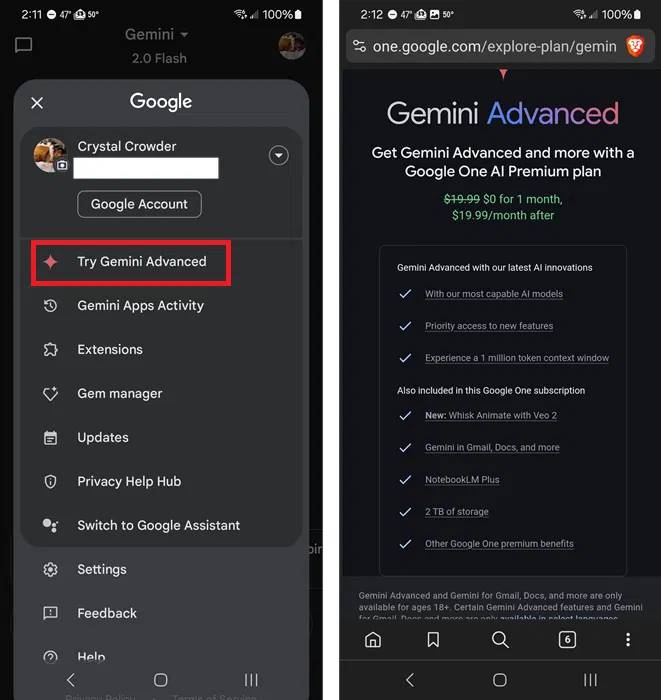
The screenshot shows older branding. A one-month trial is not guaranteed for every user, and a promotion offered to someone else may not apply to your country or subscription history.
Before accepting, confirm:
- The trial length and redemption deadline.
- The price, currency, billing interval, and first charge date after the trial.
- Whether a payment method is required.
- Which features and storage allowance are included in that particular offer.
- Whether an existing subscription or family membership affects eligibility.
If you want only the trial, set a reminder before the renewal date and use the subscription-management page to cancel. Keep the confirmation and check the displayed end date. Removing the Gemini app does not cancel a subscription.
2. Check the current student offer
A school email address alone is not proof of eligibility, and an address ending in .edu does not automatically give students, teachers, or former students a free year.
Google's student-offer guidance lists specific requirements and promotions. It currently describes a 12-month Google AI Pro trial for eligible US higher-education students, alongside other student discounts and bundles. The offer available in another country may be different.
Expect student-status verification, a personal Google account, and an eligible payment method where the terms require them. Use Google's official offer flow and its named verification provider. Check the duration and renewal terms after verification rather than relying on an old promotional screenshot.
3. Inspect device-bundle terms
Selected Pixel purchases can include a Google AI plan promotion. The eligible phone models, purchase dates, activation requirements, redemption deadline, and exclusions vary by offer and region.
Read the terms attached to the exact device on the Google Store offers page. An expired Pixel promotion is not a current route to free access. Buying an expensive phone only to obtain a trial is unlikely to make sense unless you already want that device.
Also check how a return or an existing Google One membership affects the promotion. Do not assume a device bundle will stack with another trial.
4. Try the free version first
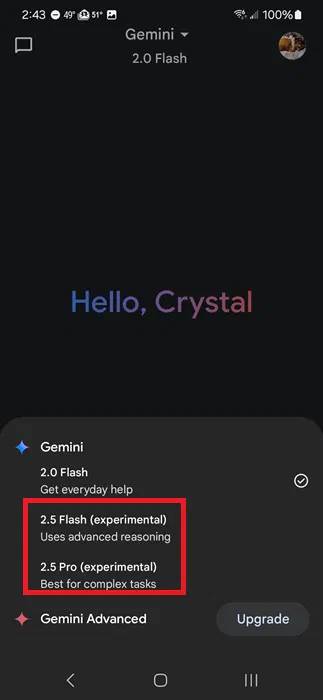
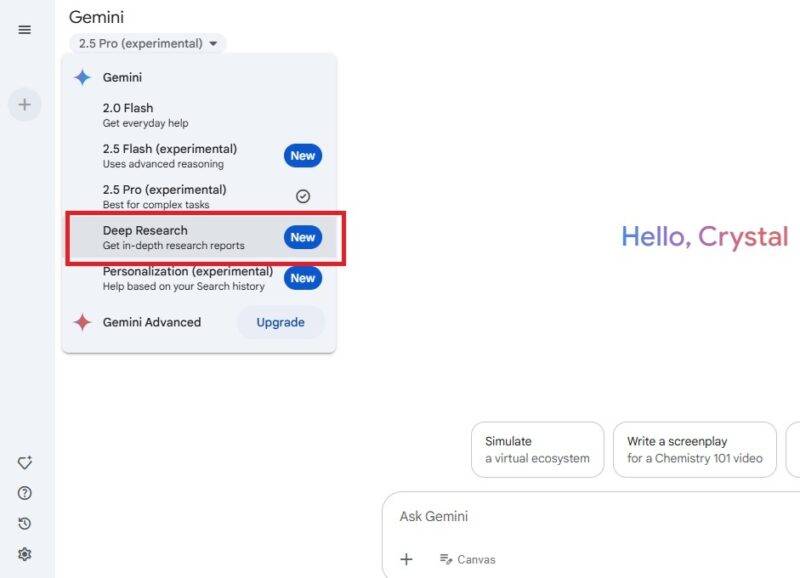
Open Gemini's model and tools menus to see the options available without an AI subscription. The screenshots illustrate older menus; current model names and limits may differ.
Deep Research can help build a report from multiple sources, subject to account limits and availability. Inspect its plan and cited sources, then verify the claims that matter.
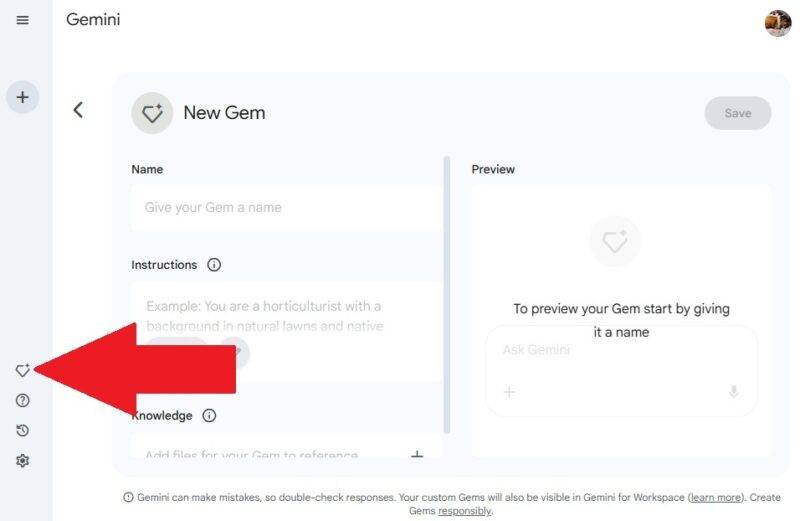
Gems provide reusable instructions for a task, such as tutoring or editing. Test a simple Gem before assuming you need a paid plan for your workflow.
Google's usage-limit guide explains that limits can change and that demanding features may be unavailable to free users during high demand. Use the limit and reset information shown in the app rather than an old claim of ten requests per day.
Decide using your actual workload
Try a few representative tasks: explaining a difficult concept, reviewing a document, or researching a question. Compare accuracy, source quality, and whether you reach a limit. You can also test Gemini's Connected Apps or use the ChatGPT and Gemini comparison to evaluate alternatives.
If the free version meets your needs, there is no reason to start a renewing trial merely to access features you will not use.
Related Articles
 Gemini Advanced Is Now Google AI Pro: Current Plans15 minutes read
 5 Reasons Why Gemini Advanced Is Far Superior to ChatGPT Plus7 minutes read
 Which Is Better Gemini Advanced or ChatGPT Plus: What to Know13 minutes read
 Gemini Now Supports File Uploads: Features, Uses, and Practical5 minutes read
 Google Launches Gemini 2.5 Deep Think - Surpassing OpenAI o3 and3 minutes read
 How to Get Gemini Pro, 2TB Storage Free for 1 Year: Step-by-Step Guide9 minutes read
Reader Comments 0
Sign in with email or Google to join the discussion.