Table of Contents
You can share a Gemini conversation by creating a public link. Anyone who obtains the link can read and forward the shared content. Eligible recipients can also continue from it in their own Gemini conversation; they do not join a live group chat with you.
Review the whole conversation before sharing. Remove personal details and private material by preparing a separate, clean conversation if necessary. Do not assume that clicking Share below one answer publishes only that answer: Google's current workflow shares the entire conversation.
Share a chat on your phone
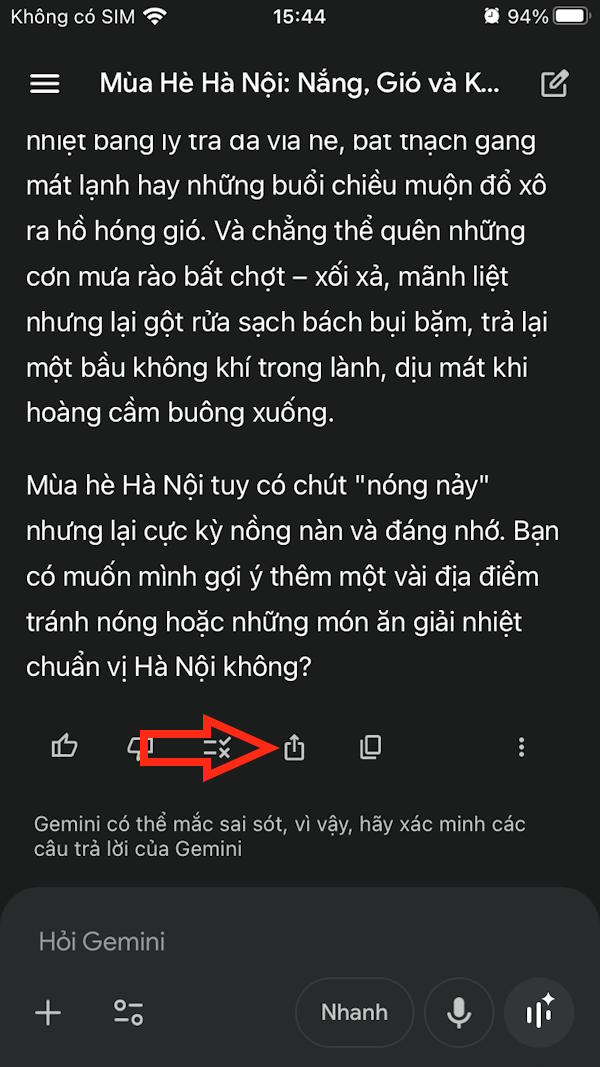
- Open the conversation in the Gemini app or at gemini.google.com.
- Under a response, tap the Share control. Choose Share conversation when the menu appears.
- Review any public-link confirmation. If your interface asks you to create the link, confirm only after checking the content.
- Copy the public link or choose a messaging app from the sharing sheet.
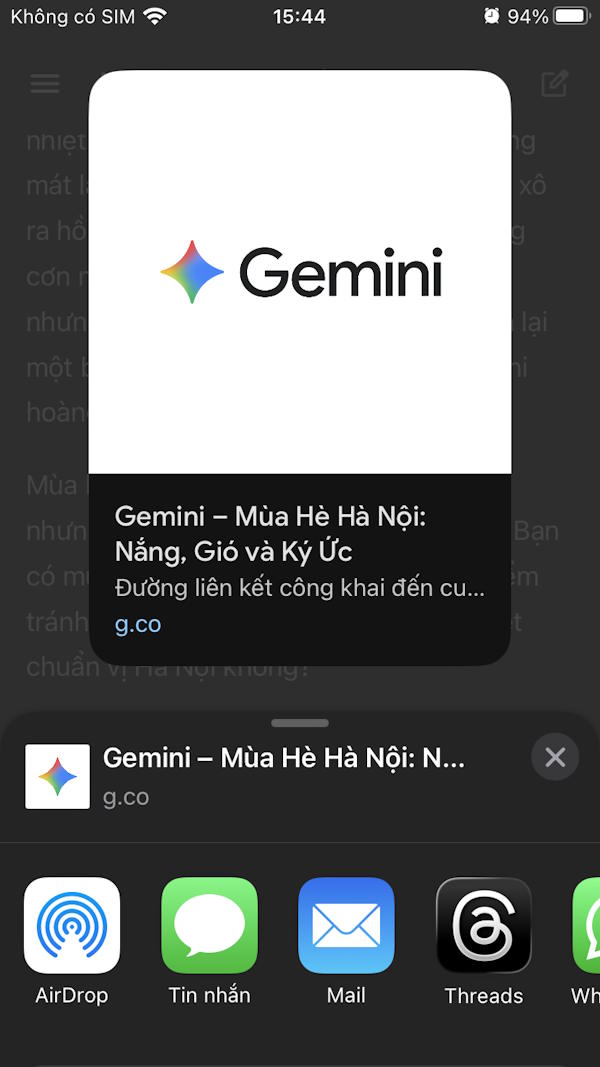
Before sending, open the link yourself and check what it exposes. Uploaded images and generated artifacts may be included, so review more than the text alone.
Share a chat on a computer
Open Gemini in your browser and select the intended conversation. Below a response, click Share, then Share conversation.
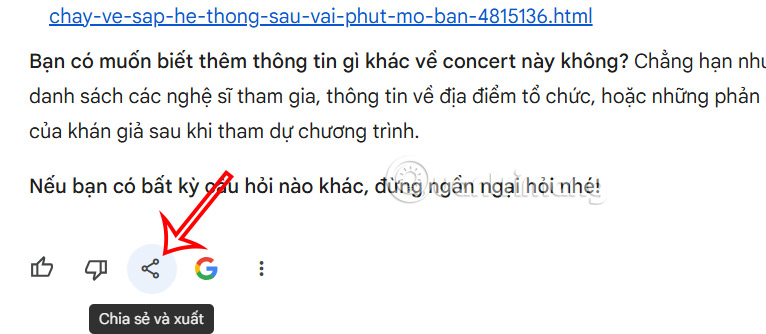
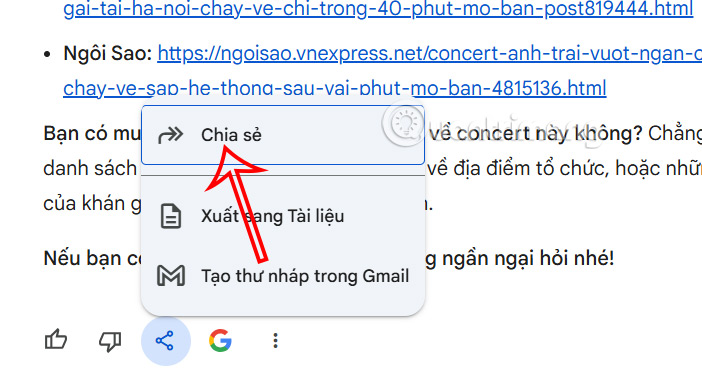
The public link may be copied automatically. If a creation dialog appears, check its scope before choosing Create public link, then copy the result. The screenshots below show an earlier interface; do not rely on an old single-response option being available.
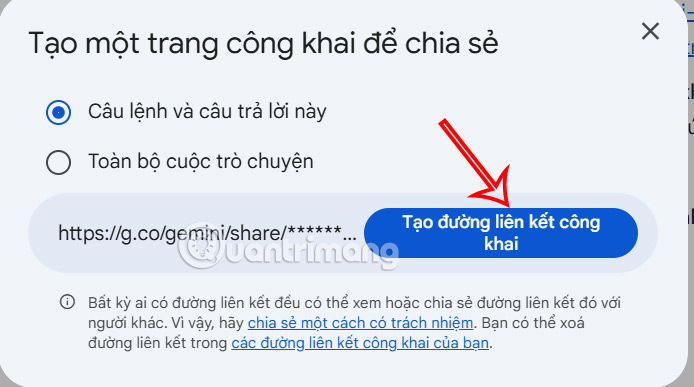
Paste the link into the message or document where you intend to share it. Treat it as public access by possession of the URL, rather than access limited to named recipients.
What recipients can do
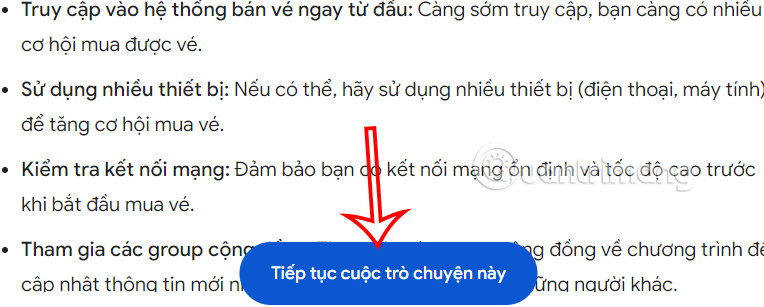
The shared page is a snapshot of the chat when the link was created. Later changes or new replies in your original conversation do not update that snapshot.
Where available, Continue this chat starts the recipient's own continuation. Their replies do not appear in your original conversation. Google currently limits continuation for users under 18 and for chats created with Gems; a chat created with a Google AI subscription also requires a Google AI subscription to continue.
For current details, consult Google's conversation-sharing instructions.
Delete a public link on your phone
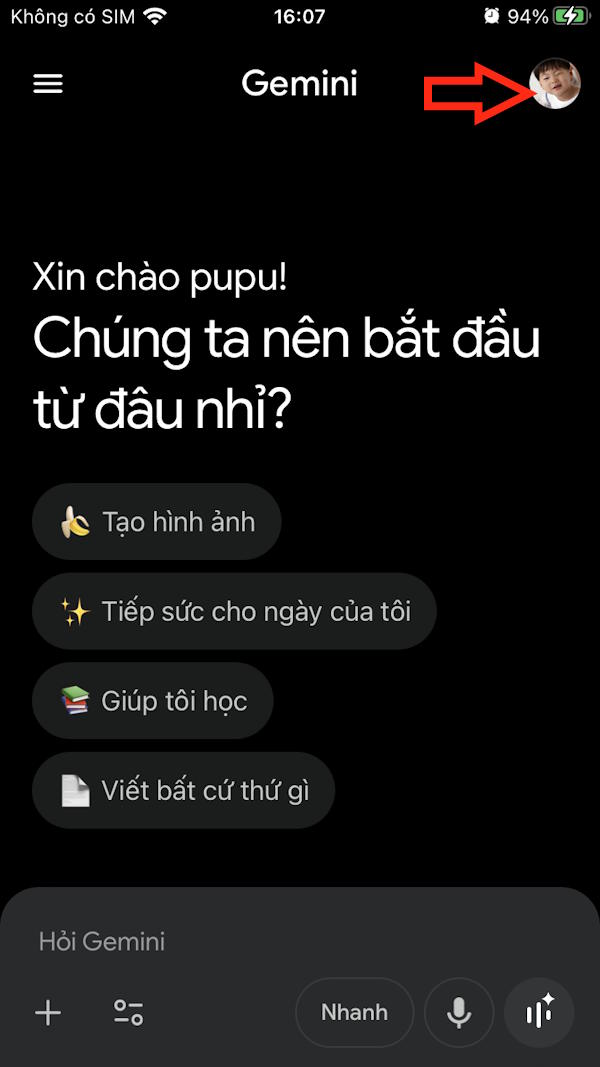
In the Gemini app, open the menu if needed, select your profile picture or initial, then go to Settings > Your public links.
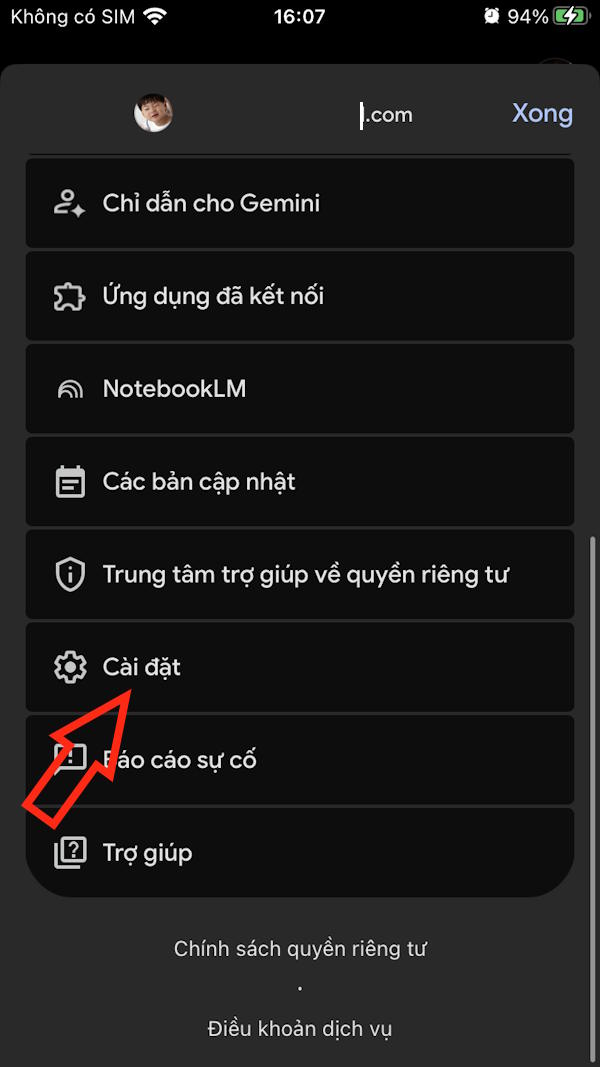
Locate the intended link and tap its delete or trash control. Delete all links removes every public link you created, so use it only when that is your intention.
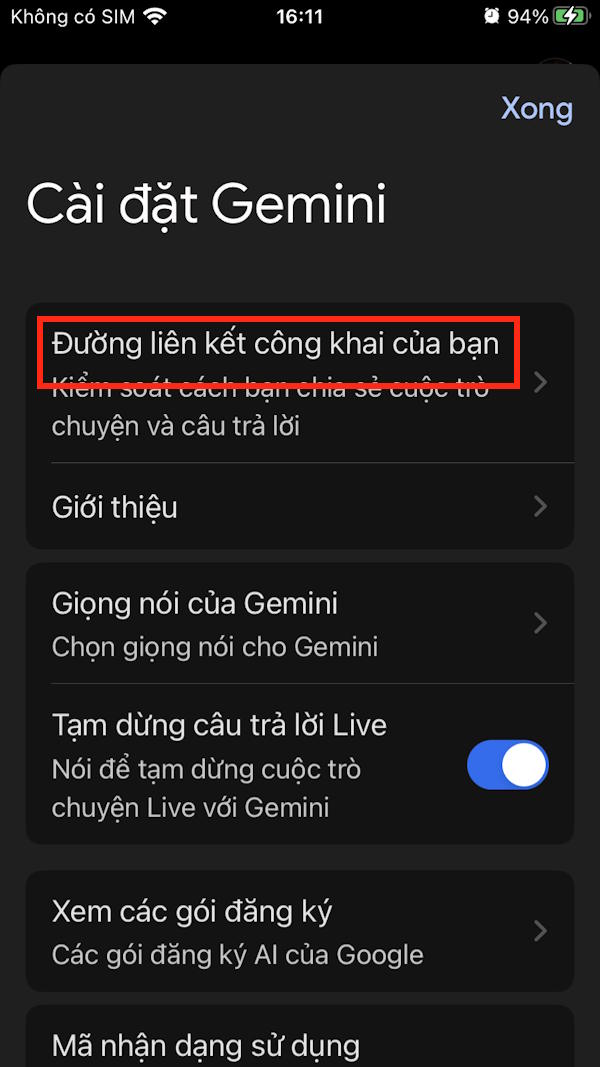
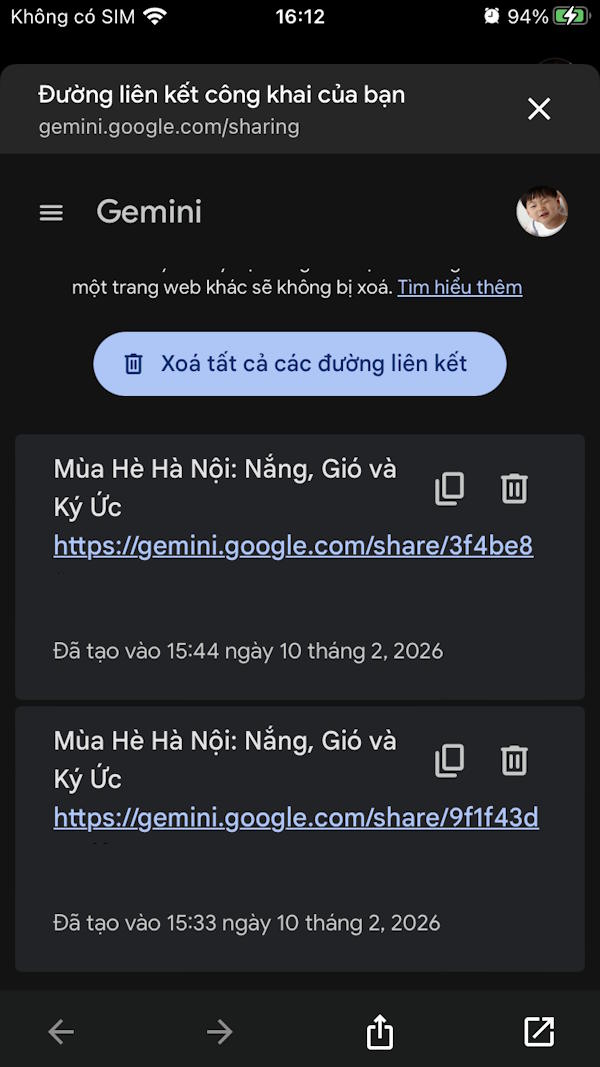
You can also use the mobile website: open the menu, then Settings & help > Your public links.
Delete a public link on a computer
Open Settings & help > Your public links in Gemini's web interface.
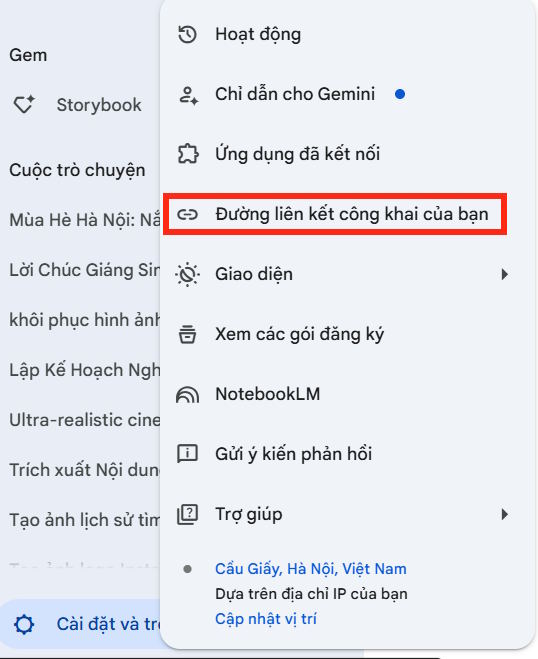
Delete the specific link, or choose Delete all links if you want to revoke every shared page.
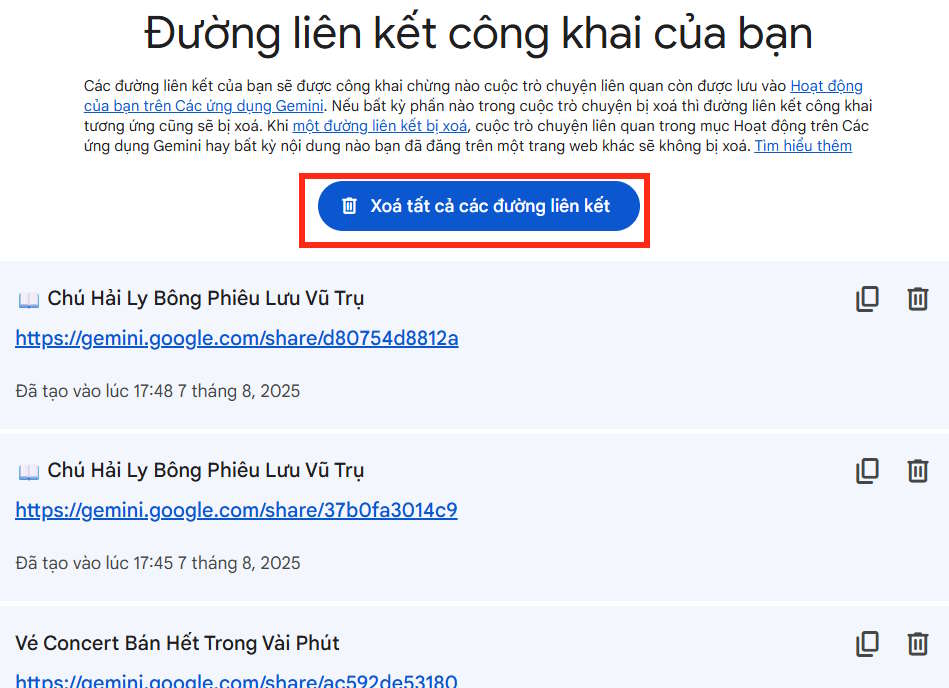
Deleting the link prevents further access through that URL. It does not remove screenshots, posts containing the URL, or a recipient's existing continuation. It also does not delete your original conversation or its activity record.
For those separate controls, see Gemini history and memory settings and AI chat data controls.
If sharing is unavailable
Confirm you are signed in and using the current app or web interface. An organization may disable sharing for its Workspace accounts. If an old public link stops working, the associated conversation may have been deleted manually or through activity retention settings; create a new link only after checking what you want to publish again.
Related Articles
 Temporary Chat Guide on Gemini3 minutes read
 Guide to Sharing Your Personal AI Assistant on Gemini4 minutes read
 How to Share Chat Logs on ChatGPT5 minutes read
 How to Move Chat History and Saved Info to Gemini9 minutes read
 How to Download Games Created on Gemini4 minutes read
 How to Create and Export Microsoft Office Files Directly from a Chat with Gemini4 minutes read
Reader Comments 0
Sign in with email or Google to join the discussion.