Table of Contents
Many people have been using cloud-based chatbots for a long time. Since large language models require significant computing power to run, they were essentially the only option. But with LM Studio and quantized LLMs, you can now run good models offline using existing hardware. What started as a curiosity about local AI has now become a powerful, inexpensive alternative that works without the Internet and gives you complete control over your AI interactions.
LM Studio Overcomes the Complexity of Local AI
Running local LLMs is now easier than ever!
Before discovering LM Studio, many people spent countless hours struggling with newly built open source tools. They were often immersed in GitHub repositories, reading lengthy technical documentation, configuring Python environments that seemed to break after every update, and searching for suitable patterns on oobabooga's Hugging Face. Once they were set up, the underlying tools would become outdated or undergo major changes, forcing them to start the whole process over.
LM Studio has completely changed this experience by packaging everything into a complete desktop application, making downloading and running large language models as simple as installing any other software. To run AI offline, you need two things: A quantized AI model and an interface tool like LM Studio. Quantized models are compressed versions of full AI models, retaining most of their capabilities while using significantly fewer computing resources. Instead of needing expensive server hardware, you can run complex AI models on a regular laptop with a decent CPU and 16GB of RAM. With LM Studio, it's even possible to run AI chatbots on legacy hardware!
One of the favorite quantization models to use with LM Studio is Dolphin3. Unlike conventional AI models that come with extensive content filtering, Dolphin3 is designed to be truly useful without being arbitrarily limited.
Launch Dolphin3 in minutes
Quick and easy start guide
Setting up an offline AI assistant doesn't require much technical expertise. The whole process can take about 20 minutes, most of which is just waiting for the download to complete.
First, download LM Studio from the official website and install it like any regular application. The software is compatible with Windows, Mac, and Linux, especially Apple Silicon Macs that perform very well in these types of AI inference tasks. Once installed, LM Studio opens up a neat interface with a search bar to search for models.
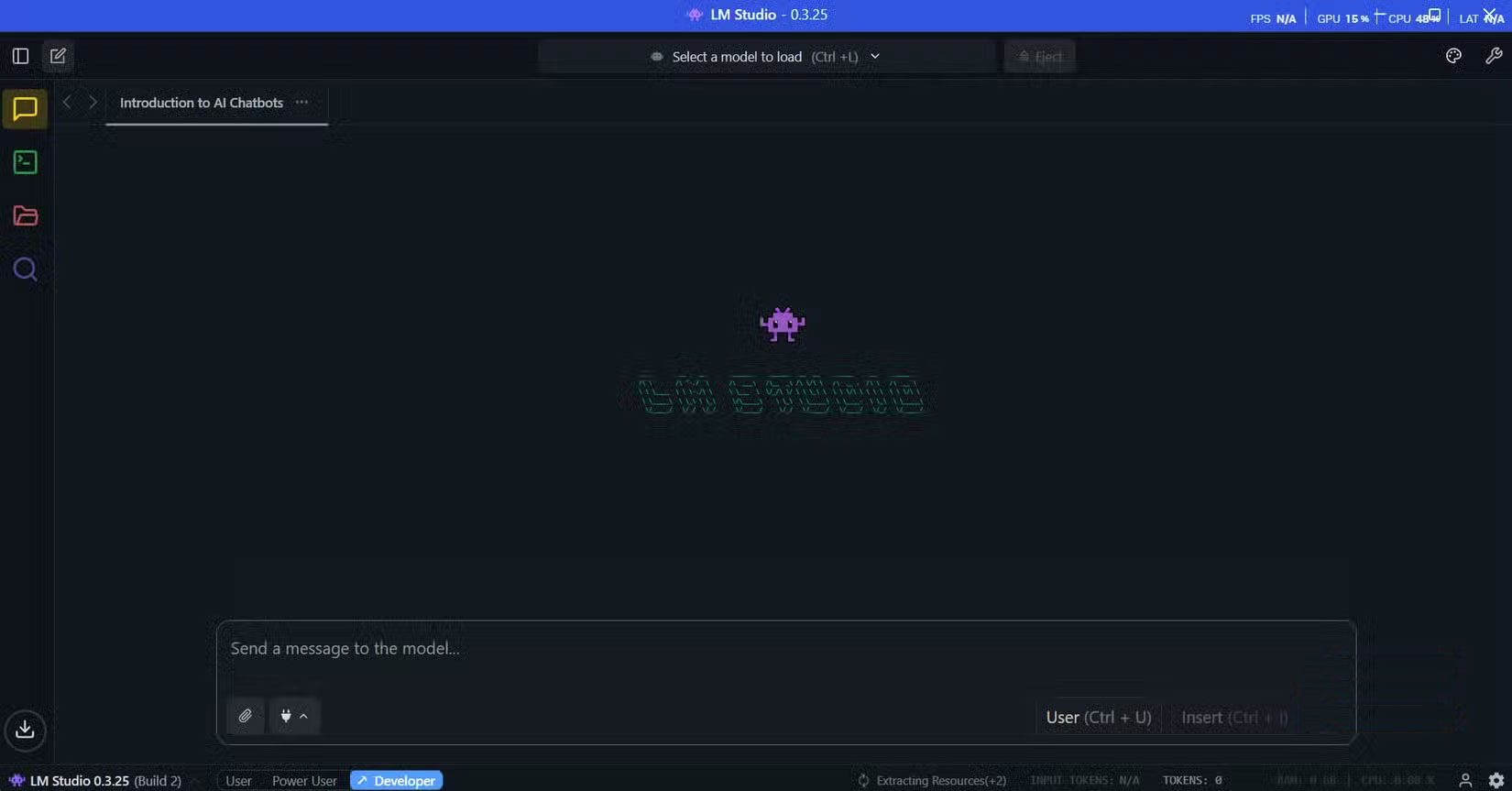
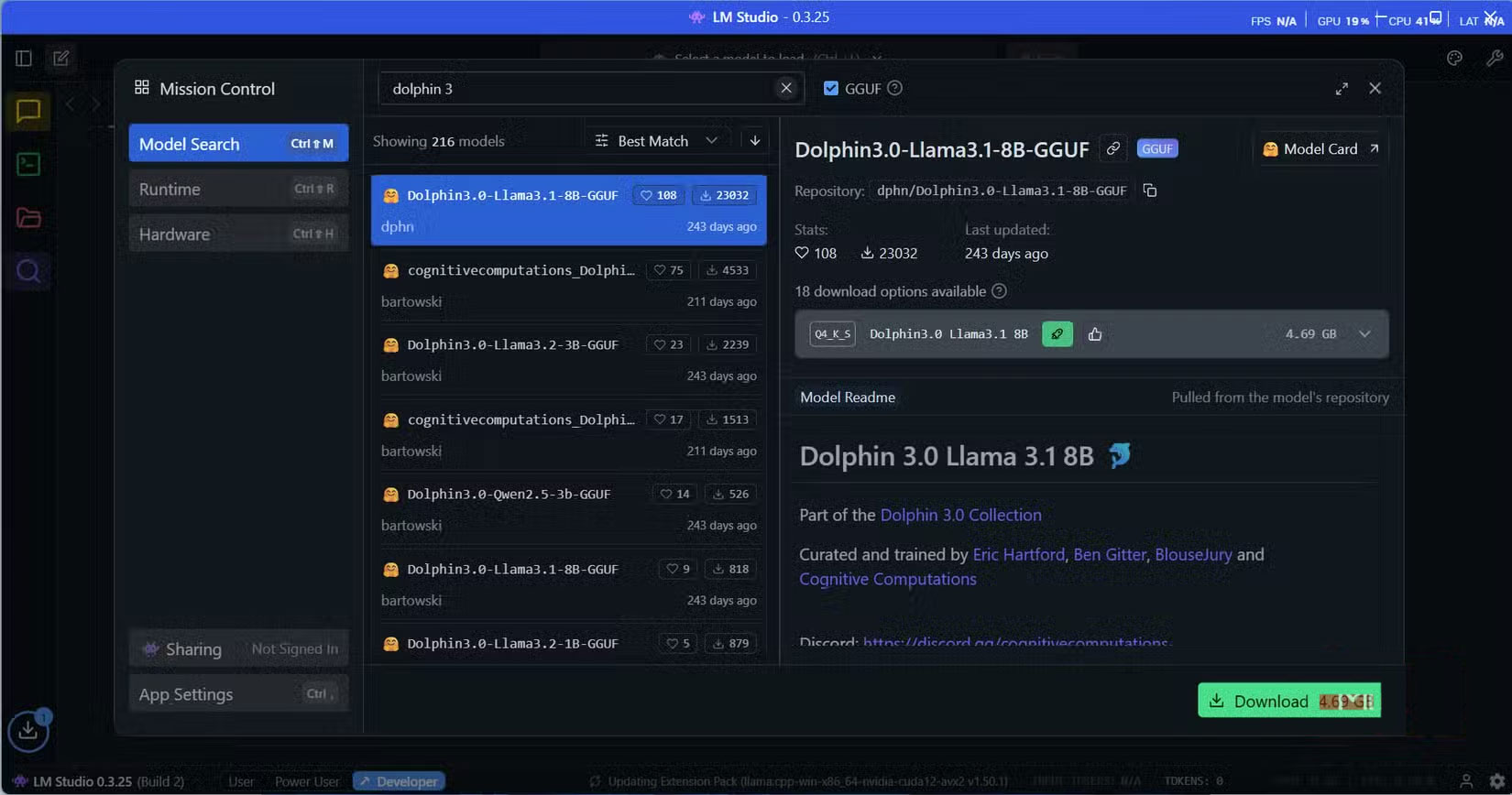
Search for 'Dolphin3' and you'll see a few available versions. You should start with the 8B version if you have 16GB of RAM, or the smaller 3B version for computers with 8GB. The download size ranges from 2GB to 6GB, depending on the version you choose. LM Studio shows you exactly how much memory each model requires, taking the guesswork out of hardware compatibility.
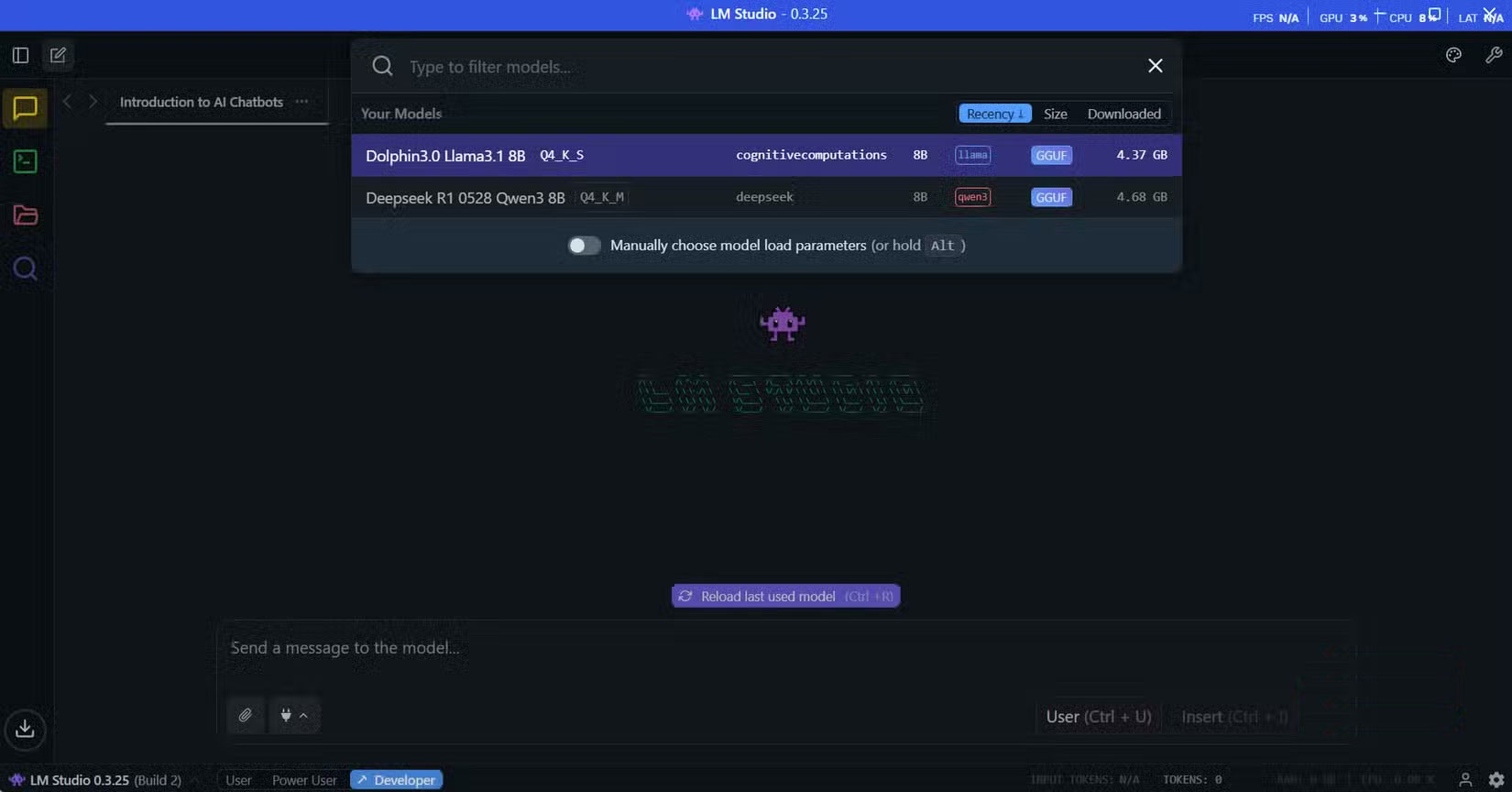
after the download finishes, go to the Chat interface in the upper right corner of the sidebar, then click the Select a model to load button in the top middle of the window. The downloaded models will appear as a drop-down list. Select Dolphin3 to start loading the model. The loading process takes about 30 seconds, after which you're ready to start chatting. The interface will be familiar to anyone who has used ChatGPT, with a message box at the bottom and a chat history at the top.
When asking Dolphin3 a question, its performance is quite good. Not as fast as ChatGPT or Claude, but quite acceptable. As you can see, Dolphin3 can respond in about 11 seconds for a response of about 320 words (453 tokens), making the conversation flow smoothly without any noticeable lag. Everything happens locally, so the response time is consistent regardless of your internet connection.
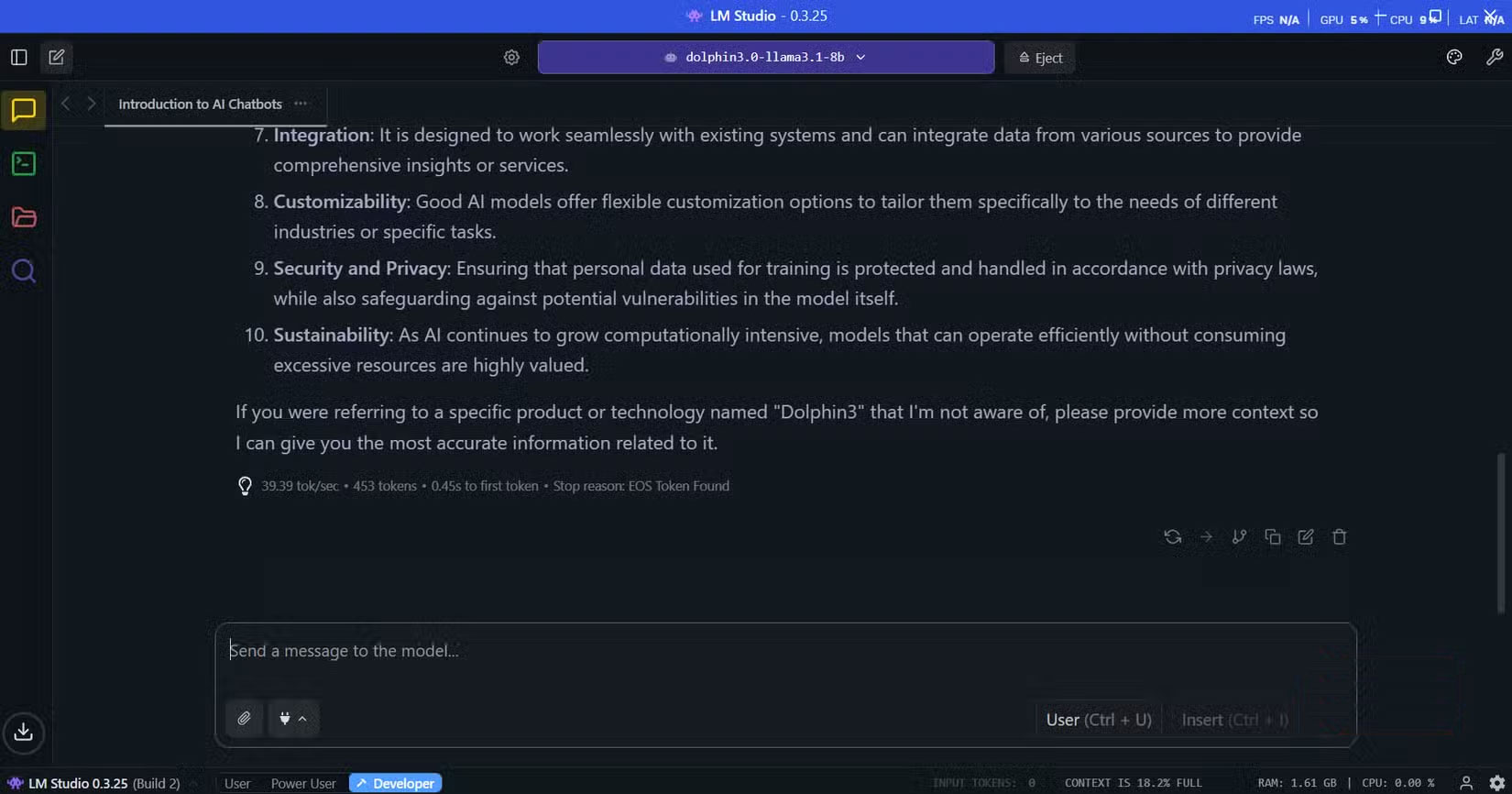
When you are finished with a conversation, you can click the Eject button to completely remove Dolphin3 from memory. This will instantly delete all traces of the conversation and free up system resources.
Unlike cloud services that can retain your chat history indefinitely, the delete model gives you complete control over when your chats are permanently deleted.
Why do people like using Dolphin3?
Fast, private and surprisingly capable
True, it won't be a great alternative to ChatGPT for complex arguments or the latest web-connected insights, but it makes up for that in other ways. Privacy-sensitive conversations top the list, where you can share your deepest thoughts and concerns without worrying about data retention policies or corporate surveillance. This includes personal reflections, relationship issues, or sensitive workplace situations that you would never trust to cloud services.
There are a number of other offline LLMs you can try out now, but many people still stick with Dolphin3 because of its approach to content moderation. Being an uncensored model doesn't mean it ignores ethics or context. Since it's built on LLaMA, which is trained on large and diverse datasets, it still reflects a solid understanding of right and wrong. "Uncensored" simply means it can handle topics that other models might avoid, such as controversial politics or sensitive historical events.
Many people still use cloud-based AI
It's not possible to completely abandon cloud-based AI, and frankly, that's not the goal. The reality is, to run truly powerful models, the only sensible option is really cloud-based AI. Many people prefer to use Perplexity for research and web-based tasks where they need up-to-date information and a broader knowledge base. These services excel at tasks that require massive compute resources, real-time data, or the latest training.
It is important to find the right balance between cloud-based AI and offline AI to ensure maximum privacy, security, and minimize infrastructure dependency.
Final Thoughts
Following the steps in order and checking version-specific settings should make it easier to Use Dolphin3 Offline AI Assistant Instead of Cloud Chatbot. If an option looks different, verify the device, app, or operating-system version before changing additional settings.
FAQ
What is the best way to Use Dolphin3 Offline AI Assistant Instead of Cloud Chatbot?
Start with the requirements described in the article and follow the steps in order. Many people have been using cloud-based chatbots for a long time. Since large language models require significant computing power to run, they were essentially the only option.
What should you know about Running local LLMs is now easier than ever!?
Before discovering LM Studio, many people spent countless hours struggling with newly built open source tools.
What should you do if the instructions do not match your screen?
Check the device, software version, account permissions, and regional settings. Interfaces can change after updates, so use the closest matching option and consult the official support documentation when necessary.
Related Articles
 The Trend of Chatbot Will Explode in the Future5 minutes read
 ChatOn - AI Chat Bot Assistant5 minutes read
 Google Adds the Ability to Work Offline with Drive via Chrome3 minutes read
 Chat Smith: AI Chatbot && Agent5 minutes read
 How to Create an AI Chatbot for Design in Canva3 minutes read
 Utilize Old Computers to Build Home Assistant and a Free Smart Home System7 minutes read
Reader Comments 0
Sign in with email or Google to join the discussion.