Table of Contents
Learn how to use ChatGPT voice mode to take notes with clear steps, practical tips, and troubleshooting guidance for a reliable result.
Turn ChatGPT into a tool to record everything
ChatGPT turns everything you say into structured notes

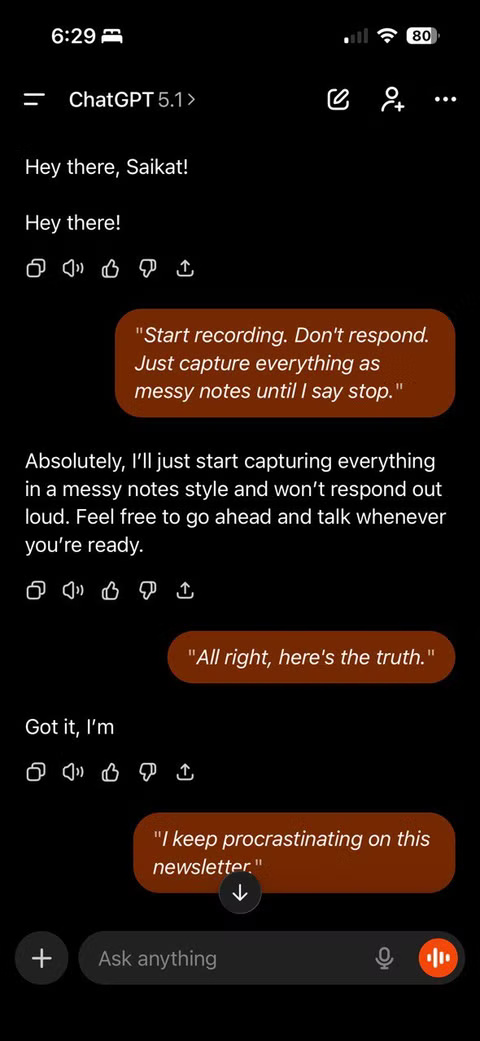
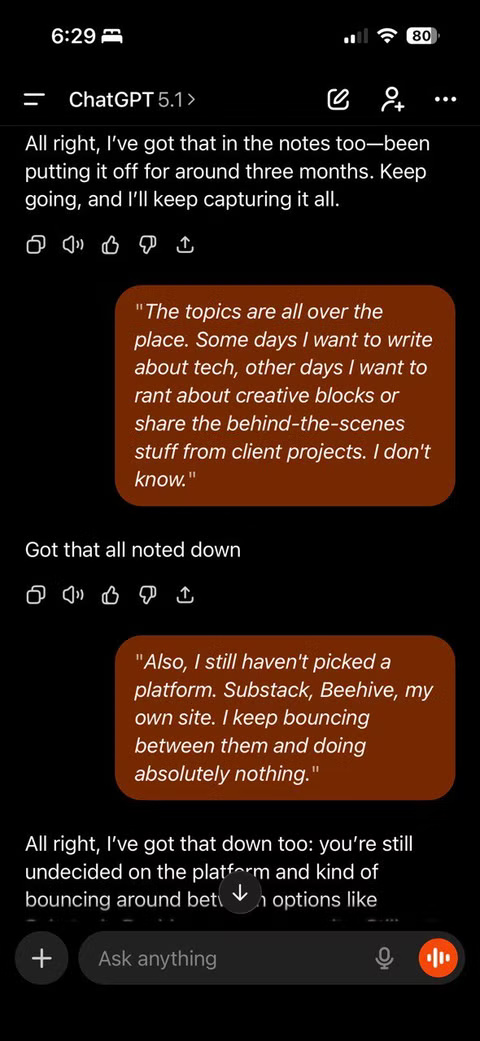
Voice Mode is one of ChatGPT's best features. With just one tap, jotting down thoughts becomes easy. You tap the microphone, speak your idea or reminder, and the recording appears instantly. The feature works the same whether you're meditating while walking or recording a meeting. Because ChatGPT keeps everything in context, you can ask it to organize these raw notes into summaries, lists, or templates.
Speaking into ChatGPT is like speaking into a tape recorder, but the advantage is that it understands the structure of what you want to say. You can refer to these conversations at any time, and the AI memory will continue the conversation as if you never left. Plus, it can understand the messiness of your words. ChatGPT doesn't get confused by "ums," "ahs," and other unfinished thoughts. It can string them together into complete sentences. The real utility comes after you finish your rambling thoughts.
Automatically organize your messy notes into useful formats
ChatGPT can convert raw text into structured summaries, outlines, checklists, or templates
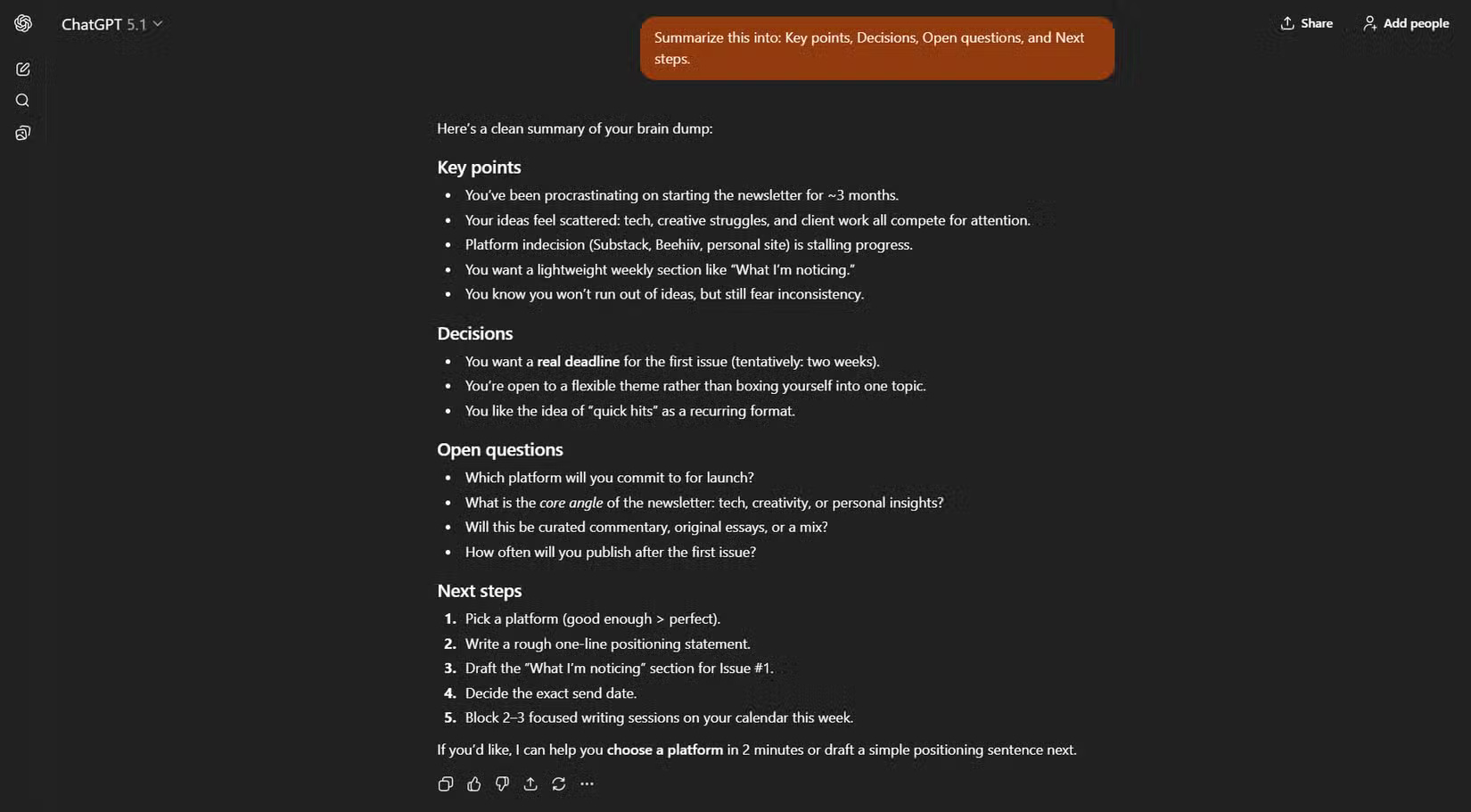
With ChatGPT, you don't need a perfect organization system. It can do it for you with just a prompt. Once your notes are captured, ChatGPT can reformat the same text endlessly. You can ask it to create neat bullet points, meeting minutes, research summaries, or even project plans that span days and months. It's flexible enough to reformat the same content into multiple formats. This saves a lot of time when you have a lot of messy notes.
Here's another example. ChatGPT is like a silent companion that listens when your mind is cluttered and your ideas are hazy. You take everything in and then ask it to categorize your scattered thoughts into Wins, Challenges, Ideas, and Tasks. For you, organizing might be something different. ChatGPT can clarify and separate the signal from the noise.
Try this suggestion if your note context fits:
Summarize this content into: Key Points, Decisions, Open Questions, and Next Steps.
'Open-ended questions' will help you think critically. 'Decisions' and 'Next steps' will tell you where to take action.
Schedule reminders from notes so you don't miss any information
ChatGPT can turn action items into next tasks and automatically notify you
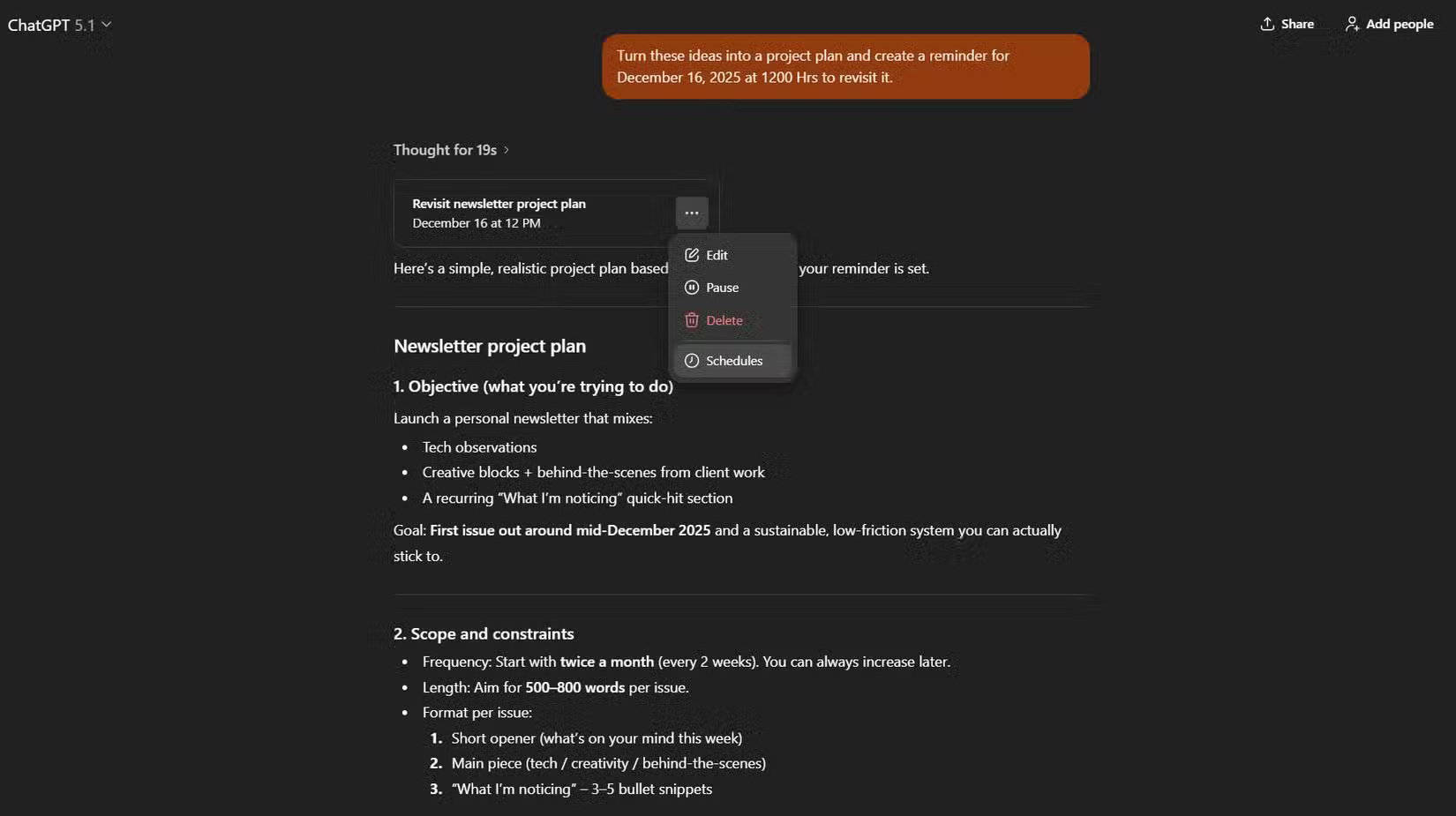
The real magic happens when ChatGPT turns your notes into reminders. ChatGPT Tasks can trigger follow-up calls directly from what you just recorded. It can pull action items from your meeting summary, attach due dates, and schedule each reminder without the need for another app. Each reminder appears in ChatGPT's dedicated task list, and you can edit or pause them at any time.
Task reminders solve the biggest problem: Remembering to revisit an idea later. Many people still rely on reminders scattered across Apple Notes, Google Keep, and task apps, which means they still forget. Now, when you take a voice note, ChatGPT condenses tasks and automatically schedules when they should be done.
For example, after brainstorming ideas for a new project, ask:
Turn these ideas into a project plan and create a reminder for next month [or any specific day/time] to review.
ChatGPT builds plans and schedules reminders instantly. You don't have to manually pick dates or move anything elsewhere - it just happens.
Here is a 5-step diagram of the typical workflow:
- Open ChatGPT. Click on the microphone.
- Say: "Start recording. Don't answer - just record everything until I say stop."
- Sit down for a while.
- Say: "Stop recording. Summarize the notes into a project plan with Key Points, Action Items, and Deadlines."
- Say: "Create reminders for each action item."
Why ChatGPT voice note system can work effectively?
Try this method for some specific types of notes if other systems don't meet your requirements
This workflow is a convenient alternative to other quick note-taking systems. First, it's faster to speak than to type. Second, it eliminates organizational clutter because ChatGPT formats and processes everything for you. Finally, if set up properly, tasks and reminders happen automatically.
Whether you're brainstorming, journaling, studying, or tracking meetings, you can reuse the same simple workflow: Record > summarize > schedule. It works because the maintenance burden is shifted from you to ChatGPT.
Final Thoughts
Use this guide as a practical checklist for how to use chatgpt voice mode to take notes. Work through the steps in order, verify each result, and adjust the options to match your needs.
FAQ
What do you need before following this How to Use ChatGPT Voice Mode to Take Notes guide?
Review the required tools, accounts, settings, or materials mentioned in the article. Learn how to use ChatGPT voice mode to take notes with clear steps, practical tips, and troubleshooting guidance for a reliable result.
What are the main steps for how to use chatgpt voice mode to take notes?
Follow the sections in order, especially Turn ChatGPT into a tool to record everything, ChatGPT turns everything you say into structured notes, Automatically organize your messy notes into useful formats. Complete each step before continuing and verify the result as you go.
What should you do if the process does not work as expected?
Recheck the prerequisites, update the relevant app or service, review the settings, and repeat the step that caused the issue. Use any troubleshooting notes included in the guide.
Related Articles
 How to Use ChatGPT Voice on Computer3 minutes read
 ChatGPT's Advanced Voice Mode Gets a Major Update3 minutes read
 10 Tips for Using ChatGPT Effectively That You Should Know7 minutes read
 OpenAI Pauses Plans to Deploy ChatGPT Voice Mode4 minutes read
 ChatGPT's New Study Mode Makes Studying Easier8 minutes read
 How to Customize ChatGPT Voice to Your Liking4 minutes read
Reader Comments 0
Sign in with email or Google to join the discussion.