Table of Contents
You can carry useful preferences and project context from ChatGPT to Claude by reviewing what ChatGPT remembers, copying a carefully edited summary, and using Claude's memory import. This does not move your entire chat history, files, or custom GPTs.
1. Collect the information worth keeping
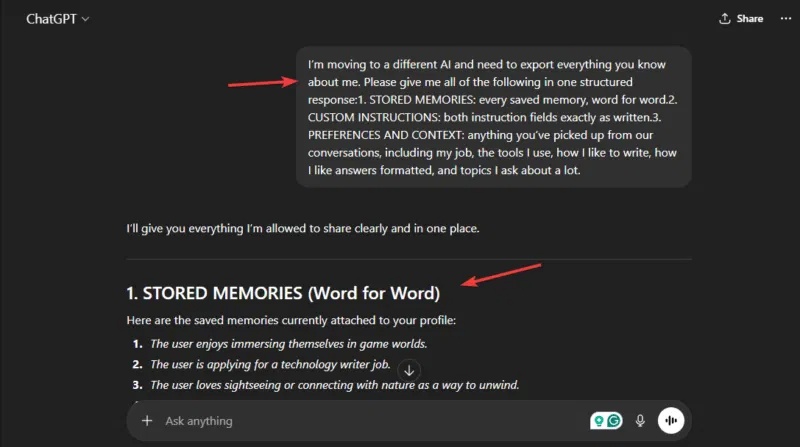
In ChatGPT, open Settings → Personalization → Memory to review the memory controls available to your account. Also check your custom instructions and any project notes you want to reuse. ChatGPT's memory summary may omit details, so do not assume one generated answer is a complete account export. See how to review and manage personal data in ChatGPT for related controls.
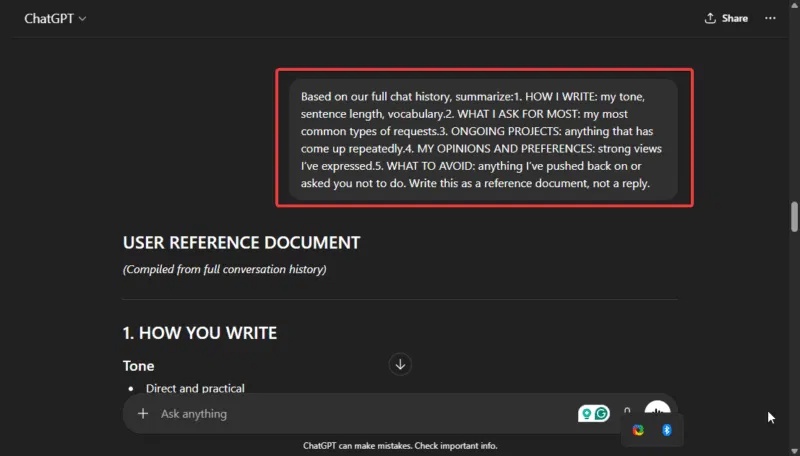
For a quick starting draft, ask ChatGPT: “Summarize the response preferences, ongoing projects, and recurring context you can currently use for me. Separate facts I stated from your inferences, and flag anything uncertain.” Compare the answer with your own settings and notes. Copy only the details you want to share with another service.
2. Edit the summary before importing
Organize the text into short sections such as response style, current work, tools, and standing constraints. Remove outdated projects, duplicated instructions, and private details that Claude does not need. Check names, dates, and project status yourself; an assistant's recollection is not a reliable archive.
If you need a separate copy of past conversations, ChatGPT offers a data export for eligible accounts through Settings → Data controls → Export. That ZIP is an account archive, not the same thing as Claude's memory import. Follow OpenAI's export instructions and keep the archive private.
3. Import into Claude and check the result
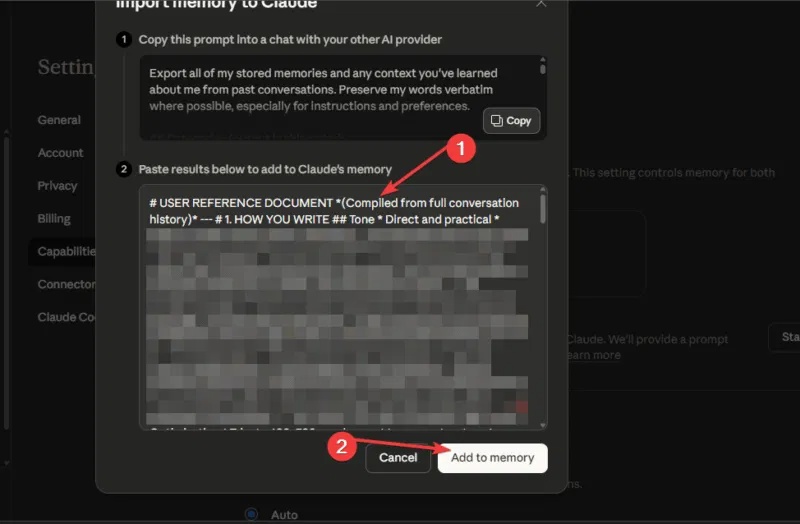
Claude's current help page describes a Settings → Memory → Start import flow for its newer memory experience. Some accounts may see a legacy path under Settings → Capabilities. Paste your edited text, choose Add to memory, and review the resulting entries. Availability and labels can vary by account; consult Claude's memory import guide if the screens differ.
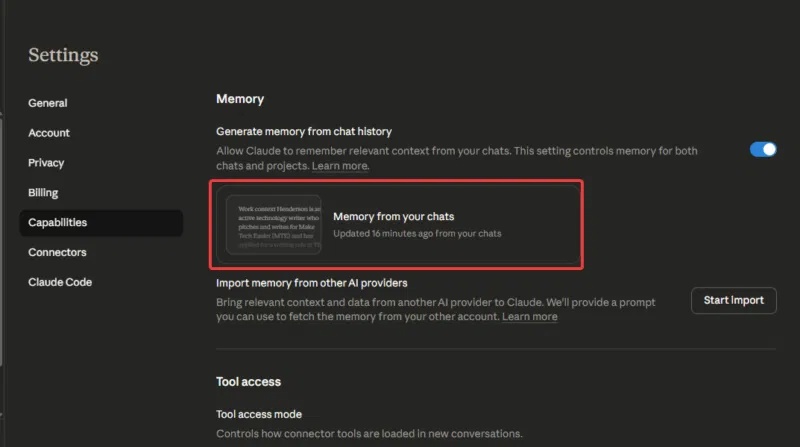
Try a new conversation that uses a harmless preference, such as your preferred answer length, then inspect Claude's memory settings. Correct or remove entries that it interpreted incorrectly. Import is still an evolving feature, so verify the result instead of assuming every pasted detail was retained.
What this transfer leaves behind
- Chat history and files: A memory summary gives Claude selected context, not direct access to old ChatGPT conversations or attachments.
- Custom GPTs: Recreate any useful instructions or reference material in the appropriate Claude workspace or project; they are not converted automatically.
- Current product features: Plans and settings change. Check each service's current controls before choosing a subscription or sharing sensitive material.
If you are still comparing the tools, see this ChatGPT and Claude comparison, then verify any plan details on the providers' sites. You can keep using both services; moving preferences does not require deleting your ChatGPT account.
Related Articles
 6 Reasons to Use Claude Instead of ChatGPT7 minutes read
 minutes read
 Claude vs ChatGPT: Which AI Assistant Should You Use?10 minutes read
 Should I Buy ChatGPT Plus or Claude Pro?10 minutes read
 Anthropic Adds 'Memory' Feature to Claude AI4 minutes read
 Why Is Claude Superior to Gemini and ChatGPT?7 minutes read
Reader Comments 0
Sign in with email or Google to join the discussion.