Table of Contents
This practical guide explains how to create a teacher account on the temis system. Follow the steps in order, review the requirements first, and use the troubleshooting notes when a setting or option does not work as expected.
How to creating a teacher account on Temis
Step 1:
First, teachers need to access the Temis database page using the unit's administrative account (Department of Education and Training) then select System Administration.
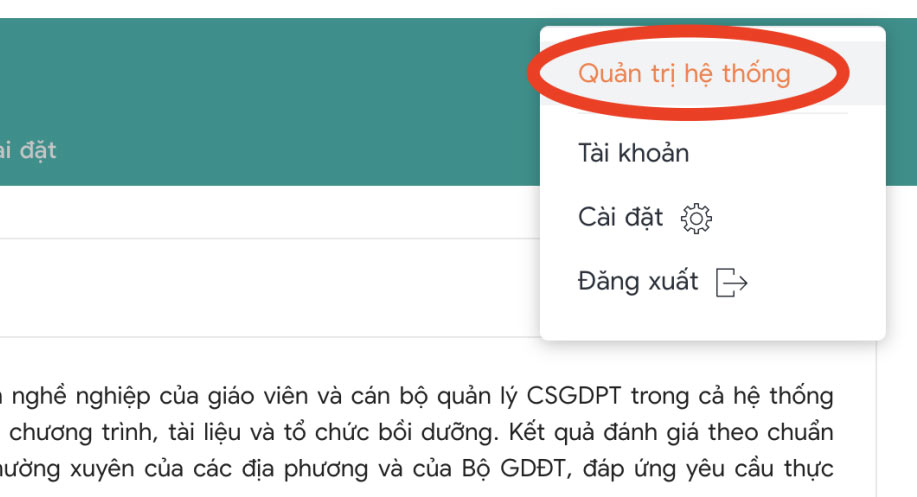
Step 2:
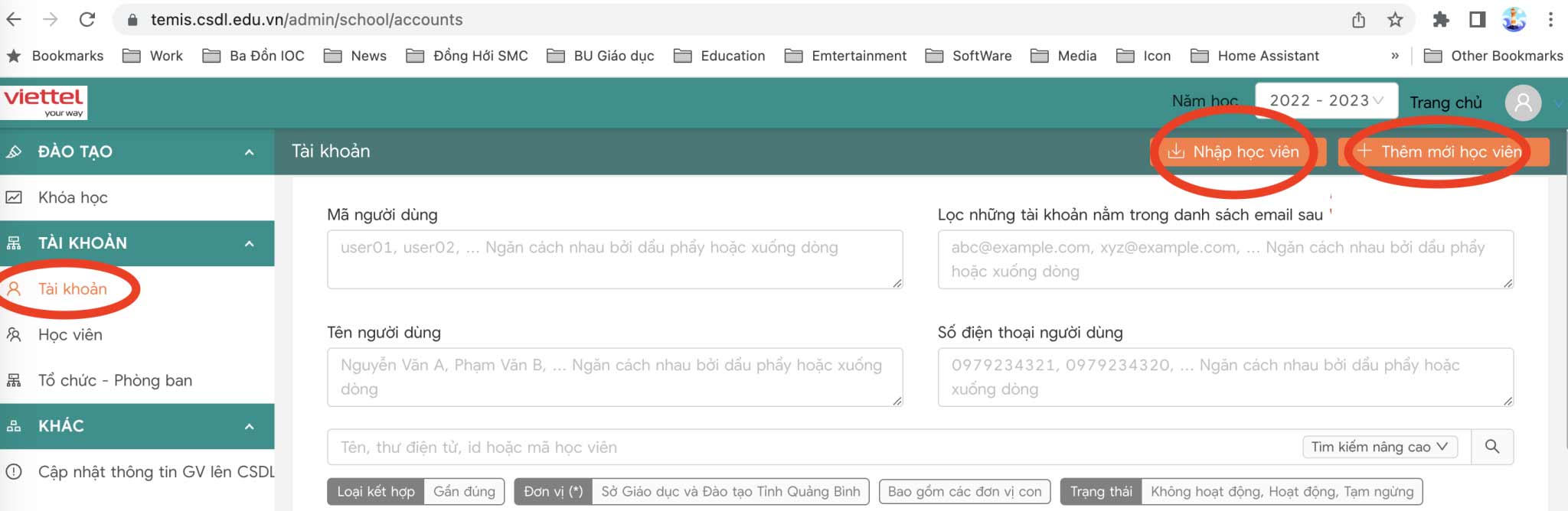
Switch to the new interface, users select Account . Here teachers can proceed to upload new files by clicking Import students, or manually import by adding new students.
Step 3:
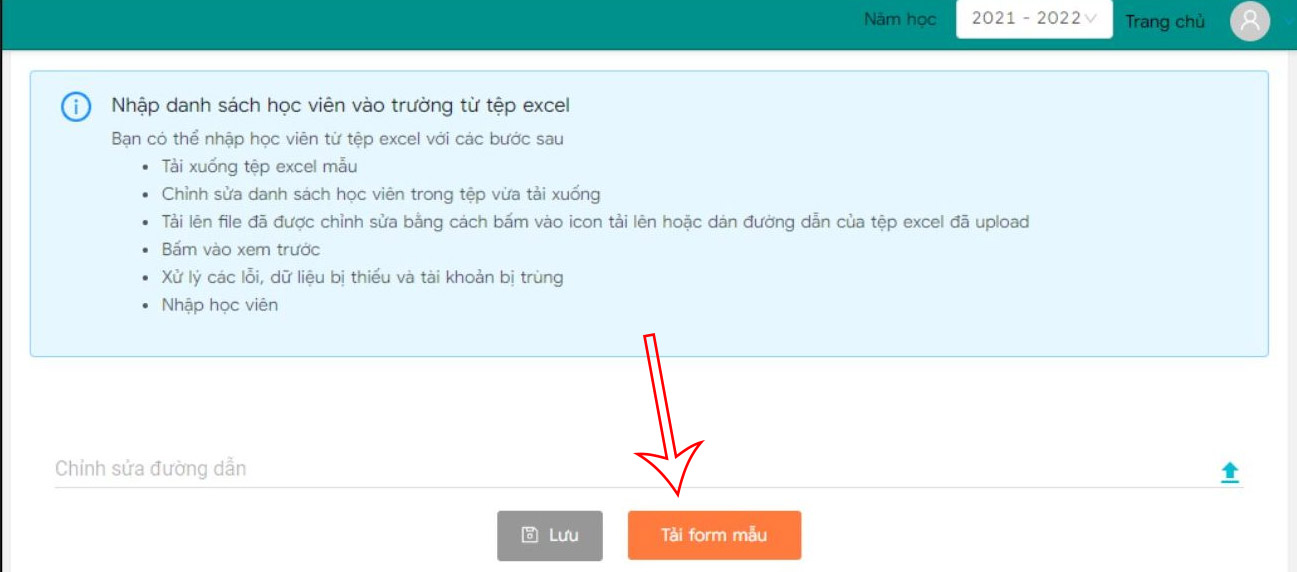
If the teacher chooses to upload the file, click Import students and then select Download form. The form file is now downloaded to your computer and you fill in the information in the displayed file and you're done. Return to the website and select the green arrow icon to upload the file . Finally, click Save.
If entering account information manually , teachers click Add account and then fill in all required information displayed in the interface.
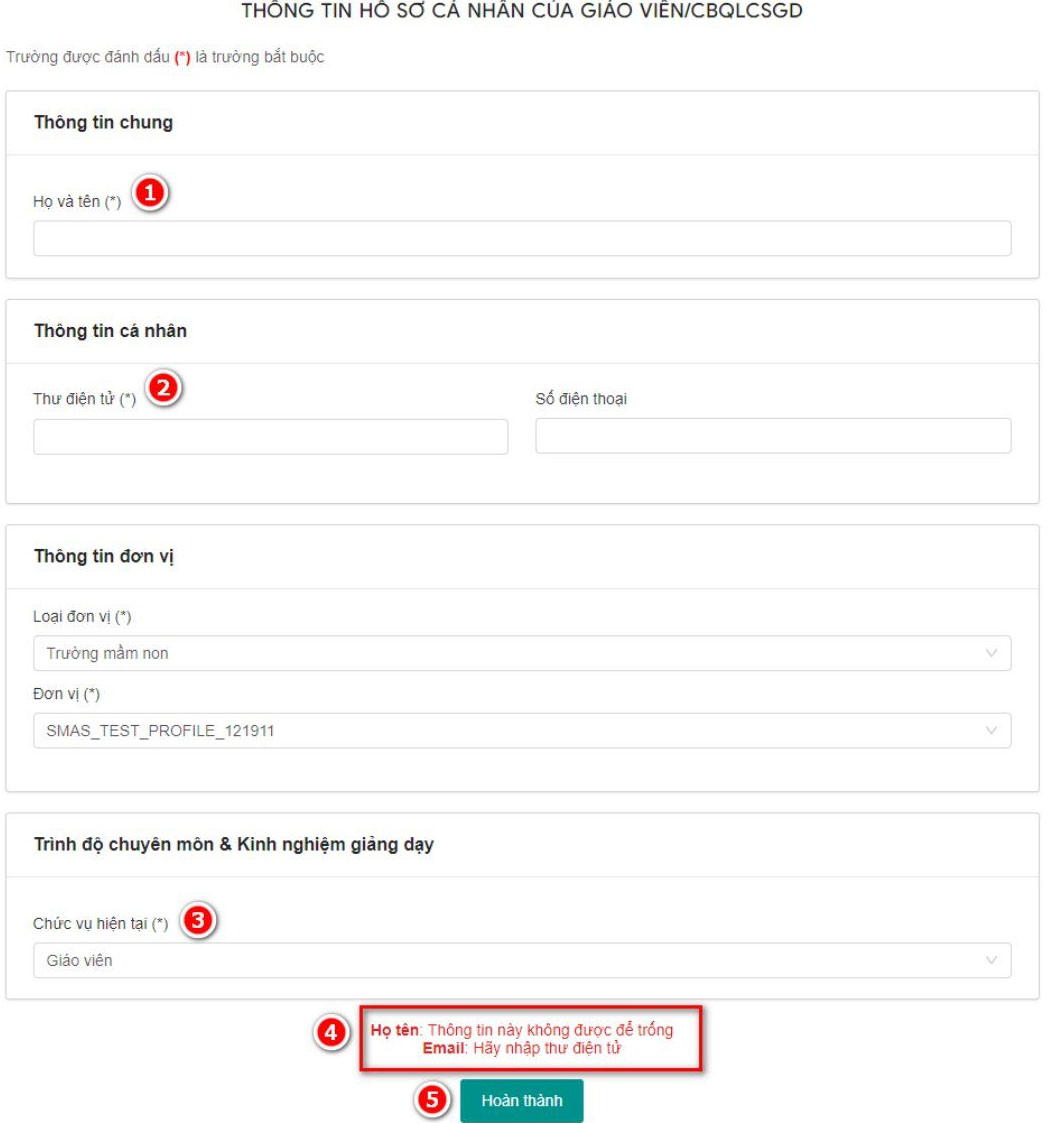
When you have filled in all the required information, click Finish to create a teacher account on the Temis system.
FAQ
How to creating a teacher account on Temis?
First, teachers need to access the Temis database page using the unit's administrative account (Department of Education and Training) then select System Administration.
What does this guide cover?
This guide explains create a teacher account on the temis system, including the main steps, important details, and practical considerations.
Who is this guide for?
It is designed for readers who want a clear, practical overview and a reliable process they can follow without unnecessary complexity.
Related Articles
 How to Account Management on Temis2 minutes read
 How to Use the Command to Create a Guest Account on Windows 105 minutes read
 Instructions for Creating the Fastest Microsoft Account3 minutes read
 How to Create a Minecraft Account: Clear Instructions8 minutes read
 How to Create a Facebook Account3 minutes read
 How to Set Up Text-to-Speech on a Mac4 minutes read
Reader Comments 0
Sign in with email or Google to join the discussion.