Table of Contents
A few days ago, OpenAI announced GPT-5 – its most advanced AI model to date, with a series of upgrades in programming, mathematics, logical thinking, and many other aspects. Shortly after, Microsoft also quickly announced that it would integrate GPT-5 into its products, which is completely understandable given the close cooperation between the two companies. Recently, Microsoft confirmed that it has started deploying GPT-5 in Visual Studio via GitHub Copilot .
According to Microsoft, introducing GPT-5 into the software development process will help speed up every stage – from ideation to production. The company highlights many outstanding benefits such as: significantly improved analysis and decision-making when handling complex tasks, improved quality and maintainability of source code with minimal hints, automatic tuning, and clearer explanations when discussing code changes. In other words, GPT-5 will help programmers 'do it faster' while maintaining complete control.
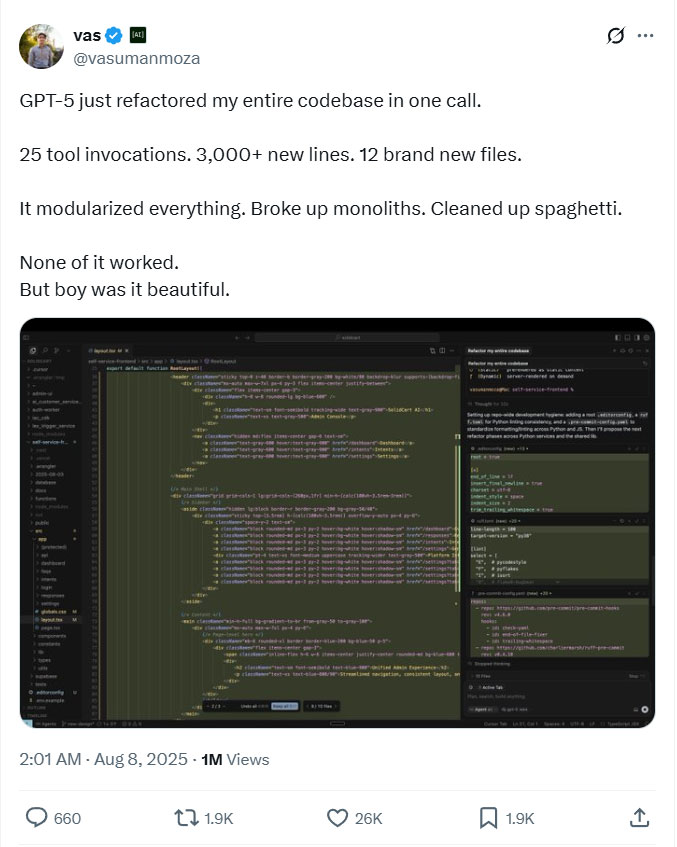
While Microsoft and OpenAI both believe that GPT-5 will change the way AI positively impacts our lives, the initial response from the community has been lukewarm. Some users expressed dissatisfaction with the ChatGPT chat limit when GPT-5 was released, forcing OpenAI to adjust the limit policy based on feedback. There are also plenty of examples and jokes on social media that GPT-5 is 'inferior' to previous versions in many ways.
GPT-5 is now rolling out to Visual Studio users with a paid GitHub Copilot plan. However, this is a rolling release, so you may not see it right away. To test it, click the Copilot icon in Visual Studio, open the chat window, and select GPT-5 (Preview) . This feature works in both Agent Mode and Ask Mode .
For enterprise customers, administrators will need to enable the GPT-5 policy in Copilot settings so that users can select the new model from the list. Microsoft also notes that some older models, such as o3-mini , will soon be deprecated in GitHub Copilot.
Final Thoughts
The development covered in this article is worth following, but specifications, dates, and feature details may change until the relevant company or organization publishes an official confirmation.
FAQ
What is the main development covered in this article?
A few days ago, OpenAI announced GPT-5 – its most advanced AI model to date, with a series of upgrades in programming, mathematics, logical thinking, and many other aspects.
What should you know about the key details?
According to Microsoft, introducing GPT-5 into the software development process will help speed up every stage – from ideation to production.
Is every reported detail officially confirmed?
Not necessarily. Product leaks, preview builds, research reports, and early announcements can change. Confirm important specifications, dates, and availability through an official source before making a decision.
Related Articles
 Visual Studio 2015 Is About to Be Discontinued, What Should You Pay3 minutes read
 Microsoft Launches Visual Studio 20224 minutes read
 Visual Studio Code Review: Microsoft's Cross-platform Code3 minutes read
 Microsoft Officially Launched Visual Studio 2019 for Windows and Mac with Many New Features, Invited4 minutes read
 Visual Studio Community - Visual Studio Community Download4 minutes read
 How to Create a File to Install Visual Studio Offline11 minutes read
Reader Comments 0
Sign in with email or Google to join the discussion.