Table of Contents
Google added conversational image editing to Search through Lens and AI Mode, letting eligible users transform an uploaded photo rather than only search for similar images. Google announced the rollout in October 2025. Availability and the underlying image model can change by account, language, region, and product version.
How the Lens workflow works
Google's launch instructions describe opening Lens in the Google app, selecting Create, and choosing a suggested edit or writing your own request. Use the controls available in your current app rather than expecting an older screenshot to match exactly.
- Choose an image you are allowed to edit and keep its original file.
- Describe one specific change, such as replacing the background while keeping the subject's clothing unchanged.
- Review the output closely, including faces, hands, text, logos, and edges.
- Refine the request or discard the result if it changes important details.
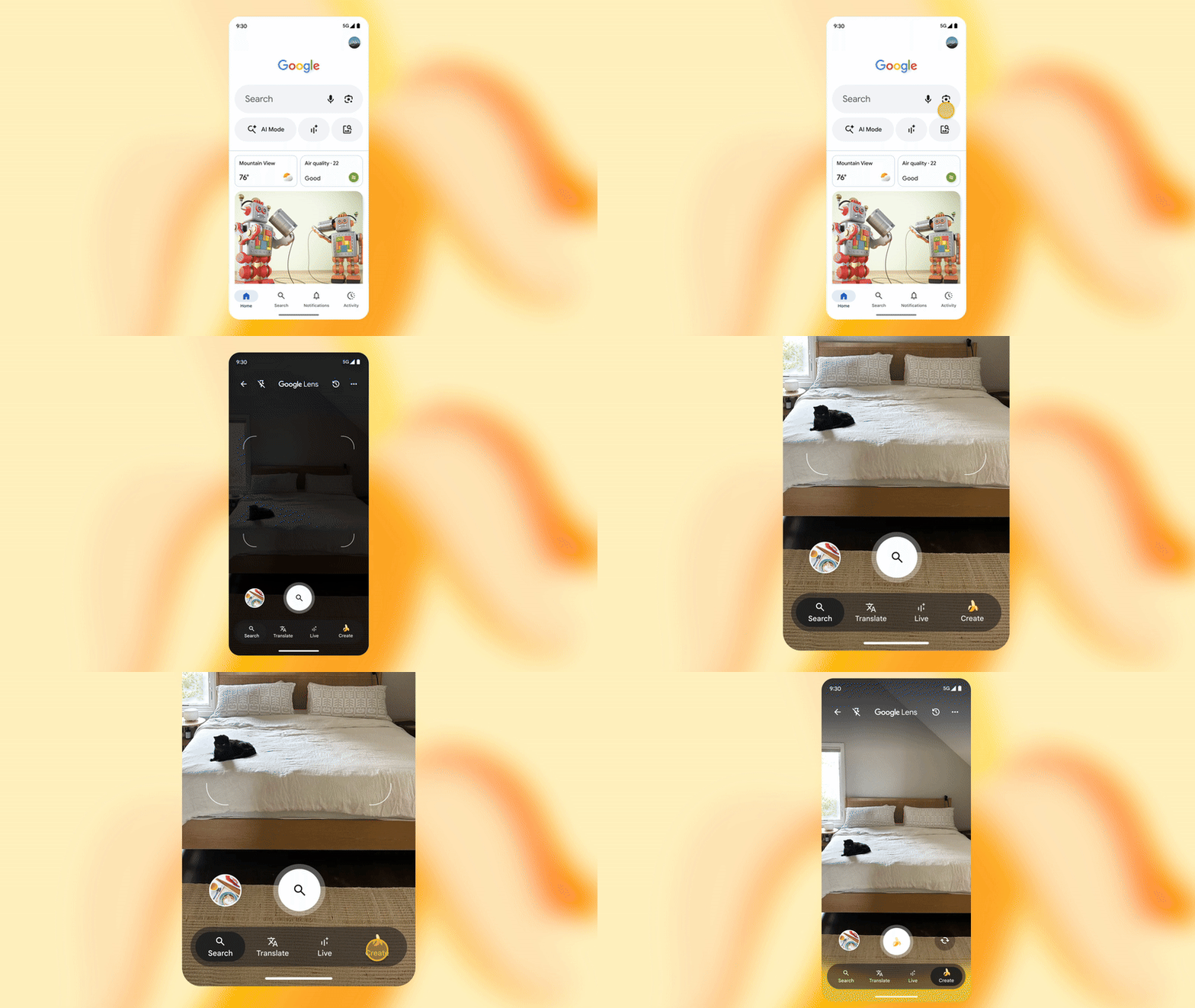
Editing is different from searching
Lens search helps identify or find information about something in a photo. Create generates a changed image. A generated object or detail is not evidence that it existed in the original scene, and the output should not be used as a factual record.
The integration can be convenient for a quick creative variation while you are already using Lens. A conventional editor remains more suitable when text, measurements, or a product's exact appearance must remain unchanged. For more options, compare AI photo editing tools and their limitations.
What changed in NotebookLM and Photos?
The original announcement also described Nano Banana supporting new visual styles in NotebookLM Video Overviews, alongside a shorter Brief format. Those are source-explanation features, not the same photo-editing interface as Lens. An attractive generated visual still needs to agree with the notebook's sources.
Google Photos was described as an upcoming destination in that announcement. That historical statement should not be read as a current release schedule. Check the editing tools and requirements shown in Photos now.
When you need more control
State which details to preserve as well as what to change. Avoid combining several conflicting requests in one prompt, and compare each revision with the original. For a separate workflow using several references, see combining reference images in Google Flow.
Share generated edits with enough context to avoid misleading viewers, and avoid uploading private or sensitive photos unless the service's handling of them suits your needs.
Related Articles
 Google Information Agents in Search: How They Work and Who Can Use Them
 How to enable AI mode in Google search
 Google Photos integrates Veo 3: Upgraded AI photo-to-video feature
 iPhone users will be able to use Google's free AI photo editing tool
 Google 'abandoned' free photo editing tool
 Show Web Links Instead of AI Overviews in Google Search
Reader Comments 0
Sign in with email or Google to join the discussion.