Table of Contents
Google Gemini's Nano Banana AI has become popular, and rightly so, as it can turn your photos into stunning images with incredible precision.
Google Gemini 's Nano Banana AI has become popular, and rightly so, as it can turn your photos into stunning images with incredible precision. From creating 3D statues to recreating yourself in a stunning saree, the Nano Banana AI photo prompt can do the perfect edit in a snap. And it's all free. So, if you're looking for the best Google Gemini Nano Banana AI photo prompts, check out the content below!
1. Create 3D statue
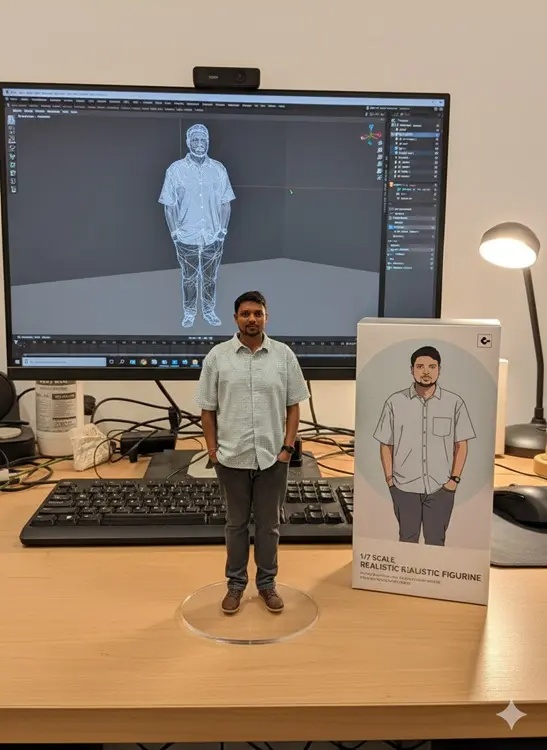
You can use this Nano Banana AI image generation prompt in Google Gemini to create a realistic 3D statue. Nano Banana does a great job of rendering a scene with the packaging box reflecting the collectible. Just upload your photo and run the prompt below to get the image.
Create a 1/7 scale commercial figurine of the characters in the photo, in a realistic style, in a realistic environment. The figurine is placed on a computer desk. The figurine has a round, transparent acrylic base, with no writing on the base. The content on the computer screen is a 3D modeling of this figurine. Next to the computer screen is the toy's packaging, designed in a style reminiscent of high-quality collectible figurines, printed with original artwork. The packaging has a two-dimensional flat illustration.
2. Photo collage
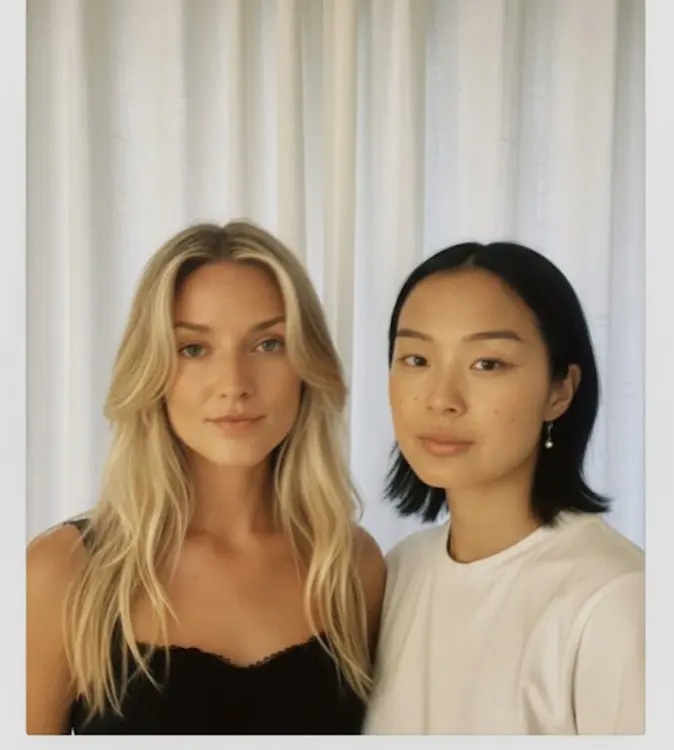
To combine different photos, try this Nano Banana AI photo generator prompt in Google Gemini. It lets you create one of those realistic snapshots with a warm style. You can use this prompt to combine your photo with a celebrity or anyone you like. The generated image looks like a real snapshot.
Create ultra-realistic, motion-blurred 4K snapshots of characters from reference photos, posing together. Preserve facial features, add a gentle blur, and keep the lighting even against a soft white curtain for a warm, realistic, film-like effect. Do not change their faces at all.
3. Try new clothes

Google has provided a sample prompt for Nano Banana that lets you combine multiple images. This prompt is great for trying on new outfits. You can upload a photo and an outfit, then ask Nano Banana to place it in your photo. You can also just type 'put this dress on me' and it will do the job. By the way, Google has released a Doppl app specifically for this use case.
Create a new image by combining elements from the provided images. Take [element from image 1] and place it with/on top of [element from image 2]. The final image will be [description of the final scene].
4. Create stickers
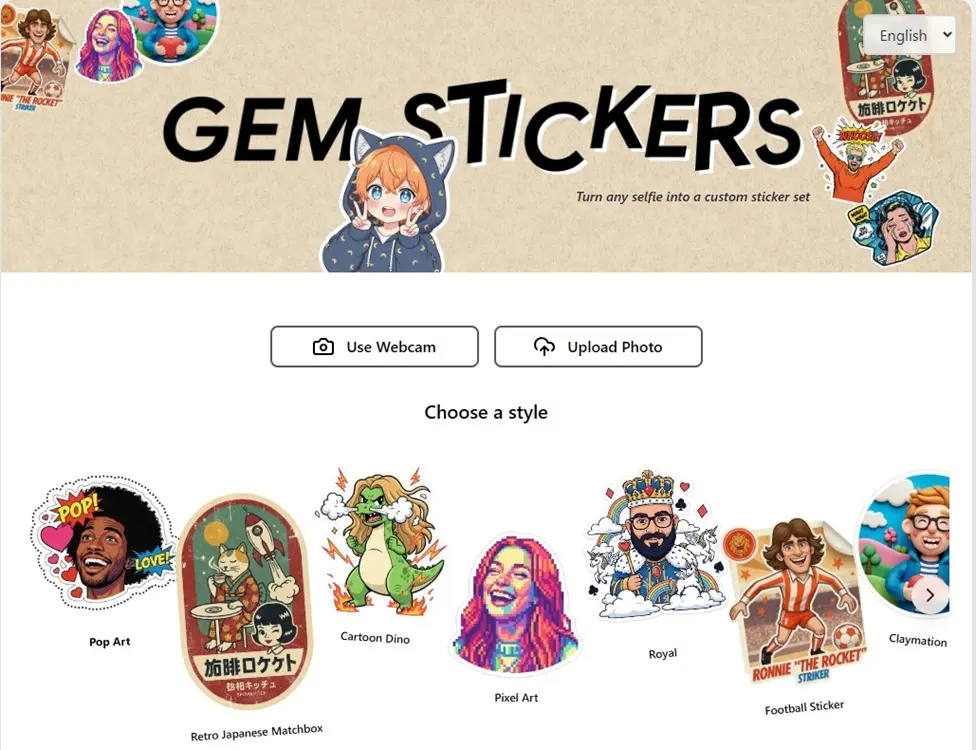
Google has created a great app using Gemini Canvas where you can upload photos to create custom sticker packs. No need to manually copy and paste. By the way, this app uses Nano Banana. The app has many different sticker styles like Pop Art, Pixel Art, Retro Japanese Matchbox, Football Sticker, etc. So, upload your photos and choose one of the styles to get the sticker pack you want.
5. Create nostalgic photos
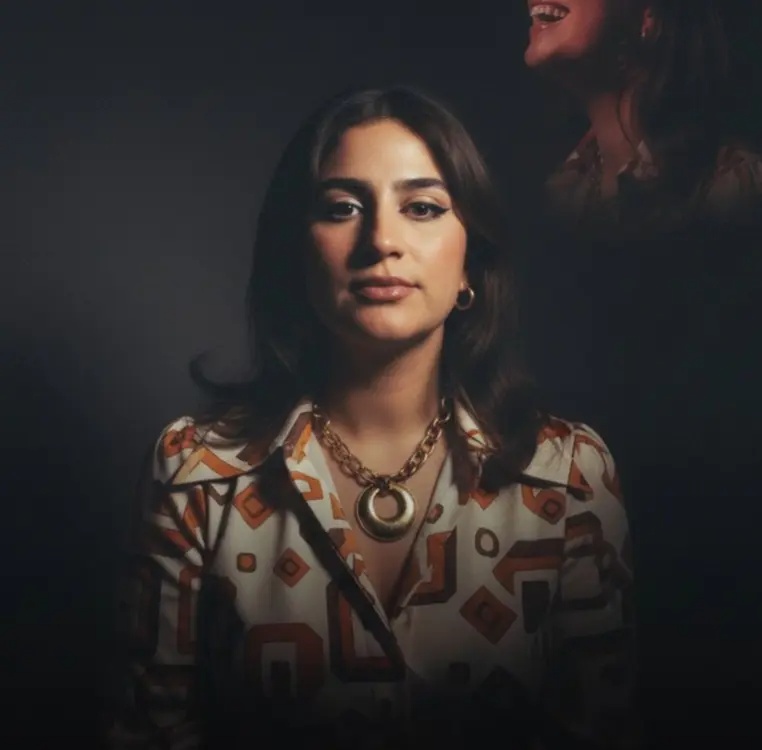
To create a retro 90s photo studio look, you should try this Nano Banana AI photo prompt in Gemini. This prompt will recreate your photo as a classic mall studio portrait, complete with a vintage backdrop. The resulting image has a bit of vintage charm with soft, ambient lighting.
Turn this photo into a retro mall studio portrait
6. Create a 16-bit video game character
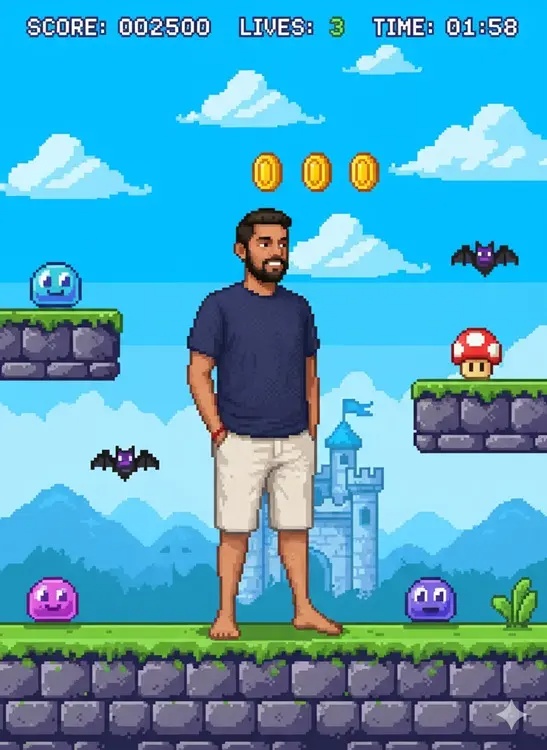
This Nano Banana AI photo generator prompt in Google Gemini lets you see yourself in a classic video game. It turns your photo into a 16-bit pixelated video game character while keeping your face intact. Nano Banana intelligently adds a background scene with details like blocky terrain and pixel art background, giving you the feeling of being in the video game era.
First, ask me to upload a picture of myself. Then, imagine me as a 16-bit video game character and put me in a 16-bit 2D platform video game.
7. Create 3D images
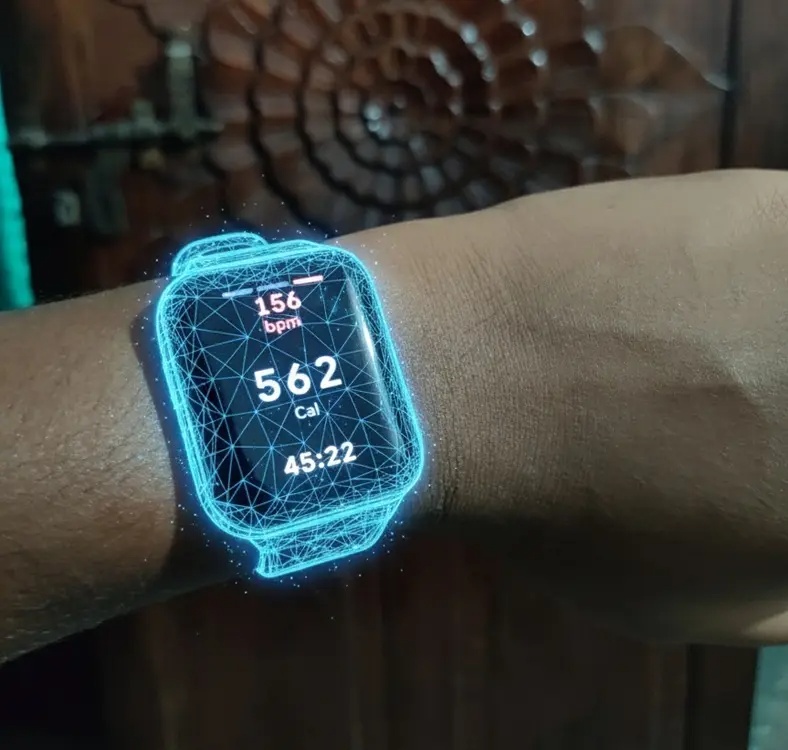
This is one of the unique Nano Banana AI imaging prompts that lets you create 3D images of objects in your photos. Honestly, the images that are created feel like a futuristic sci-fi scene. Nano Banana in Gemini follows the instructions exactly and creates 3D images in a snap.
Turn [object] into artistic 3D image with transparent lines
8. Gemini PictureMe
Google has created another app that uses Gemini Canvas called PictureMe. It uses Nano Banana to render your photos in a variety of styles. Again, you don't need Nano Banana's AI prompt. Just open the link, upload your photo, choose one of the themes, and create your photo.
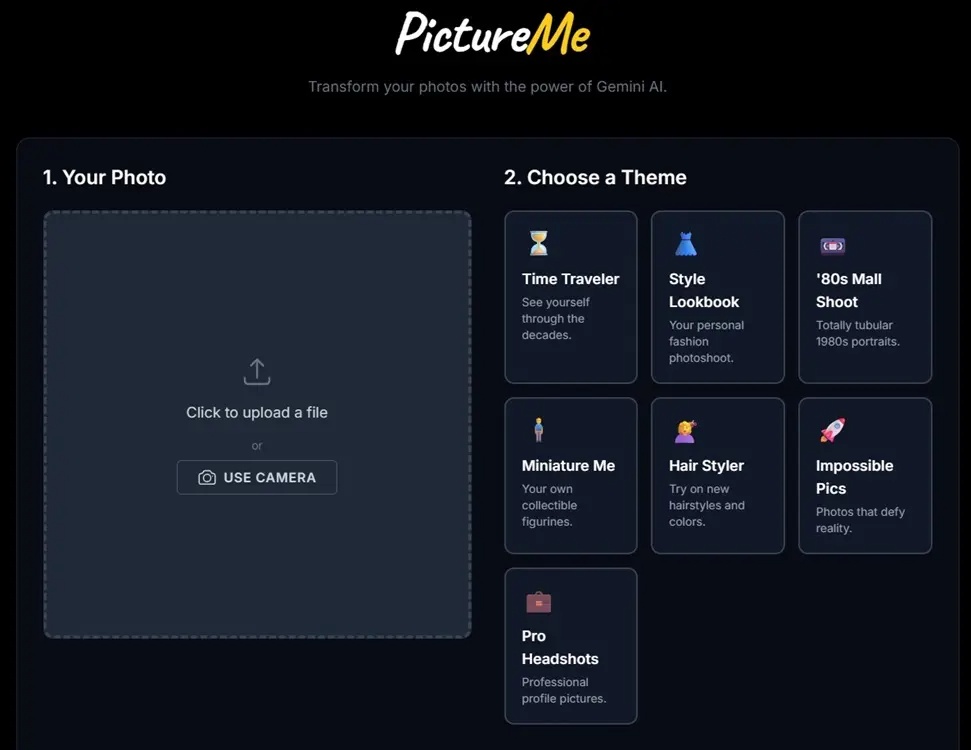
The app has various styles like Hair Styler, '80s Mall Shoot, Style Lookbook, Miniature Me, Time Traveler, Pro Headshots, etc. So you can find all the popular styles at one place without having to search for special prompts.
9. Create action models
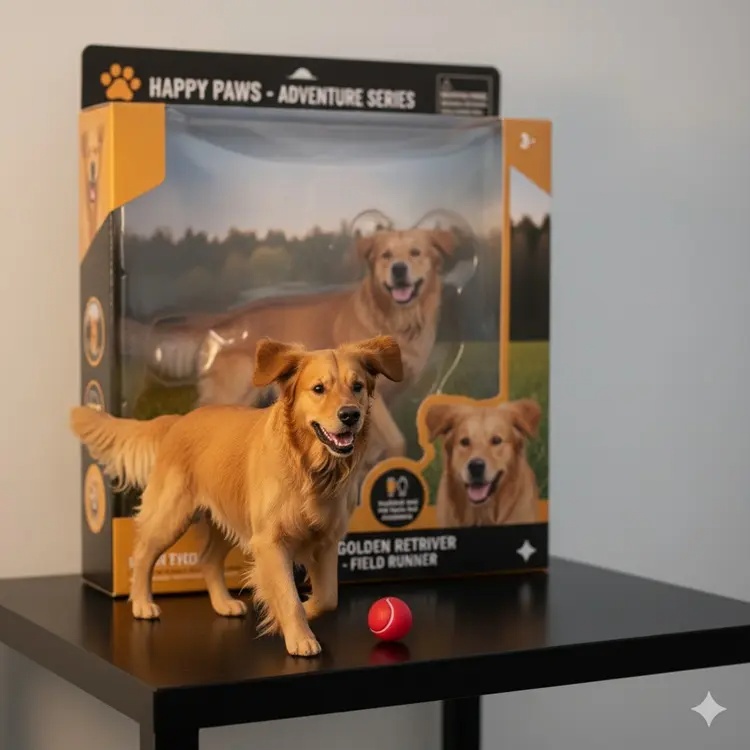
If you are a pet owner and a collector, this Nano Banana AI photo generator prompt in Google Gemini is a fun option to try. Just like the 3D modeling prompt, this prompt lets you turn your pet into a plastic action figure with lifelike toy details. It also creates a custom packaging box, making it feel like your pet has its own official version of the merchandise.
Turn your pet into a plastic character model next to its packaging
10. Prompt Saree Nano Banana AI by Google Gemini

Finally, the Saree Nano Banana AI prompt that is going viral on Google Gemini creates an image that looks like it came straight out of a classic Bollywood movie. You can upload a selfie or a picture of yourself, and Nano Banana will transform you into a timeless heroine, dressed in a red chiffon saree. The warm setting makes the photo even more romantic and impressive.
Transform your subject into an iconic Bollywood heroine in a flowing red chiffon saree, with her hair styled in soft waves. With a warm, minimalist backdrop, the scene needs to be bathed in a vibrant sunset to create a romantic and dramatic atmosphere.
Here are 10 of the best Nano Banana AI photo prompts from Google Gemini that you can try right now. Since Nano Banana is free in Gemini, you can create photos without signing up.
FAQ
What should you know about the options in this guide?
In practical terms, Google Gemini's Nano Banana AI has become popular, and rightly so, as it can turn your photos into stunning images with incredible precision.
Which option is the best choice?
The best choice depends on your priorities, compatibility, budget, and the specific features discussed in the comparison.
What should you compare before deciding?
Compare core features, limitations, ease of use, compatibility, and long-term value before making a decision.
Related Articles
 How to Use Nano Banana to Create Effective AI Images3 minutes read
 How to Obtain Nano Banana Tokens to Automatically Create AI Images6 minutes read
 Detailed Instructions for Using the ChatGPT Images 2.0 Image Creation Tool10 minutes read
 Google Search Integrates AI Photo Editing Feature: Useful or Redundant?4 minutes read
 How to Create High-end Fashion Campaigns Using AI with Nano Banana Pro7 minutes read
 Google Launches Gemini 3 Pro Image: Next-generation Imaging Model with Higher Accuracy4 minutes read
Reader Comments 0
Sign in with email or Google to join the discussion.