Table of Contents
Explore 90s apps still have a place on the Windows desktop today.
7-Zip
Whenever I need to work with compressed files on Windows, my favorite application is still 7-Zip. Although Windows has a built-in compression tool, I only use it for very basic tasks. When I need to do something more complicated, 7-Zip is always the first choice.
7-Zip came out in 1999, right at the turn of the millennium. It specializes in compression—both compressing and decompressing—of a wide variety of file formats. For me, it's become almost indispensable when downloading documents or software.
What I like best is the interface that allows you to view and manipulate the contents of the ZIP file as if it were already unzipped. When it comes to exporting or compressing, all the important options are readily available and clear.
Every Windows machine I've used since the early 2000s has had 7-Zip. Windows' built-in compression tool is generally simple and adequate, but if you need to get more advanced with ZIP, 7Z, TAR, or other complex compression formats, 7-Zip is far superior. And it's free, so there's no reason not to install it.
Despite being released in the 90s, 7-Zip is still regularly updated and works very well on Windows 11 Pro. The interface looks a bit 'old-fashioned', but the functions are still powerful and modern.
Microsoft PowerToys
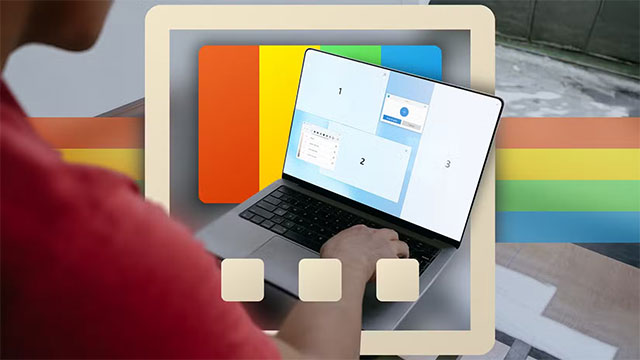
Microsoft's PowerToys is as old as IrfanView — it was released in 1996. It's a suite of utilities for Windows power users that adds a whole host of powerful tools: from image resizing and batch file renaming to extending the functionality of the Start Menu. I didn't even know it existed until a few years ago.
PowerToys is the newest name on this list, but it's not new at all. With PowerToys, I can rename hundreds of files with extreme precision—a feature I absolutely love. PowerToys also lets you preview SVG and STL files right in Explorer, quickly resize images, extract text from screenshots, and many other handy features.
Photoshop
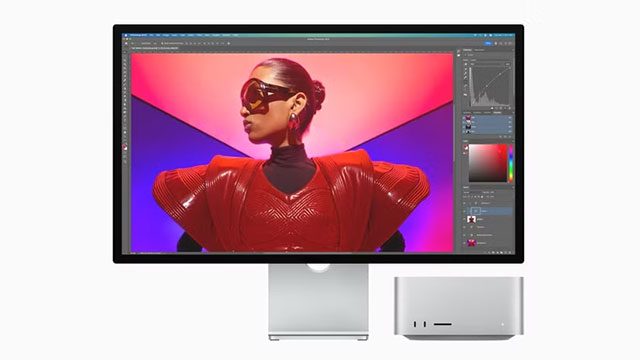
It's hard to imagine my life without Photoshop. Released in 1990, it has become a vital part of my workflow: editing, resizing, creating content, using AI… all thanks to Photoshop.
I started using Photoshop around 2011 and have found it nearly impossible to replace it. The interface, the shortcuts, and the way it works have become second nature. I even created my own shortcut macros for quick export operations.
Despite being a '90s generation', Photoshop is still constantly updated and extremely powerful in 2025. Compared to the original version, the current interface and user experience have changed so much that almost no one thinks this is a 35-year-old software.
Illustrator
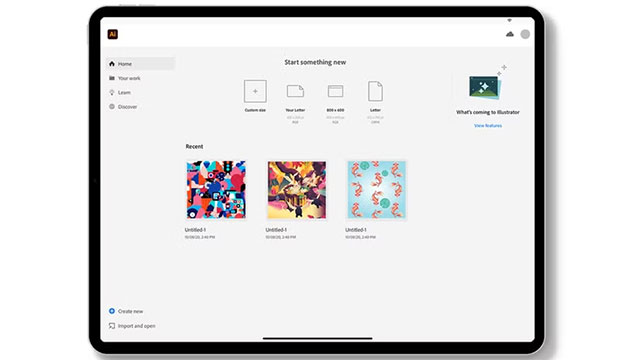
While this article focuses on 90s software, I want to go back in time a little further with Adobe Illustrator — Photoshop's older brother. Illustrator was released in 1987, making it three years older than Photoshop.
Over the decades of development, Illustrator has changed a lot. At its core, it is still a vector design tool, but the interface, AI features, and other improvements have turned it into the most modern graphics software today.
I don't use Illustrator as much as Photoshop, but when it comes to designing logos or vector products, it's still my tool of choice. I'm just not as familiar with Photoshop yet, so I don't use it often.
Despite being nearly 40 years old, Illustrator is still a powerful, useful, and modern software experience. If you don't pay attention, you'd never think it's about to reach the half-century mark.
Final Thoughts
Understanding 90s apps still have a place on the windows desktop today makes it easier to evaluate the information and apply the most relevant recommendations. Focus on the key points above and verify details that may change over time.
FAQ
What is 90s apps still have a place on the windows desktop today?
Explore 90s apps still have a place on the Windows desktop today.
What key points does this article cover?
The article focuses on 7-Zip, Microsoft PowerToys, Photoshop, with practical explanations and examples.
How can you use this information in practice?
Use the explanations to compare options, verify important details, and make a more informed decision. Apply the recommendations that best match your goals and situation.
Related Articles
 Click: How to Lock Desktop Icons in Place4 minutes read
 Do You Know How to Run Windows Applications on Chromebooks?12 minutes read
 7 Tips for Better Desktop Tab Management When Working on Windows 118 minutes read
 The New Windows 11 Build Supports the Option to Draw Stickers on the3 minutes read
 10 Dating Apps for Girls and Boys Should Not Miss FA6 minutes read
 How to Quickly Minimize Applications on Windows 113 minutes read
Reader Comments 0
Sign in with email or Google to join the discussion.