Table of Contents
Explore advantages of using photoshop in ChatGPT for photo editing.
This integration simplifies photo editing into a natural-language conversation for everyone. Photo editing is kept simple: Describe the edit, wait a few seconds, and repeat. If you've relied on AI to create photos, this is a smooth way to fine-tune them without opening another app or buying Photoshop.
Editing using natural language makes fixing errors quickly and easily
Just describe the edits you want
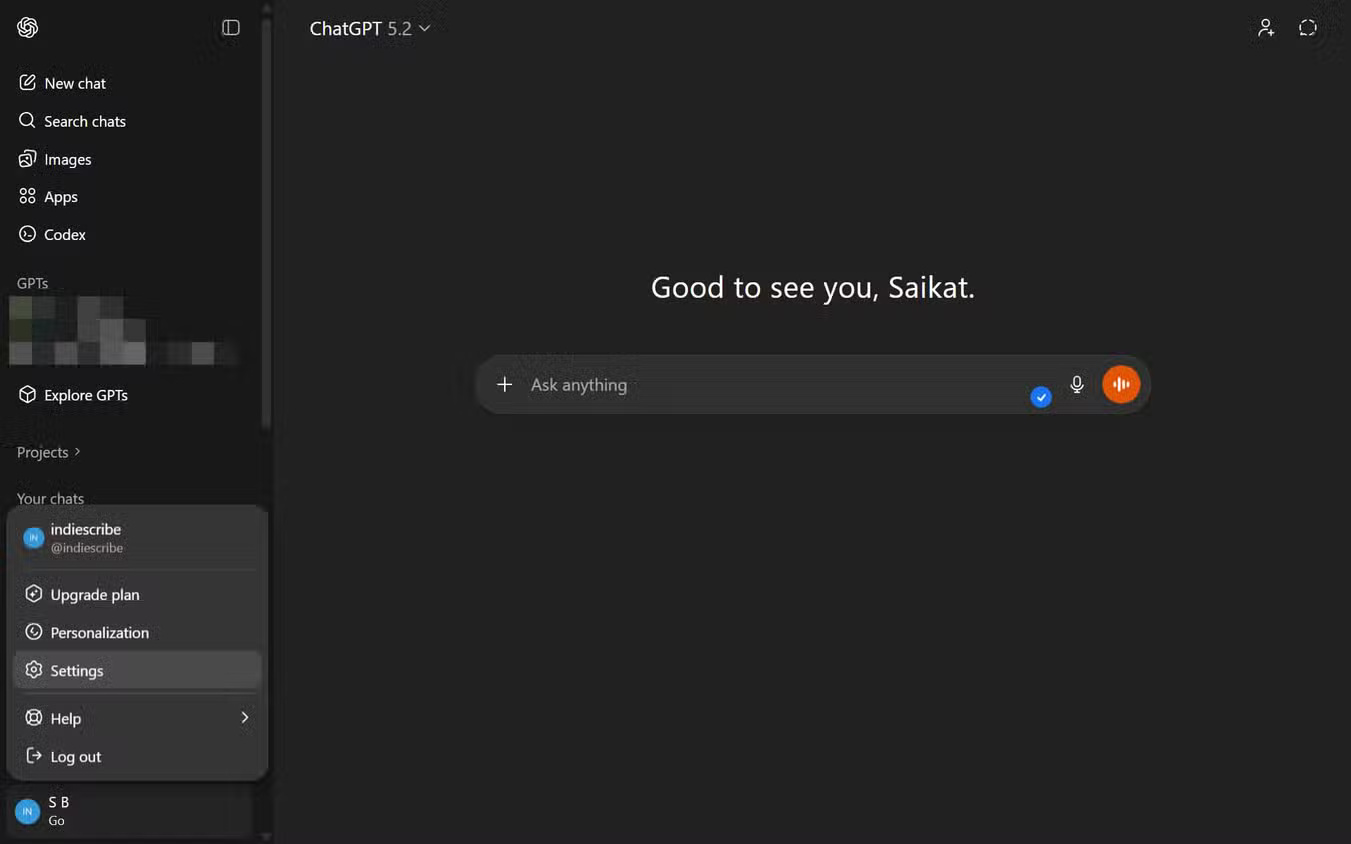
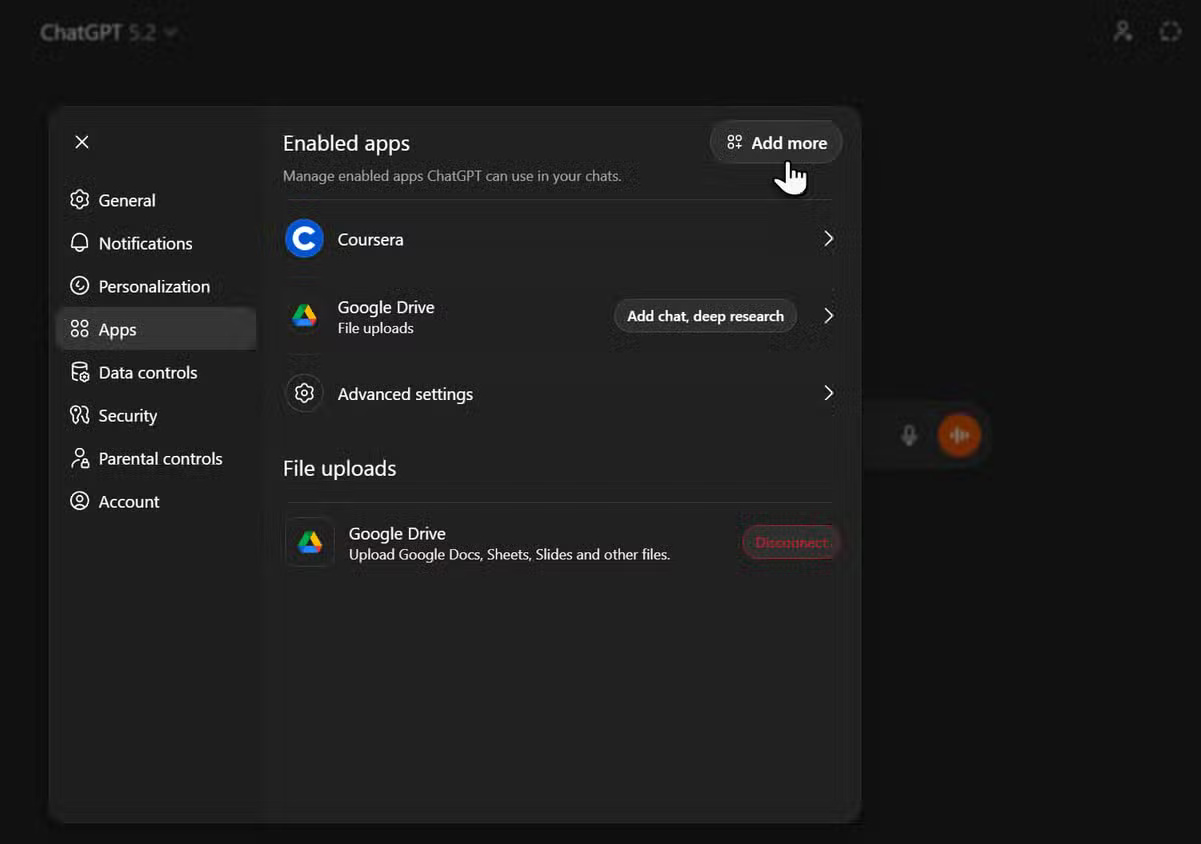
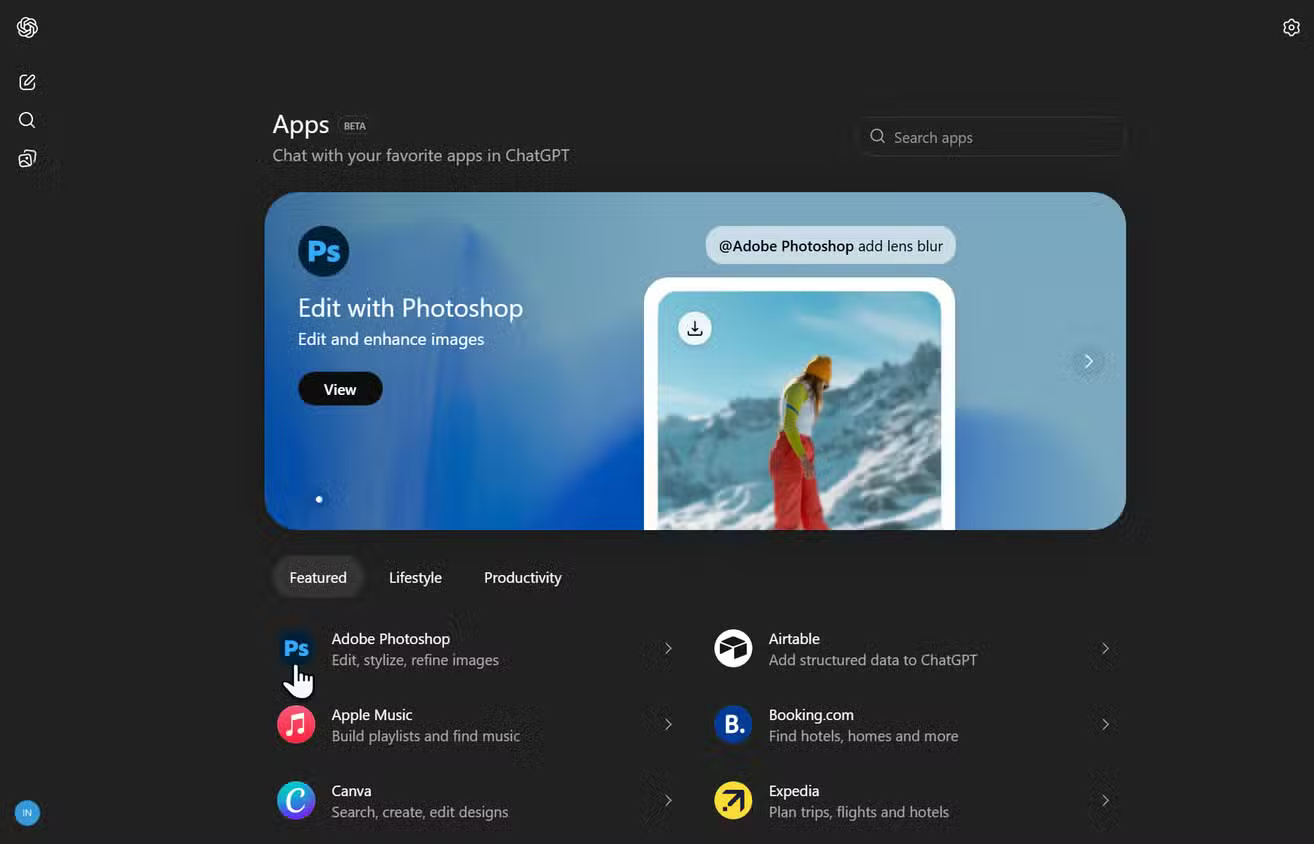
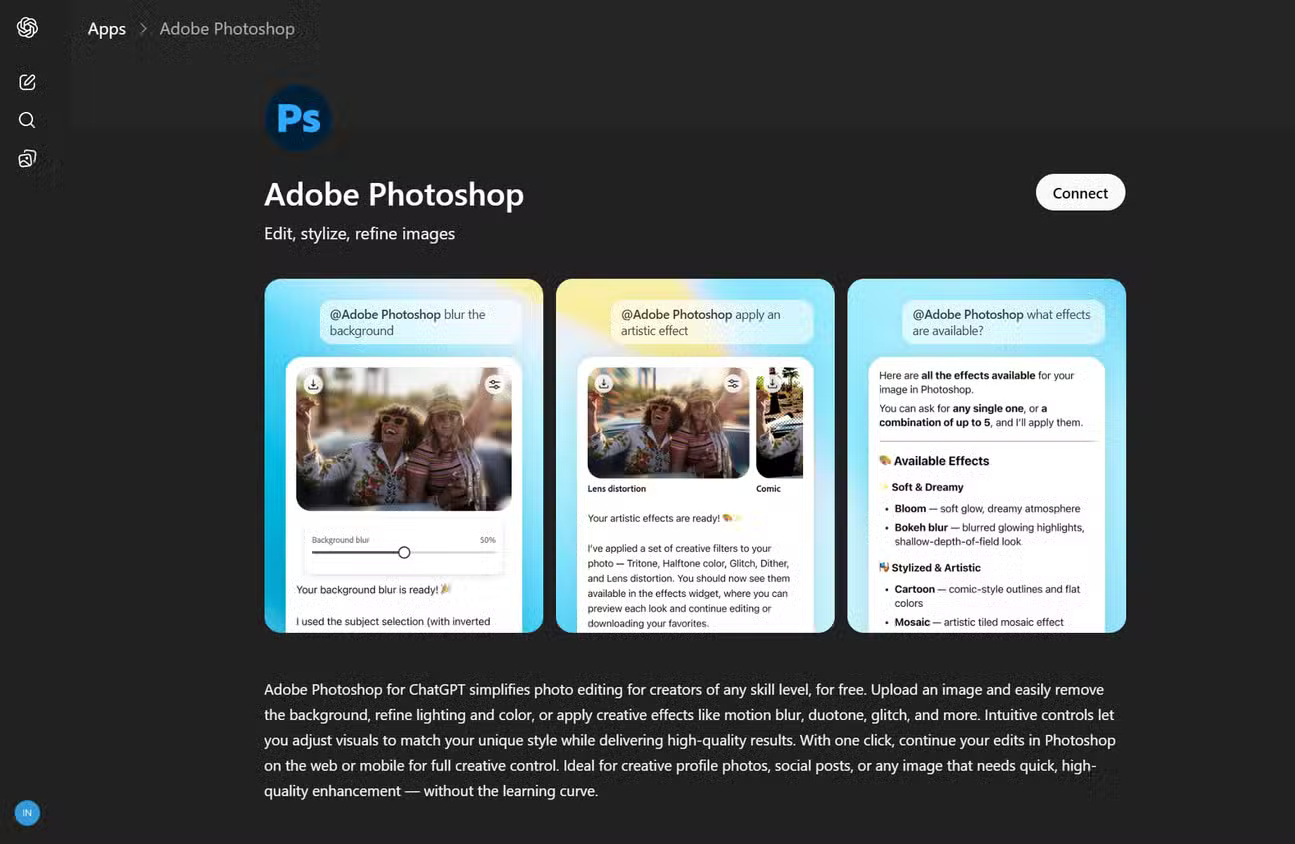
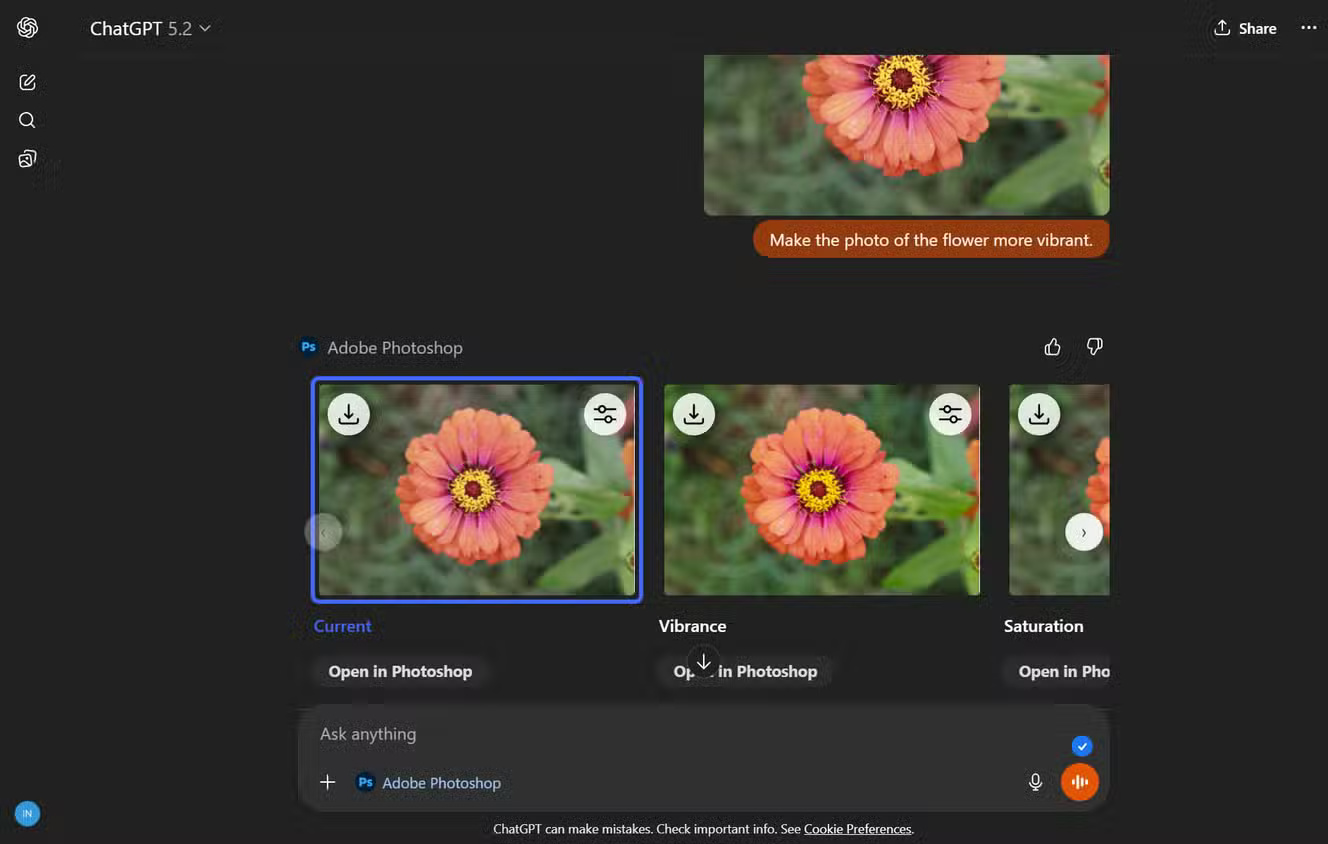
Photoshop in ChatGPT works much like an add-on. It's a connector that runs edits with simple requests like 'blur background' or 'highlight colors'. You upload your image, type what you want, and the built-in Photoshop Firefly tool automatically applies the adjustments. For those struggling with the full power of Photoshop, this simplicity can be helpful for quick edits.
Of course, this is a significant simplification, and it disadvantages those who want more hands-on experience. Get used to adjusting parameters like exposure in specific increments or fine-tuning the curve by eye until the skin tone looks perfect. In a chat-based workflow, you have to initiate a conversation when you really want a precise numerical adjustment. Using a Photoshop + ChatGPT combination can be a step backward for those already proficient in Photoshop. In fact, it feels like you're using a Photoshop alternative for image editing.
On the other hand, most people don't want to have to think about histograms and color channels, especially in ChatGPT. This integration is clearly optimized for speed, accessibility, and simpler editing. Accept that, and you can edit significantly faster than opening full Photoshop software for disposable images.
Image editing fits seamlessly into any ChatGPT workflow
Use the same space where you sketch and brainstorm
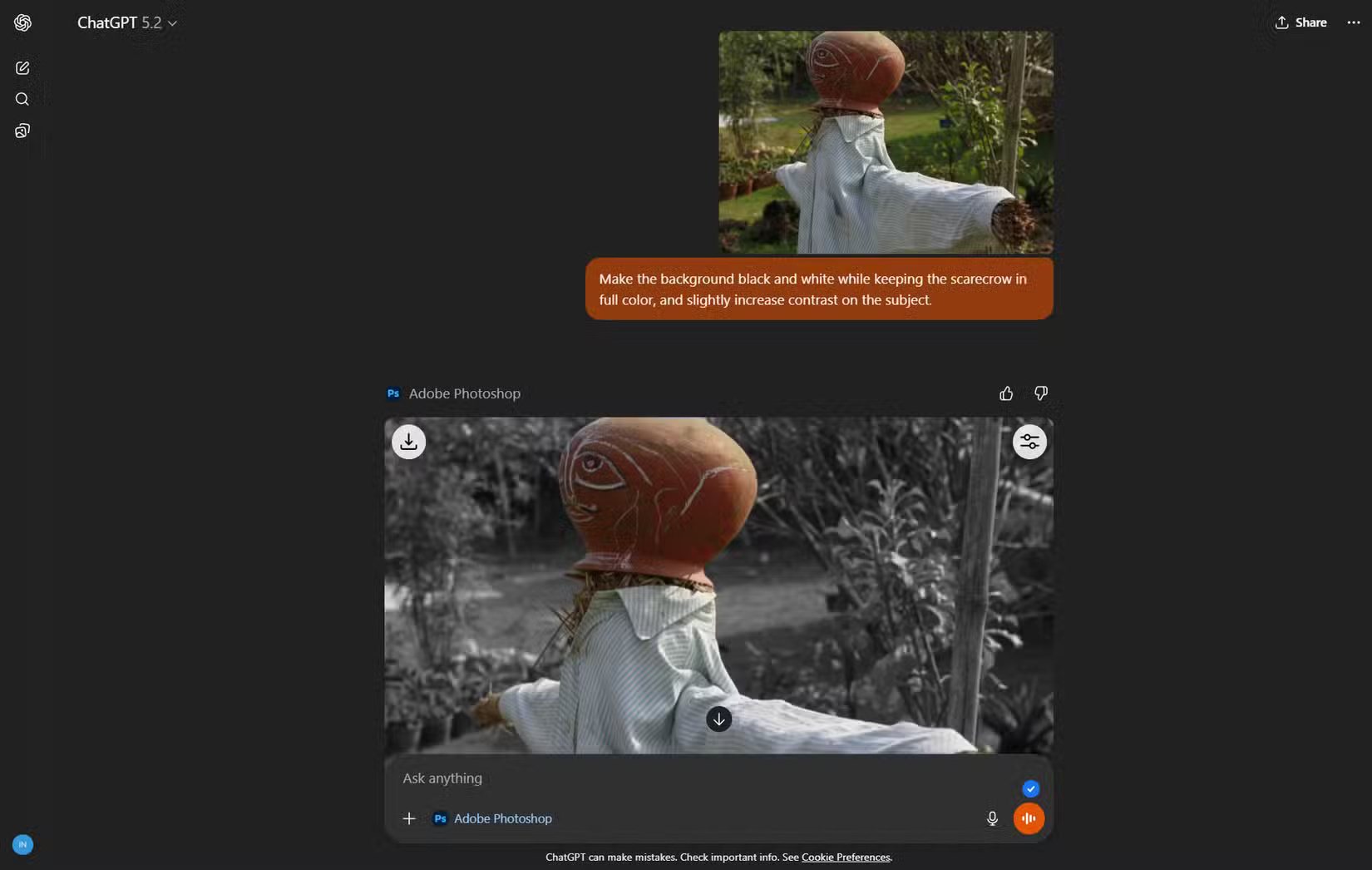
ChatGPT is a complete workspace for many of us. Let's say you're working on a project. Being able to drag and drop images directly into the same thread and prompt, 'Turn background to black and white while keeping the subject in full color ,' helps you maintain a single digital and mental workspace. For content creators, that means fewer context switches: No need to use multiple applications, no need to export and import again, just a smoother workflow from idea to text to image.
The combination of ChatGPT and Photoshop acts as a dedicated area for light edits. You can draft article sections, paste sample screenshots, edit them directly, and then copy both text and images into the CMS without opening the image editor. Think of it as an AI shortcut for quick image editing, which often interrupts concentration!
Keep your expectations realistic with the limited control options!
Ideal for rapid, high-quality upgrades
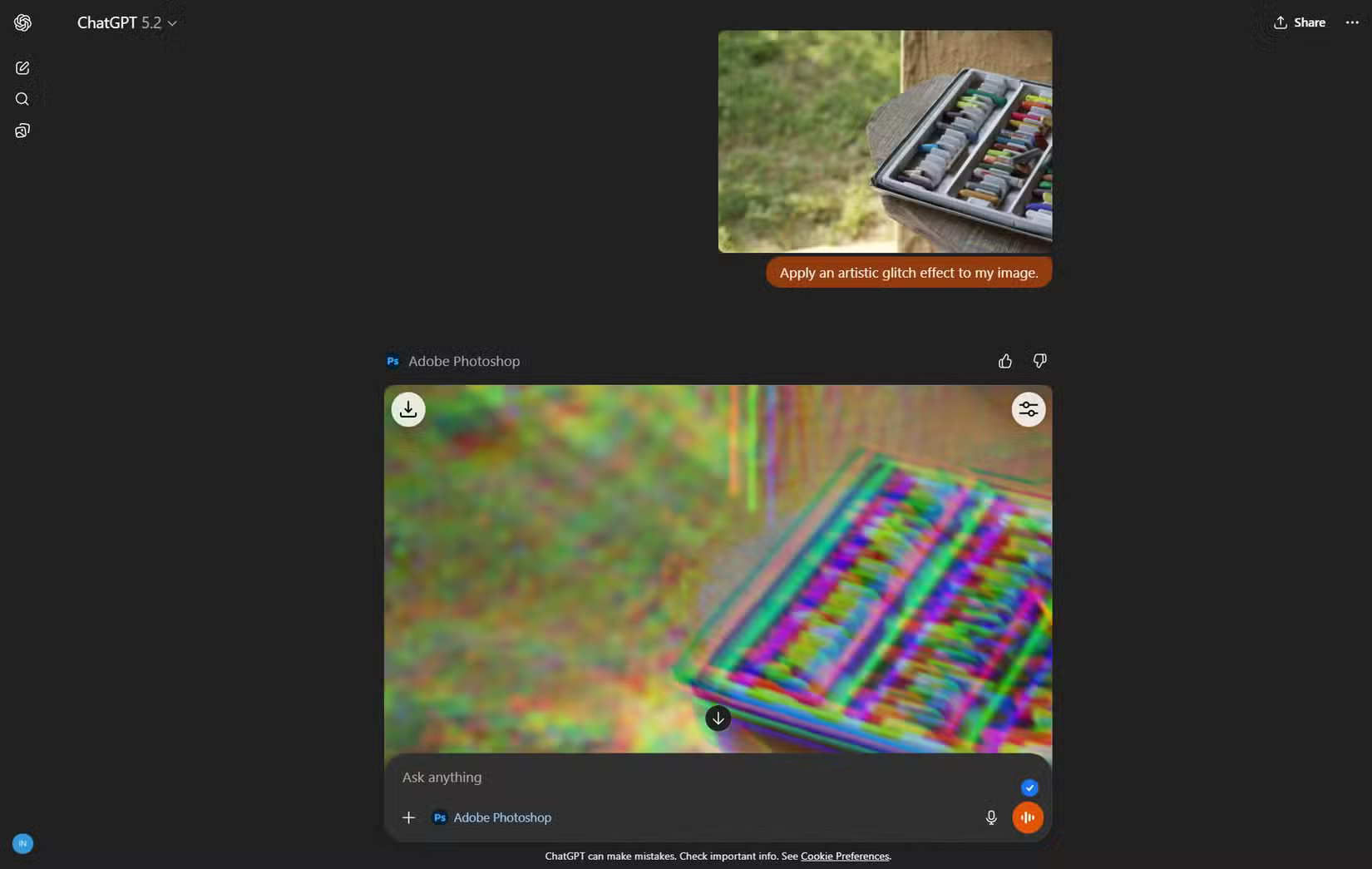
The integration began with a limited subset of features. Adobe's support page states that you can edit a portion of an image, fine-tune settings like brightness, contrast, and exposure, and add effects like Glitch and Glow, without sacrificing image quality. These limitations might sound like a drawback, but they can actually help you use your time more efficiently. When editing, you're encouraged to aim for quick results rather than getting bogged down in minor adjustments.
However, over time, these limitations will become part of the productivity priority. If an image truly needs advanced editing, move to the full Photoshop application from the start. Everything else, like social media tags, quick highlight images, and simple thumbnails, can be kept in ChatGPT and iterated over with a few exchanges. Let's see if we can reuse other image prompts, such as those from Dal-E, with Photoshop in ChatGPT!
Repetitive prompts transform feedback into collaboration in ChatGPT
Refine images through conversation
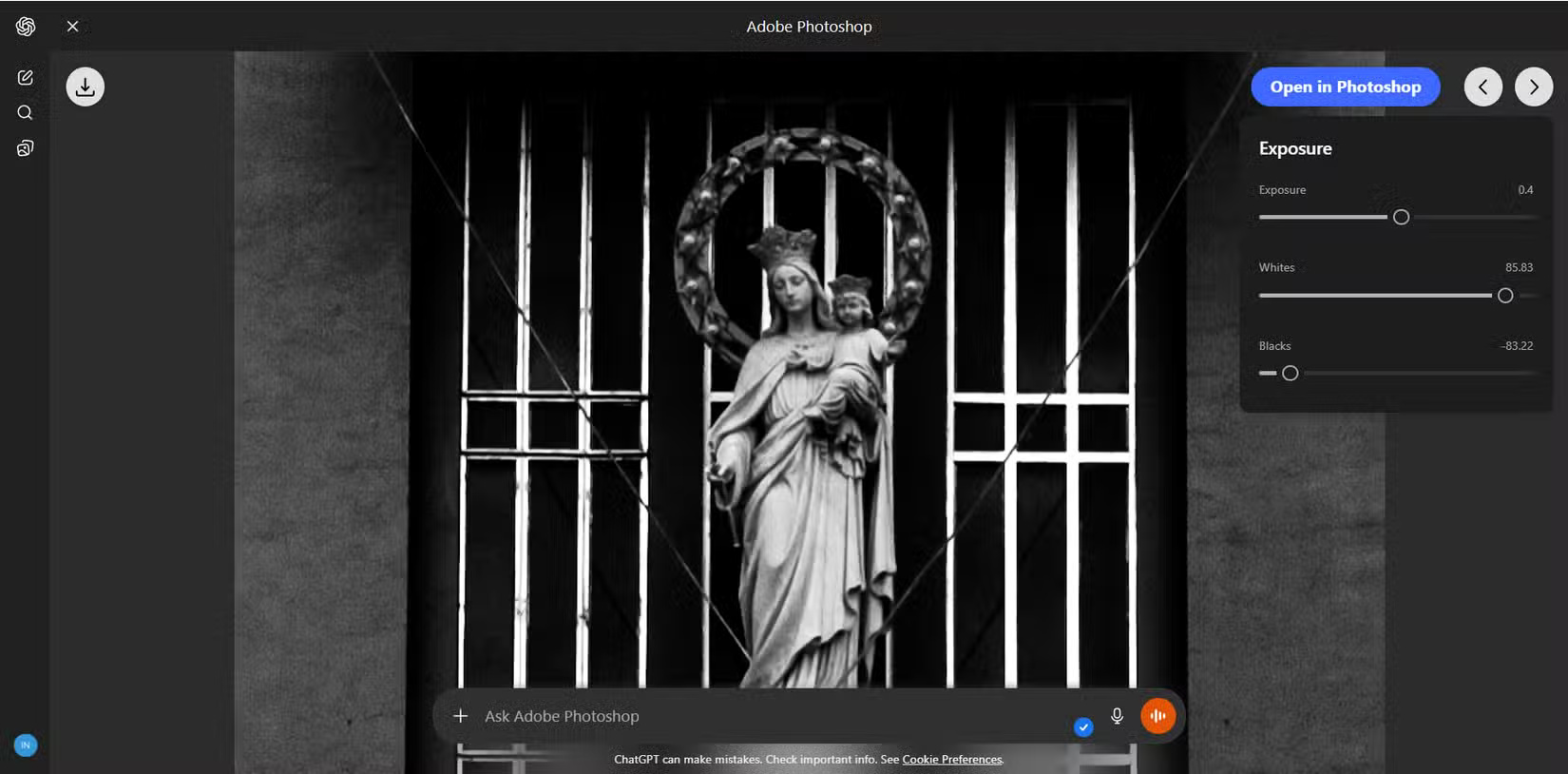
Perhaps the least noticed advantage of Photoshop in ChatGPT is the repetitive feedback loop with just prompts. It starts with a general prompt: 'Make this image brighter ,' and then fine-tunes based on what you see: 'Make the person stand out more,' 'Make the text area sharper,' or 'Add a subtle blur effect around the subject .' At first, this conversational repetition feels rather strange. Translating visual ideas into words is a bit tricky, especially when you don't know exactly which Photoshop controls to drag. Also, you might need to adjust the image using sliders if some options aren't working as intended (for example, the option not to apply the image border effect in the image above; the author of this article had to adjust the slider).
But once you stop chasing perfection in a single edit, quick, step-by-step editing options will help you steer the image in the direction you want. Adobe says new features and option ideas will be added regularly. So, hopefully Photoshop in ChatGPT will become even more fine-tuned over time.
Final Thoughts
Understanding advantages of using photoshop in chatgpt for photo editing makes it easier to evaluate the information and apply the most relevant recommendations. Focus on the key points above and verify details that may change over time.
FAQ
What is advantages of using photoshop in chatgpt for photo editing?
Explore advantages of using photoshop in ChatGPT for photo editing.
What key points does this article cover?
The article focuses on Editing using natural language makes fixing errors quickly and easily, Just describe the edits you want, Image editing fits seamlessly into any ChatGPT workflow, with practical explanations and examples.
How can you use this information in practice?
Use the explanations to compare options, verify important details, and make a more informed decision. Apply the recommendations that best match your goals and situation.
Related Articles
 Best AI Photo Editing Tools10 minutes read
 Instructions for Using Photoshop CS5 to Edit Photos in Full Set5 minutes read
 The Latest Update to ChatGPT Makes Photo Editing Easier: Explained5 minutes read
 GIMP or Photoshop Is the Right Tool for You?8 minutes read
 How to Delete a Person from a Photo in Photoshop3 minutes read
 Popular Photo Editing Trends on ChatGPT10 minutes read
Reader Comments 0
Sign in with email or Google to join the discussion.